
Introducción
This manual provides essential instructions for the safe and efficient operation of your Pioneer VSX-1024 7.2-Channel Network A/V Receiver. Please read this manual thoroughly before using your receiver and keep it for future reference. This receiver is designed to deliver high-quality audio and video performance, supporting various connectivity options and network features.
Información importante de seguridad
Siga siempre estas precauciones básicas de seguridad para reducir el riesgo de incendio, descarga eléctrica y lesiones:
- Fuente de energía: Conecte la unidad únicamente a una toma de CA del volumentage indicado en el panel trasero.
- Ventilación: Asegúrese de que haya una ventilación adecuada. No obstruya las aberturas de ventilación. Mantenga una distancia mínima de 10 cm (4 pulgadas) desde la parte trasera y los laterales, y de 20 cm (8 pulgadas) desde la parte superior.
- Agua y humedad: No exponga la unidad a la lluvia ni a la humedad. No coloque objetos con líquidos, como jarrones, sobre la unidad.
- Objetos extraños: Do not insert any foreign objects into the unit.
- Limpieza: Desconecte la unidad del tomacorriente antes de limpiarla. Utilice únicamente un paño seco.
- Servicio: No intente reparar la unidad usted mismo. Encargue cualquier reparación a personal técnico cualificado.
- Conexiones de altavoz: Ensure all speaker wires are correctly connected to prevent short circuits.
Configuración
1. Desembalaje
Carefully remove the receiver and all accessories from the packaging. Verify that all items are present:
- Receptor audiovisual Pioneer VSX-1024
- Control remoto y pilas
- Micrófono de configuración MCACC
- Antenas FM/AM
- Cable de alimentación
- Guía de inicio rápido (si está incluida)
2. Conexión de los componentes
Antes de realizar cualquier conexión, asegúrese de que el receptor y todos los componentes estén apagados y desconectados de la toma de corriente.
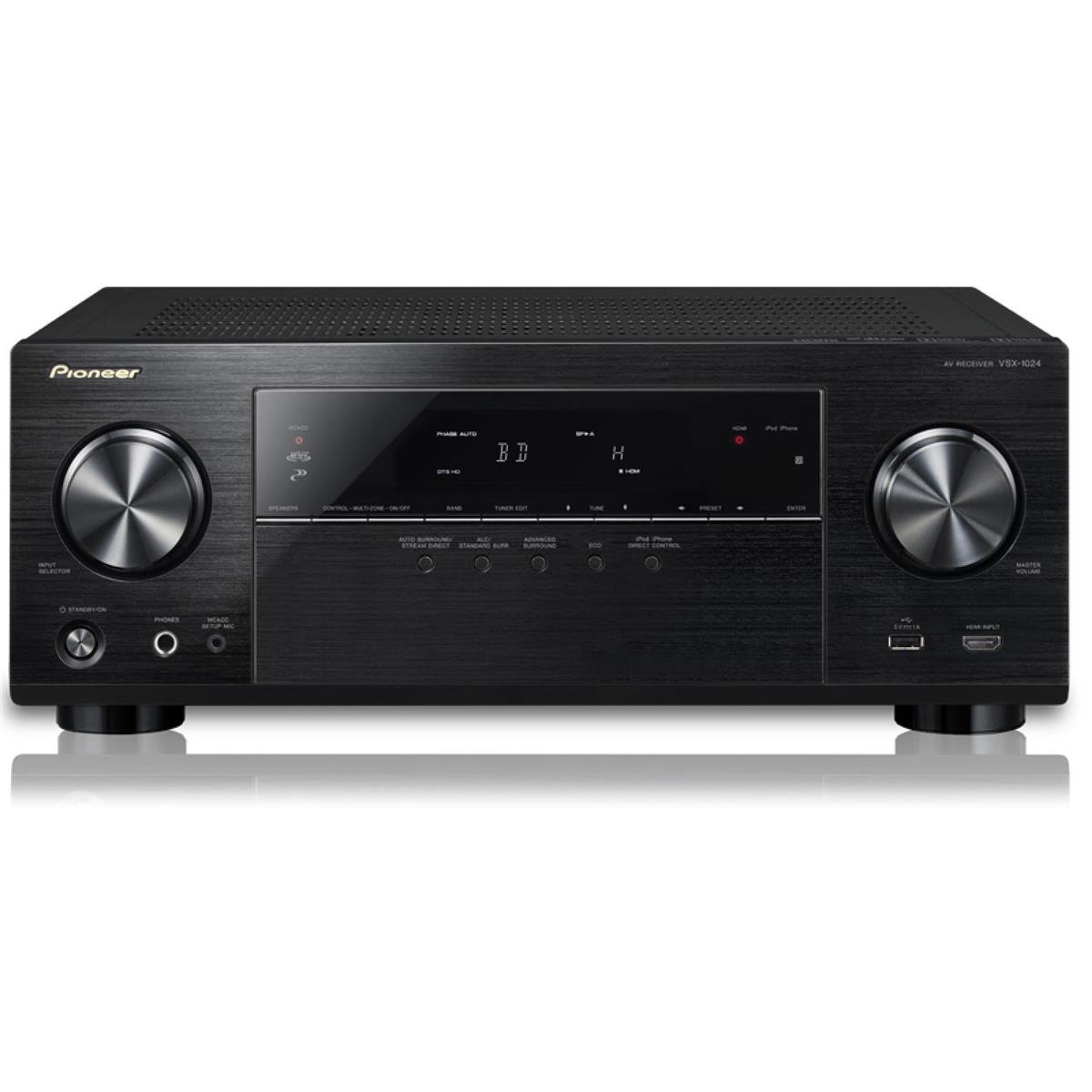
Imagen: Frente view of the Pioneer VSX-1024 A/V Receiver, showing the display, control knobs, and front panel inputs. This image illustrates the general appearance of the receiver.
Conexiones HDMI
Use HDMI cables to connect your video sources (e.g., Blu-ray player, game console, cable box) to the HDMI IN jacks on the receiver. Connect the HDMI OUT (ARC) jack on the receiver to an HDMI input on your TV.
- Connect HDMI OUT (ARC) on receiver to HDMI IN (ARC) on TV.
- Connect HDMI OUT from source devices to HDMI IN 1-7 on receiver.
Conexiones de los altavoces
Connect your speakers to the corresponding speaker terminals on the rear panel. Ensure correct polarity (+ to + and - to -) for all speakers. This receiver supports a 7.2 channel configuration.
- Conecte los altavoces frontales izquierdo y derecho.
- Conecte el altavoz central.
- Conecte los altavoces envolventes izquierdo y derecho.
- Connect surround back left and right speakers (or use for front height/width).
- Connect up to two powered subwoofers to the SUBWOOFER PRE OUT jacks.
Conexión de red
For network features like AirPlay and Spotify, connect the receiver to your home network. Use an Ethernet cable to connect the receiver's LAN port to your router, or configure a wireless connection if a compatible wireless adapter is used.
3. Initial Setup (MCACC)
The Multi-Channel Acoustic Calibration System (MCACC) automatically optimizes your speaker settings for your listening environment.
- Connect the supplied MCACC setup microphone to the SETUP MIC jack on the front panel.
- Coloque el micrófono en su posición de escucha principal.
- Follow the on-screen instructions displayed on your TV to start the MCACC calibration process.
- The system will emit test tones and measure speaker size, level, distance, and equalization.
Operating Your Receiver
1. Funcionamiento básico
- Encendido/apagado: Presione el EN MODO DE ESPERA botón en el panel frontal o en el control remoto.
- Control de volumen: Utilice el VOLUMEN PRINCIPAL perilla en el panel frontal o en el VOLUMEN +/- botones en el control remoto.
2. Selección de entrada
To switch between connected devices, press the corresponding input selector buttons on the remote control (e.g., BD / DVD, JUEGO, SAT / CBL) or use the SELECTOR DE ENTRADA Perilla en el panel frontal.
3. Modos de sonido
El receptor ofrece varios modos de sonido para mejorar su experiencia auditiva. Utilice el RODEAR or ADV. SURROUND buttons on the remote to cycle through modes like Dolby Digital, DTS, Stereo, and various Pioneer-specific sound fields.
4. Características de la red
Leverage the receiver's network capabilities for streaming and connectivity:
- Apple AirPlay: Stream music wirelessly from your Apple devices (iPhone, iPad, iPod touch, Mac) to the receiver. Ensure both devices are on the same network.
- Conectar Spotify: Access millions of songs from the Spotify digital music-streaming service. Control playback directly from the Spotify app on your smartphone or tablet.
- HTC Connect: Stream music from compatible HTC smartphones.
- Reproducción sin pausas: Enjoy uninterrupted playback for supported audio formats including AIFF, Apple Lossless, WAV, FLAC, AAC, and MP3.
5. Control remoto
The supplied remote control provides full functionality for the receiver. Familiarize yourself with the button layout for convenient operation. Ensure batteries are inserted correctly.
Mantenimiento
1. Limpieza
Para mantener la apariencia y el rendimiento de su receptor:
- Desenchufe el cable de alimentación antes de limpiarlo.
- Limpie las superficies exteriores con un paño suave y seco.
- No utilice limpiadores abrasivos, ceras o disolventes ya que pueden dañar el acabado.
- Keep ventilation openings clear of dust.
2. Actualizaciones de firmware
Pioneer may release firmware updates to improve performance or add new features. It is recommended to periodically check the Pioneer website for available updates and follow the instructions provided for installation. Firmware updates can often resolve minor operational issues.
Solución de problemas
Si tiene problemas con su receptor, consulte los siguientes problemas y soluciones comunes:
| Problema | Posible causa / solución |
|---|---|
| Sin poder | Ensure the power cord is securely plugged into the receiver and a working wall outlet. Check the power outlet with another device. |
| No hay sonido de los altavoces | Check speaker connections for correct polarity and secure fit. Verify the correct input source is selected. Ensure volume is not muted or set too low. Run MCACC calibration again. |
| No hay imagen en la televisión. | Verify HDMI cables are securely connected between source, receiver, and TV. Ensure the correct HDMI input is selected on both the receiver and TV. Try bypassing the receiver by connecting the source directly to the TV to isolate the issue. |
| Subwoofer no funciona | Check the subwoofer's power and connection to the receiver's SUBWOOFER PRE OUT. Ensure subwoofer settings are enabled in the receiver's menu. Re-run MCACC calibration. |
| Las funciones de red no funcionan | Ensure the receiver is properly connected to your home network (wired or wireless). Check network settings on the receiver and your router. Restart your router and receiver. |
| El control remoto no funciona | Replace batteries with new ones. Ensure there are no obstructions between the remote and the receiver's IR sensor. |
Si el problema persiste después de probar estas soluciones, comuníquese con el servicio de atención al cliente de Pioneer o con un técnico de servicio calificado.
Presupuesto
| Característica | Detalle |
|---|---|
| Marca | Pionero |
| Número de modelo | VSX-1024 |
| Canales de sonido envolvente | 7.2 canales |
| Potencia de salida | 50 Watts (per channel, typical) / 980 Watts (total output) |
| Tecnología de conectividad | HDMI Input / Output, MHL input, Bluetooth, Component Video Input / Output, Composite A/V Input, USB, Ethernet input, Wireless Adapter Port, Analog Audio Inputs, Digital Inputs / Output, Pre-Amp Output, Headphone Output, Radio |
| Servicios de Internet compatibles | Spotify |
| Tecnología inalámbrica | Salida en antena |
| Dispositivos compatibles | teléfono inteligente, altavoz |
| Peso del artículo | 20.3 libras |
| Color | Negro |
Garantía y soporte
Para obtener información sobre la garantía, consulte la tarjeta de garantía incluida con su producto o visite el sitio web oficial de Pioneer. website. Pioneer provides customer support and service for its products. For technical assistance, troubleshooting, or service inquiries, please visit the Pioneer support websitio o comuníquese directamente con su departamento de atención al cliente.
Nota: Las especificaciones y características del producto están sujetas a cambios sin previo aviso.