
KODAK M340
Manual del usuario de la cámara digital Kodak Easyshare M340
Model: M340 | Brand: KODAK
1. Introducción
The Kodak Easyshare M340 Digital Camera is designed for ease of use and high-quality image capture. This manual provides essential information for setting up, operating, maintaining, and troubleshooting your camera, ensuring you get the most out of its features.
Key features include a 10.2-megapixel sensor for detailed prints, a 3x optical zoom lens, and Kodak's Smart Capture feature for automatic setting adjustments. It also supports HD picture capture and easy sharing capabilities.
2. Primeros pasos
2.1. ¿Qué hay en la caja?
Upon unboxing your Kodak Easyshare M340, verify that all components are present:
- Kodak EasyShare M340 digital camera
- Kodak Li-Ion rechargeable digital camera battery KLIC-7001
- Correa de muñeca
- Cable USB
- Adaptador de CA USB Kodak para carga dentro de la cámara
- User’s Guide (digital version provided here)
2.2. Cámara sobreview
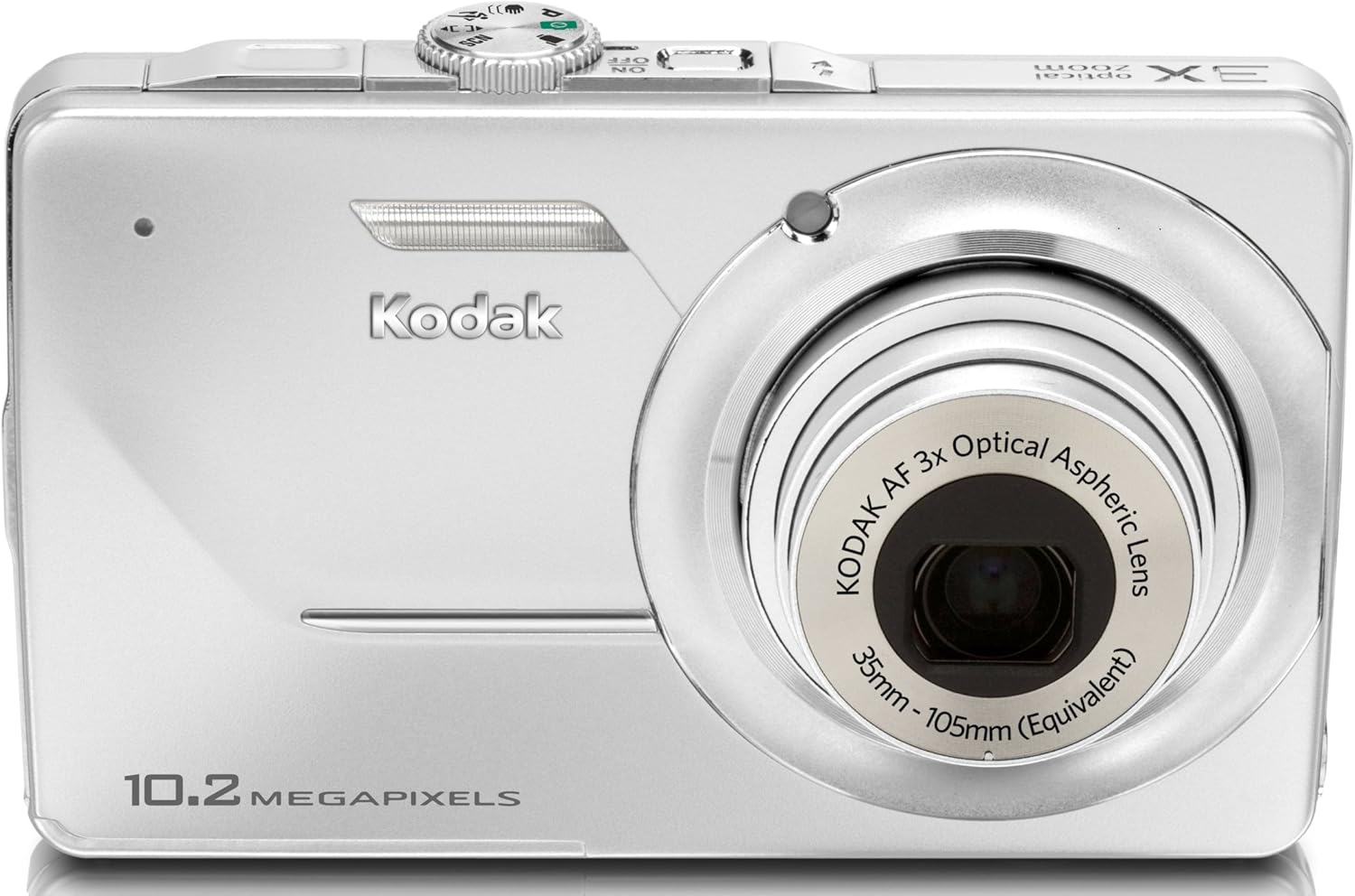
Figura 2.2.1: Frente View
This image displays the front of the Kodak Easyshare M340 camera, highlighting the lens, flash, and the 10.2 Megapixels branding.

Figura 2.2.2: Atrás View
This image shows the rear of the camera, featuring the large 2.7-inch LCD screen, navigation buttons, and the 'share' button.

Figura 2.2.3: Frente en ángulo View
Un ángulo view of the camera from the front, showcasing the extended lens barrel and the top controls.

Figura 2.2.4: Lado View con puertos
This image highlights the side of the camera, revealing the USB port and other connectivity options.
2.3. Instalación y carga de la batería
The camera uses a Kodak Li-Ion rechargeable battery (KLIC-7001). Ensure the battery is fully charged before first use.
- Abra la tapa del compartimiento de la batería ubicada en la parte inferior de la cámara.
- Insert the KLIC-7001 battery, aligning it with the polarity indicators inside the compartment.
- Cierre bien la tapa del compartimento de la batería.
- Connect the USB cable to the camera's USB port and the other end to the Kodak USB AC adapter.
- Plug the AC adapter into a wall outlet. The charging indicator light will illuminate.
- La carga está completa cuando la luz indicadora cambia o se apaga (consulte la pantalla de la cámara para conocer el estado exacto).
2.4. Insertar una tarjeta de memoria
The Kodak Easyshare M340 supports SD/SDHC memory cards. A memory card is required for storing a large number of photos and videos.
- Localice la ranura de la tarjeta de memoria, generalmente adyacente al compartimiento de la batería.
- Insert the SD/SDHC card with the metal contacts facing the correct direction (refer to the diagram near the slot).
- Empuja la tarjeta hasta que encaje en su lugar. Para retirarla, vuelve a empujarla hasta que salte.
Note: The camera has approximately 16 MB of internal memory for temporary storage if a card is not inserted or becomes full.
3. Operación de la cámara
3.1. Encendido / apagado
Presione el botón de encendido ubicado en la parte superior de la cámara para encenderla o apagarla.
3.2. Modos básicos de fotografía
The M340 features Kodak's Smart Capture, which automatically adjusts settings for optimal results. You can also select specific scene modes.
- Captura inteligente: This mode intelligently detects scene conditions and automatically sets exposure, focus, and ISO for clear, sharp pictures.
- Modos de escena: Access various pre-set scene modes (e.g., Portrait, Landscape, Night, Sport) through the camera's menu to optimize settings for specific shooting conditions.
3.3. Tomar fotografías
- Encienda la cámara.
- Encuadre su toma utilizando la pantalla LCD de 2.7 pulgadas.
- Use the zoom lever (typically around the shutter button) to adjust the 3x optical zoom or 5x digital zoom.
- Presione el botón del obturador hasta la mitad para permitir que la cámara enfoque.
- Presione el botón del obturador completamente hacia abajo para capturar la imagen.
3.4. Grabación de vídeos
The camera can record continuous VGA (640 x 480) or QVGA (320 x 240) video at 24 frames per second (fps) with audio.
- Switch the camera to video recording mode (usually indicated by a video camera icon).
- Presione el botón del obturador para comenzar a grabar.
- Vuelva a pulsar el disparador para detener la grabación.
3.5. Reproducción y review
Para volverview tus fotos y vídeos:
- Presione el botón Reproducción (generalmente indicado por un ícono de triángulo).
- Use the navigation buttons to scroll through your captured media.
- Presione el botón OK para view detalles o reproducir videos.
3.6. Compartir su contenido
The Kodak Easyshare M340 simplifies sharing with its dedicated Share button.
- In Playback mode, select the image or video you wish to share.
- Press the Share button on the back of the camera.
- Siga las indicaciones en pantalla para tag for upload to platforms like YouTube or Kodak Gallery when connected to a computer with Kodak EasyShare Software.
4. Mantenimiento
4.1. Limpieza de la cámara
- Utilice un paño suave y sin pelusa para limpiar el cuerpo de la cámara.
- Para la lente y la pantalla LCD, utilice un paño y una solución de limpieza de lentes especializados, si es necesario, para evitar rayones.
- No utilice productos químicos agresivos ni materiales abrasivos.
4.2. Cuidado de la batería
- Guarde la batería en un lugar fresco y seco cuando no esté en uso.
- Evite descargar completamente la batería con frecuencia para prolongar su vida útil.
- Si la cámara no se utilizará durante un período prolongado, retire la batería.
4.3. Actualizaciones de firmware
Periodically check the official KODAK support website for any available firmware updates for your M340 model. Firmware updates can improve camera performance and add new features.
5. Solución de problemas
This section addresses common issues you might encounter with your Kodak Easyshare M340 camera.
| Problema | Posible causa | Solución |
|---|---|---|
| La cámara no se enciende. | La batería no está cargada o está insertada incorrectamente. | Ensure battery is fully charged and correctly inserted. Try charging the battery for a few hours. |
| Las imágenes están borrosas. | Camera shake, subject movement, or low light. | Hold the camera steady. Use the blur reduction feature. Ensure adequate lighting or use flash. |
| "Memory Card Full" error. | La tarjeta de memoria está llena o dañada. | Delete unwanted photos/videos, transfer them to a computer, or insert a new memory card. Format the card if corrupted (this will erase all data). |
| No se pueden transferir fotos a la computadora. | USB cable issue, software not installed, or driver problem. | Ensure USB cable is securely connected. Install Kodak EasyShare Software. Try a different USB port or cable. |
| LCD screen is too dark/bright outdoors. | Condiciones de iluminación ambiental. | Adjust screen brightness in camera settings. Find shade when composing shots in bright sunlight. |
If the problem persists, consult the official KODAK support resources or contact customer service.
6. Especificaciones técnicas
| Característica | Detalle |
|---|---|
| Marca | KODAK |
| Nombre del modelo | M340 |
| Resolución del sensor fotográfico | 10.2 MP |
| Tecnología de fotosensor | CCD |
| Zoom óptico | 3x (equivalente a 35-105 mm) |
| Zoom digital | 5x |
| Tamaño de pantalla | 2.7 pulgadas |
| Resolución de pantalla | 230,000 puntos |
| Estabilización de imagen | Blur Reduction feature |
| Apoyado File Formatos | JPEG (Images), MJPEG (Video) |
| Resolución de vídeo | 640x480 (VGA), 320x240 (QVGA) at 24 fps |
| Tipo de memoria flash | SD/SDHC card, Internal (16 MB) |
| Tipo de batería | Kodak KLIC-7001 Lithium-Ion rechargeable |
| Conectividad | USB 2.0 |
| Color | Plata |
| Peso del artículo | 4 onzas |
| Fabricante | Eastman Kodak Company |
| Número de modelo | 8936650 |
| Velocidad mínima de obturación | 4 segundos |
| Velocidad máxima de obturación | 1/4000 segundos |
| Sensibilidad ISO | 64 - 1600 |
| Modos de flash | Auto, On, Off, Slow Synch |
| Tecnología de enfoque automático | Detección de contraste |
| Nivel de resistencia al agua | No resistente al agua |
7. Garantía y soporte
Para obtener información sobre la garantía y asistencia técnica, consulte el sitio web oficial de KODAK. webSitio web o la documentación proporcionada con su compra. Conserve el comprobante de compra para reclamaciones de garantía.
Recursos en línea:
- KODAK oficial Websitio: www.kodak.com
- Kodak EasyShare Software: Included with the camera, or available for download from the official websitio.