
I TECH 121
I Tech MIO-CARE TENS Electrotherapy Device User Manual
Modelo: 121
1. Producto terminadoview
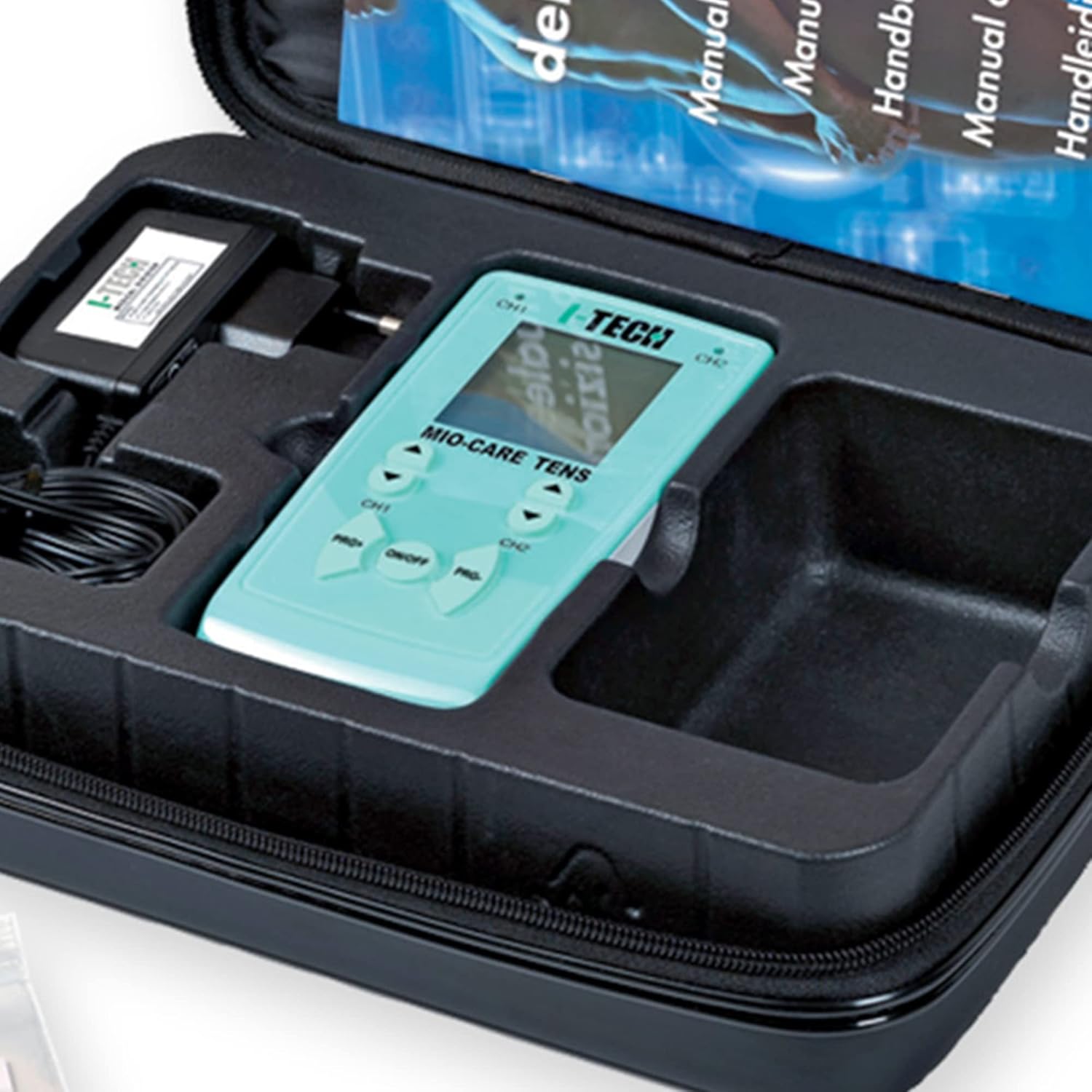
The I Tech MIO-CARE TENS is an advanced electrotherapy device designed for pain treatment and muscle stimulation. This Class IIA CE0068 Medical Device utilizes micro-electrical impulses to provide therapeutic benefits. It is equipped with 20 medical TENS programs and features 2 independent channels, allowing for the connection of up to 8 electrodes simultaneously.
Las características principales incluyen:
- 2 independent channel electrostimulator
- Simple digital keypad for intuitive control
- Internal rechargeable battery for convenience
- Graphic display showing current program and remaining therapy time
- Biphasic and compensated square wave generator for safe and effective treatment
- Practical carrying case for portability
2. Advertencias de seguridad importantes
Siempre consulte a un médico antes de usar este dispositivo.
- No lo use si tiene un marcapasos u otros dispositivos electrónicos implantados.
- Avoid use on sensitive areas such as the head, neck, and chest.
- No lo use mientras conduce o duerme.
- In case of skin irritation or discomfort, discontinue use immediately and consult a physician.
- Mantener fuera del alcance de los niños.
- No sumerja el dispositivo en agua ni en otros líquidos.
3. Contenido del paquete
Verifique que todos los artículos enumerados a continuación estén incluidos en su paquete:
- I Tech MIO-CARE TENS Electrotherapy Device with graphic display
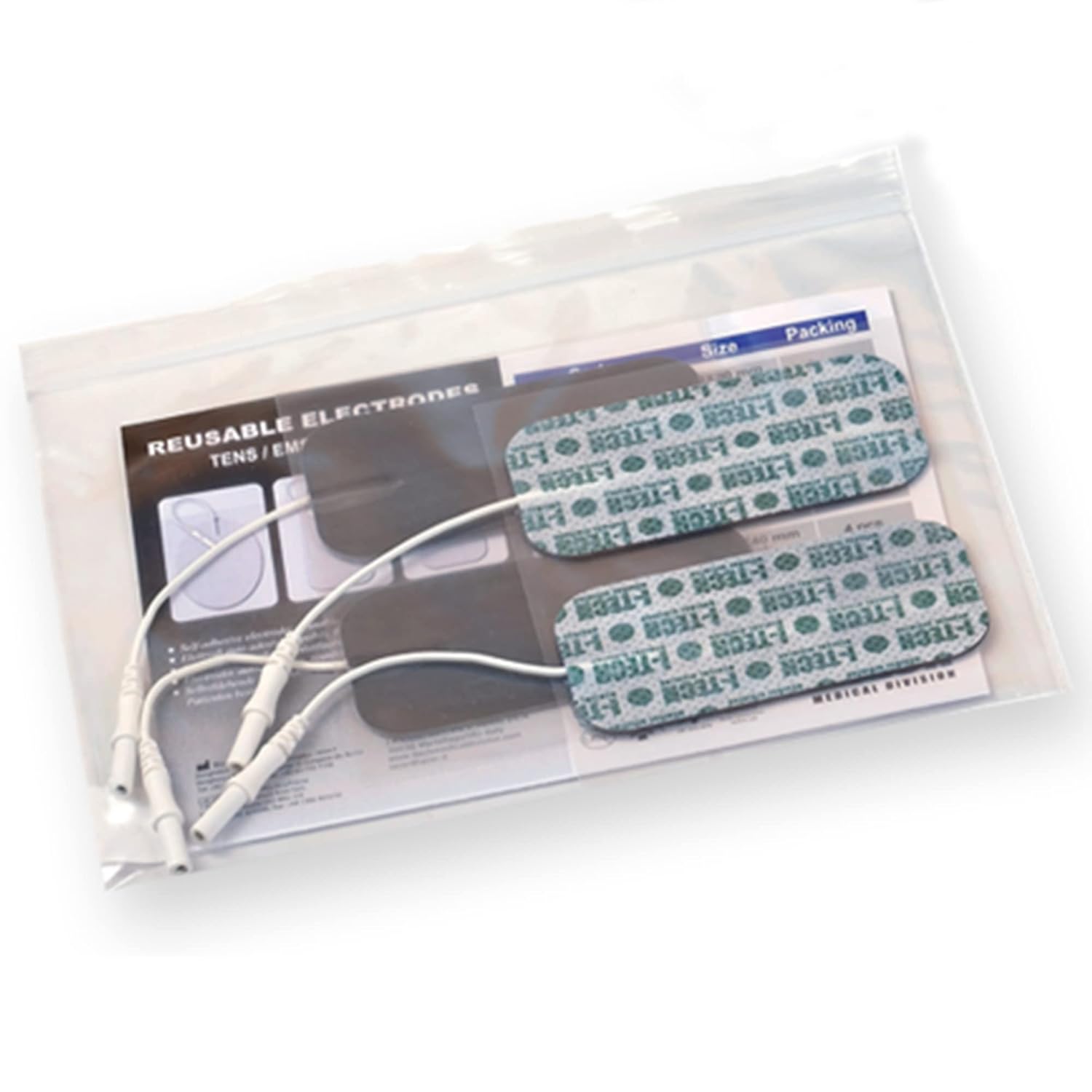
- 2 Electrode Connection Cables (4 wires each, total 8 connectable electrodes)
- Pre-gelled Adhesive Electrodes (quantity as specified on packaging)
- Internal Rechargeable Ni-Mh Battery
- Cargador de batería
- Presilla para cinturón
- Manual de usuario
- Electrode Placement Manual
- Bolsa de transporte



4. Configuración
4.1. Carga de la batería
Before first use, or when the battery indicator shows low charge, fully charge the internal Ni-Mh battery using the supplied battery charger. Connect the charger to the device and plug it into a standard electrical outlet. The charging indicator on the device will provide feedback on the charging status. A full charge ensures optimal performance and therapy duration.
4.2. Conexión de electrodos
The device comes with 2 electrode connection cables, each featuring 4 wires, allowing for a total of 8 electrodes to be connected. Ensure the device is turned off before connecting or disconnecting electrodes.
- Insert the cable pins firmly into the corresponding ports on the top of the TENS device.
- Attach the snap connectors at the other end of the cables to the pre-gelled adhesive electrodes. Ensure a secure connection.
- Retire los electrodos de su revestimiento protector.
5. Instrucciones de funcionamiento
5.1. Funcionamiento básico
The MIO-CARE TENS device features a user-friendly digital keypad for easy navigation and control.
- Encendido/apagado: Mantenga pulsado el ENCENDIDO/APAGADO button located in the center of the keypad to turn the device on or off.
- Selección de programas: Utilice el PRG+ y PRG- buttons to cycle through the 20 available medical TENS programs. The selected program number will be displayed on the screen.
- Ajuste de intensidad: Una vez seleccionado un programa, utilice el CH1 y CH2 arrow buttons (up/down) to adjust the intensity for each independent channel. Start with a low intensity and gradually increase until a comfortable, tingling sensation is felt.
- Escucha: The graphic display provides real-time information on the active program and the remaining therapy time.
5.2. Colocación de electrodos
Correct electrode placement is crucial for effective and safe therapy. Refer to the dedicated Electrode Placement Manual included with your device for detailed diagrams and instructions for various body areas and conditions. General guidelines include:
- Limpie y seque el área de la piel donde se colocarán los electrodos.
- Place electrodes on healthy, intact skin, avoiding open wounds or irritated areas.
- Ensure electrodes are firmly adhered to the skin for good conductivity.
- Typically, electrodes are placed around or near the area of pain, ensuring the current passes through the affected region.
- Do not place electrodes over the heart, across the head, or on the front of the neck.
6. Mantenimiento
6.1. Limpieza del dispositivo
Limpie el dispositivo con un paño suave, damp cloth. Do not use abrasive cleaners or immerse the device in water. Ensure the device is off and disconnected from the charger before cleaning.
6.2. Cuidado y almacenamiento de los electrodos
To prolong the life of your pre-gelled adhesive electrodes:
- After each use, reattach the electrodes to their protective plastic liner.
- Store electrodes in a cool, dry place, preferably in their original sealed bag.
- If electrodes lose their adhesiveness, they may need to be replaced. Do not use electrodes that are dry or damaged.
6.3. Cuidado de la batería
To maintain battery health, avoid completely draining the battery frequently. Recharge the battery when the low battery indicator appears. If storing the device for an extended period, ensure the battery is partially charged (around 50%) and recharge it every few months.
7. Solución de problemas
If you encounter issues with your MIO-CARE TENS device, refer to the following common troubleshooting steps:
- El dispositivo no se enciende: Asegúrese de que la batería esté cargada. Conecte el cargador y vuelva a intentarlo.
- Sin sensación o sensación débil: Check that electrodes are firmly attached to the skin. Increase the intensity gradually using the channel-specific arrow buttons. Ensure cables are securely connected to both the device and the electrodes. Electrodes may need replacement if they have lost their conductivity.
- Irritación de la piel: Discontinue use immediately. Ensure skin is clean and dry before application. Try repositioning electrodes. If irritation persists, consult a physician.
- Problemas de visualización: If the screen is blank or flickering, try turning the device off and on again. Ensure the battery is charged.
Si hay problemas persistentes que no se resuelven con estos pasos, comuníquese con el servicio de atención al cliente.
8. Especificaciones técnicas
| Especificación | Valor |
|---|---|
| Número de modelo del artículo | 121 |
| Marca | YO TECNOLOGÍA |
| Dimensiones del producto (L x An x Al) | 20.5 x 29 x 7.5 cm |
| Peso del artículo | 1.15 kilogramos |
| Fuente de poder | Funciona con pilas |
| Batería(s) | Se requieren 1 pilas AAA |
| Material | Plástico |
| Color | Negro |
| Característica especial | 2 independent channels; backlit screen; TENS |
| Usos específicos del producto | Pain management, muscle relaxation, physiotherapy |
| Fabricante | IACER |
| País natal | Porcelana |
9. Garantía y soporte
For detailed warranty information, please refer to the warranty card or the full user manual included in your product package. Warranty terms and conditions may vary by region and retailer.
If you require technical assistance, have questions about your device, or need to report a defect, please contact I Tech customer support. Contact details are typically provided in the user manual or on the manufacturer's official websitio.
Tenga a mano el número de modelo de su producto (121) y la información de compra cuando se comunique con el soporte.