
1. Enkonduko
This manual provides instructions for the KODAK 10.1-inch Digital Photo Frame, Model 1028c. Please read this manual thoroughly before using the device to ensure proper operation and to maximize your experience. This digital photo frame is designed to display photos and videos without requiring a Wi-Fi connection, offering a simple and direct way to enjoy your digital memories.
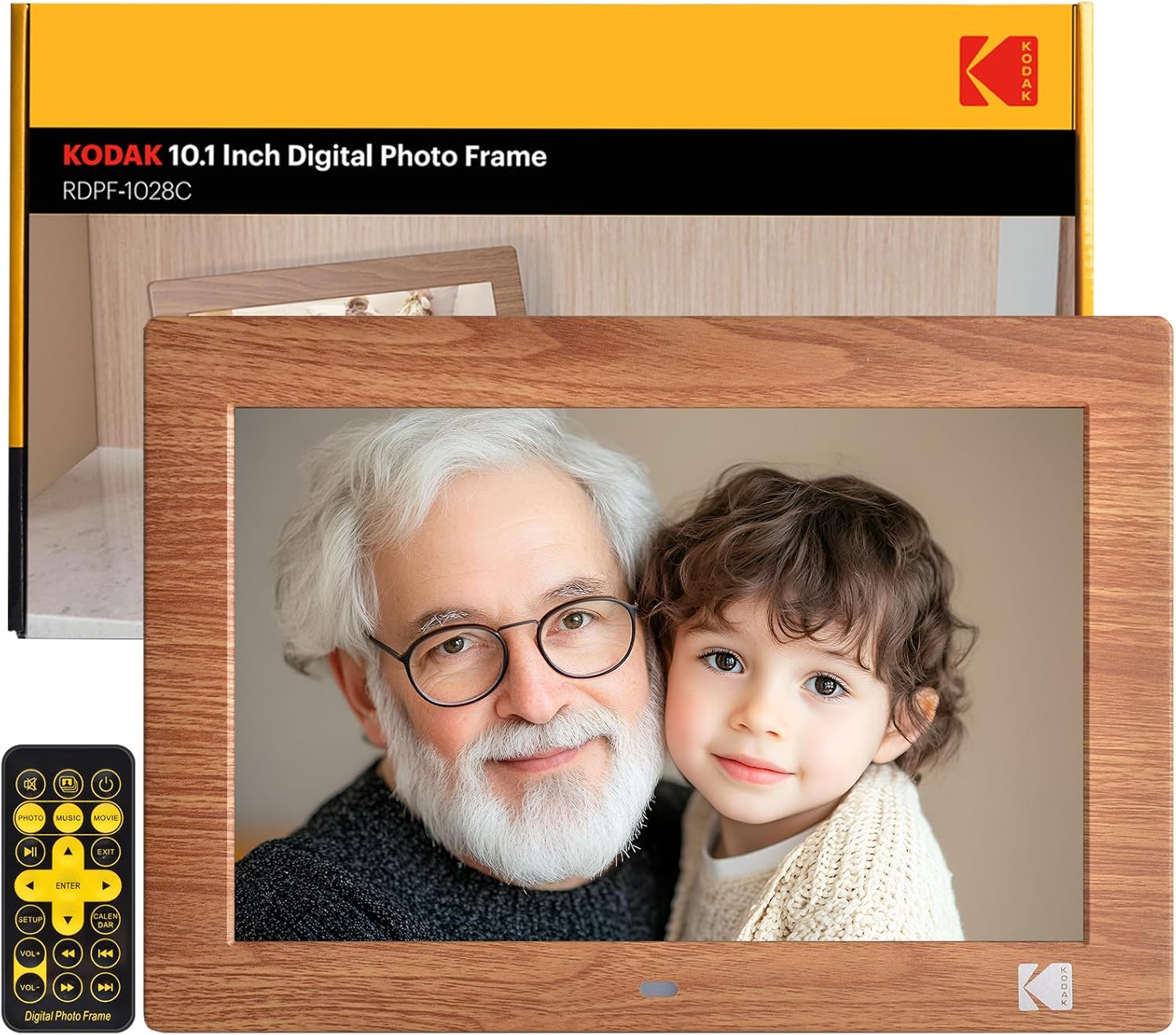
Image: The KODAK 10.1-inch Digital Photo Frame showcasing its vibrant display with a family photo.
2. Produkto Finitaview
2.1 Ŝlosilaj Trajtoj
- 10.1-inch HD IPS Display: Features a 1280x800 resolution screen with a 16:10 aspect ratio and 178° ultra-wide viewing angle for clear images.
- Neniu Wi-Fi necesas: Operates independently without internet connection or app downloads.
- Uzant-amika Operacio: Simple plug-and-play functionality with USB drives or SD cards (up to 256GB). Includes a remote control for easy navigation.
- Multfunkcia: Supports photo, video, and music playback. Includes calendar, clock, and alarm functions.
- Aŭtomata On/Malŝalto: Programmable power schedule for convenience.
- Fleksebla Lokigo: Supports horizontal or vertical orientation with auto-rotation, and can be wall-mounted.

Image: Visual representation of the frame's display specifications.
2.2 Enhavo de la pakaĵo
Kontrolu, ke ĉiuj eroj ĉeestas en la pakaĵo:
- KODAK 10.1-cola Cifereca Fotokadro
- Teleregilo
- Photo Frame Stand
- Uzanta Manlibro (ĉi tiu dokumento)
- DC Potenca Kablo

Bildo: Ĉiuj komponantoj estas inkluzivitaj en la produkta pakaĵo.
2.3 Aparaj Interfacoj
The frame is equipped with multiple ports for connectivity:
- Sd-karto-fendo: Elportas SD-kartojn ĝis 256GB.
- USB-haveno: For connecting USB flash drives up to 256GB.
- 3.5mm Aŭdila fanto: Por aŭda eligo.
- DC Potenca Konektilo: Por konekti la elektran adaptilon.

Bildo: Detala view of the various ports and interfaces on the back of the digital photo frame.
3. Instalado
3.1 Komenca Power-On
- Connect the DC power cable to the DC power connector on the back of the frame.
- Konektu la elektran adaptilon en murelejon.
- The frame will automatically power on. If not, press the power button on the back of the frame or on the remote control.
3.2 Inserting Storage Devices
To display photos and videos:
- Insert a USB flash drive or SD card (pre-loaded with your media files) into the corresponding port on the frame.
- Ensure the storage device is formatted to a compatible file system (e.g., FAT32, exFAT).
- The frame will automatically detect the device and begin playing media.
Image: Demonstrating the simple process of inserting an SD card and USB drive into the frame.
3.3 Frame Placement
The frame can be placed horizontally or vertically, and supports wall mounting:
- Labortabla Lokigo: Attach the included photo frame stand to the designated slot on the back for stable desktop use.
- Mura muntado: Use the wall hanging hole on the back of the frame. Ensure appropriate wall anchors and screws are used (not included). The frame features auto-rotation to adjust orientation based on gravity sensing.

Image: Details of the frame's stand and wall mounting options, with examples of display orientation.
4. Funkciaj Instrukcioj
4.1 Uzante la Teleregilon
The included remote control provides full functionality for navigating menus and controlling playback.

Image: Illustrating the use of the remote control for convenient operation.
4.2 Reludigo de amaskomunikiloj
- Fotoj: The frame supports JPG, BMP, PNG, GIF, and WEBP formats. Photos will display in a slideshow format.
- Videoj: The frame supports MP4, MKV, MOV, and AVI formats.
- Muziko: The frame supports MP3, WMA, OGG, AAC, and FLAC formats. Music can be played as background audio during photo slideshows.
Use the remote control to navigate through files, adjust volume, and control playback (play, pause, next, previous).
4.3 Multifunction Features
Beyond media display, the frame offers additional utilities:
- Kalendaro kaj Horloĝo: Montru la aktualan daton kaj horon.
- Alarmo: Agordu alarmojn por memorigiloj.
Image: The frame's versatility, showing calendar, automatic on/off, and media playback.
4.4 Automatic On/Off
You can program the frame to turn on and off at specific times:
- Aliru la agordan menuon per la teleregilo.
- Navigate to the 'Auto On/Off' option.
- Set your desired power-on and power-off times.
Image: Demonstrating the automatic on/off scheduling feature for convenient use.
5. Prizorgado
- Purigado de la Ekrano: Uzu molan, senlanugan tukon por milde viŝi la ekranon. Por obstinaj makuloj, iomete viŝu.ampLavu la tukon per akvo aŭ ekranpuriga solvaĵo. Evitu severajn kemiaĵojn.
- Purigado de la Kadro: Viŝu la eksteraĵon de la kadro per seka, mola tuko.
- Stokado: When not in use for extended periods, disconnect the power adapter and store the frame in a cool, dry place.
- Evitu Likvaĵojn: Do not expose the frame to water or excessive moisture.
6. Respondecaj problemoj
| Problemo | Ebla Kaŭzo | Solvo |
|---|---|---|
| La kadro ne ŝaltiĝas. | La elektrokablo ne estas ĝuste konektita; problemo kun la elektrofonto. | Ensure power cable is securely connected to both the frame and the outlet. Test the outlet with another device. |
| No pictures or videos displayed. | Storage device not inserted; incompatible file formato; difektita files. | Ensure SD card or USB drive is correctly inserted. Verify media files are in supported formats (JPG, MP4, etc.). Try another storage device or reformat the current one. |
| Frame shuts off unexpectedly. | Automatic On/Off schedule enabled; power supply issue. | Check the 'Automatic On/Off' settings in the menu. Ensure the power adapter is functioning correctly and providing stable power. |
| Teleregilo ne funkcias. | Batteries depleted; obstruction; remote out of range. | Replace remote control batteries. Ensure no obstructions between the remote and the frame's IR receiver. Operate within a reasonable range. |
| Some photos not displaying. | Nekongrua file format (e.g., PNG not recognized); file korupto. | Ensure all photos are in supported formats like JPG. Convert problematic files se necese. |
7. Specifoj
- Produktaj Dimensioj: 8 x 10 x 0.99 coloj
- Item Pezo: 2.12 funtoj
- Modela Nombro: 1028c
- Marko: KODAK
- Ekrangrandeco: 10.1 Coloj
- Rezolucio: 1280 x 800 (WXGA)
- Bildformato: 16:10
- ViewAngulo: 178° IPS
- Kongruaj Aparatoj: Personal Computer, SD Card, USB Flash Drive
- Subtenataj Fotoformatoj: JPG, BMP, PNG, GIF, WEBP
- Subtenataj Videoformatoj: MP4, MKV, MOV, AVI
- Subtenataj Muzikaj Formatoj: MP3, WMA, OGG, AAC, FLAC
- Subtenado Subtenado: SD Card (up to 256GB), USB Flash Drive (up to 256GB)
8. Garantio kaj Subteno
KODAK provides professional technical support and after-sales service for this product. For assistance, please refer to the contact information provided with your purchase or visit the official KODAK support webretejo.
8.1 Produktaj filmetoj
For visual guidance on setup and features, please refer to the following official product videos:
Video: Ĝenerala finitaview and features of the KODAK Digital Photo Frame.
Video: Detailed demonstration of the frame's functionalities.
Video: Vertical orientation display and usage examples.
Video: Quick guide to setting up and using the frame.
Video: Exploring the various display modes and settings.
Video: Tips for optimizing your photo and video display.
Video: Comprehensive guide to all features and controls.
Video: Extended tutorial on advanced settings and customization.
Video: Short demonstration of key features in vertical mode.
Video: Rapide finitaview of the frame's user interface.