
Enkonduko
This manual provides comprehensive instructions for the setup, operation, and maintenance of your Code Alarm CAT1LR one-way replacement remote control. Please read these instructions carefully before attempting to program or use your new remote. This remote is designed to replace the CAT1LR model and is ne compatible with the original CAT1 remote.
Produkto Finisview
The Code Alarm CAT1LR is a one-button, one-way replacement remote control designed for specific Code Alarm systems. It operates on a 915MHz frequency using FHSS (Frequency Hopping Spread Spectrum) technology and features a red LED indicator for status feedback.
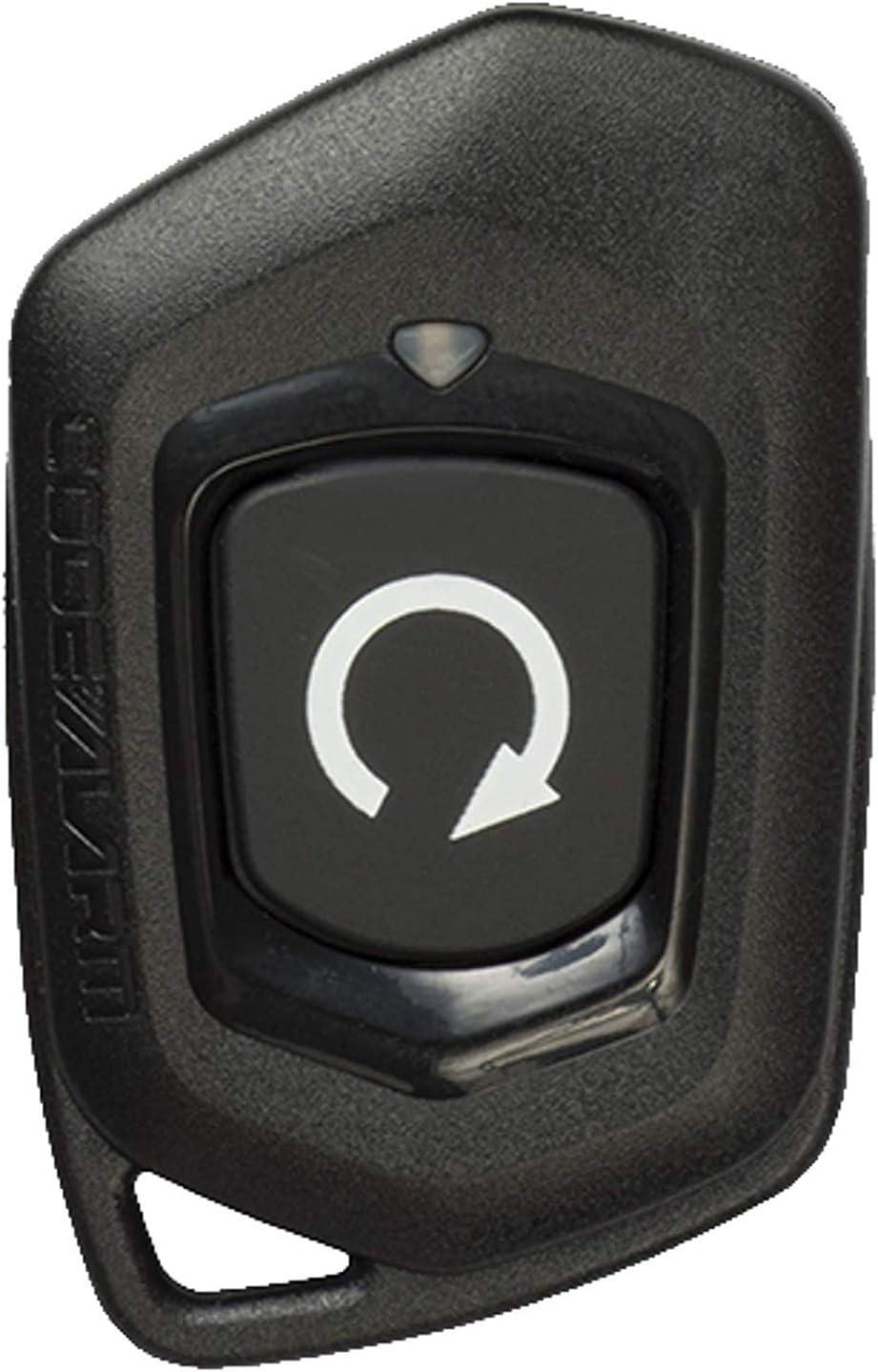
Bilda Priskribo: A black, rectangular remote control with a single large black button featuring a white circular arrow icon. The 'CODE ALARM' logo is embossed on the left side. A small clear LED indicator is visible above the main button.
- Modelo: CAT1LR
- FCC-ID: H50T69 (also referred to as H5OT69)
- Ofteco: 915MHz
- Teknologio: FHSS, Spread Spectrum Technology (SST)
- Indikilo: Ruĝa LED
- Kongrueco: Programmable to systems such as CA1B6.
Setup: Programming Instructions
To program your new CAT1LR remote control, you will need access to your vehicle's alarm system valet switch (also known as the programming or override button). The exact location of this switch can vary by vehicle and alarm system installation. Refer to your vehicle's alarm system installation manual for the precise location of the valet switch.
General Programming Procedure:
- Locate the Valet Switch: Find the valet switch in your vehicle. It is typically a small push-button switch, often hidden under the dashboard, near the fuse box, or in the glove compartment.
- Eniri Programman Reĝimon:
- Turn the vehicle's ignition to the ON position (do not start the engine).
- Within 5 seconds, press and release the valet switch unufoje. The system's LED (usually on the dashboard) should illuminate, indicating it is in programming mode.
- Program the Remote:
- While the system is in programming mode, press and hold the single button on your new CAT1LR remote control for approximately 2 seconds.
- The system should respond with a chirp or a flash of the parking lights, confirming that the remote has been programmed. The remote's red LED will also flash.
- Eliri Programan Reĝimon: Turn the vehicle's ignition to the OFF position. The system will exit programming mode, and the LED will turn off.
Notu: If you have multiple remotes to program, repeat step 3 for each additional remote while the system is still in programming mode. Some systems may require a specific number of valet switch presses to enter different programming banks. Always consult your specific alarm system's manual for detailed, model-specific programming instructions.
Funkciaj Instrukcioj
The CAT1LR remote control features a single button that typically controls the primary functions of your Code Alarm system.
- Press and Release (Short Press): A quick press and release of the button will usually arm or disarm the security system, or lock/unlock the vehicle doors, depending on the system's configuration and current state. The red LED on the remote will flash briefly.
- Press and Hold (Long Press): Holding the button for approximately 2-3 seconds may activate an auxiliary function, such as trunk release, remote start (if equipped and configured), or panic mode. The red LED will remain illuminated while the button is held.
Refer to your vehicle's alarm system user manual for the exact functions assigned to short and long presses of the remote button.
Prizorgado
Anstataŭigo de Baterio
The CAT1LR remote control is powered by one CR2 Lithium Metal battery. When the remote's range decreases significantly or the LED indicator fails to light up, it is time to replace the battery.
- Open the Remote Casing: Carefully pry open the remote control casing. There may be a small notch on the side to assist with this. Use a small, flat-head screwdriver or a plastic prying tool to avoid damaging the casing.
- Forigu Malnovan Baterion: Note the orientation of the old battery (positive (+) and negative (-) terminals). Remove the depleted CR2 battery.
- Enmetu Novan Baterion: Insert a new CR2 Lithium Metal battery, ensuring it is placed with the correct polarity.
- Close the Casing: Klaku la teleregilon casing reen kune sekure.
After replacing the battery, test the remote's functionality. If it does not respond, you may need to re-program it following the instructions in the 'Setup' section.
Solvado de problemoj
- Fora Ne Respondanta:
- Check the battery. Replace it if necessary.
- Ensure the remote is properly programmed to your system. Re-program if unsure.
- Verify that the vehicle's alarm system is armed or disarmed as expected.
- Reduced Operating Range:
- Replace the battery. A weak battery is the most common cause of reduced range.
- Ensure there are no large metal objects or electronic devices interfering with the signal between the remote and the vehicle.
- LED-a LED-o ne lumiĝas:
- The battery is likely dead or incorrectly installed. Replace or re-install the battery.
If problems persist after following these steps, contact a professional installer or the manufacturer's support.
Specifoj
- Modela Nombro: CAT1LR
- FCC-ID: H50T69
- Konekteca Teknologio: Radio Frequency (915MHz FHSS)
- Nombro da Butonoj: 1
- Kontrolilo: Butona Kontrolo
- Tipo de Baterio: 1 x CR2 Litia Metalo (inkluzivita)
- Item Pezo: 0.81 uncoj (ĉ. 23 gramoj)
- Pakaj Dimensioj: 5.3 x 3 x 0.5 coloj (ĉ. 13.5 x 7.6 x 1.3 cm)
- Speciala funkcio: Ergonomia dezajno
Garantio kaj Subteno
For information regarding product warranty, please refer to the original purchase documentation or contact Code Alarm directly. Warranty terms and conditions may vary.
For technical support or further assistance, please visit the official Code Alarm website or consult with an authorized dealer or installer.
Fabrikisto: Code Alarm