
Bushnell 46BU066
Bushnell Pro XE Golf Laser Rangefinder User Manual
Model: 46BU066
Enkonduko
The Bushnell Pro XE Golf Laser Rangefinder is an advanced optical instrument designed to provide precise distance measurements for golfers. It features cutting-edge technology to enhance accuracy and user experience on the course, including slope compensation with environmental factors and a magnetic cart mount.
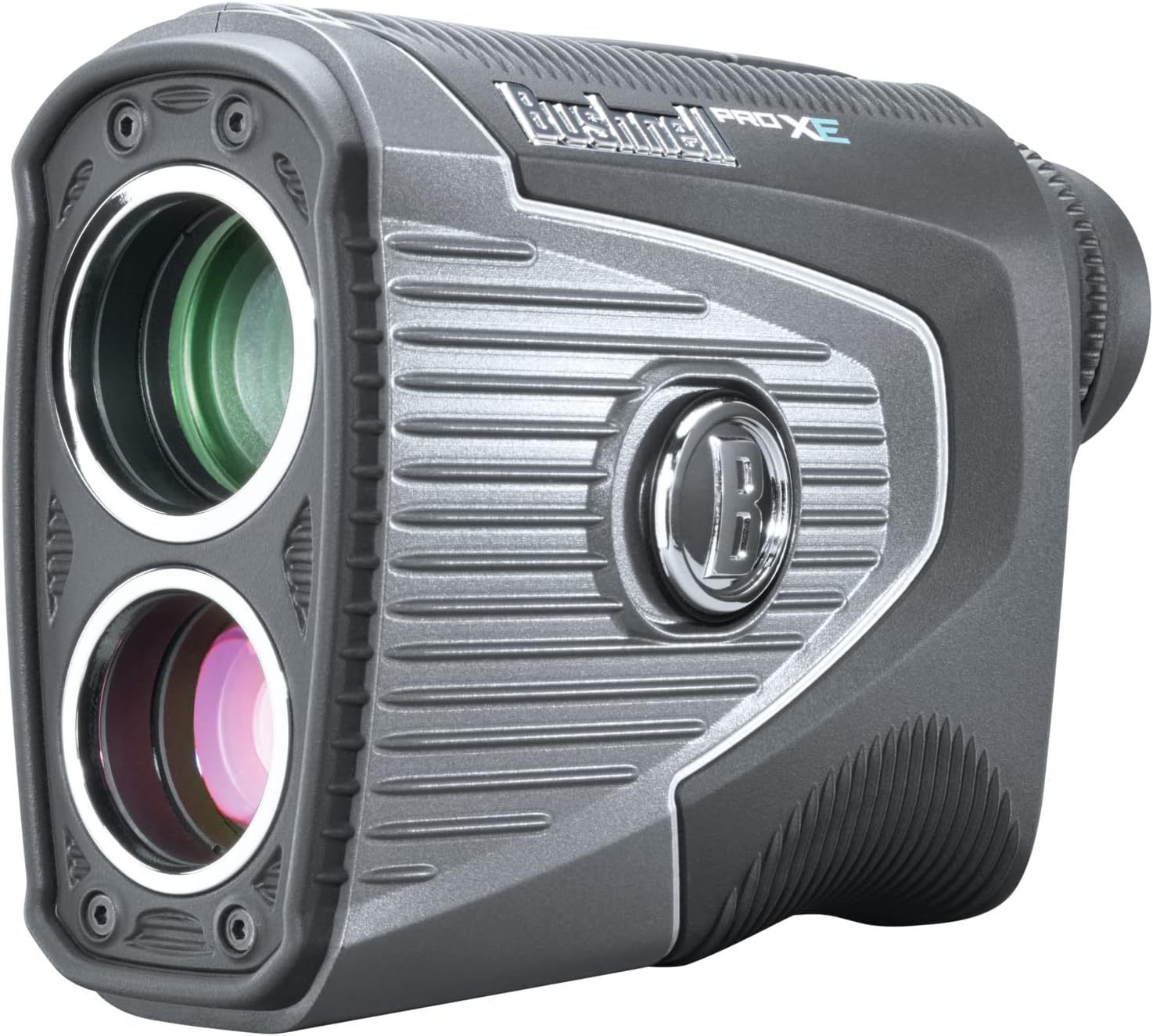
Fronto view of the Bushnell Pro XE Golf Laser Rangefinder, showing the objective and laser apertures.
Ŝlosilaj Trajtoj
- Slope with Elements: Provides compensated distance based on terrain slope, temperature, and barometric pressure for highly accurate readings.
- PinSeeker with Visual JOLT Technology: Confirms target acquisition with a vibrating pulse and a red ring around the "B" logo, ensuring you've locked onto the flag.
- Built-in BITE Magnetic Cart Mount: Allows for secure attachment to a golf cart frame or other metal surfaces for easy access.
- Positive Click Slope Switch: Easily toggle the slope compensation feature on or off, making the device legal for tournament play when off.
- Etendita Gamo: Capable of measuring distances from 5 to 1,300 yards.
- Akvorezista Dezajno: IPX7 rated, ensuring protection against water immersion.
- 7x pligrandigo: Provides clear and bright optics for easy target identification.

Diagram illustrating the various features and components of the Bushnell Pro XE.
Agordi
1. Bateria Instalado
The Bushnell Pro XE uses one 3-volt CR2 Lithium battery. To install or replace the battery:
- Locate the battery compartment cap on the bottom of the unit.
- Rotate the cap counter-clockwise to remove it.
- Insert a new CR2 battery with the positive (+) terminal facing inward.
- Replace the battery cap and turn it clockwise until it is securely tightened.
2. Fokusa Alĝustigo
To adjust the focus for a clear view through the eyepiece:
- Rigardu tra la okulario.
- Rotate the diopter adjustment ring (located on the eyepiece) until the display and the view of the target appear sharp and clear.
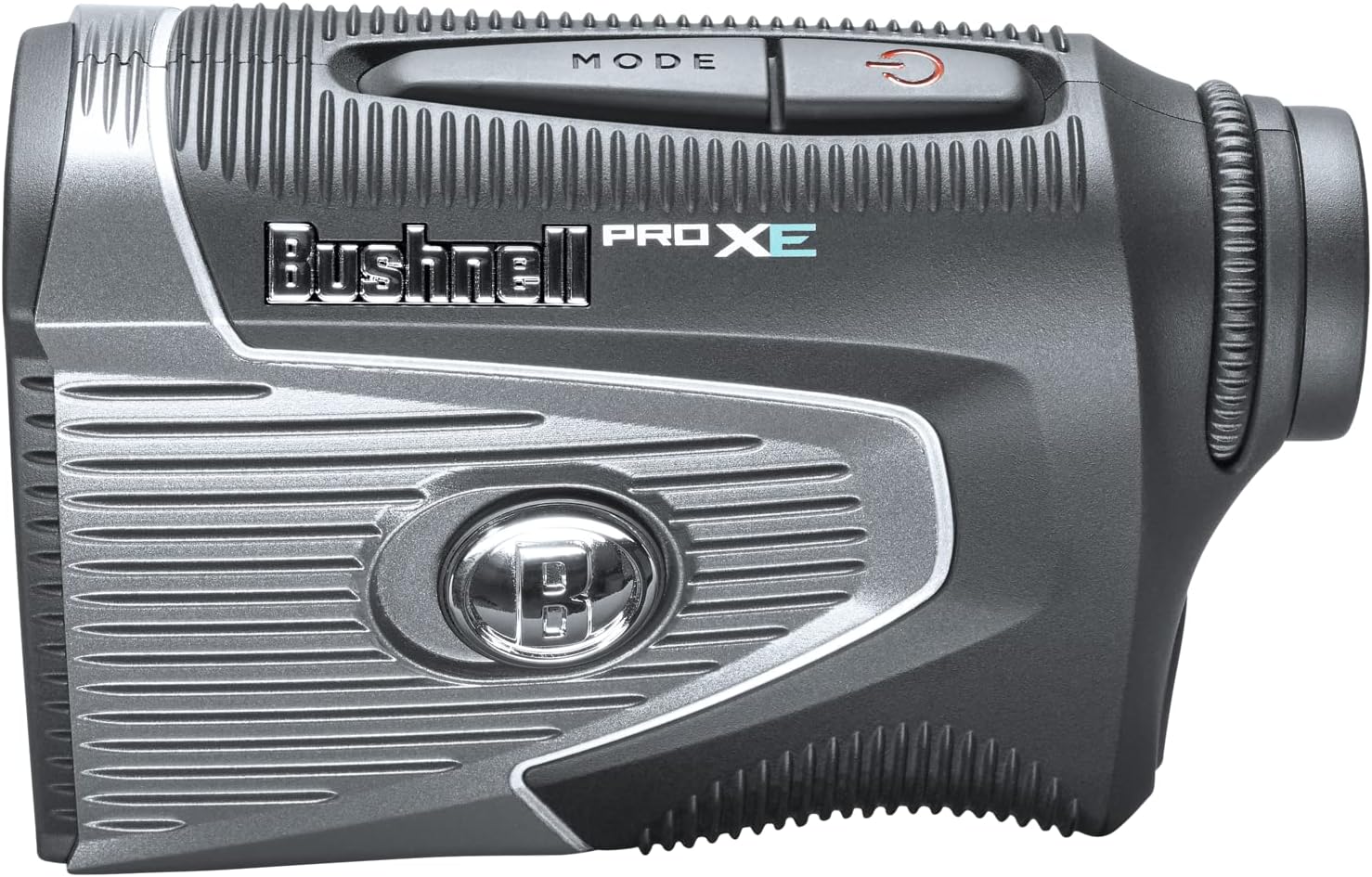
Flanko view of the rangefinder, showing the power and mode buttons for operation.
Funkciaj Instrukcioj
1. Powering On and Ranging
To activate the rangefinder and measure distance:
- Premu la Power/Fire button (red button on top) once to turn on the unit and activate the display.
- Aim the aiming circle (reticle) at your desired target.
- Premu kaj tenu la Power/Fire button until the distance reading appears in the display.
- Release the button to turn off the laser. The display will remain active for approximately 10 seconds.
2. Mode Selection (Slope Switch)
The Pro XE features a positive click slope switch on the side of the unit to enable or disable the Slope with Elements feature.
- Glitu la ŝaltilon al la ĝuste (red indicator visible) to activate Slope with Elements. The display will show the compensated distance.
- Glitu la ŝaltilon al la foriris (no red indicator) to disable Slope with Elements. The display will show only the actual linear distance, making it legal for tournament play.

Close-up of the "B" logo with the red indicator, signifying that the Slope with Elements feature is active.
3. PinSeeker with Visual JOLT
This technology helps you easily acquire the flag without inadvertently getting distances to background targets.
- While looking through the eyepiece, align the aiming circle over the flagstick.
- Premu kaj tenu la Power/Fire butonon.
- Once the flagstick is identified, the display will show the distance, and the unit will vibrate (JOLT) and illuminate a red ring around the "B" logo, confirming target lock.
4. BITE Magnetic Cart Mount
The integrated BITE magnetic mount allows for convenient attachment to a golf cart or other metal surfaces.
- Simply press the side of the rangefinder with the "BITE" textured grip against a metal surface on your golf cart.
- Ensure the magnet is securely attached before releasing la unuo.

Flanko view of the rangefinder highlighting the BITE magnetic cart mount area.
Prizorgado
Cleaning the Lenses and Body
- Gently brush away any dust or debris from the lenses using a soft lens brush or compressed air.
- Use a clean, soft microfiber cloth to wipe the lenses. For stubborn smudges, a small amount of lens cleaning fluid can be applied to the cloth (not directly to the lens).
- Wipe the body of the rangefinder with a damp ŝtofo. Evitu uzi abraziajn purigilojn aŭ solvilojn.
Stokado
- Kiam ne uzata, konservu la distancmezurilon en ĝia protekta portejo.
- Konservu en malvarmeta, seka loko, for de rekta sunlumo kaj ekstremaj temperaturoj.
- If storing for extended periods, it is recommended to remove the battery to prevent leakage.
Solvado de problemoj
| Problemo | Ebla Kaŭzo | Solvo |
|---|---|---|
| No display or unit does not turn on. | La baterio estas malplena aŭ malĝuste instalita. | Anstataŭigu la CR2-baterion, certigante la ĝustan polusecon. |
| Malprecizaj aŭ malkonsekvencaj legaĵoj. | Lens is dirty; target is too small or reflective; environmental conditions (fog, heavy rain). | Clean lenses; ensure stable aiming; try ranging a larger object near the target. |
| JOLT technology not activating. | Not properly locked onto the flagstick; low battery. | Ensure the aiming circle is precisely on the flagstick; replace battery if needed. |
| La ekrano estas malklara aŭ malfacile legebla. | Low battery; display brightness setting. | Replace battery; adjust display brightness (refer to full manual for specific steps). |
Specifoj
| Atributo | Detalo |
|---|---|
| Modela Nomo | Golfa Laser Telemezurilo |
| Modela Nombro | 46BU066 |
| Mezura Gamo | 5-1300 jardoj |
| Pligrandigo | 7x |
| Elektrofonto | 3-volt CR2 Lithium Battery (included) |
| Akvorezista Nivelo | Akvorezista (IPX7) |
| Koloro | Nigra/Arĝento |
| Materialo | Poliestero |
| Item Pezo | 580.59 Gramoj |
| Produktaj Dimensioj (LxWxH) | 6" x 4.75" x 4.63" |
| Inkluditaj Komponantoj | Rangefinder, Manual, CR2 Battery, Case |
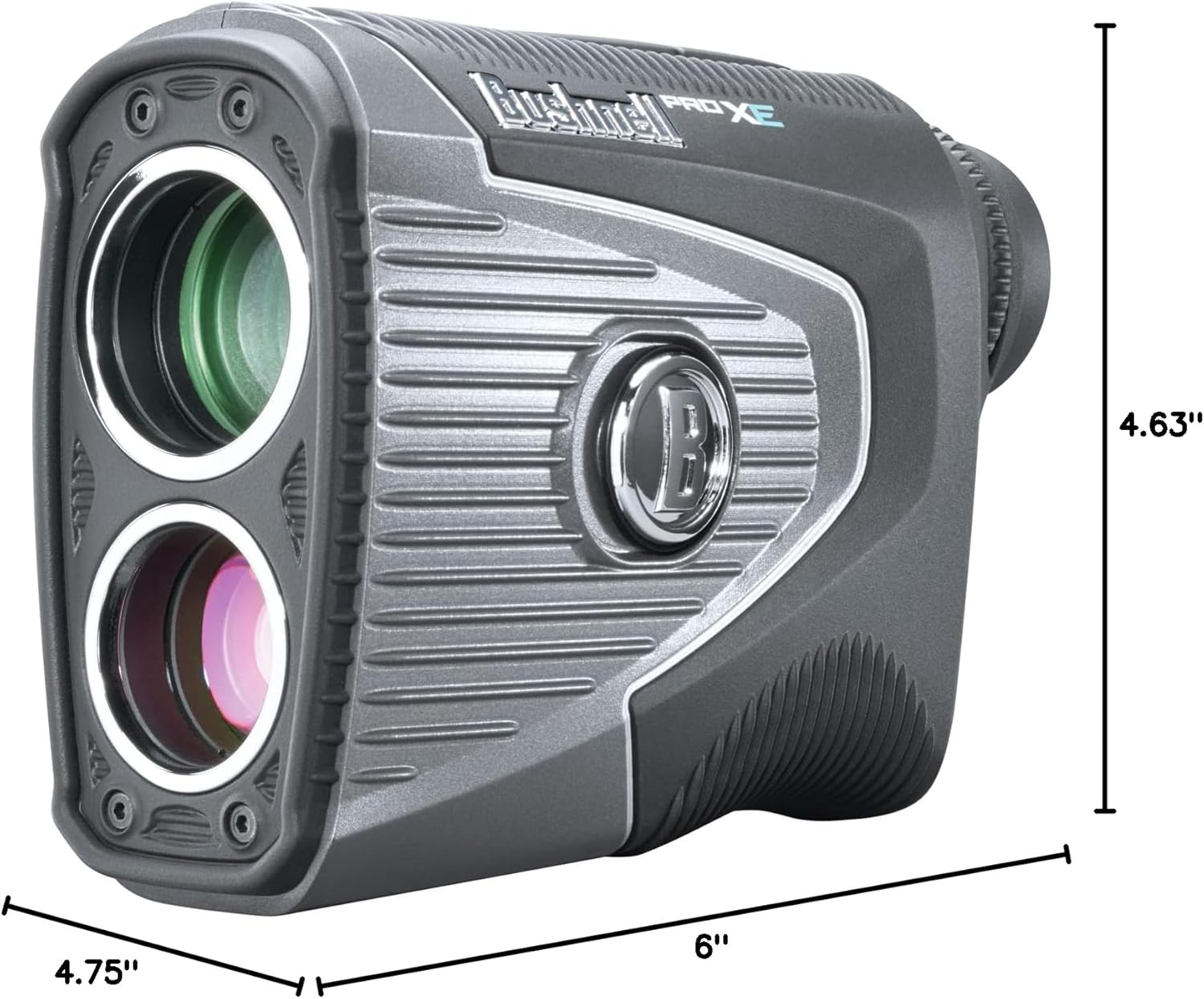
Diagram showing the dimensions of the Bushnell Pro XE Golf Laser Rangefinder.
Informoj pri Garantio
The Bushnell Pro XE Golf Laser Rangefinder comes with a 2-jara limigita garantio from the date of purchase. This warranty covers defects in materials and workmanship under normal use. Please retain your proof of purchase for warranty claims. For full warranty terms and conditions, please refer to the official Bushnell webretejo aŭ la kompleta uzantmanlibro.
Subteno
For more detailed information, advanced settings, or further assistance, please refer to the comprehensive user manual available in PDF format:
Elŝuti la plenan uzantmanlibron (PDF)
You can also visit the official Bushnell website for product registration, FAQs, and customer service contact information.
Ask a question about this manual
Ask about setup, troubleshooting, compatibility, parts, safety, or missing instructions. Manuals+ will review the question and use this page’s manual context to help answer it.