
Εισαγωγή
Welcome to the user manual for the Techlypro P15 Mini Tripod 360. This versatile 3-in-1 device functions as a steady handgrip, a flexible selfie stick, and a stable tripod, designed to enhance your mobile photography and videography experience. Its compact and lightweight design makes it an ideal companion for capturing moments anywhere.

Εικόνα 1: Τέλοςview of the Techlypro P15 Mini Tripod 360 in its various configurations.
Χαρακτηριστικά προϊόντος
- Ultra-Portable Mini Quadrupod: This 3-in-1 device is only the size of a palm when folded and weighs approximately 116g, making it easy to carry in your pocket without burden. It is an ideal companion for travel, parties, or outdoor shooting.
- High-Strength Aluminum Alloy, Lightweight And Durable: Constructed from high-quality aluminum alloy, the Techlypro P15 Mini Tripod 360 is lightweight yet offers strong load-bearing capacity. It provides stable support for both cell phones and small cameras, helping to eliminate blurred photos.
- 360° Rotation and Adjustable Angle: Experience seamless switching between portrait and landscape modes with the innovative 360° rotation feature. Whether you are vlogging or taking selfies, you can capture the shot you want from any angle.
- Remote Control, One Key Remote Control Shooting: Features a built-in Bluetooth 5.2 chip for fast and stable connection. The detachable remote control supports one-key remote shooting, offering greater convenience for single-person shooting. After use, the remote control can be embedded neatly into the handle.
- Tripod for Every Creator: The Pocketflex mini tripod combines durability, flexibility, and ease of use. Crafted with high-quality aluminum alloy, it is sturdy enough for stable shots yet compact enough to carry anywhere. Perfect for on-the-go creators and selfie lovers alike.

Figure 2: The compact design allows for easy portability in a pocket.
Περιεχόμενα συσκευασίας
Το στάνταρ πακέτο περιλαμβάνει:
- 1 x Techlypro P15 Mini Tripod (Note: Some packages may include 2 Pcs; please verify your specific purchase.)
Ρύθμιση
Unfolding the Tripod/Selfie Stick
Gently pull the main body to extend the telescopic pole to your desired length. To use as a tripod, spread the three legs at the base until they are stable on a flat surface.
Σύνδεση της συσκευής σας
Open the phone holder clamp. Carefully place your smartphone into the clamp, ensuring it is securely held. The holder supports both horizontal and vertical orientations.
Σύζευξη τηλεχειριστηρίου
The remote control is integrated into the handle and can be removed for use.

Figure 3: The remote control can be easily removed from the handle.
- Remove the remote control from the handle.
- Turn on the remote control (if it has a power button).
- Στο smartphone σας, ενεργοποιήστε το Bluetooth και αναζητήστε διαθέσιμες συσκευές.
- Select "Techlypro P15 Remote" or a similar name from the list to pair. A successful connection will be indicated on your phone.
Οδηγίες Λειτουργίας
Handgrip Mode
Keep the tripod legs folded and the pole retracted for a compact handgrip. This mode is ideal for stable, one-handed shooting, providing a secure grip for your device.
Λειτουργία Selfie Stick
Extend the telescopic pole to your desired length. Use the remote control to capture photos or start/stop video recording from a distance, allowing for wider angles and group shots.
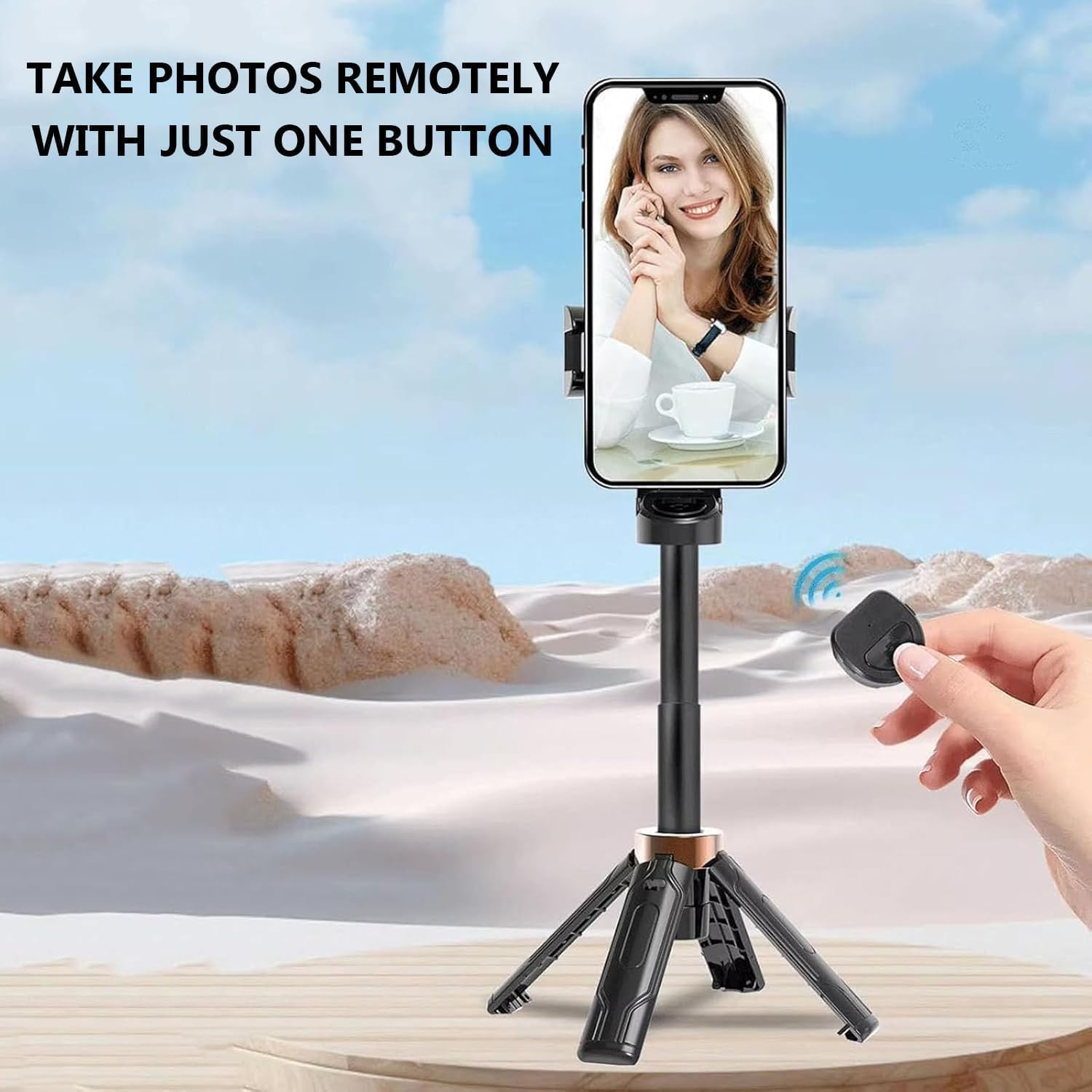
Figure 4: Using the remote control for hands-free photo capture in selfie stick mode.
Λειτουργία τριπόδου
Extend the telescopic pole and spread the tripod legs on a flat, stable surface. Adjust the pole height and phone holder angle as needed. Use the remote control for hands-free shooting, perfect for group photos, time-lapses, or stable video recording.
Περιστροφή 360°
The phone holder features a 360° rotation mechanism. Gently rotate your phone to switch between portrait and landscape orientations without needing to re-adjust the clamp.

Figure 5: The 360-degree rotating design allows for flexible shooting angles.
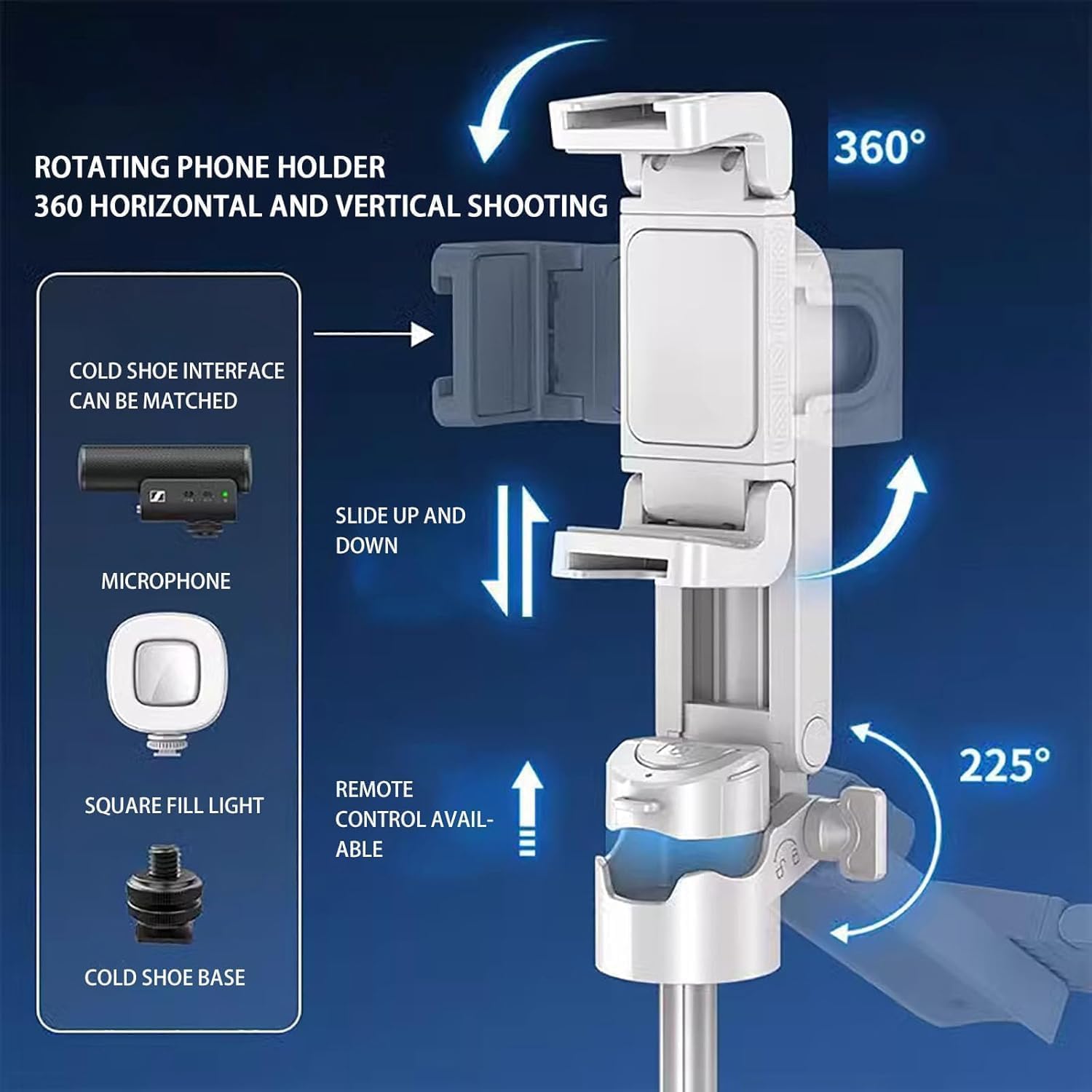
Figure 6: The rotating phone holder offers comprehensive adjustability and accessory compatibility.
Συντήρηση
- Καθαρίστε τη συσκευή με ένα μαλακό, στεγνό πανί. Αποφύγετε τη χρήση σκληρών χημικών ή λειαντικών υλικών.
- Αποθηκεύστε το τρίποδο σε δροσερό, ξηρό μέρος, μακριά από το άμεσο ηλιακό φως και ακραίες θερμοκρασίες.
- Ensure the remote control battery is replaced when necessary to maintain optimal performance.
- Do not overload the tripod beyond its stated loading capacity of 2 kg.
Αντιμετώπιση προβλημάτων
Το τηλεχειριστήριο δεν συνδέεται
- Ensure the remote control is charged or has fresh batteries.
- Βεβαιωθείτε ότι το Bluetooth είναι ενεργοποιημένο στο smartphone σας.
- Unpair and re-pair the remote control in your phone's Bluetooth settings.
- Ensure the remote control is within operating range (typically 10 meters).
Αστάθεια τριπόδου
- Ensure all three legs are fully extended and locked into position on a flat, stable surface.
- Do not extend the telescopic pole beyond its recommended maximum height if stability is compromised.
- Verify your device's weight does not exceed the 2 kg loading capacity.
Phone Holder Not Gripping Securely
- Ensure the phone holder clamp is fully open before inserting your device.
- Check for any obstructions in the clamp μηχανισμός.
- The holder is designed for smartphones; ensure your device fits within its adjustable range.
Προδιαγραφές
| Χαρακτηριστικό | Λεπτομέρεια |
|---|---|
| Όνομα προϊόντος | Techlypro P15 Mini Tripod 360 |
| Διπλωμένες Διαστάσεις | 117 mm |
| Διευρυμένες Διαστάσεις | 415 mm |
| Βάρος συσκευασίας | 140 γρ |
| Υλικό | Κράμα αργιλίου |
| Χρώμα | Μαύρο (διατίθεται και σε λευκό) |
| Ικανότητα φόρτωσης | 2 κιλά |
| Συμβατές Συσκευές | Smartphone |
| Ειδικό χαρακτηριστικό | Αναδιπλούμενο |
| Μέγιστο Ύψος | 14 Inches (approx. 355mm) |
| Συνδεσιμότητα | Bluetooth 5.2 (for remote control) |

Figure 7: Product dimensions in desktop stand and extended vertical configurations.
Εγγύηση και υποστήριξη
For warranty information and technical support, please refer to the product packaging or contact the manufacturer/seller directly. Keep your purchase receipt for any warranty claims.