Εισαγωγή
This manual provides essential information for the safe and efficient use of your Strex 3-in-1 Wireless Charging Station. This device allows you to simultaneously charge a smartphone, an Apple Watch, and AirPods wirelessly. Please read this manual thoroughly before using the product and retain it for future reference.

Image: The Strex 3-in-1 Wireless Charger in use, showing a smartphone, Apple Watch, and AirPods being charged simultaneously.
Πληροφορίες Ασφάλειας
- Μην αποσυναρμολογείτε, τροποποιείτε ή επισκευάζετε μόνοι σας τη συσκευή.
- Κρατήστε τον φορτιστή μακριά από νερό, υγρασία και υψηλές θερμοκρασίες.
- Αποφύγετε την πτώση ή την έκθεση του φορτιστή σε ισχυρές κρούσεις.
- Use only a compatible power adapter (Quick Charge 3.0, at least 18W) to ensure optimal performance and safety.
- Do not place metal objects or magnetic cards on the charging surface, as this may interfere with charging or damage the device.
- Φροντίστε να αερίζεται σωστά γύρω από το φορτιστή κατά τη χρήση.
Περιεχόμενα συσκευασίας
Παρακαλούμε ελέγξτε τη συσκευασία για τα ακόλουθα στοιχεία:
- Strex 3-in-1 Wireless Charging Station (Model SP288)
- Καλώδιο USB-C
- Εγχειρίδιο χρήστη
Note: A Quick Charge 3.0 (18W or higher) power adapter is required for fast charging all devices simultaneously and is δεν περιλαμβάνεται.
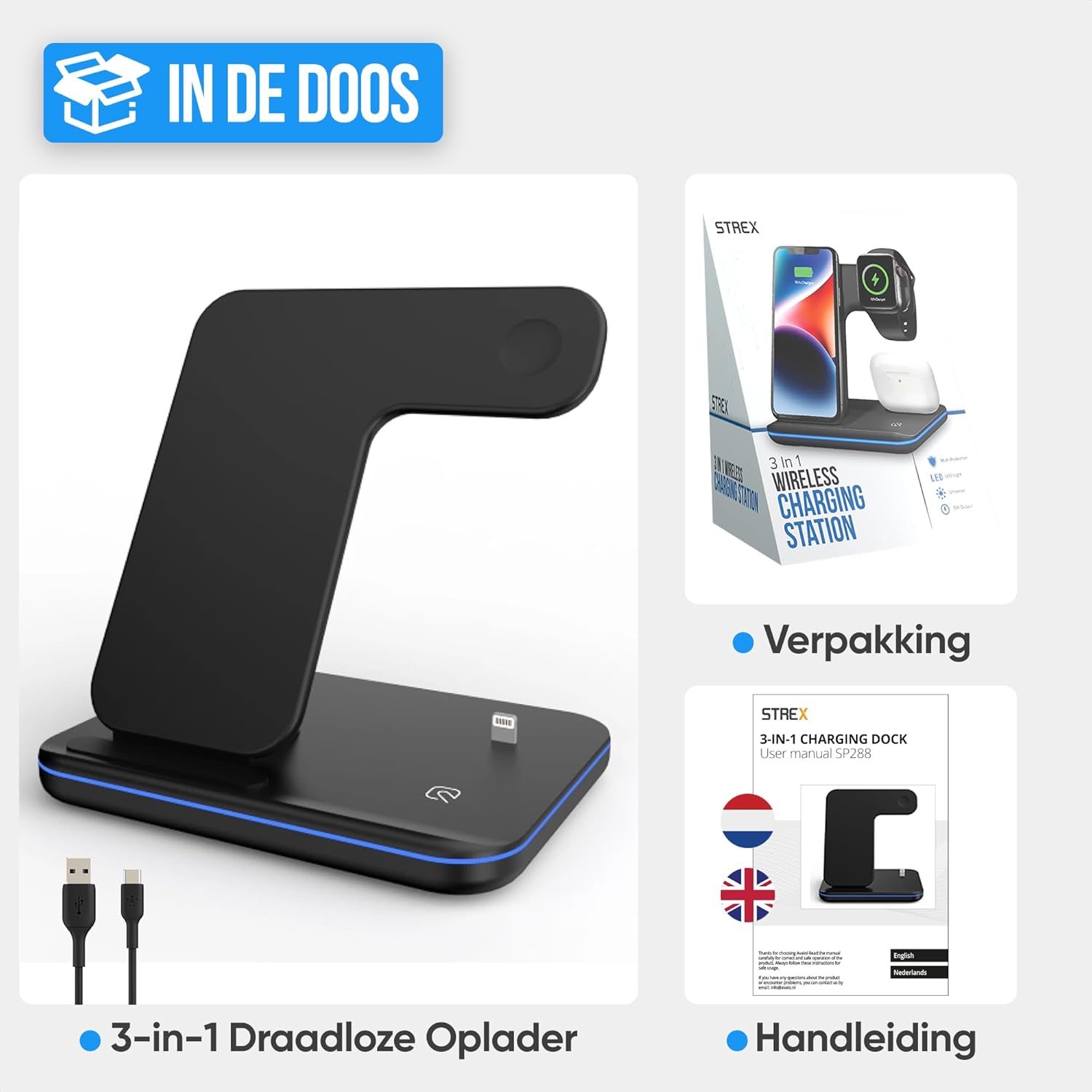
Image: The Strex 3-in-1 Wireless Charger, a USB-C cable, and the user manual, as typically found in the product packaging.
Προϊόν Πάνωview
Familiarize yourself with the components of your Strex 3-in-1 Wireless Charger:
- Βάση φόρτισης smartphone: Vertical stand for wireless smartphone charging.
- Apple Watch Charging Module: Magnetic charging area for Apple Watch.
- AirPods Charging Area: Flat pad for wireless AirPods charging.
- Φωτεινή ένδειξη LED: Εμφανίζει την κατάσταση φόρτισης.
- Θύρα εισόδου USB-C: Για τη σύνδεση του καλωδίου τροφοδοσίας.
- Αντιολισθητικά μαξιλαράκια: Τοποθετείται στη βάση για σταθερότητα.
- Πλέγμα εξαερισμού: Για απαγωγή θερμότητας.

Εικόνα: Μια λεπτομερής view of the Strex 3-in-1 Wireless Charger, highlighting its various components such as the phone charging area, watch charging area, AirPods charging area, LED indicator, USB port, ventilation grille, and anti-slip feet.
Οδηγίες εγκατάστασης
- Σύνδεση τροφοδοσίας: Insert the provided USB-C cable into the USB-C input port on the back of the charging station.
- Connect to Adapter: Connect the other end of the USB-C cable to a Quick Charge 3.0 (18W or higher) power adapter (not included).
- Βάζω στη πρίζα: Plug the power adapter into a wall outlet. The LED indicator light will briefly illuminate, indicating the charger is ready for use.
- Τοποθέτηση: Τοποθετήστε τον σταθμό φόρτισης σε μια επίπεδη, σταθερή επιφάνεια.

Image: A visual comparison demonstrating how the Strex 3-in-1 Wireless Charger helps reduce cable clutter, showing a tidy setup on the right compared to a disorganized one on the left.
Οδηγίες Λειτουργίας
Φόρτιση των Συσκευών σας
- Smartphone: Place your wireless charging-compatible smartphone on the vertical charging stand. It can be placed horizontally or vertically. Ensure the phone is centered on the charging area for optimal connection.
- Apple Watch: Attach your Apple Watch to the magnetic charging module. The watch will snap into place and begin charging.
- AirPods: Place your wireless charging-compatible AirPods case on the flat charging pad at the base of the station.
The charger supports fast wireless charging up to 15W for compatible smartphones. All three devices can be charged simultaneously.
Κατάσταση ένδειξης LED
The LED indicator light provides visual feedback on the charging status:
- Πράσινο φως: The charging station is in standby mode or no device is currently charging.
- Μπλε φως: Devices are actively charging.
- Flashing Green and/or Blue Light: Indicates an improper placement of a device or detection of a foreign object. Re-position the device or remove any obstructions.
To turn the LED light on or off, gently tap the touch-sensitive area on the base of the charger.
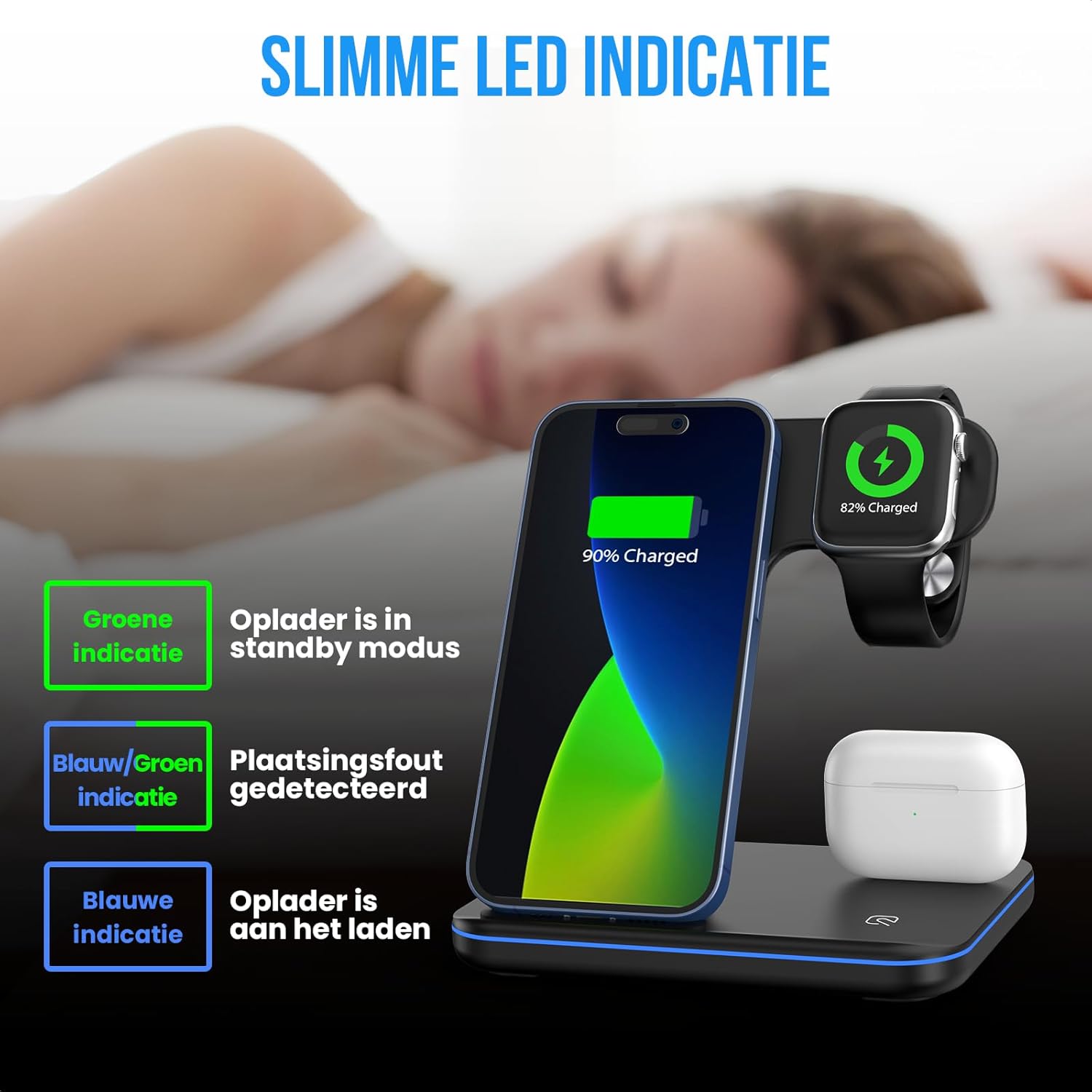
Image: An illustration detailing the meaning of the LED indicator lights: green for standby, blue for active charging, and flashing green/blue for incorrect device placement.
Αρμονία
The Strex 3-in-1 Wireless Charger is compatible with most wireless charging-enabled devices, including:
- Apple iPhone (iPhone 8 series and newer)
- Apple Watch (Series 2 and newer, excluding Series 1 and original)
- Apple AirPods (with wireless charging case, e.g., AirPods 2, AirPods Pro, AirPods 3)
- Android smartphones with wireless charging functionality (e.g., Samsung Galaxy S series, Huawei, Google Pixel, etc.)

Image: A comprehensive compatibility chart illustrating which models of Apple Watch, AirPods, iPhones, and other Android smartphones are supported by the Strex 3-in-1 Wireless Charger.

Image: The Strex 3-in-1 Wireless Charger demonstrating flexible charging orientations, with a phone charging vertically for communication and horizontally for media consumption.
Συντήρηση
- Καθάρισμα: Disconnect the charger from the power source before cleaning. Use a soft, dry cloth to wipe the surface. Do not use abrasive cleaners or solvents.
- Αποθήκευση: When not in use for extended periods, store the charger in a cool, dry place away from direct sunlight.
- Φροντίδα καλωδίων: Αποφύγετε την υπερβολική κάμψη ή συστροφή του καλωδίου USB-C για να αποφύγετε τυχόν ζημιά.
Αντιμετώπιση προβλημάτων
| Πρόβλημα | Πιθανή αιτία | Διάλυμα |
|---|---|---|
| Η συσκευή δεν φορτίζεται. |
|
|
| LED light flashing green/blue. |
|
|
| Αργή φόρτιση. |
|
|
Προδιαγραφές
| Αριθμός μοντέλου | SP288 |
| Μάρκα | Strex |
| Τύπος προϊόντος | Ασύρματος σταθμός φόρτισης 3 σε 1 |
| Είσοδος Voltage | 12V DC |
| Ισχύς εξόδου (Max) | 15W (Smartphone), 5W (Apple Watch), 5W (AirPods) |
| Required Power Adapter | Quick Charge 3.0 (18W or higher) - Δεν Περιλαμβάνεται |
| Τύπος σύνδεσης | USB Type-C |
| Υλικά | Heat-resistant ABS and PC |
| Χρώμα | Black (Note: Product specification listed "vert une" but product images show black) |
| Βάρος αντικειμένου | 296 γρ |
| Διαστάσεις προϊόντος | 13.6 x 10.1 x 13.6 εκ |
Εγγύηση και υποστήριξη
For warranty information or technical support, please refer to the contact details provided with your purchase or visit the official Strex webιστότοπο. Κρατήστε την απόδειξη αγοράς για τυχόν αξιώσεις εγγύησης.
For further assistance, please contact Strex customer service.