1. Εισαγωγή
The TP-Link TL-SG1008P V4 is an unmanaged 8-Port Gigabit Desktop Switch with 4-Port PoE+. Designed for small office and home networks, this switch provides a simple way to expand your wired network while simultaneously supplying power to compatible Power over Ethernet (PoE) devices such as IP cameras, VoIP phones, and wireless access points. Its plug-and-play design ensures easy setup without complex configuration.
Τα βασικά χαρακτηριστικά περιλαμβάνουν:
- Ευέλικτη διαμόρφωση πλήρους Gigabit 8-Port PoE: 4x PoE+ (802.3at/af) 10/100/1000 Mbps RJ45 ports providing up to 30W per port and a total PoE power budget of 64W, along with 4x Gigabit Non-PoE Ports for high-speed connections.
- Plug and Play: Εύκολη εγκατάσταση χωρίς να απαιτείται εγκατάσταση ή ρύθμιση λογισμικού.
- Προηγμένες δυνατότητες λογισμικού: Prioritize your traffic and guarantee high quality of video or voice data transmission with Port-based 802.1p/DSCP QoS and IGMP Snooping.
- Ανθεκτική μεταλλική θήκη: Ανθεκτικό μεταλλικό casing and desktop/wall-mounting design are well-suited for different environments.
- Reliable and Quiet: IEEE 802.3X flow control provides reliable data transfer and a fanless design ensures quiet operation.
2. Πληροφορίες Ασφάλειας
Please read and follow all safety instructions carefully to ensure proper operation and prevent damage to the device or injury.
- Μη χρησιμοποιείτε αυτή τη συσκευή κοντά σε νερό.
- Καθαρίστε μόνο με στεγνό πανί.
- Μην φράζετε κανένα άνοιγμα εξαερισμού. Εγκαταστήστε σύμφωνα με τις οδηγίες του κατασκευαστή.
- Μην τοποθετείτε κοντά σε πηγές θερμότητας, όπως καλοριφέρ, θερμαντικά σώματα, σόμπες ή άλλες συσκευές (συμπεριλαμβανομένης ampσβηστήρες) που παράγουν θερμότητα.
- Χρησιμοποιείτε μόνο προσαρτήματα/αξεσουάρ που καθορίζονται από τον κατασκευαστή.
- Αναφέρετε όλα τα σέρβις σε εξειδικευμένο προσωπικό σέρβις. Απαιτείται σέρβις όταν η συσκευή έχει καταστραφεί με οποιονδήποτε τρόπο, όπως το καλώδιο τροφοδοσίας ή το φις έχει υποστεί ζημιά, έχει χυθεί υγρό ή έχουν πέσει αντικείμενα μέσα στη συσκευή, η συσκευή έχει εκτεθεί σε βροχή ή υγρασία, δεν λειτουργεί κανονικά , ή έχει απορριφθεί.
- Ensure the power adapter is easily accessible.
- The product is designed for desktop or wall-mounting. Ensure stable placement.
3. Περιεχόμενα συσκευασίας
Βεβαιωθείτε ότι όλα τα αντικείμενα υπάρχουν στη συσκευασία σας:
- TP-Link TL-SG1008P Switch
- Μετασχηματιστής ρεύματος
- Οδηγός εγκατάστασης
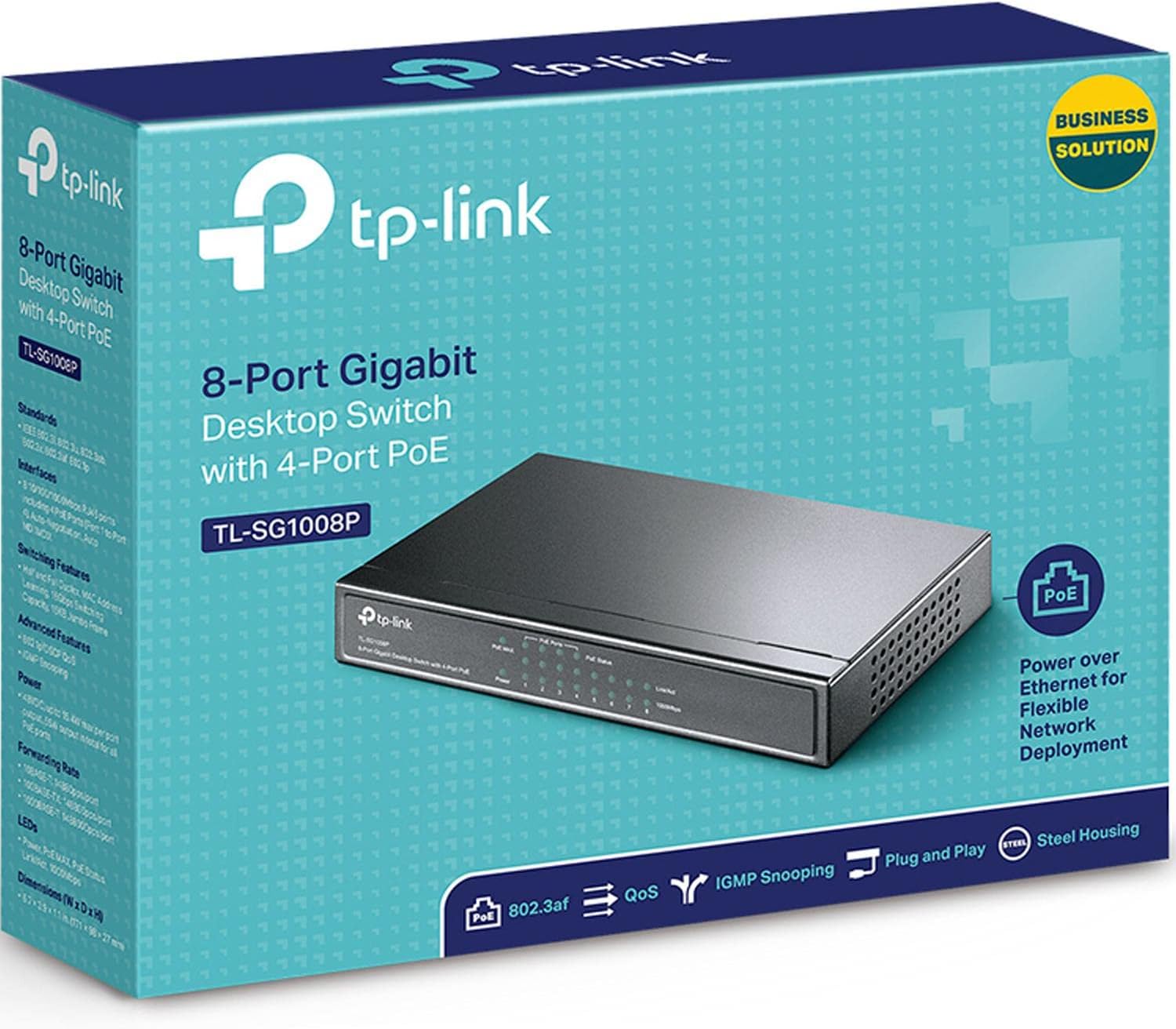
Image: The retail box for the TP-Link TL-SG1008P switch, indicating its model number and key features.
4. Το προϊόν τελείωσεview
Μπροστινό Πάνελ
The front panel of the TL-SG1008P features LED indicators that provide status information for the switch and its ports.

Εικόνα: Μπροστά view of the TP-Link TL-SG1008P switch, showing the TP-Link logo, model number, and various LED indicators for power, PoE status, and link/activity for each port.
- LED ισχύος: Υποδεικνύει την κατάσταση ισχύος του διακόπτη.
- PoE MAX LED: Ανάβει όταν η συνολική κατανάλωση ενέργειας PoE υπερβαίνει το 80% του μέγιστου προϋπολογισμού.
- LED κατάστασης PoE (Θύρες 1-4): Indicate the PoE power supply status for each of the four PoE+ ports.
- LED σύνδεσης/ενεργοποίησης (θύρες 1-8): Indicate a network link and data activity for each port.
- LED 1000Mbps (Θύρες 1-8): Indicate a Gigabit (1000Mbps) connection for each port.
Πίσω πίνακας
The rear panel contains the RJ45 ports and the power input.

Εικόνα: Πίσω view of the TP-Link TL-SG1008P switch, displaying eight RJ45 Ethernet ports (ports 1-4 are PoE enabled) and the power input jack on the right side.
- Θύρες RJ45 (1-8): Connect network devices using Ethernet cables. Ports 1-4 support PoE+.
- Είσοδος ισχύος: Συνδέστε εδώ τον παρεχόμενο προσαρμογέα ρεύματος.
Φυσικές Διαστάσεις
The compact design allows for flexible placement on a desktop or mounted on a wall.

Image: A diagram illustrating the dimensions of the TL-SG1008P switch, highlighting its compact desktop design, wall-mounting capability, and fanless operation.
5. Ρύθμιση
The TL-SG1008P is a plug-and-play device, requiring no software configuration for basic operation.
- Σύνδεση στο Power: Connect the provided power adapter to the switch's power input and then to a power outlet.
- Σύνδεση συσκευών:
- Connect your router or main network device to any of the 8 RJ45 ports using an Ethernet cable.
- Connect your network devices (e.g., computers, printers) to any available RJ45 ports.
- For PoE-powered devices (e.g., IP cameras, VoIP phones, access points), connect them to ports 1-4. The switch will automatically detect and provide power if the device is PoE compatible.
- Απολαμβάνω: Once connected, the switch will automatically detect and configure the connected devices.

Image: A three-step diagram showing the plug-and-play setup: 1) Connect to power, 2) Connect devices like a router, IP phone, IP camera, and access point to the switch, 3) Enjoy the network connection.
6. Λειτουργία
Τροφοδοσία μέσω Ethernet (PoE+)
The TL-SG1008P provides Power over Ethernet (PoE+) on ports 1 through 4, adhering to 802.3at/af standards. This allows you to power compatible devices directly through the Ethernet cable, simplifying installation and reducing cable clutter. Each PoE+ port can deliver up to 30W, with a total power budget of 64W for all PoE ports combined.

Image: A diagram illustrating the application of PoE with the TL-SG1008P, showing how it connects to a router and powers devices like surveillance IP cameras, IP phones, and Wi-Fi access points, while also connecting to a network video recorder, computer, and printer.
Ποιότητα υπηρεσίας (QoS)
The switch supports Port-based 802.1p/DSCP QoS, which allows you to prioritize network traffic. This feature is crucial for applications sensitive to latency, such as voice and video communications, ensuring smooth performance even during high network utilization.

Image: An icon representing Quality of Service (QoS) overlaid on a blurred background of people playing video games, symbolizing traffic prioritization for smooth gaming and streaming.
IGMP Snooping
IGMP Snooping optimizes multicast traffic delivery, preventing unnecessary flooding of multicast packets to all ports. This is particularly beneficial for IPTV and other multicast-based applications, improving network efficiency and performance.

Image: An icon representing IGMP Snooping overlaid on a blurred background of people watching a presentation, symbolizing optimized multicast traffic for efficient video streaming.
Αυτόματη ανάκτηση PoE
The PoE Auto Recovery feature automatically detects and reboots unresponsive PoE-powered devices (e.g., IP cameras) connected to ports 1-4, ensuring continuous operation without manual intervention.

Image: A diagram showing the PoE Auto Recovery function, where the switch automatically reboots an unresponsive IP camera connected to its PoE port.
Επέκταση λειτουργίας
For longer cable runs, the Extend Mode allows PoE data transmission up to 820 ft (250m) at 10 Mbps per port, ideal for remote IP cameras. When Extend Mode is off, the default range is 328 ft (100m) at 10/100/1000 Mbps.

Image: A diagram explaining the Extend Mode, showing how it increases the PoE transmission distance for IP cameras up to 820 ft at 10 Mbps, compared to the default 328 ft at Gigabit speeds.
Έξυπνη διαχείριση ενέργειας
The switch features intelligent power management to prevent overload. If the total power consumption exceeds 64W, the system will automatically cut off power to the lowest-priority port to ensure power to higher-priority devices.

Image: A diagram demonstrating Intelligent Power Management, showing how the switch handles power overload by intelligently managing the 64W power budget across its PoE ports.
7. Συντήρηση
To ensure the longevity and optimal performance of your TL-SG1008P switch, follow these maintenance guidelines:
- Καθάρισμα: Regularly wipe the exterior of the switch with a soft, dry cloth. Do not use liquid cleaners or aerosol sprays.
- Αερισμός: Ensure that the switch's ventilation openings are not blocked. Although fanless, proper airflow helps dissipate heat.
- Περιβάλλο: Place the switch in a cool, dry place away from direct sunlight, excessive heat, and moisture.
- Διαχείριση καλωδίων: Διατηρείτε τα καλώδια δικτύου οργανωμένα και τακτοποιημένα για να αποτρέψετε την καταπόνηση των θυρών και να βελτιώσετε τη ροή του αέρα.
8. Αντιμετώπιση Προβλημάτων
Εάν αντιμετωπίσετε προβλήματα με τον διακόπτη TL-SG1008P, ανατρέξτε στα ακόλουθα συνηθισμένα βήματα αντιμετώπισης προβλημάτων:
- Χωρίς ισχύ: Ensure the power adapter is securely connected to the switch and a working power outlet. Check the Power LED on the front panel. If it's off, try a different outlet or power adapter.
- Δεν υπάρχει σύνδεσμος/δραστηριότητα στη θύρα:
- Βεβαιωθείτε ότι το καλώδιο Ethernet είναι συνδεδεμένο με ασφάλεια τόσο στη θύρα του διακόπτη όσο και στη συνδεδεμένη συσκευή.
- Δοκιμάστε ένα διαφορετικό καλώδιο Ethernet.
- Βεβαιωθείτε ότι η συνδεδεμένη συσκευή είναι ενεργοποιημένη και λειτουργεί σωστά.
- Check the Link/Act LED for the specific port. If it's off, there might be an issue with the cable or the connected device.
- Η συσκευή PoE δεν ενεργοποιείται:
- Ensure the PoE device is connected to one of the PoE+ ports (1-4).
- Check the PoE Status LED for the connected port.
- Verify that the total PoE power consumption does not exceed the 64W budget (check the PoE MAX LED). If it's lit, some devices might not be receiving power due to overload. Disconnect some PoE devices or use a separate power source for them.
- Βεβαιωθείτε ότι η συσκευή PoE είναι συμβατή με το πρότυπο 802.3af/at.
- Try rebooting the PoE device or the switch.
- Αργή ταχύτητα δικτύου:
- Check the 1000Mbps LED for the connected port. If it's not lit, the connection might be operating at 10/100Mbps. Ensure both the switch and the connected device support Gigabit Ethernet and use a Cat5e or Cat6 Ethernet cable.
- Ensure there are no excessive network loops or broadcast storms.
If the issue persists after trying these steps, please contact TP-Link Technical Support for further assistance.
9. Προδιαγραφές
Detailed technical specifications for the TP-Link TL-SG1008P switch:
| Χαρακτηριστικό | Προσδιορισμός |
|---|---|
| Αριθμός μοντέλου | TL-SG1008P |
| Διαστάσεις (Μ x Π x Υ) | 6.7" x 3.9" x 1.1" (170 x 99.1 x 27.9 χιλ.) |
| Βάρος | 1.15 λίβρες (0.52 κιλά) |
| Διασύνδεση | 8 x 10/100/1000Mbps RJ45 Ports (AUTO Negotiation/AUTO MDI/MDIX) |
| PoE Ports | Ports 1-4 (802.3af/at compliant) |
| PoE Power Budget | Συνολικά 64 W |
| Μέγιστη κατανάλωση ενέργειας | 65.2 Watt |
| Ρυθμός μεταφοράς δεδομένων | 1000 Megabit ανά δευτερόλεπτο (Gigabit) |
| Ικανότητα μεταγωγής | 16 Gbps (χωρίς αποκλεισμό) |
| Πίνακας διευθύνσεων MAC | 4K |
| Jumbo Frame | 15 KB |
| Ποσότητα ανεμιστήρα | Χωρίς ανεμιστήρα |
| Εξωτερικό Τροφοδοτικό | 48VDC / 1.25Α |
| Υλικό θήκης | Μέταλλο |
| Θερμοκρασία λειτουργίας | 0°C έως 40°C (32°F έως 104°F) |
| Θερμοκρασία αποθήκευσης | -40°C έως 70°C (-40°F έως 158°F) |
| Υγρασία λειτουργίας | 10% έως 90% χωρίς συμπύκνωση |
| Υγρασία αποθήκευσης | 5% έως 90% χωρίς συμπύκνωση |
10. Εγγύηση και υποστήριξη
The TP-Link TL-SG1008P switch comes with a Limited Lifetime Warranty, providing peace of mind regarding the product's quality and durability.
For technical assistance, troubleshooting, or warranty claims, please contact TP-Link's 24/7 Technical Support. You can find contact information and additional resources on the official TP-Link webτοποθεσία: www.tp-link.com/us/support/
Additional documentation, including user guides and installation manuals, can also be found online: