
1. Einleitung
Welcome to the user manual for your new Xiaomi 17 Ultra smartphone. This device combines cutting-edge technology with a sophisticated design, offering an exceptional user experience. Key features include a powerful Leica 200MP telephoto lens, a 1-inch ultra-dynamic camera with LOFIC HDR technology for stunning night photography, and the advanced Snapdragon 8 Elite Gen 5 mobile platform for superior performance. The device is also equipped with a long-lasting 6000 mAh Xiaomi Surge battery and integrates HyperAI for enhanced productivity and smart features.

Figure 1: Xiaomi 17 Ultra smartphone in hand.
2. Einrichtung
2.1 Auspacken und Packungsinhalt
Carefully unbox your Xiaomi 17 Ultra. Ensure all components are present. The standard package includes the Xiaomi 17 Ultra smartphone, a USB-C cable, and a SIM ejector tool (SIM-Pin).

Figure 2: Package contents including the Xiaomi 17 Ultra, USB-C cable, and SIM-Pin.
2.2 Einlegen der SIM-Karte
- Suchen Sie den SIM-Karten-Einschub an der Seite Ihres Geräts.
- Führen Sie das SIM-Auswurfwerkzeug in die kleine Öffnung am SIM-Kartenfach ein und drücken Sie vorsichtig, bis das Fach herausspringt.
- Legen Sie Ihre Nano-SIM-Karte(n) mit den goldenen Kontakten nach unten in den Kartenhalter ein. Achten Sie auf die richtige Ausrichtung.
- Schieben Sie den SIM-Kartenhalter vorsichtig wieder in den Schlitz, bis er bündig mit dem Gerät abschließt.

Abbildung 3: Seite view of the Xiaomi 17 Ultra, indicating the SIM card tray.
2.3 Erstes Einschalten und Laden
To power on your device, press and hold the power button located on the side until the Xiaomi logo appears. For initial setup, it is recommended to fully charge your device. Connect the USB-C cable to the phone's charging port and the other end to a compatible power adapter (not included) or a computer.
3. Operating Your Xiaomi 17 Ultra
3.1 Grundlegende Navigation
- Ein-/Ausschalten: Press and hold the power button. Select "Power off" or "Restart" from the menu.
- Bildschirm sperren/entsperren: Briefly press the power button. Use your fingerprint, face unlock, or PIN/pattern to unlock.
- Startbildschirm: Wischen Sie vom unteren Bildschirmrand nach oben, um zum Startbildschirm zu gelangen.
- Aktuelle Apps: Vom unteren Rand nach oben wischen und gedrückt halten view aktuelle Anwendungen.
- Benachrichtigungen & Schnelleinstellungen: Durch Wischen vom oberen Bildschirmrand nach unten gelangen Sie zu Benachrichtigungen und Schnellzugriffseinstellungen.
3.2 Kamerafunktionen
The Xiaomi 17 Ultra features an advanced Leica camera system designed for professional-grade photography.
- Leica 200MP Telephoto Lens: Experience exceptional detail and clarity with the 75–100mm optical zoom, eliminating the need for digital cropping.
- Leica 1-inch Ultra-Dynamic Camera: The large 1-inch sensor, combined with LOFIC HDR technology, captures stunning images even in challenging low-light conditions, preserving intricate details.
- Leica UltraPure Optical Design: An updated optical structure with precision glass elements significantly reduces reflections, ensuring purer image quality.
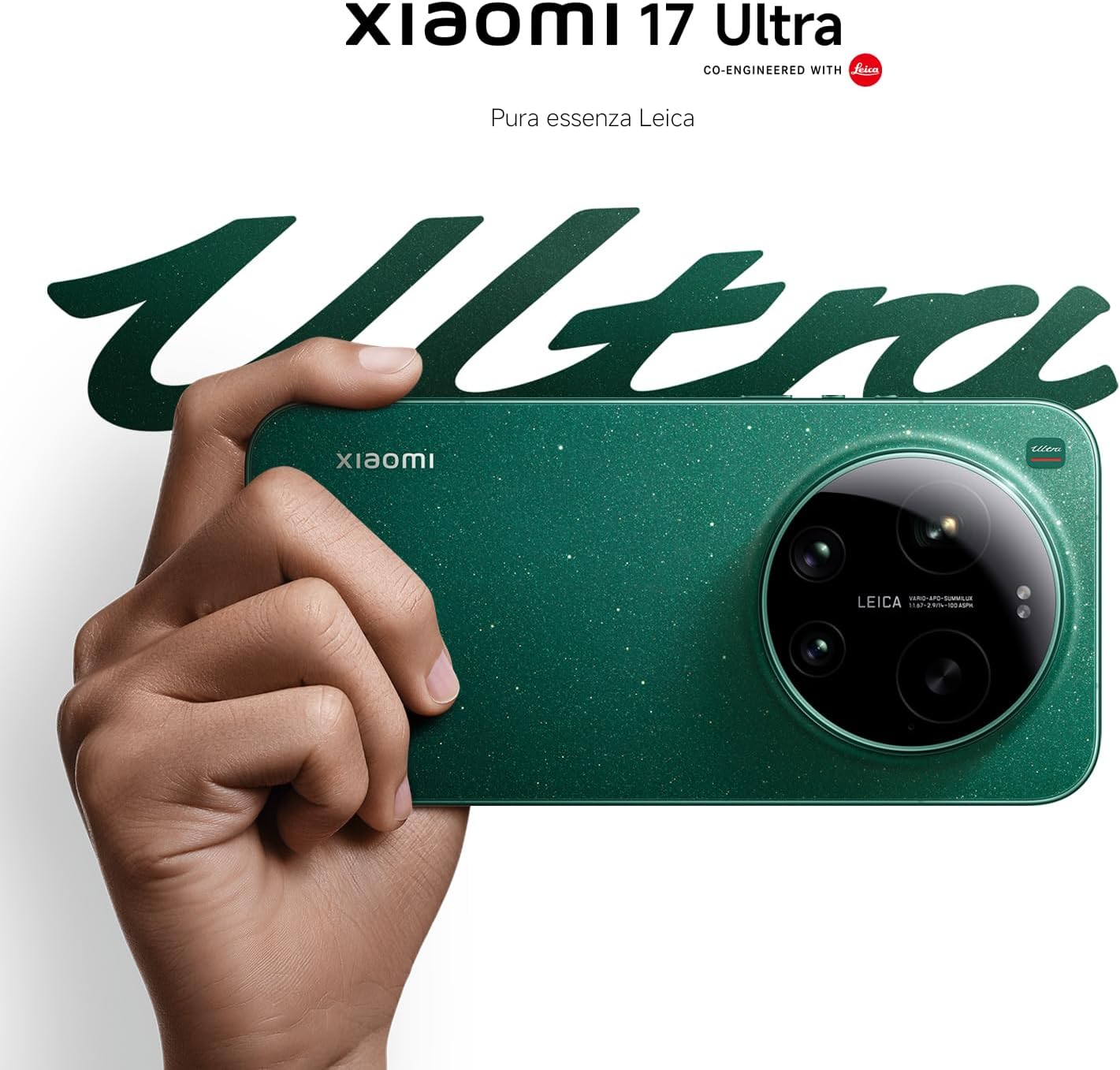
Figure 4: Leica 200MP Telephoto Lens.

Figure 5: Leica 1-inch Ultra-Dynamic Camera Sensor.

Figure 6: Leica UltraPure Optical Design.
Video 1: Demonstration of the Xiaomi 17 Ultra's camera capabilities, capturing fireworks with detail and clarity.
3.3 HyperAI Features
The integrated HyperAI enhances various aspects of your smartphone experience, offering intelligent assistance and improved productivity.
- KI-Schreiben: Assists with text composition and suggestions.
- AI Voice Recognition: Provides accurate voice-to-text conversion and command execution.
- KI-Suche: Intelligently processes search queries for more relevant results.
- Dynamic AI Wallpapers: Offers personalized and adaptive visual experiences.

Abbildung 7: Überview of Xiaomi HyperAI functionalities.
4. Wartung
4.1 Batteriepflege
Your Xiaomi 17 Ultra is equipped with a 6000 mAh Xiaomi Surge battery for extended usage. To maximize battery lifespan:
- Vermeiden Sie extreme Temperaturen (Hitze oder Kälte).
- Lassen Sie den Akku nicht regelmäßig vollständig entladen. Laden Sie ihn auf, bevor er einen sehr niedrigen Ladestand erreicht.
- Verwenden Sie ausschließlich zugelassene Ladegeräte und Kabel.
- Vermeiden Sie übermäßige Gebühren über längere Zeiträume.

Abbildung 8: Intern view of the 6000 mAh Xiaomi Surge battery.
4.2 Screen and Device Cleaning
To clean your device, use a soft, lint-free cloth. Avoid abrasive materials, sprays, or harsh chemicals. For stubborn smudges, slightly dampBefeuchten Sie das Tuch mit Wasser. Tauchen Sie das Gerät nicht in Wasser ein.
4.3 Softwareaktualisierungen
Regularly check for and install software updates to ensure optimal performance, security, and access to new features. You can usually find this option in your device's settings under "About phone" or "System updates."
5. Fehlerbehebung
5.1 Häufige Probleme und Lösungen
| Ausgabe | Mögliche Lösung |
|---|---|
| Gerät lässt sich nicht einschalten | Stellen Sie sicher, dass der Akku geladen ist. Halten Sie den Netzschalter mindestens 10–15 Sekunden lang gedrückt, um einen Neustart zu erzwingen. |
| Apps stürzen ab oder frieren ein | Close the app and reopen it. Clear the app's cache and data in settings. Update the app or the phone's software. |
| Schlechte Akkulaufzeit | Check background app usage. Reduce screen brightness. Disable unnecessary features like GPS or Bluetooth when not in use. Refer to battery care tips. |
| Netzwerkverbindungsprobleme | Restart the device. Check if airplane mode is off. Reinsert the SIM card. Reset network settings. Contact your service provider. |
6. Spezifikationen
| Besonderheit | Detail |
|---|---|
| Modell | Xiaomi 17 Ultra |
| Prozessor | Snapdragon 8 Elite Gen 5 Mobile Platform |
| RAM | 16 GB |
| Interner Speicher | 512 GB |
| Hauptkamera | Leica 1-inch Ultra-Dynamic Camera with LOFIC HDR |
| Teleobjektiv | Leica 200MP, 75–100mm Optical Zoom |
| Batterie | 6000 mAh Xiaomi Surge Battery (typical) |
| KI-Funktionen | Xiaomi HyperAI (AI Writing, Voice Recognition, Search, Dynamic Wallpapers) |

Figure 9: Snapdragon 8 Elite Gen 5 Mobile Platform.
7. Garantie und Support
7.1 Herstellergarantie
Your Xiaomi 17 Ultra comes with a 3 Jahr Herstellergarantie. This includes the standard 2-year manufacturer warranty plus an additional 1 year of extended warranty, automatically applied upon purchase.
Bitte bewahren Sie Ihren Kaufbeleg für Garantieansprüche auf.
7.2 Kundendienst
For further assistance, technical support, or warranty inquiries, please visit the official Xiaomi support website or contact their customer service. You can find contact information on the Xiaomi official website or within your device's "Settings" under "About phone" > "Legal information" or "Support".