
Einführung
This manual provides essential information for the safe and effective operation of your UREVO SpaceWalk 5L Auto Incline Walking Pad Treadmill. Please read all instructions carefully before use and retain this manual for future reference.
- Power & Stability: Equipped with a 2.5 HP motor, the SpaceWalk 5L offers a smooth, quiet experience, supporting up to 320 lbs.
- Für die Ewigkeit gebaut: Constructed with an industrial-grade alloy steel frame for long-term durability and stability.
- Smart Fitness Ecosystem: Syncs with the exclusive AI App for immersive world tours and High-Intensity Interval Training (HIIT) programs.
- Flüsterleiser Betrieb: Advanced shock absorption system keeps noise below 35dB, suitable for quiet environments.
- Platzsparendes Design: Verfügt über ein ultraschlankes Profi-Designfile for easy storage under sofas or beds.
Aufstellen
Auspacken und erste Inspektion
Carefully unbox your UREVO SpaceWalk 5L treadmill. Ensure all components are present and undamaged. Please use caution when using sharp tools to open the packaging.
Video: Unboxing and initial setup of the UREVO SpaceWalk 5L treadmill. This video demonstrates how to safely unpack the treadmill and prepare it for first use.
Zubehörkit
Your treadmill comes with the following accessories:
- Schmieröl x 1
- Sechskantwerkzeug x 1
- Remote Control x 1 (Requires battery installation, pay attention to polarity)
- Netzkabel x 1
- Bedienungsanleitung x 1

Bild: The remote control for the UREVO SpaceWalk 5L treadmill. Install batteries carefully, observing polarity.
Stromanschluss
Connect the power cord to the treadmill and a suitable power outlet. Ensure the power switch is in the 'On' position.
UREVO App Download and Connection
Scan the QR code located on the treadmill to download the UREVO App. Once installed, open the app, click "Connect" in the upper right corner, select "Treadmill", search for "SpaceWalk 5L", and click "Connect". The Bluetooth logo on the treadmill display will stop flashing upon successful connection.

Bild: Screenshot of the UREVO App interface, displaying various workout options and tracking features.
Bedienungsanleitung
Verwenden der Fernbedienung
The remote control allows you to manage the treadmill's basic functions:
- Ein-/Aus-Taste: Short press to start the treadmill.
- +/- Tasten: Adjust the speed (acceleration and deceleration).
- Lift +/- Buttons: Adjust the incline level. The maximum incline level is 9.
- MUTE-Taste: Mutes buzzer voices.
- MODE-Taste: Selects the data to be displayed (Distance, Time, Calories, Steps, Lifting Level, Speed). This function requires the treadmill to be in a stationary standby state.
- Pausenfunktion: Short press the on/off button. The remote control will show "PAU", indicating the treadmill is paused and data is kept for up to 10 minutes. Re-press the on/off button to resume.
- Ausschalten: Long press the on/off button until "END" appears on the remote control. This clears all data.
Video: Demonstration of remote control functions for the UREVO SpaceWalk 5L, including starting, adjusting speed and incline, and pausing.
Using the UREVO App
The UREVO App provides enhanced control and tracking features:
- Training starten: Tap "Start" then "Quick Start" to begin your workout.
- Geschwindigkeit anpassen: Swipe the screen left and right to increase or decrease the speed.
- Neigung anpassen: Use the dedicated controls within the app to increase or decrease the lift angle (maximum level 9).
- Stumm: Tap the mute button within the app to silence buzzer voices.
- Pause: Short press the center "on/off" button in the app to pause the treadmill and retain your workout data. Data is held for 10 minutes before being cleared.
- Trainingsprogramme: Access various AI-powered workouts, world tours, and HIIT programs for diverse training experiences.

Bild: The UREVO App displaying immersive simulated outdoor hiking routes, enhancing your workout experience.
Merkmale
Powerful and Quiet Motor
The UREVO SpaceWalk 5L is equipped with a True 2.5 HP brushless motor, ensuring a smooth and quiet operation. The advanced shock absorption system keeps noise levels below 35dB, making it ideal for use in apartments or during video calls.

Bild: A visual comparison highlighting the efficiency and quietness of UREVO's dual brushless motor technology.
Auto Incline and Shock Absorption
Experience a challenging workout with the 9% auto incline feature. The 12-point shock absorption system provides comfort and protects your joints during use.

Bild: A woman using the UREVO SpaceWalk 5L, illustrating the 9% auto incline feature for simulated hiking.
Smart Fitness Ecosystem
The exclusive AI App offers immersive world tours and HIIT programs, transforming your home office into a professional gym. Track your progress and stay motivated with diverse training options.
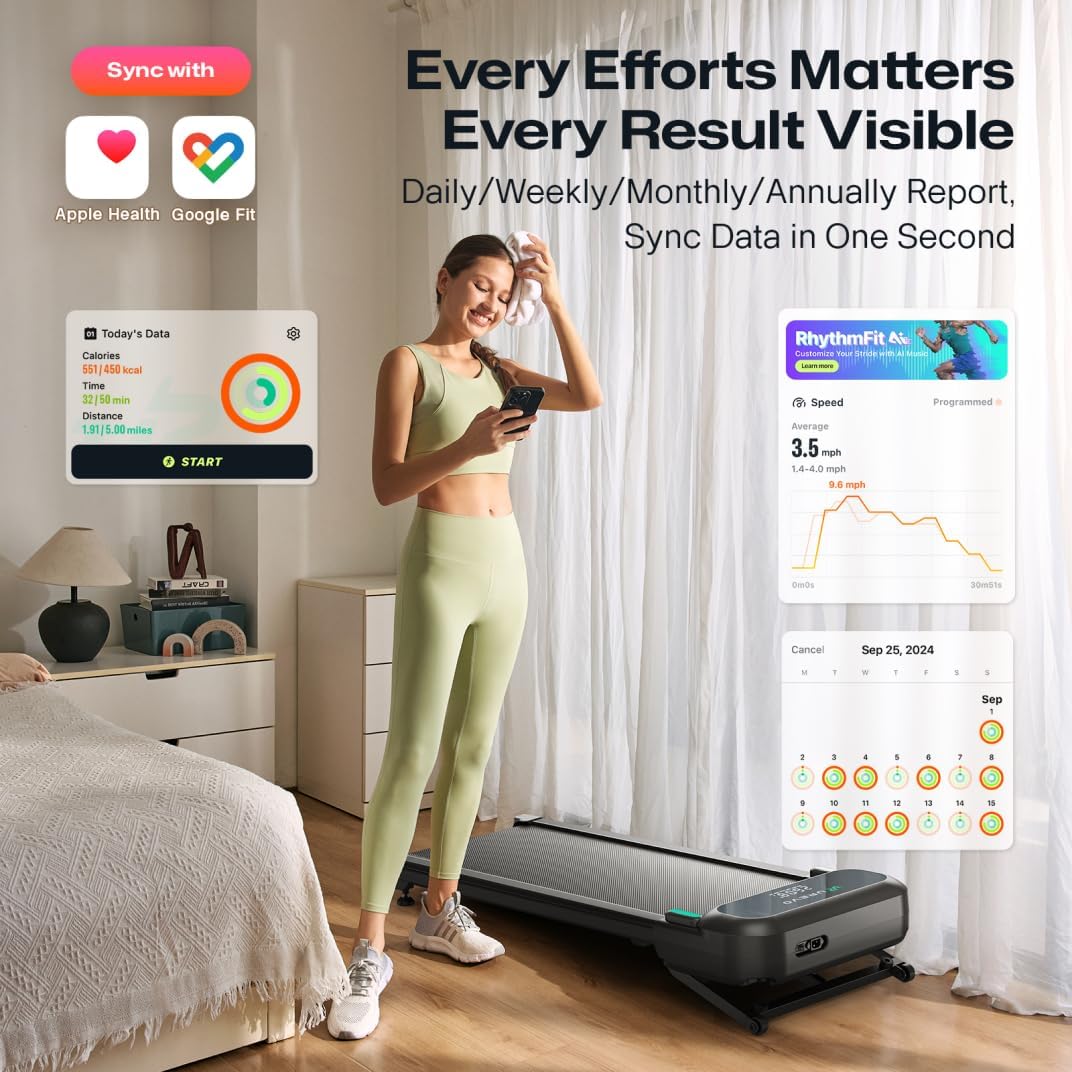
Bild: A user interacting with the UREVO App, which syncs with Apple Health and Google Fit to provide daily, weekly, monthly, and annual workout reports.
Wartung
To ensure the longevity and optimal performance of your UREVO SpaceWalk 5L treadmill, regular maintenance is recommended:
- Schmierung: Regularly lubricate the running belt as instructed in the full user manual.
- Reinigung: Keep the treadmill clean, especially the motor box area, to prevent dust accumulation.
- Inspektion: Überprüfen Sie regelmäßig alle Schrauben und Verbindungen, um sicherzustellen, dass sie fest sitzen.
Fehlerbehebung
If you encounter issues with your UREVO SpaceWalk 5L, please refer to the following common solutions:
- Laufband lässt sich nicht einschalten: Ensure the power cord is securely connected to both the treadmill and a working electrical outlet. Check the power switch on the treadmill.
- rutscht der Gürtel: The running belt may need adjustment or lubrication. Refer to the maintenance section for instructions.
- Ungewöhnliche Geräusche: Check for any loose parts or foreign objects under the belt. Ensure the treadmill is on a flat, stable surface.
- Fernbedienung reagiert nicht: Check the batteries in the remote control and ensure they are installed correctly.
- Probleme mit der App-Konnektivität: Stellen Sie sicher, dass Bluetooth auf Ihrem Gerät aktiviert und das Laufband eingeschaltet ist. Versuchen Sie, sowohl die App als auch das Laufband neu zu starten.
For further assistance, please contact UREVO customer support.
Technische Daten
| Maximaler Neigungsprozentsatztage | 9% |
| Höchstgeschwindigkeit | 4 Meilen pro Stunde |
| Maximale Leistung | 2.5 PS |
| Maximalgewichtsempfehlung | 400 Pfund |
| Artikelabmessungen (LxBxH) | 48.8 x 20.3 x 6.1 Zoll |
| Material | Legierter Stahl |
| Modellname | SpaceWalk 5L |
| Teilenummer | URTM054 |
| UPC | 756740654576 |
| Im Lieferumfang enthaltene Komponenten | Bedienungsanleitung |
Garantie und Support
The UREVO SpaceWalk 5L Auto Incline Walking Pad Treadmill comes with a 1 Jahr Garantie. For warranty claims, technical support, or any inquiries, please visit the official UREVO webWebsite oder wenden Sie sich direkt an den Kundendienst.
Kundendienst: For assistance, please refer to the contact information provided on the official UREVO weboder auf Ihrer Produktverpackung.