
1. Zu Endeview
The SKYBASIC Industrial Endoscope Borescope Camera is a handheld inspection device designed for viewing hard-to-reach areas. It features a 4.3-inch HD color LCD screen for real-time image display and an 8.5mm ultra-thin camera with 8 adjustable LED lights. The semi-rigid cable allows for flexible navigation through various spaces. This device is self-contained and does not require a mobile phone or additional software for operation.
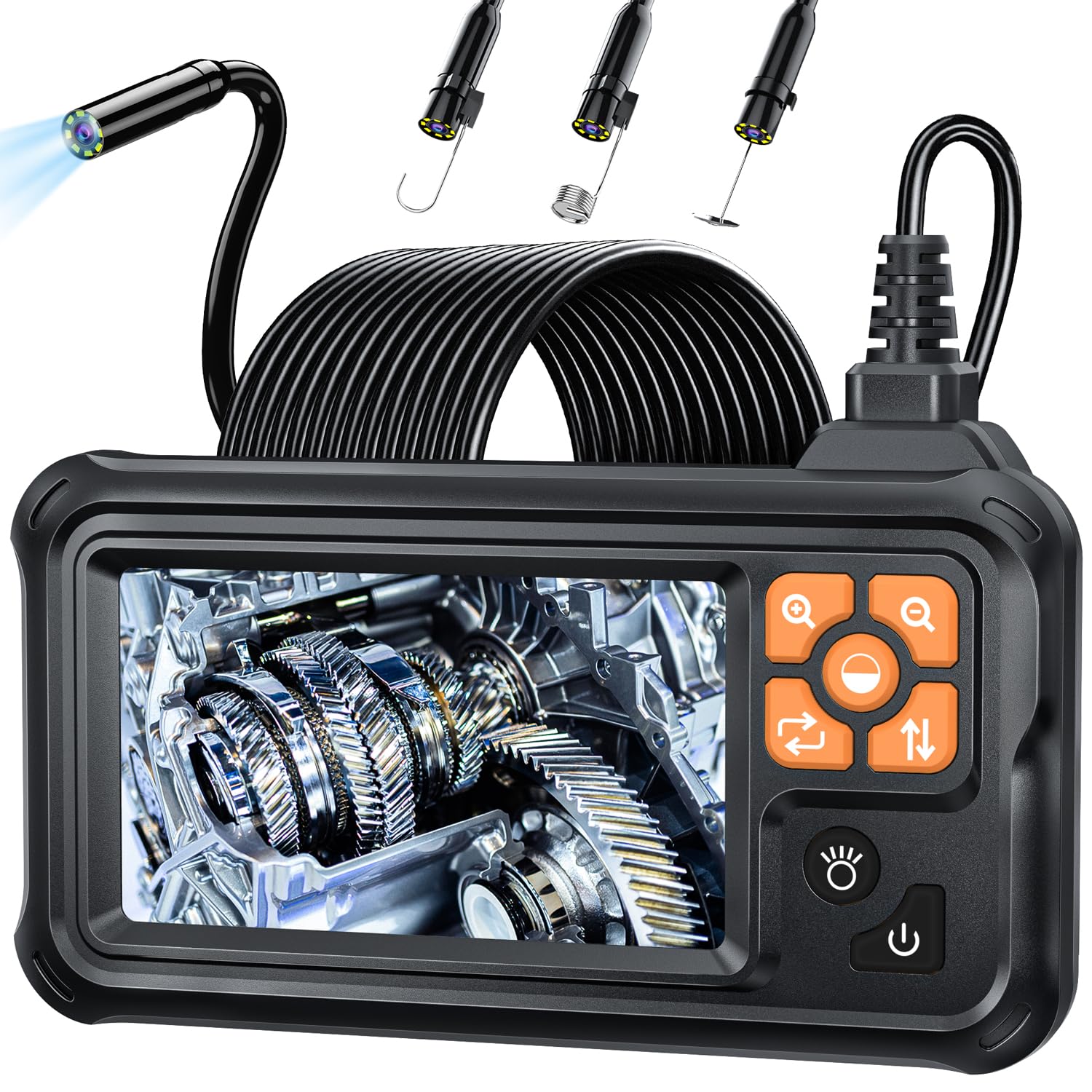
Figure 1: SKYBASIC Industrial Endoscope Borescope Camera
2. Packungsinhalt
Überprüfen Sie, ob alle Artikel im Paket vorhanden sind:
- LCD Digital Endoscope Unit
- Bedienungsanleitung
- USB Charging Cable (charging plug not included)
- Set of Accessories (including a hook, magnet, and side mirror)

Figure 2: Endoscope with included accessories (hook, magnet, mirror)
3. Einrichtung
- Aufladen des Geräts: Before first use, fully charge the endoscope using the provided USB charging cable. Connect the cable to the device's charging port and a compatible USB power adapter (not included). The battery indicator on the screen will show charging status.
- Anbringen von Zubehör: If needed, attach the hook, magnet, or side mirror to the camera tip. These accessories are designed to snap securely onto the camera head for specific tasks.
- Einschalten: Long press the power button located on the side of the device to turn it on. The 4.3-inch HD screen will display the live camera feed.
4. Bedienungsanleitung
The endoscope is designed for immediate use upon powering on, without the need for external applications or Wi-Fi connections.
- Anpassen der LED-Leuchten: The camera features 8 adjustable LED lights. Use the dedicated light adjustment button (often indicated by a sun or lightbulb icon) to cycle through different brightness levels to achieve optimal illumination in dark environments.
- Zoomfunktion: The device supports a 2X optical zoom. Use the zoom buttons (often indicated by '+' and '-' magnifying glass icons) to magnify the image on the screen for closer inspection of details.
- Navigating the Camera Cable: The 16.5-foot (5-meter) semi-rigid cable is designed to be both stiff and flexible. This allows you to bend and shape the cable to navigate through pipes, crevices, and other confined spaces while maintaining its form.
- Optimaler Fokussierabstand: For the clearest images, maintain a focusing distance of 2cm to 10cm (0.8 inches to 3.9 inches) from the object being inspected.

Figure 3: IP67 Waterproof Probe with Adjustable LED Brightness
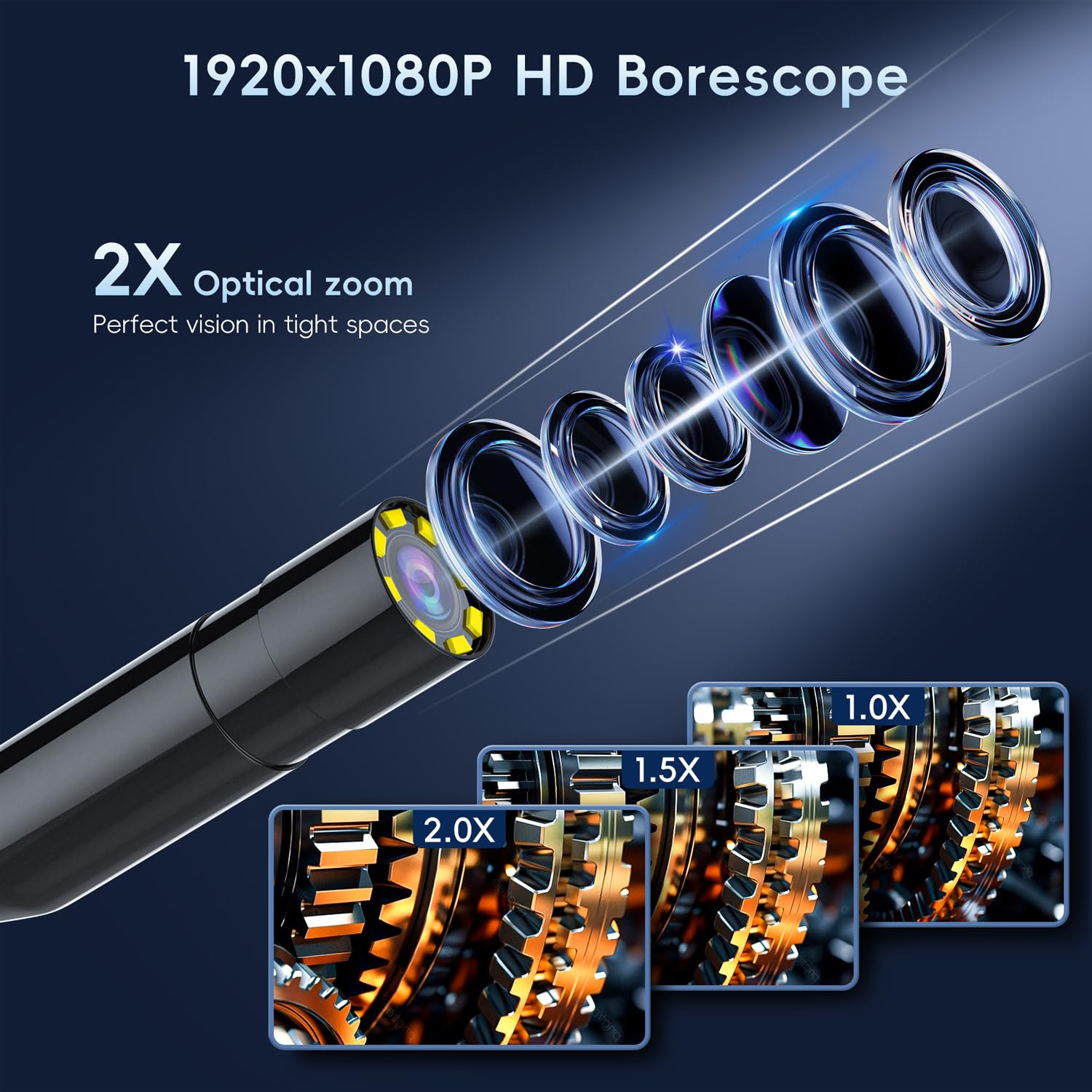
Figure 4: HD Borescope with 2X Optical Zoom

Figure 5: Various applications of the endoscope
5. Wartung
- Reinigung: After each use, gently wipe the camera lens and cable with a soft, dry cloth. For stubborn dirt, a slightly damp cloth can be used, ensuring no liquid enters the main unit. The camera probe is IP67 waterproof, but the main unit is not.
- Laden: Recharge the device when the battery indicator shows low power. Avoid completely draining the battery for prolonged periods to maintain battery health.
- Lagerung: Bewahren Sie das Endoskop an einem kühlen, trockenen Ort, geschützt vor direkter Sonneneinstrahlung und extremen Temperaturen, auf. Wickeln Sie das Kabel ordentlich auf, um Knicke oder Beschädigungen zu vermeiden.

Figure 6: Battery specifications and usage time
6. Fehlerbehebung
- Gerät lässt sich nicht einschalten:
- Stellen Sie sicher, dass der Akku geladen ist. Schließen Sie das Gerät an eine Stromquelle an und versuchen Sie es erneut.
- Long press the power button for at least 3-5 seconds.
- Schlechte Bildqualität:
- Adjust the LED light brightness to suit the environment.
- Ensure the camera lens is clean and free of debris.
- Verify the object is within the optimal focusing distance (2cm-10cm).
- Bildschirm friert ein oder funktioniert nicht richtig:
- Locate the reset button (usually a small pinhole) on the device. Use a thin object (like a paperclip) to press and hold the reset button for a few seconds.
- Schalten Sie das Gerät aus und anschließend wieder ein.
7. Spezifikationen
| Besonderheit | Spezifikation |
|---|---|
| Technische Daten | 3.94 x 3.94 x 3.94 Zoll |
| Artikelgewicht | 1.12 Pfund |
| Artikelmodellnummer | 5M |
| Batterien | 1 Lithium-Polymer-Akku erforderlich (im Lieferumfang enthalten) |
| Makro-Fokusbereich | 2-10 Zentimeter |
| Aufnahmemodi | Automatisch |
| Art der Expositionskontrolle | Automatisch |
| Farbe | Schwarz |
| Auflösung der Videoaufnahme | 1080p |
8. Garantie und Support
SKYBASIC offers a worry-free guarantee and a 1-year replacement or return service for this borescope. For any questions regarding your digital endoscope camera or its instructions, please contact SKYBASIC customer support. Support is available 24/7 to assist you with any issues.