
Einführung
This manual provides detailed instructions for the installation, operation, and maintenance of your BAITAI πF-8828 1200L/H UV Internal Aquarium Filter. This 5-in-1 filter is designed to provide comprehensive water treatment for freshwater and saltwater aquariums ranging from 120 to 400 liters, ensuring a clean and healthy environment for aquatic life.
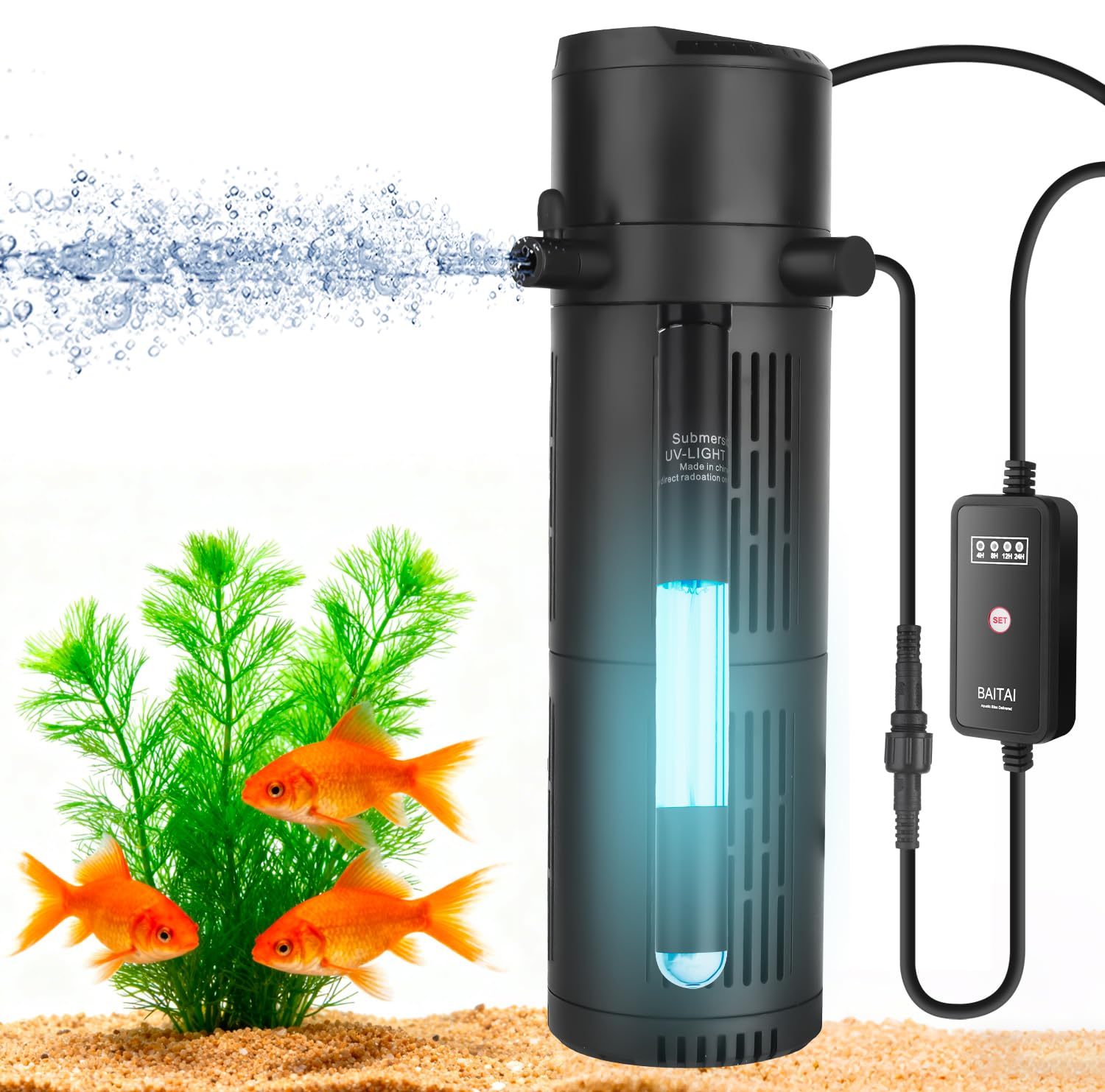
Image: Visual demonstration of water clarity improvement from cloudy to crystal clear after filter use.
Sicherheitshinweise
- Vor jeglichen Wartungs-, Installations- oder Reinigungsarbeiten muss die Stromversorgung stets unterbrochen werden.
- Ensure the filter is fully submerged in water during operation. Running dry can damage the motor.
- Der Filter darf nicht in Betrieb genommen werden, wenn das Netzkabel oder der Stecker beschädigt ist.
- This appliance is for indoor use only and intended for aquariums.
- Außerhalb der Reichweite von Kindern aufbewahren.
- Das UV-lamp inside the filter emits ultraviolet radiation. Do not attempt to open the UV housing or look directly at the UV light when it is active, as this can cause eye and skin damage. The UV lamp is sealed within a protective housing for safe operation.
Produkteigenschaften
The BAITAI πF-8828 filter offers a 5-in-1 functionality for comprehensive aquarium water management:

Bild: Überview of the filter's five functions.
- Filterung: Mechanical filtration removes particulate matter.
- Verkehr: Ensures even water distribution throughout the aquarium.
- Sterilisation: Integrated UV light helps control algae and harmful bacteria.
- Oxygenierung: Includes an aeration feature to increase dissolved oxygen levels.
- Wasserfall: A spray bar attachment creates a gentle waterfall effect, aiding in surface agitation and gas exchange.
The filter incorporates a dual filtration system with a sealed UV unit:

Image: Internal structure showing dual filtration and UV system.
- Sponge Filtration: The filter sponge traps debris and provides a surface for beneficial bacteria to colonize, contributing to biological filtration.
- Sealed UV System: A submersible UV light, housed within a sealed protective casing, effectively removes algae and odors, leading to crystal-clear water. Normal condensation inside the UV housing is expected due to temperature differences and is not a sign of leakage.
Setup und Installation
- Komponenten auspacken: Nehmen Sie alle Teile vorsichtig aus der Verpackung. Prüfen Sie sie auf Beschädigungen.
- Filter zusammenbauen: Ensure the filter sponges are correctly placed around the UV tube/bulb within the filter housing.
- Zubehör anbringen: Connect the desired outlet accessories, such as the spray bar or aeration nozzle, to the filter's outlet.
- Positionsfilter: Submerge the filter completely in your aquarium. Use the provided suction cups to securely attach the filter to the inside wall of the aquarium. Ensure the filter is positioned to allow for optimal water circulation.
- Strom anschließen: Sobald der Filter sicher installiert und vollständig untergetaucht ist, schließen Sie den Netzstecker an eine geeignete Steckdose an.
Bedienungsanleitung
The BAITAI πF-8828 features a smart UV timer control for managing the UV sterilization function.

Image: Smart UV Timer Control Panel.
- Ein-/Ausschalten: Press the main power button (usually marked with a power symbol) to turn the filter and UV light on or off.
- Set UV Timer: Use the dedicated buttons (4H, 8H, 12H, 24H) on the control panel to set the desired operating duration for the UV light. The UV light will automatically turn off after the selected time.
- Ausschaltspeicher: The timer control features a power-off memory function, which means it will resume the last selected UV timer setting after a power interruption.
- Dauerbetrieb: If no timer is set, the UV light will operate continuously when the filter is powered on.
Wartung
Regular cleaning and maintenance are crucial for the optimal performance and longevity of your filter.

Image: Tool-free cleaning process.
- Stromversorgung trennen: Always unplug the filter from the power outlet before beginning any cleaning.
- Filter zerlegen: Gently remove the filter from the aquarium. Twist or unclip the filter housing to separate its components.
- Filterschwämme reinigen: Remove the filter sponges. Rinse them thoroughly with old aquarium water (from a water change) to preserve beneficial bacteria. Avoid using tap water directly, as chlorine can kill these bacteria. Squeeze the sponges to remove trapped debris.
- Clean UV Quartz Sleeve: Carefully clean the quartz sleeve surrounding the UV lamp. Use a soft cloth to remove any algae or mineral deposits. Do not use abrasive cleaners.
- Inspect UV Lamp: Periodically inspect the UV lamp for signs of wear or reduced effectiveness. UV lamps typically need replacement every 6-12 months, depending on usage. (Replacement bulbs are sold separately).
- Laufrad reinigen: Remove the impeller and clean any debris that may have accumulated around it.
- Wieder zusammenbauen und neu installieren: Reassemble all parts of the filter, ensuring they are securely fitted. Place the filter back into the aquarium and reconnect the power.
Fehlerbehebung
- Filter Not Running:
- Prüfen Sie, ob das Netzkabel fest eingesteckt ist.
- Stellen Sie sicher, dass die Steckdose funktionsfähig ist.
- Inspect the impeller for blockages or damage. Clean if necessary.
- Reduzierter Wasserdurchfluss:
- Filter sponges may be clogged. Clean or replace them.
- Check the intake and outlet for obstructions.
- Ensure the impeller is clean and spinning freely.
- Cloudy Water Persists:
- Ensure the UV light is operating for the recommended duration (e.g., 4-8 hours daily).
- Führen Sie einen Teilwasserwechsel durch.
- Check if filter media needs cleaning or replacement.
- Verify the filter is appropriately sized for your tank (refer to specifications).
- Ungewöhnliches Geräusch:
- Disconnect power and check the impeller for any foreign objects or damage.
- Ensure the filter is securely mounted and not vibrating against the tank glass.
- Air trapped inside the filter can cause noise; gently tilt the filter to release air bubbles.
Technische Daten

Abbildung: Modellvergleichstabelle.
| Besonderheit | Detail |
|---|---|
| Modellnummer | πF-8828 |
| Durchflussrate | 1200 Liter/Stunde |
| Pumpenleistungs | 18 W |
| Empfohlene Tankgröße | 120-400 Liter |
| Abmessungen (Versand) | 35.2 x 11.8 x 11.7 cm |
| Artikelgewicht | 970 Gramm |
| Spezifische Verwendungen | Freshwater, Saltwater Aquarium, Ornamental Fish, Turtles, Algae Control, Water Clarification, Ventilation, Water Circulation |
| Farbe | Schwarz |
Garantie und Support
Informationen zur Garantie und technische Unterstützung finden Sie auf der Produktverpackung oder wenden Sie sich an Ihren Händler. Bewahren Sie Ihren Kaufbeleg als Kaufnachweis auf.