
Einführung
Vielen Dank für Ihren Einkauf.asing the Delmodes 8K 64MP Camcorder. This manual provides detailed instructions for the setup, operation, maintenance, and troubleshooting of your new device. Please read this manual carefully before use to ensure optimal performance and longevity of your camcorder.
The Delmodes 8K 64MP Camcorder is designed to capture high-quality video and photos, featuring 8K video resolution, 64MP image resolution, 18X digital zoom, Wi-Fi connectivity, and IR night vision. It is suitable for various applications, from vlogging to capturing family events.
Packungsinhalt
Bitte überprüfen Sie nach dem Öffnen den Packungsinhalt, um sicherzustellen, dass alle Artikel vorhanden sind:
- 1 x Delmodes 8K Camcorder
- 1 x 32GB SD-Karte
- 2 x Lithium-Batterien
- 1 x 2.4-GHz-Fernbedienung
- 1 x USB-Kabel
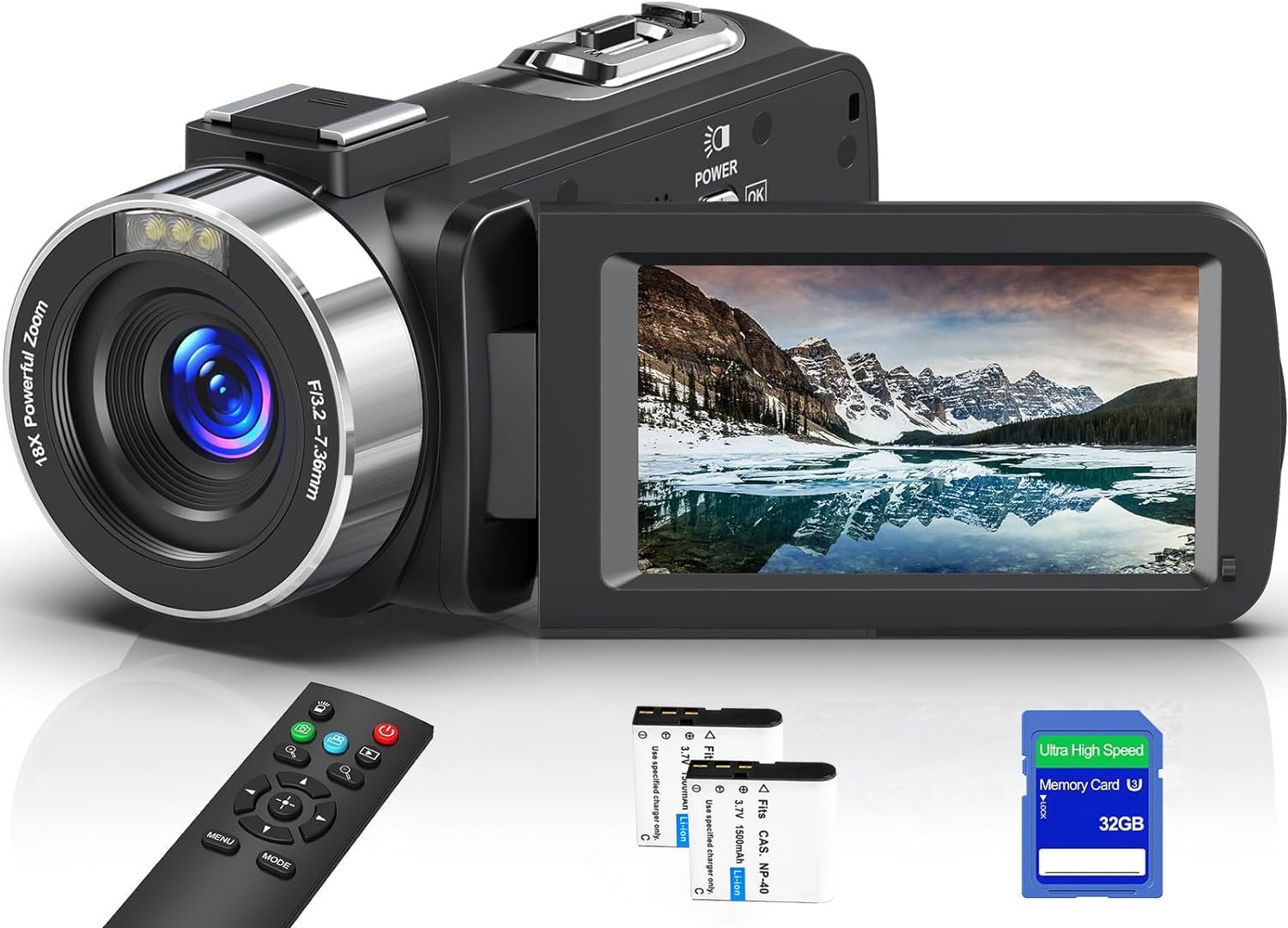
Image: The Delmodes 8K 64MP Camcorder shown with its included accessories, including the camcorder unit, remote control, and cables.
Installationshandbuch
1. Laden des Akkus
Before first use, fully charge both lithium batteries. Insert a battery into the camcorder and connect the camcorder to a power source using the provided USB cable. The charging indicator will illuminate. A full charge typically takes several hours.
2. Einlegen der SD-Karte
Open the SD card slot cover. Insert the 32GB SD card (or another compatible SD card, Class 10 or higher, 32-256GB) into the slot with the metal contacts facing the front of the camcorder until it clicks into place. Close the cover.
Wichtig: The camcorder may prompt you to format the SD card upon first insertion or if a new card is detected. Always format new SD cards using the camcorder's menu to ensure compatibility and optimal performance. Formatting will erase all data on the card.
3. Ein-/Ausschalten
To power on the camcorder, open the LCD screen. To power off, close the LCD screen or press and hold the power button.
4. Einrichtung der Fernbedienung
The 2.4G remote control comes pre-paired. Ensure the battery in the remote control is functional. The remote allows for control up to 15 meters (60 feet) without direct line of sight.
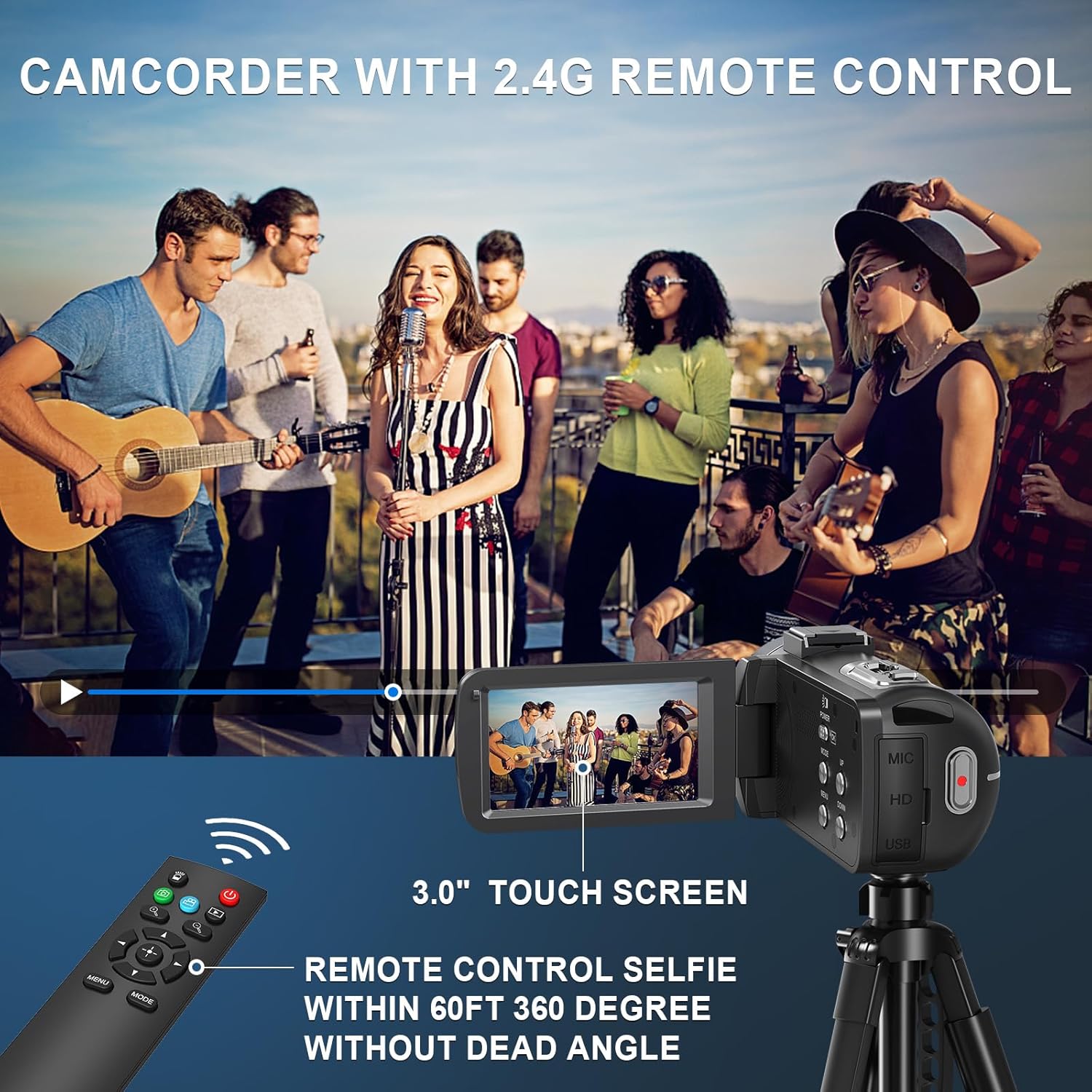
Image: The camcorder displaying its 3.0-inch touch screen and the included 2.4G remote control, highlighting its 360-degree control capability.
Bedienungsanleitung
1. Basic Video Recording and Photo Capture
Once powered on, the camcorder is typically in video recording mode. Press the AUFNAHME/STOP button to start recording. Press it again to stop. To switch to photo mode, navigate through the menu using the touch screen or physical buttons. Press the Foto Taste zum Aufnehmen eines Standbildes.

Image: The camcorder's main view, illustrating its 8K and 64MP capabilities, with a clear display of the screen interface during recording and various camera angles.
2. Zoom-Funktion
The camcorder features an 18X digital zoom. Use the zoom lever (usually located near the top of the camcorder) to zoom in or out. Digital zoom magnifies the image electronically, which may reduce image quality at higher zoom levels.

Image: A visual representation of the camcorder's 18X digital zoom, showing the difference between unzoomed and digitally zoomed images of a lighthouse.
3. Infrarot-Nachtsichtgerät und Aufhelllicht
For low-light conditions, activate the IR Night Vision mode to capture clear black and white footage. The camcorder also includes a fill light for improved visibility in dark environments. These functions can be toggled via the camcorder's menu settings.

Image: Comparison shots demonstrating the effect of the fill light (on/off) and IR night vision (on/off) in low-light scenarios, showing the camcorder's ability to capture clear images in darkness.
4. Wi-Fi Connection and "Hello Cam" App
Connect your camcorder to a smartphone or tablet via Wi-Fi using the "Hello Cam" application (available for Android and iOS). This allows for remote control of the camcorder, live view, and direct transfer of photos and videos to your mobile device.
So stellen Sie eine Verbindung her:
- Download and install the "Hello Cam" app on your mobile device.
- Enable Wi-Fi on the camcorder via its menu.
- On your mobile device, connect to the camcorder's Wi-Fi network (SSID will be displayed on the camcorder screen).
- Open the "Hello Cam" app to establish the connection.

Image: The camcorder connected to a TV via HDMI and demonstrating Wi-Fi connectivity with a smartphone, showing the "Hello Cam" app interface and a QR code for app download. The QR code links to https://qr04.cn/B9lhOx.
5. Webcam and HDMI Output
Der Camcorder kann als … fungieren. webcam when connected to a computer via the USB cable. Select "PC Cam" mode on the camcorder when prompted. It is compatible with Windows 7/8/10/11 and MAC systems.
Für viewing content on a larger screen, connect the camcorder to a TV or monitor using an HDMI cable (not included). This allows for direct playback of your recorded videos and photos.
6. Multifunktionale Eigenschaften
The camcorder offers several advanced features:
- Zeitraffer Fotografie: Capture events over a long period and condense them into a short video.
- Zeitlupe: Record high-speed actions in slow motion for detailed analysis.
- Loop-Aufnahme: Continuously record, overwriting the oldest files wenn die Speicherkarte voll ist.
- Serienfotos: Nehmen Sie eine schnelle Sequenz von Einzelbildern auf.
- Selfie-Modus: Nutzen Sie den drehbaren Bildschirm für einfache Selbstaufnahmen.
- Bewegungserkennung: Automatische Aufnahme bei Bewegungserkennung.
- Filter: Apply various color filters (Normal, Negative Gray, Sepia, Brown, Warm, Cold, Vivid, Red, Green, Blue) to your photos and videos.
- Aufnahme während des Ladevorgangs: The camcorder supports recording while connected to a power source.

Image: A collage illustrating the camcorder's diverse functionalities, including burst photography, video playback, loop recording, selfie mode, slow motion, and time-lapse photography.
Wartung
1. Reinigung des Camcorders
- Verwenden Sie ein weiches, trockenes Tuch, um das Gehäuse des Camcorders zu reinigen.
- Verwenden Sie für die Reinigung der Linse ein spezielles Linsenreinigungstuch und eine entsprechende Reinigungslösung. Vermeiden Sie es, die Linse mit den Fingern zu berühren.
- Reinigen Sie den LCD-Bildschirm mit einem weichen, fusselfreien Tuch.
- Verwenden Sie keine scharfen Reinigungsmittel oder Lösungsmittel.
2. Batteriepflege
- Bewahren Sie Batterien an einem kühlen, trockenen Ort auf, wenn Sie sie nicht verwenden.
- Vermeiden Sie, Batterien extremen Temperaturen auszusetzen.
- Batterieklemmen nicht kurzschließen.
- Wenn der Camcorder längere Zeit nicht benutzt wird, entfernen Sie den Akku.
3. Speicherung
Store the camcorder in a dry, dust-free environment, away from direct sunlight and extreme temperatures. Use the provided carrying case or a padded bag for protection during transport.
Fehlerbehebung
| Problem | Mögliche Ursache | Lösung |
|---|---|---|
| Der Camcorder lässt sich nicht einschalten. | Die Batterie ist leer oder falsch eingesetzt. | Stellen Sie sicher, dass der Akku vollständig geladen und korrekt eingesetzt ist. Versuchen Sie, den zweiten Akku zu verwenden. |
| Videoaufnahmen/Fotos können nicht aufgenommen werden. | SD card is full, not inserted, or not formatted. | Insert a compatible SD card, format it via the menu, or delete unnecessary files, um Speicherplatz freizugeben. |
| Schlechte Bild-/Videoqualität. | Die Linse ist verschmutzt, die Beleuchtung unzureichend oder die Einstellungen falsch. | Clean the lens. Ensure adequate lighting or use IR Night Vision/Fill Light. Check resolution settings. |
| Die WLAN-Verbindung schlägt fehl. | Incorrect Wi-Fi settings or app issues. | Ensure Wi-Fi is enabled on the camcorder. Reinstall the "Hello Cam" app. Check your mobile device's Wi-Fi settings. |
| Fernbedienung funktioniert nicht. | Die Batterie der Fernbedienung ist leer oder außerhalb der Reichweite. | Replace the remote control battery. Ensure you are within the 15-meter operating range. |
Technische Daten
| Besonderheit | Detail |
|---|---|
| Videoauflösung | 8K (7168x4032p)/15fps, 6K (5760x3240p)/30fps, 5K (5120x2880p)/30fps, 4.7K (4608x2592p)/30fps, 4K (3840x2160p)/(60/30fps), 2.7K (2688x1520p)/30fps, FHD (1920x1080p)/(60/30fps), HD (1280x720p)/(120/60/30fps) |
| Videoformat | MP4 |
| Bildauflösung | 64MP/56MP/48MP/30MP/24MP/20MP/12MP/8MP |
| Bildformat | JPG |
| Digital Zoom | 18X |
| Anzeige | 3.0-inch UHD Touch Screen |
| W-lan | Unterstützt |
| HD-Ausgang | HDMI-Schnittstelle |
| Linse | F/3.2, f=7.36 mm |
| Weißabgleich | Auto/Sunny/Cloudy/Tungsten/Fluorescent |
| Belichtung | -3.0 EV to +3.0 EV |
| Selbstauslöser | 3 Sek./5 Sek./10 Sek./20 Sek. |
| Automatische Abschaltung | Off/60s/180s/300s/600s |
| Filter | Normal, Negative Gray, Sepia, Brown, Warm, Cold, Vivid, Red, Green, Blue |
| Unterstützter Speicher | SD-Karte (32 GB–256 GB, Klasse 10 oder höher) |
| Akku-Typ | Lithium-Ionen |
| Kompatible Geräte | Smartphone, Tablet, Laptop, Personal Computer, Television |
| Abmessungen (Paket) | 8 x 8 x 6 cm; 500 Gramm |
| Wasserbeständigkeit | Nicht wasserdicht |
Garantieinformationen
This Delmodes camcorder comes with a manufacturer's warranty of 1 year from the date of purchase. Please retain your proof of purchase for warranty claims. The warranty covers defects in materials and workmanship under normal use. It does not cover damage caused by misuse, accidents, unauthorized modifications, or natural disasters.
For detailed warranty terms and conditions, please refer to the warranty card included in your package or contact customer support.
Kundenservice
If you encounter any issues or have questions regarding your Delmodes 8K 64MP Camcorder that are not addressed in this manual, please contact our customer support team. Please have your model number (8K) and purchase information ready when contacting support.
Contact information for customer support can typically be found on the product packaging, the official Delmodes webWebsite oder Ihren Kaufbeleg.