
Einführung
The iLive Cinema Pop-up Movie Kit is a comprehensive portable entertainment solution designed to transform any space into a personal cinema. This kit includes a 720p projector, a 120-inch ultra-bright projector screen, an adjustable tripod, and a powerful Bluetooth 5.0 speaker system. Enjoy crisp images and rich audio for both indoor and outdoor movie nights.
Im Leistungsumfang enthalten
- 720p-Projektor
- 120-inch Anti-Wrinkle Polyester Projector Screen (16:9 aspect ratio, 1.3 gain)
- Professional-Grade Tripod with integrated bubble level (360-degree pan, ±180-degree tilt, 41.73-inch max height, 4 kg capacity)
- Bluetooth 5.0 Speaker System (dual 4-inch full-range speakers, 16W peak output, LED light effects, rechargeable battery)
- Fernbedienung
- Stromkabel
- HDMI-Kabel
- 3.5-mm-Audiokabel
- USB-Kabel
- Tragetasche
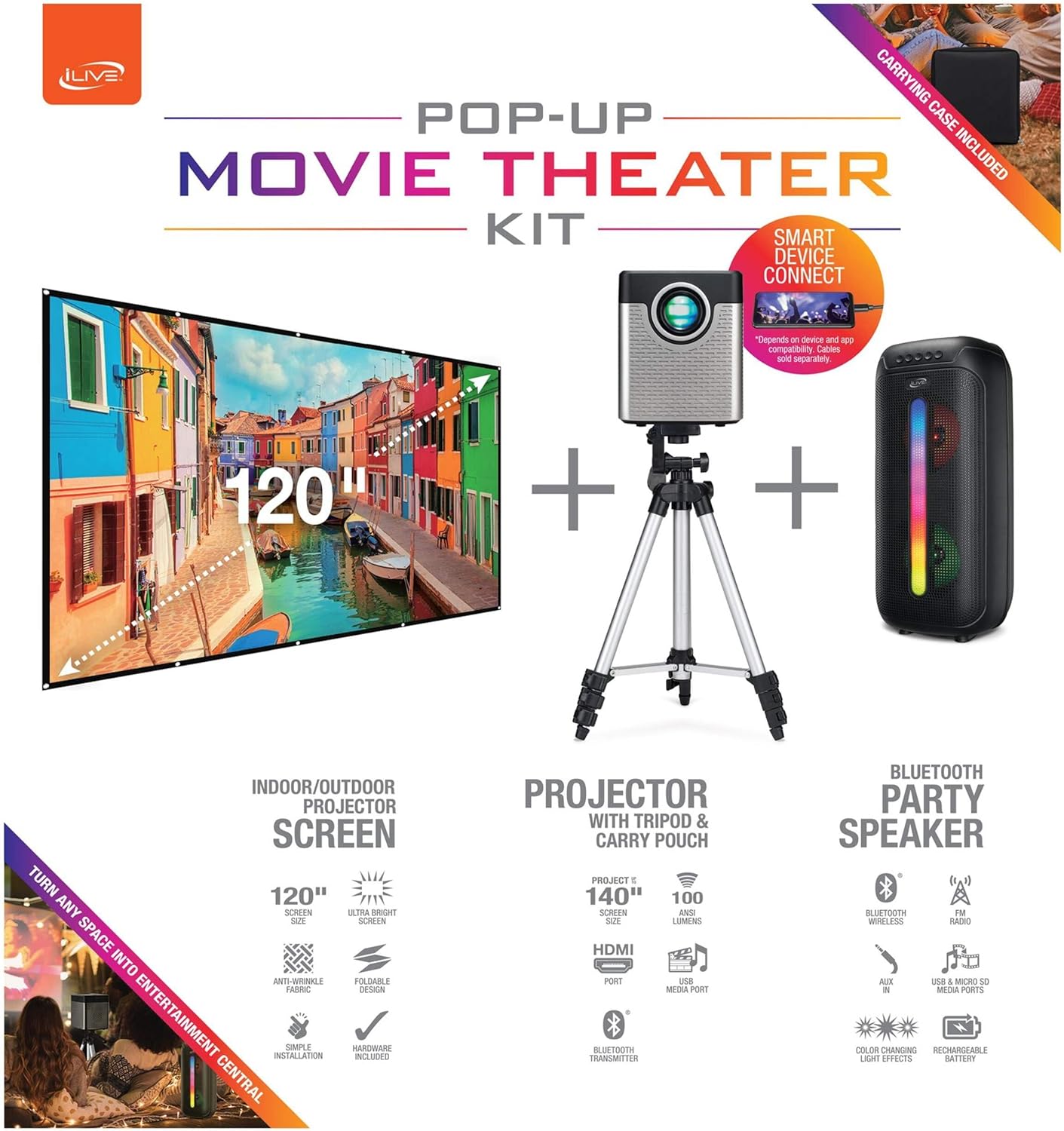
Figure 1: Diagram of the iLive Cinema Pop-up Movie Kit components.

Figure 2: The complete kit packed in its carrying case.
Aufstellen
- Komponenten auspacken: Nehmen Sie alle Gegenstände vorsichtig aus der Tragetasche.
- Stativ zusammenbauen: Extend the legs of the tripod and secure them. Adjust the height to your desired viewing level. The integrated bubble level assists in ensuring a stable and level base.
- Projektor montieren: Securely attach the projector to the tripod mount. Ensure it is stable and facing the desired projection area.
- Set Up Screen: Unfold the 120-inch anti-wrinkle screen. If using the tripod, attach the screen to the tripod frame using the provided fasteners. Ensure the screen is taut and wrinkle-free for optimal viewing. For alternative mounting, use the grommets along the screen's edges with appropriate wall hooks (not included).
- Sprecherposition: Place the Bluetooth speaker in a location that provides optimal sound distribution for your viewing-Bereich.
- Strom anschließen: Verbinden Sie das Netzkabel mit dem Projektor und einer geeigneten Steckdose.
- Geräte anschließen (optional): Connect your media source (e.g., laptop, gaming console, Blu-ray player) to the projector using an HDMI or USB cable. For external audio, use the 3.5mm audio input or connect wirelessly via Bluetooth to the speaker.

Figure 3: Projector mounted on the tripod.

Abbildung 4: Bspample outdoor setup with the projector and screen.
Bedienungsanleitung
Projektorbetrieb
- Ein-/Ausschalten: Drücken Sie den Netzschalter am Projektor oder an der Fernbedienung, um das Gerät ein- oder auszuschalten.
- Eingabequelle: Use the remote control to select the desired input source (HDMI, USB, etc.).
- Fokuseinstellung: Stellen Sie den Fokusring am Projektorobjektiv so ein, dass das Bild scharf ist.
- Trapezkorrektur: If the projected image appears trapezoidal, use the keystone correction feature (manual or automatic, if available) to adjust the image to a rectangular shape. The projector supports vertical keystone correction.
- Seitenverhältnis: Select between 16:9 and 4:3 aspect ratios based on your content and preference.
- Projektionsabstand: The projector has a flexible projection range of 2.6 to 12.5 feet. Adjust the distance to achieve the desired screen size.
Bluetooth-Lautsprecherbetrieb
- Ein-/Ausschalten: Zum Ein- oder Ausschalten den Lautsprecher durch Drücken und Halten des Netzschalters ein- oder ausschalten.
- Bluetooth-Pairing: Aktivieren Sie Bluetooth auf Ihrem Gerät (z. B. Smartphone, Tablet). Suchen nach the iLive speaker in the list of available devices and pair.
- Lautstärkeregelung: Passen Sie die Lautstärke mit den Bedienelementen am Lautsprecher oder Ihrem angeschlossenen Gerät an.
- LED-Lichteffekte: The speaker features LED light effects. Refer to the speaker's specific controls for adjusting or disabling these effects.
- Echtes drahtloses Stereo (TWS): If you have two iLive Bluetooth speakers, you can pair them together for a True Wireless Stereo experience. Follow the instructions provided with the speaker for TWS pairing.
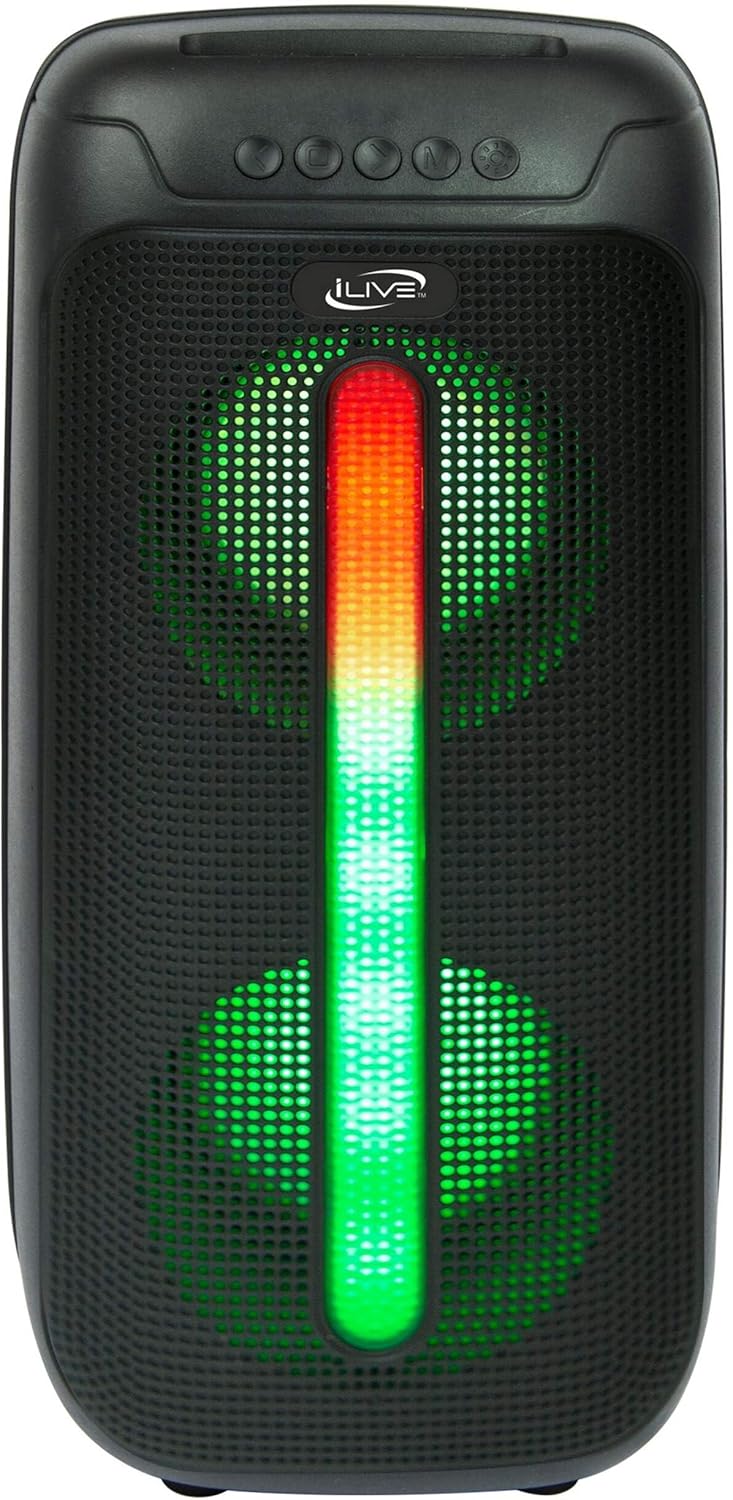
Figure 5: iLive Bluetooth 5.0 Speaker.
Wartung
- Projektorlinse: Use a soft, lint-free cloth to gently clean the projector lens. Avoid abrasive materials or harsh chemicals.
- Projector Vents: Ensure the projector's ventilation openings are clear of dust and debris to prevent overheating.
- Bildschirmreinigung: The anti-wrinkle polyester screen can be gently wiped with a damp cloth if necessary. Allow it to air dry completely before folding or storing.
- Lautsprecherpflege: Keep the speaker dry and clean. Avoid exposing it to extreme temperatures or direct sunlight.
- Lagerung: When not in use, store all components in the provided carrying case in a cool, dry place to protect them from dust and damage.
Fehlerbehebung
- Kein Bild auf dem Bildschirm:
- Stellen Sie sicher, dass der Projektor eingeschaltet ist und die Objektivkappe abgenommen wurde.
- Vergewissern Sie sich, dass am Projektor die richtige Eingangsquelle ausgewählt ist.
- Prüfen Sie, ob alle Kabelverbindungen (HDMI, USB) fest sitzen.
- Verschwommenes Bild:
- Stellen Sie den Fokusring am Projektorobjektiv ein.
- Ensure the projection distance is within the recommended range (2.6-12.5 ft).
- Distorted Image (Trapezoidal):
- Use the keystone correction feature to adjust the image geometry.
- Ensure the projector is placed on a level surface or the tripod is properly adjusted.
- Kein Ton aus dem Lautsprecher:
- Stellen Sie sicher, dass der Lautsprecher eingeschaltet und aufgeladen ist.
- Verify Bluetooth pairing or 3.5mm audio cable connection.
- Check volume levels on both the speaker and the connected device.
- Probleme mit der Bluetooth-Kopplung:
- Stellen Sie sicher, dass sich der Lautsprecher im Kopplungsmodus befindet.
- Bringen Sie den Lautsprecher näher an Ihr Gerät heran.
- Trennen Sie das Gerät und koppeln Sie es erneut.
Technische Daten
| Besonderheit | Spezifikation |
|---|---|
| Modellnummer | DIE2024BDL |
| Bildschirmauflösung | 1280 x 720 (720p) |
| Anzeigetyp | LED |
| Helligkeit | 3000 Lumen |
| Kontrastverhältnis | 1000:1 |
| Seitenverhältnisse | 16:9, 4:3 |
| Lebensdauer der Lichtquelle | 20,000 Stunden |
| Projektionsbereich | 2.6 - 12.5 Fuß |
| Maximale Bildgröße | 120 Zoll |
| Konnektivität | HDMI, USB, 3.5mm Audio, Bluetooth 5.0 |
| Lautsprecherausgang | 16W Peak (Dual 4-inch drivers) |
| Speaker Battery Life | Bis zu 4 Stunden (bei 50 % Lautstärke) |
| Stativfunktionen | Integrated bubble level, 360-degree pan, ±180-degree tilt, 41.73-inch max height, 4 kg capacity |
| Unterstützung für Videocodierung | H.264, H.265 |
| Kontrollmethode | Fernbedienung |
Offizielle Produktvideos
Für dieses Produkt sind derzeit keine offiziellen Verkäufervideos verfügbar.
Garantie und Support
For warranty information or technical support, please contact iLive customer service at 1-888-999-4215. Please have your model number (THE2024BDL) and proof of purchase ready when contacting support.