
Einführung
Thank you for choosing the TECKNET TK-HS049 Hybrid Active Noise Cancelling Headphones. These headphones are designed to provide a superior audio experience with advanced noise cancellation, long battery life, and versatile connectivity. This manual will guide you through the setup, operation, and maintenance of your new headphones.
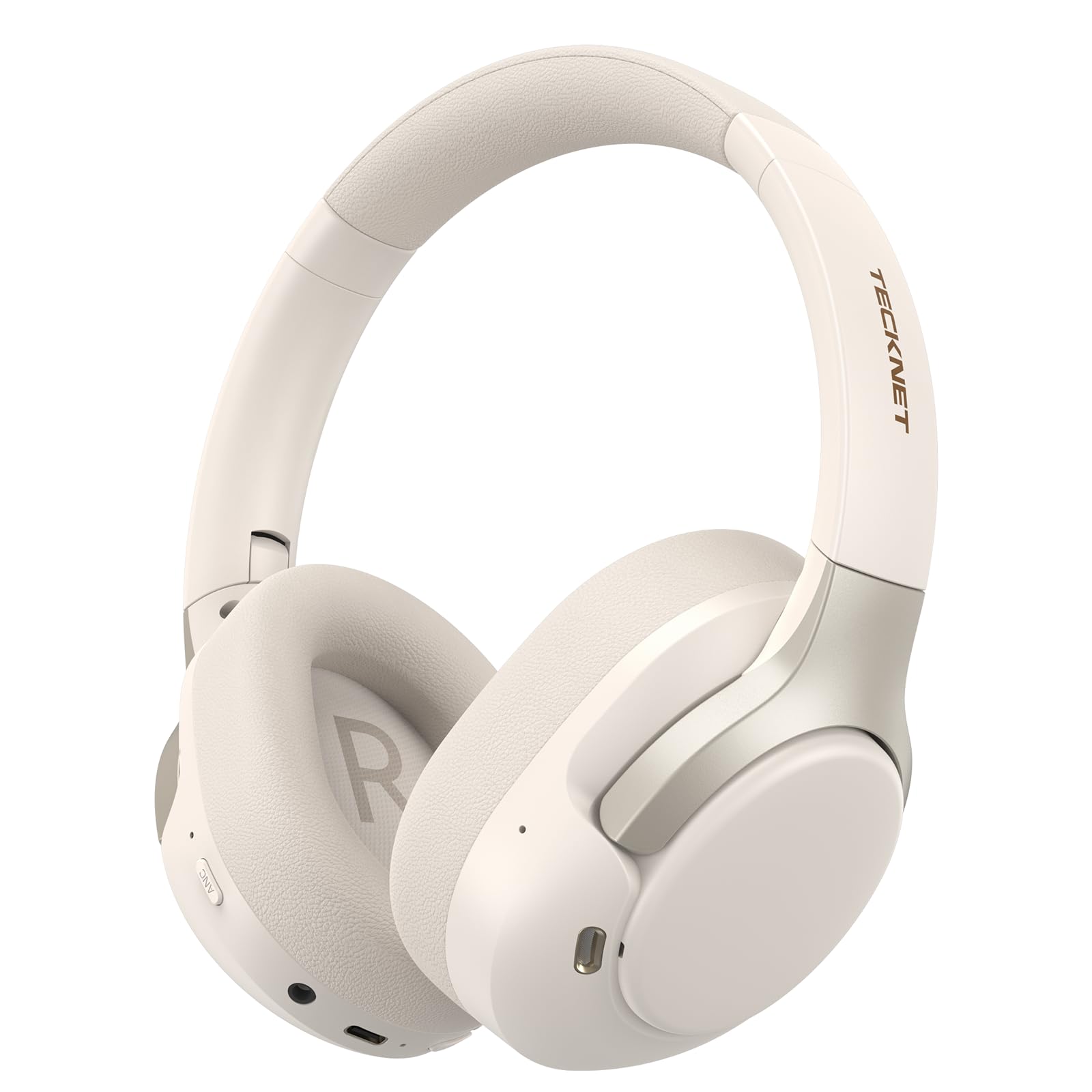
Image: TECKNET TK-HS049 Hybrid Active Noise Cancelling Headphones.
Lieferumfang
- 1 x TECKNET TK-HS049 ANC Headphones
- 1 x 3.5-mm-Audiokabel.
- 1 x Benutzerhandbuch
- 1 x Typ-C Ladekabel

Abbildung: Inhalt der Produktverpackung.
Produkt überview
Familiarize yourself with the various components and controls of your TECKNET TK-HS049 headphones.
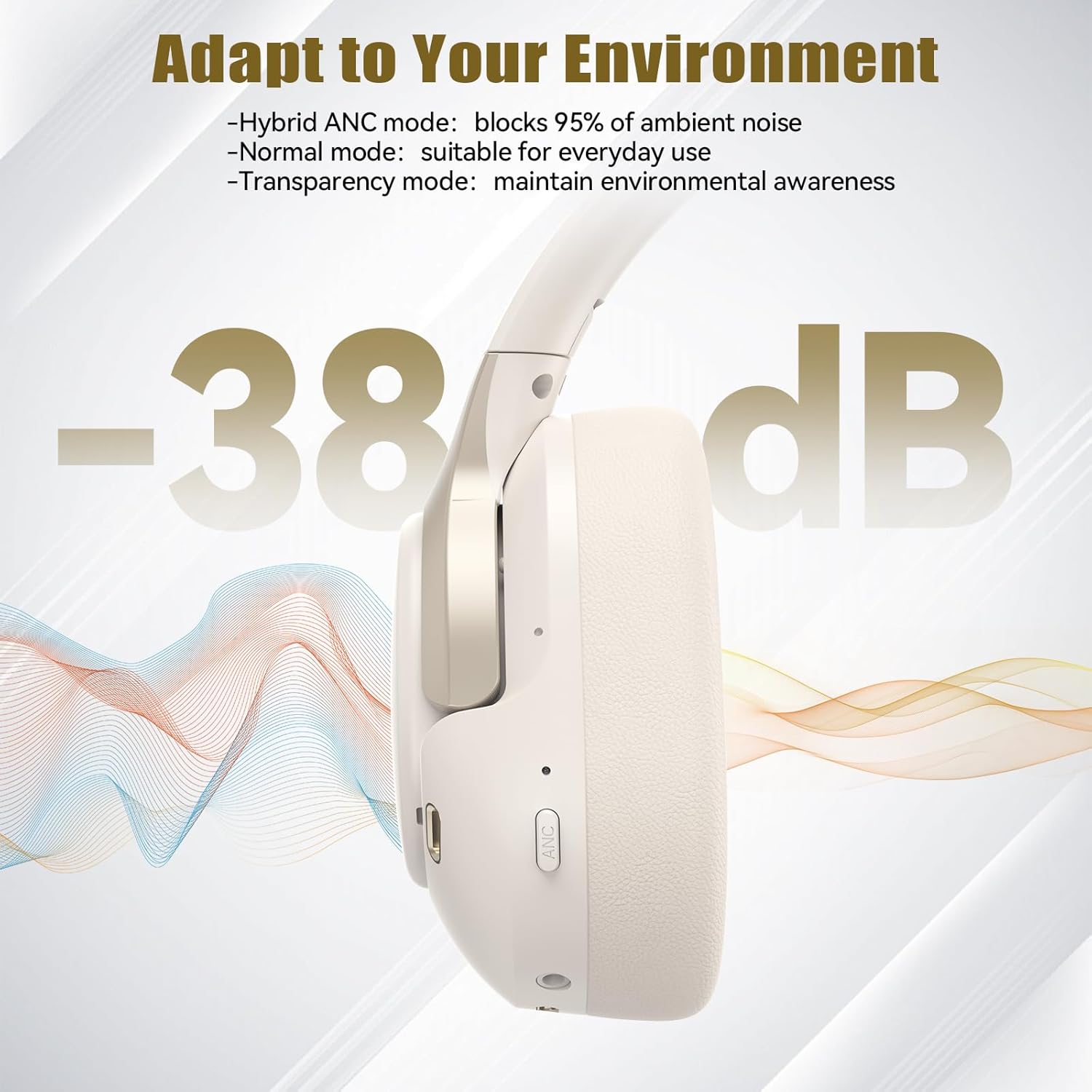
Abbildung: Seite view of the headphones highlighting control buttons and ports.
Schlüsselkomponenten:
- Netzschalter: Dient zum Ein-/Ausschalten der Kopfhörer und zum Koppeln per Bluetooth.
- Lautstärke erhöhen/Nächster Titel-Taste: Erhöht die Lautstärke oder springt zum nächsten Titel.
- Lautstärke verringern/Vorheriger Titel-Taste: Verringert die Lautstärke oder springt zum vorherigen Titel.
- Multifunktionstaste: Musik abspielen/pausieren, Anrufe annehmen/beenden.
- ANC-Taste: Schaltet die Modi der aktiven Geräuschunterdrückung um.
- Typ-C-Ladeanschluss: Zum Aufladen der Kopfhörer.
- 3.5-mm-Audiobuchse: Für kabelgebundene Audioverbindungen.
- Mikrofon: Für Anrufe und Sprachbefehle.
Aufstellen
1. Aufladen der Kopfhörer
Before first use, fully charge your headphones. Connect the supplied Type-C charging cable to the charging port on the headphones and the other end to a USB power source (e.g., wall adapter, computer USB port).
- Die LED-Anzeige zeigt den Ladestatus an.
- Eine vollständige Aufladung dauert in der Regel etwa 2-3 Stunden.
2. Ein-/Ausschalten
- Einschalten: Den Ein-/Ausschalter 3 Sekunden lang gedrückt halten, bis die LED-Anzeige blau blinkt.
- Ausschalten: Press and hold the Power button for 3 seconds until the LED indicator flashes red and then turns off.
3. Bluetooth-Kopplung
So verbinden Sie Ihre Kopfhörer via Bluetooth mit einem Gerät:
- Stellen Sie sicher, dass die Kopfhörer ausgeschaltet sind.
- Halten Sie die Ein-/Aus-Taste 5 Sekunden lang gedrückt, bis die LED-Anzeige abwechselnd rot und blau blinkt. Dies signalisiert den Kopplungsmodus.
- Aktivieren Sie auf Ihrem Gerät (Smartphone, Tablet, Laptop) Bluetooth und suchen Sie nach verfügbaren Geräten.
- Select "TECKNET TK-HS049" from the list of devices.
- Sobald die Verbindung hergestellt ist, blinkt die LED-Anzeige langsam blau.
4. Dual-Device-Verbindung
The headphones support simultaneous connection to two Bluetooth devices, allowing seamless switching between them.
- Pair the headphones with the first device (e.g., smartphone) as described above.
- Deaktivieren Sie Bluetooth auf dem ersten Gerät. Die Kopfhörer wechseln dann erneut in den Kopplungsmodus.
- Pair the headphones with the second device (e.g., laptop).
- Aktivieren Sie Bluetooth auf dem ersten Gerät wieder. Die Kopfhörer sollten sich automatisch mit beiden Geräten verbinden.
- To switch audio, simply play media on the desired device.

Image: Dual device connection setup.
5. Kabelgebundene Verbindung
Bei Geräten ohne Bluetooth oder bei niedrigem Akkustand verwenden Sie das mitgelieferte 3.5-mm-Audiokabel.
- Stecken Sie ein Ende des 3.5-mm-Audiokabels in die Audiobuchse des Kopfhörers.
- Stecken Sie das andere Ende in den 3.5-mm-Audioausgang Ihres Geräts.
- Note: Some headphone functions (e.g., ANC, EQ modes) may be limited or unavailable in wired mode without power.

Image: Wired connection via 3.5mm audio jack.
Betrieb
1. Modi der aktiven Geräuschunterdrückung (ANC)
Press the ANC button to cycle through the available noise cancellation modes:
- Hybrid ANC Mode: Blocks up to 35dB-38dB of ambient noise, ideal for travel or noisy environments.
- Normalmodus: ANC is off, suitable for everyday use where some environmental awareness is desired.
- Transparenzmodus: Allows ambient sounds to pass through, enhancing awareness of your surroundings.

Image: Hybrid Active Noise Cancellation in action.
2. Musikwiedergabe
- Abspielen/Pause: Drücken Sie einmal die Multifunktionstaste.
- Nächster Titel: Die Lauter-Taste gedrückt halten.
- Vorheriges Lied: Halten Sie die Leiser-Taste gedrückt.
- Lautstärke erhöhen: Drücken Sie kurz die Lauter-Taste.
- Lautstärke runter: Drücken Sie kurz die Leiser-Taste.
3. Anrufverwaltung
- Anruf annehmen/beenden: Drücken Sie einmal die Multifunktionstaste.
- Anruf ablehnen: Halten Sie die Multifunktionstaste 2 Sekunden lang gedrückt.
- Sprachassistent: Double-press the Multi-function button to activate your device's voice assistant.
4. EQ Music Modes
The headphones feature 6 EQ music modes to optimize your listening experience for different genres. Press the EQ button (if available, or refer to specific button on your model) to cycle through these modes:
- Tanzen
- Felsen
- Klassik
- Gesang
- Bass
- Weich

Image: Cycling through 6 EQ music modes.
Wartung
To ensure the longevity and optimal performance of your TECKNET TK-HS049 headphones, follow these maintenance guidelines:
- Reinigung: Reinigen Sie die Ohrmuscheln und den Kopfbügel mit einem weichen, trockenen Tuch. Verwenden Sie keine Scheuermittel oder Lösungsmittel.
- Lagerung: When not in use, store the headphones in a cool, dry place, preferably in a protective case to prevent dust and damage.
- Feuchtigkeit vermeiden: Although the headphones have a waterproof rating, avoid prolonged exposure to water or high humidity. Do not submerge them.
- Laden: Only use the provided Type-C cable for charging. Avoid overcharging the battery.
- Temperatur: Setzen Sie die Kopfhörer keinen extremen Temperaturen (Hitze oder Kälte) aus.
Fehlerbehebung
Sollten Sie Probleme mit Ihren Kopfhörern haben, beachten Sie bitte die folgenden häufig auftretenden Probleme und Lösungen:
| Problem | Lösung |
|---|---|
| Die Kopfhörer lassen sich nicht einschalten. | Stellen Sie sicher, dass die Kopfhörer aufgeladen sind. Schließen Sie sie an eine Stromquelle an und versuchen Sie es nach einigen Minuten erneut. |
| Kopplung via Bluetooth nicht möglich. | Make sure the headphones are in pairing mode (LED flashing red/blue). Disable and re-enable Bluetooth on your device. Ensure no other devices are connected. |
| Kein Ton oder geringe Lautstärke. | Check volume levels on both headphones and your connected device. Ensure the headphones are properly paired. Try playing audio from a different source. |
| ANC ist nicht effektiv. | Ensure ANC mode is activated. Check that the earcups form a good seal around your ears. ANC is most effective against low-frequency, constant noise. |
| Mikrofon funktioniert nicht. | Stellen Sie sicher, dass die Kopfhörer per Bluetooth verbunden sind. Überprüfen Sie die Mikrofoneinstellungen Ihres Geräts. |
Technische Daten
Detailed technical specifications for the TECKNET TK-HS049 headphones:
| Besonderheit | Detail |
|---|---|
| Modellnummer | TK-HS049 |
| Konnektivitätstechnologie | Kabellos (Bluetooth), Kabelgebunden (3.5-mm-Klinkenstecker) |
| Bluetooth-Version | 6.0 |
| Lärmschutz | Hybride Geräuschunterdrückung (bis zu 38 dB) |
| Treibertyp | 40 mm dynamische Treiber |
| Frequenzbereich | 20Hz - 20,000Hz (supports up to 40kHz for high-resolution audio) |
| Akkulaufzeit (ANC eingeschaltet) | Bis zu 40 Stunden (bei 60 % Lautstärke) |
| Akkulaufzeit (ANC aus) | Bis zu 70 Stunden |
| Kontrollmethode | Physische Tasten |
| Platzierung des Ohrs | Über dem Ohr |
| Material | Fabric, Silicone, Memory Foam (earcups) |
| Wasserbeständigkeit | Wasserdicht |
| Mikrofon | 4 ENC-Mikrofone |
| EQ-Modi | 6 Presets (Dance, Rock, Classical, Vocal, Bass, Soft) |

Abbildung: Akkulaufzeit überview.

Image: 40mm dynamic drivers for premium audio.

Image: Comfort features including memory foam earcups and adjustable headband.
Garantie und Support
TECKNET TK-HS049 headphones come with a 36 Monate Garantie. If you encounter any problems during product use, please contact our professional customer service team for assistance. You can typically find contact information on the TECKNET official webWebsite oder über Ihre Einkaufsplattform.