
1. Einleitung
Vielen Dank für Ihren Einkauf.asing the Dyurwa ZY02 Portable Bluetooth Speaker. This manual provides essential information for setting up, operating, and maintaining your speaker. Please read it thoroughly before use to ensure optimal performance and longevity of your device.
2. Sicherheitshinweise
- Setzen Sie den Lautsprecher nicht über längere Zeiträume extremen Temperaturen oder direkter Sonneneinstrahlung aus.
- Vermeiden Sie, den Lautsprecher fallen zu lassen oder starken Stößen auszusetzen.
- Halten Sie den Lautsprecher von medizinischen Geräten fern, da er deren Funktion beeinträchtigen könnte.
- Versuchen Sie nicht, den Lautsprecher selbst zu zerlegen, zu reparieren oder zu verändern. Wenden Sie sich gegebenenfalls an qualifiziertes Servicepersonal.
- Um die Wasserdichtigkeitsklasse IPX7 zu erhalten, stellen Sie sicher, dass die Abdeckung des Ladeanschlusses fest verschlossen ist, wenn Sie den Lautsprecher in der Nähe von Wasser verwenden.
3. Packungsinhalt
- 1 x Dyurwa ZY02 Portable Bluetooth Speaker
- 1 x Typ-C Ladekabel
- 1 x Schnellstartanleitung (dieses Dokument)
4. Produktüberschreitungview
Kontrollen und Häfen
Familiarize yourself with the buttons and ports on your Dyurwa ZY02 speaker:

Figure 1: Top-mounted control buttons and side profile of the Dyurwa ZY02 speaker.
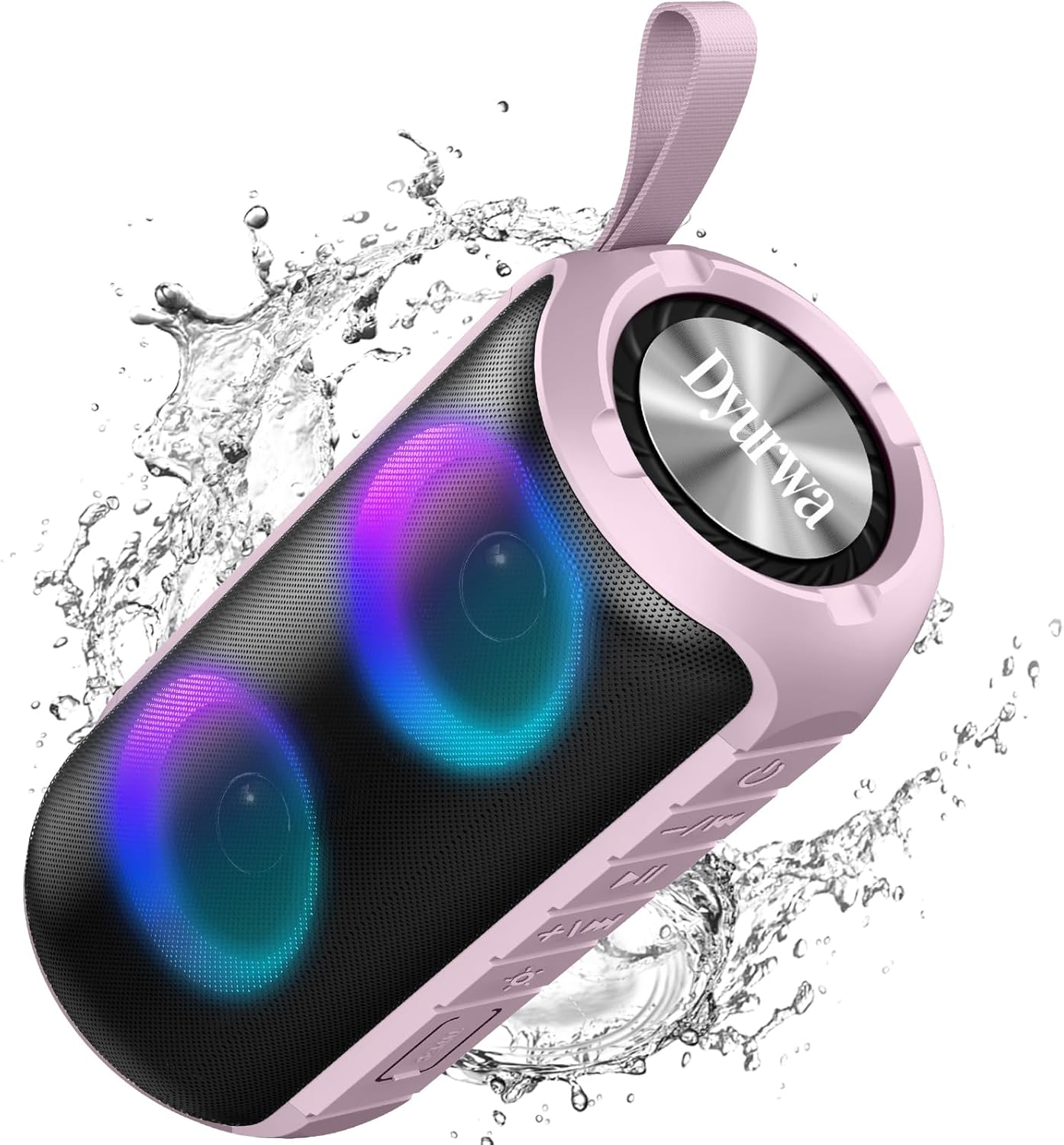
Figure 2: The sealed port area on the Dyurwa ZY02 speaker, revealing the Type-C charging port and a memory card slot.
Video 1: Ein kurzer Überblickview of the Dyurwa ZY02 speaker's physical features, including its buttons, ports, and dynamic LED lighting effects.
5. Einrichtung
5.1 Aufladen des Lautsprechers
Before first use, fully charge your speaker. Use the provided Type-C charging cable to connect the speaker to a compatible USB power source. The charging time is approximately 2-3 hours.

Figure 3: The Dyurwa ZY02 speaker highlighting its 12-hour battery life, with a note that continuous playtime varies by volume and light settings.
5.2 Bluetooth-Kopplung
- Power on the speaker by pressing and holding the power button. The LED indicator will flash, indicating it's in pairing mode.
- Aktivieren Sie auf Ihrem Gerät (Smartphone, Tablet, Computer) Bluetooth und suchen Sie nach verfügbaren Geräten.
- Select "ZY02" from the list of devices.
- Once connected, the speaker will emit an audible confirmation, and the LED indicator will remain solid.

Figure 4: The Dyurwa ZY02 speaker connected to a laptop, illustrating its Bluetooth 5.3 multi-device compatibility.
5.3 True Wireless Stereo (TWS) Kopplung
To pair two ZY02 speakers for a stereo sound experience:
- Stellen Sie sicher, dass beide Lautsprecher ausgeschaltet und an kein Gerät angeschlossen sind.
- Schalten Sie beide Lautsprecher ein.
- On one speaker (this will be the primary speaker), double-press the power button. It will search for the secondary speaker.
- Once connected, both speakers will emit a confirmation tone, and their LED indicators will synchronize.
- Verbinden Sie Ihr Gerät über Bluetooth mit dem Hauptlautsprecher, wie in Abschnitt 5.2 beschrieben.
6. Bedienungsanleitung
6.1 Grundfunktionen
- Ein-/Ausschalten: Halten Sie die Einschalttaste 3 Sekunden lang gedrückt.
- Abspielen/Pause: Drücken Sie kurz die Play/Pause-Taste.
- Lautstärke erhöhen: Drücken Sie kurz die Taste „+“.
- Lautstärke runter: Drücken Sie kurz die Taste „-“.
- Nächster Titel: Die Taste „+“ lange drücken.
- Vorheriges Lied: Die Taste „-“ lange drücken.
6.2 RGB-Beleuchtungsmodi
The speaker features dynamic RGB lights that can be customized:

Figure 5: The Dyurwa ZY02 speaker displaying its dynamic RGB lighting, with an icon indicating the button to browse different vibrant modes.
- Lichtmodus ändern: Short press the light button (often indicated by a sun or lightbulb icon) to cycle through available RGB lighting effects.
- Lichter ausschalten: Continue pressing the light button until the lights turn off.
- The lights can also pulse with the rhythm of the music.
Video 2: Demonstration of the Dyurwa ZY02 speaker's RGB lighting features, showing how the lights change and react to sound.
6.3 Freisprechfunktion
With its built-in microphone, the speaker supports hands-free calling when connected to your smartphone:

Figure 6: The Dyurwa ZY02 speaker facilitating a hands-free call in an office environment, showcasing its built-in microphone functionality.
- Anruf annehmen/beenden: Drücken Sie kurz die Play/Pause-Taste.
- Anruf ablehnen: Drücken Sie lange auf die Wiedergabe-/Pause-Taste.
7. Wartung
7.1 Wasserdichtes Design (IPX7)
The Dyurwa ZY02 speaker features an IPX7 waterproof rating, meaning it can be submerged in up to 1 meter of water for 30 minutes. This makes it suitable for use in showers, by the pool, or at the beach.

Figure 7: The Dyurwa ZY02 speaker demonstrating its IPX7 waterproof capability by being partially submerged in water.

Figure 8: The Dyurwa ZY02 speaker on a beach, showcasing its durable and IPX7 waterproof design, suitable for outdoor use.
- Stellen Sie stets sicher, dass die Abdeckung des Ladeanschlusses fest verschlossen ist, bevor Sie den Lautsprecher Wasser aussetzen.
- Nach dem Kontakt mit Wasser den Lautsprecher mit einem weichen Tuch trocken wischen.
- Laden Sie den Lautsprecher nicht auf, wenn der Ladeanschluss nass ist.
7.2 Reinigung
Verwenden Sie ein weiches,amp Verwenden Sie ein Tuch, um die Außenseite des Lautsprechers zu reinigen. Verwenden Sie keine scharfen Chemikalien oder Scheuermittel.
8. Fehlerbehebung
| Problem | Mögliche Ursache | Lösung |
|---|---|---|
| Der Lautsprecher lässt sich nicht einschalten | Schwache Batterie | Laden Sie den Lautsprecher vollständig auf. |
| Kopplung mit dem Gerät nicht möglich | Bluetooth ist auf dem Gerät nicht aktiviert; Lautsprecher befindet sich nicht im Kopplungsmodus; zu weit vom Gerät entfernt | Ensure Bluetooth is on, speaker is in pairing mode, and within 10 meters. Restart both devices. |
| Kein Ton oder geringe Lautstärke | Volume too low on speaker or device; incorrect audio source | Increase volume on both speaker and device. Check device's audio output settings. |
| TWS-Kopplung fehlgeschlagen | Speakers not reset or too far apart | Ensure both speakers are disconnected from other devices. Place them close together and retry TWS pairing. |
9. Spezifikationen
| Besonderheit | Detail |
|---|---|
| Marke | Dyurwa |
| Modellnummer | ZY02 |
| Konnektivitätstechnologie | Bluetooth, AUX |
| Wireless-Technologie | Bluetooth 5.3 |
| Audioausgabemodus | Stereo |
| Maximale Lautsprecherausgangsleistung | 180 Watt |
| Batteriekapazität | 1800 mAh |
| Durchschnittliche Batterielebensdauer | 12 Hours (varies by volume/light settings) |
| Akkuladezeit | 2-3 Stunden |
| Wasserdichtigkeit | IPX7 |
| Verbindungsbereich | >10 Mio. |
| Artikelabmessungen (T x B x H) | 2.54"T x 5"B x 4"H |
| Gewicht | 216g |
| Integrierte Medien | Stromkabel |
| Anzahl der Audiokanäle | 2.0 |
| Audiotreibertyp | Dynamischer Treiber |
10. Garantie und Support
The Dyurwa ZY02 Portable Bluetooth Speaker comes with a limited warranty. For specific warranty details and support inquiries, please refer to the warranty card included in your package or contact Dyurwa customer service.
For technical support or further assistance, please visit the official Dyurwa webWebsite oder wenden Sie sich an das Kundendienstteam.