
1. Einleitung
This manual provides essential information for setting up, operating, and maintaining your NIMO 15.6-inch Light-Gaming Laptop, Model N15A. Designed for productivity, content creation, and light gaming, this laptop features an 8-core AMD Ryzen 7 Pro 6850U processor, AMD Radeon 680M integrated GPU, 16GB LPDDR5 RAM, and a 1TB PCIe 4.0 SSD. Enjoy vibrant visuals on its 15.6-inch Full HD IPS anti-glare display, secure login with an integrated fingerprint touchpad, and convenient typing with a backlit keyboard. The device also supports 100W USB-C fast charging for quick power-ups.
2. Lieferumfang
- 1 x NIMO N15A Laptop
- 1 x Typ-C 100W PD Schnellladegerät
- 1 x Benutzerhandbuch
- Windows 11 Home (vorinstalliert)
- 2 Jahre Garantie, 90 Tage Rückgaberecht
3. Einrichtung
3.1 Erstes Einschalten und Laden
Before first use, ensure your NIMO laptop is fully charged. Connect the provided 100W Type-C PD fast charger to the laptop's USB-C port and a power outlet. The charging indicator light will illuminate.

Image: NIMO 15.6-inch laptop displaying the Windows 11 setup screen.
Press the power button located on the top-right of the keyboard to turn on the laptop. Follow the on-screen instructions to complete the initial Windows 11 Home setup, including language selection, network connection, and user account creation.
3.2 Einrichtung des Fingerabdrucks
During the Windows setup, you will have the option to set up the integrated fingerprint reader for secure and instant login. Follow the prompts to register your fingerprint. This feature allows you to bypass password entry for quick access.
3.3 Verbindung zu einem Netzwerk herstellen
During setup, select your Wi-Fi network from the list and enter the password. The laptop supports Wi-Fi 6 for fast and stable wireless connectivity.
3.4 Auspacken und erster Eindruckview
Video: Ein überview of the NIMO 15.6-inch laptop, demonstrating its physical features, ports, and initial setup process, including the backlit keyboard and fingerprint reader.
4. Bedienung Ihres NIMO-Laptops
4.1 Ein-/Ausschalten
- So schalten Sie das Gerät ein: Drücken Sie die Einschalttaste.
- So schalten Sie das Gerät aus: Click the Start menu, then Power, and select 'Shut down'. Alternatively, press and hold the power button for a few seconds.
4.2 Anzeige
The NIMO N15A features a 15.6-inch Full HD (1920x1080) IPS anti-glare display. This screen provides clear, vibrant visuals with an 85% screen-to-body ratio, ideal for work, streaming, and light gaming.

Image: The NIMO laptop's 15.6-inch Full HD IPS display showcasing vivid colors and sharp details.
4.3 Tastatur und Touchpad
The laptop is equipped with a backlit keyboard and a numeric keypad for enhanced productivity in various lighting conditions. The precision gesture touchpad allows for smooth navigation, and the integrated fingerprint touchpad provides secure, instant login.

Image: Close-up of the NIMO laptop's backlit keyboard and the fingerprint sensor on the touchpad.
4.4 Konnektivität und Anschlüsse
Der NIMO N15A bietet eine Vielzahl von Anschlüssen für vielseitige Konnektivität:
- USB-C (Multi-function): Supports 100W Power Delivery (PD) fast charging and data transfer.
- USB 3.2: Hochgeschwindigkeits-Datenübertragung.
- USB 2.0: Standard-USB-Anschluss.
- HDMI: Zum Anschluss externer Displays.
- Micro-SD-Kartenleser: Zur Erweiterung des Lagers oder zum Transfer files.
- Kopfhöreranschluss: Für Audioausgabe.
- Kensington Schloss: Zur physischen Sicherheit.
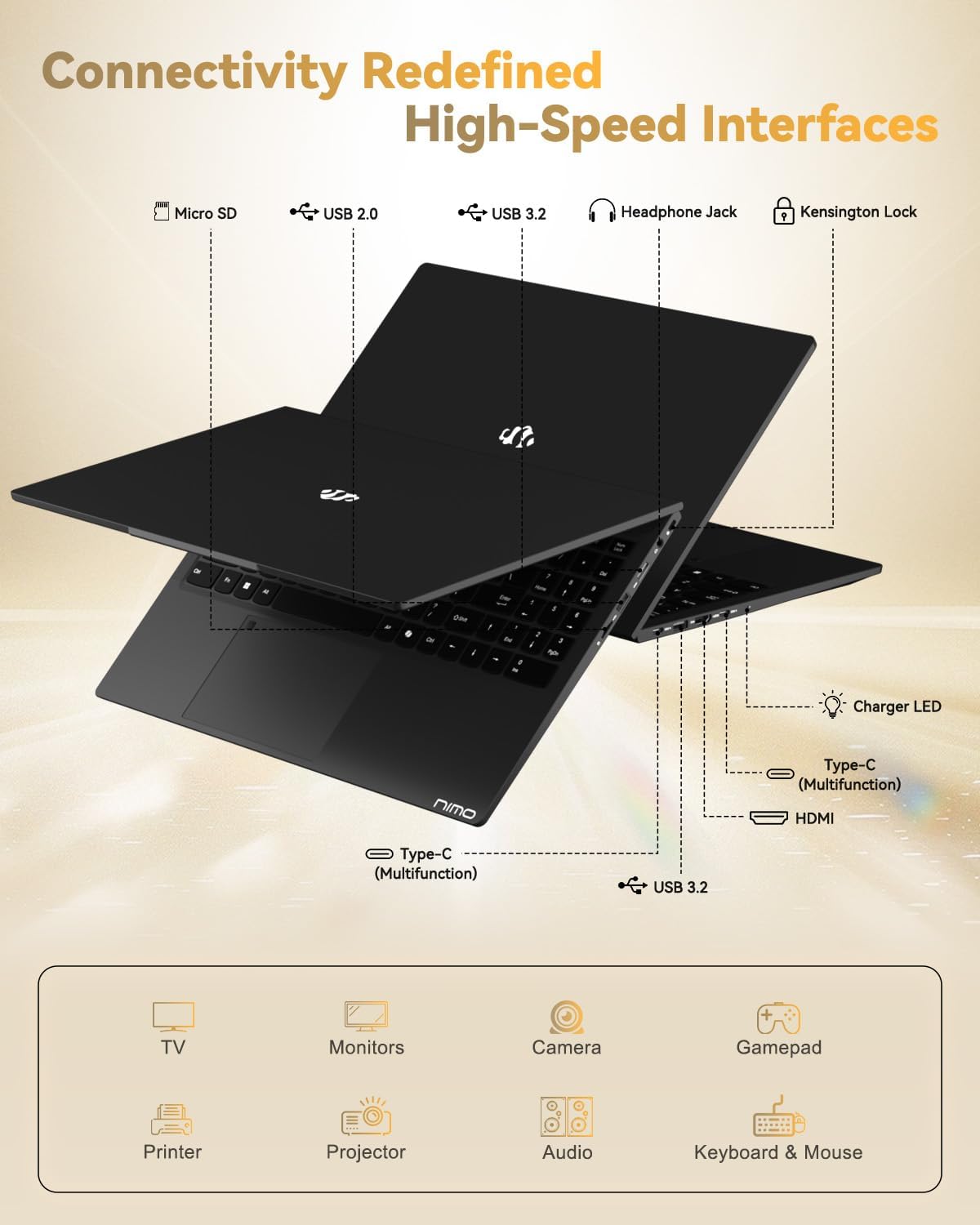
Image: The left and right sides of the NIMO laptop, highlighting the available ports for external devices.
4.5 WebNocken
The laptop includes a 2.0 MP front-facing webcam with a physical privacy shutter, ensuring your privacy during video calls and online meetings.

Image: The NIMO laptop's integrated webcam, demonstrating the physical privacy shutter mechanism.
4.6 Leistung überview
Powered by the AMD Ryzen 7 Pro 6850U processor with 8 cores and 16 threads (up to 4.7GHz), and an AMD Radeon 680M GPU, this laptop delivers smooth multitasking and responsive performance for professional workloads, content creation, and light gaming. It comes with 16GB LPDDR5 RAM and a 1TB PCIe 4.0 SSD for rapid data access and storage.
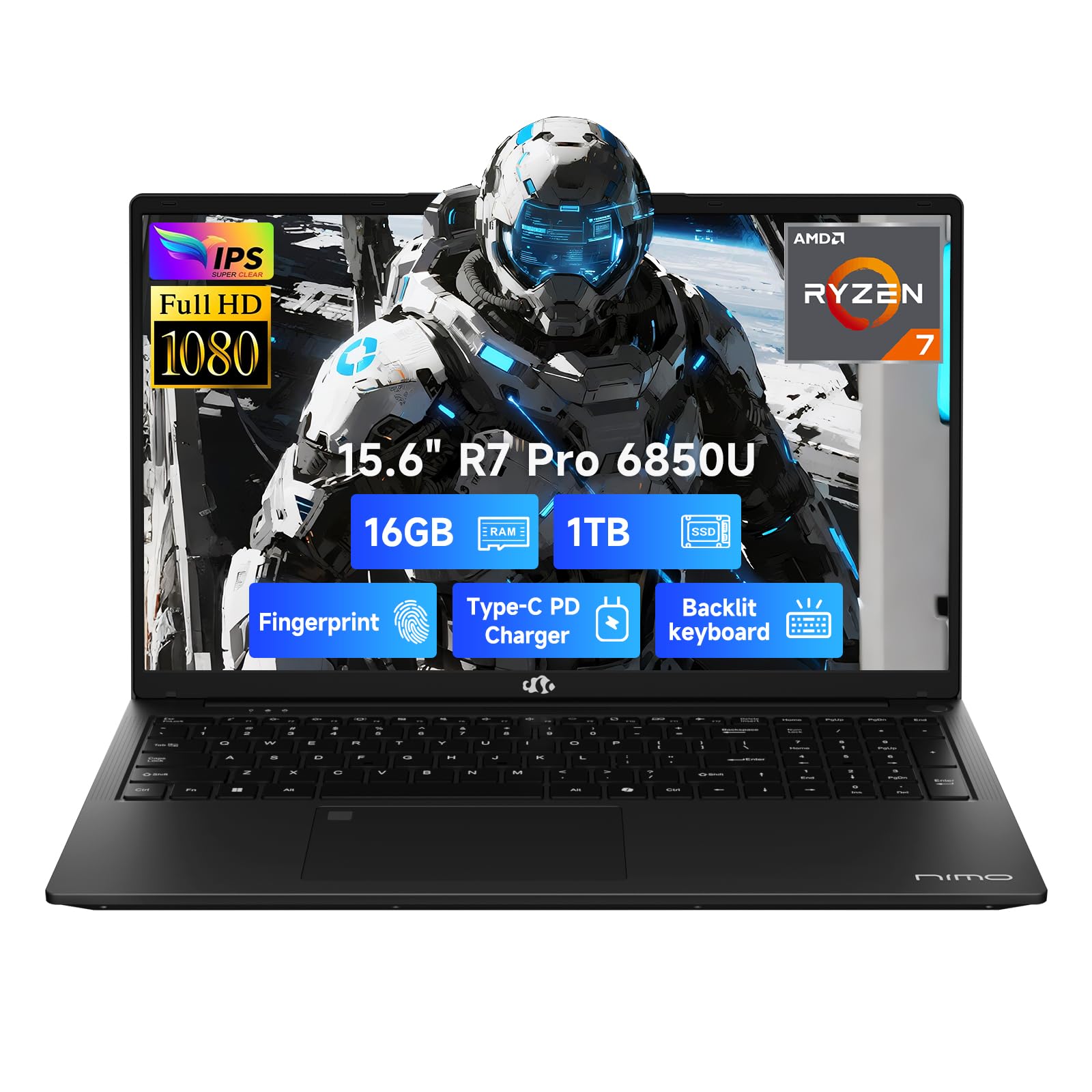
Image: Visual representation of the AMD Ryzen 7 Pro 6850U processor's core specifications.
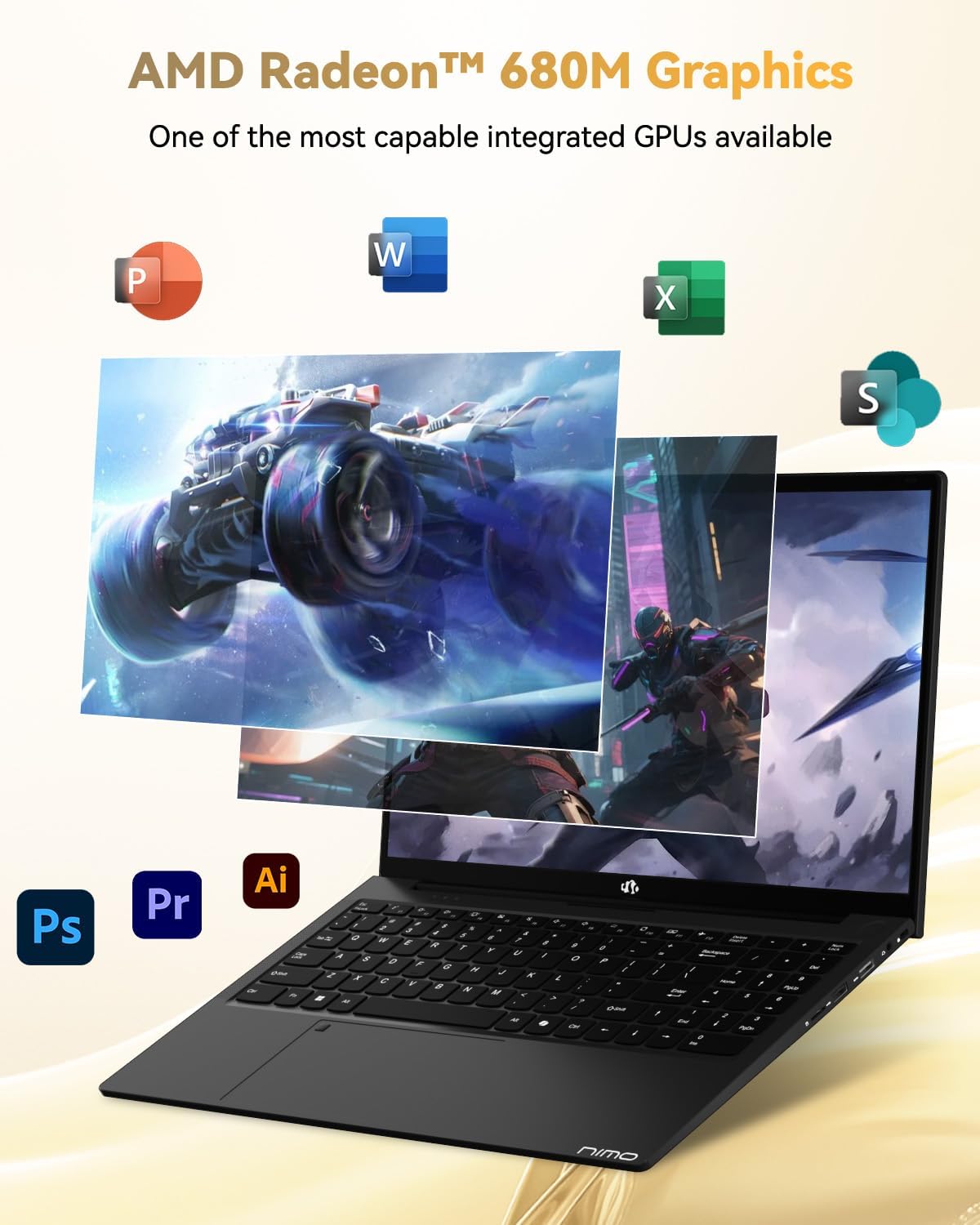
Abbildung: Die NIMO-Laptop-Präsentationasing its AMD Radeon 680M graphics performance with various applications.

Image: The NIMO laptop illustrating its capability for seamless multitasking and ample Speicher.
4.7 Akku und Aufladen
The laptop is powered by a 53.58 Watt-hour Lithium Polymer battery, offering up to 9 hours of battery life. The included 100W USB-C PD fast charger can provide up to 2 hours of use with just a 15-minute charge, making it ideal for users on the go.

Image: The NIMO laptop connected to its 100W Type-C fast charger.
4.8 General Usage and Features
Video: Ein Werbevideo zeigtasing the NIMO 15.6-inch FHD laptop's various features and use cases, including its display, performance, and portability.
Video: A video highlighting the Nimo Student Laptop's features, including its suitability for students and general use, emphasizing its design and functionality.
5. Wartung und Pflege
Um die Langlebigkeit und optimale Leistung Ihres NIMO-Laptops zu gewährleisten, befolgen Sie bitte diese Wartungsrichtlinien:
- Verwendung des Ladegeräts: Always use the original 100W Type-C PD fast charger and regularly inspect cables for damage.
- Physische Handhabung: Hold the laptop by its base, use a protective case, and avoid placing heavy items on it.
- Belüftung: Place the laptop on a hard, flat surface to ensure proper airflow and prevent overheating. Avoid using it on soft surfaces like beds or couches.
- Umgebungsbedingungen: Keep the laptop away from extreme temperatures, direct sunlight, and moisture.
- Batteriepflege: Avoid overcharging the battery. If the battery shows signs of swelling, discontinue use immediately and contact support.
- Sicherheit: Set strong passwords, keep your operating system and software updated, and use antivirus software. Regularly back up your data to prevent loss.
- Verschüttete Flüssigkeiten: In case of a liquid spill, immediately unplug the laptop and allow it to dry completely before attempting to power it on.
- Reparaturen: For any issues or repairs, consult qualified professionals. Do not attempt to disassemble the laptop yourself, as this may void your warranty.
6. Fehlerbehebung
If you encounter any issues with your NIMO laptop, consider the following basic troubleshooting steps:
- Kein Strom: Ensure the charger is securely connected and the power outlet is functional. Try a different outlet or charger if available.
- Anzeigeprobleme: Wenn der Bildschirm schwarz bleibt, schließen Sie einen externen Monitor an, um zu prüfen, ob die Bildausgabe funktioniert. Passen Sie die Helligkeitseinstellungen an.
- Langsame Leistung: Close unnecessary applications, check for background updates, or restart the laptop. Ensure sufficient free space on the SSD.
- Verbindungsprobleme: Bei WLAN-Problemen starten Sie Router und Laptop neu. Stellen Sie bei Bluetooth-Problemen sicher, dass das Gerät sichtbar und in Reichweite ist.
- Fingerabdruckleser funktioniert nicht: Stellen Sie sicher, dass Ihr Finger sauber und trocken ist. Registrieren Sie Ihren Fingerabdruck in den Windows-Einstellungen erneut, falls das Problem weiterhin besteht.
- Audioprobleme: Check volume levels, ensure headphones are properly connected, and verify audio drivers are up to date.
For persistent problems or issues not covered here, please refer to the Warranty and Support section for contact information.
7. Spezifikationen
| Besonderheit | Spezifikation |
|---|---|
| Marke | NIMO |
| Modellname | NIMO N15A |
| Bildschirmgröße | 15.6 Zoll |
| Bildschirmauflösung | 1920 x 1080 Pixel (FHD) |
| Display-Technologie | IPS |
| CPU Modell | AMD Ryzen 7 Pro 6850U |
| Prozessorgeschwindigkeit | Bis zu 4.7 GHz |
| Prozessorkerne | 8 |
| Größe des installierten RAM-Speichers | 16 GB LPDDR5 |
| Speichertaktfrequenz | 6400 MHz |
| Festplattengröße | 1024 GB (1TB PCIe 4.0 SSD) |
| Grafik-Coprozessor | AMD Radeon 680M |
| Betriebssystem | Windows 11 Home |
| Besondere Merkmale | Tastatur mit Hintergrundbeleuchtung, Fingerabdruckleser, HD-Audio, Ziffernblock |
| Konnektivitätstechnologie | Bluetooth, Wi-Fi (802.11a/b/g/n/ac) |
| Anzahl USB-Anschlüsse | 5 |
| Videoausgang | HDMI |
| Akkulaufzeit | 9 Hours (Average) |
| Artikelgewicht | 3.75 Pfund |
| Artikelabmessungen (L x B x Dicke) | 14.07 Zoll L x 8.98 Zoll B x 0.76 Zoll T |
8. Garantie und Support
NIMO stands by the quality of its products. Your NIMO N15A laptop comes with a 2 Jahr Herstellergarantie und ein 90-Tage-Rückgaberecht ohne Probleme. Our laptops undergo rigorous testing to ensure top-tier quality and reliability.

Image: NIMO's commitment to after-sales services, including support and returns.
Kontaktaufnahme mit dem Support
Our dedicated support team is ready to provide quick, effective assistance for a worry-free experience. For any product-related questions or warranty claims, please contact us:
- E-Mail: service@nimopc.com
- Online: Besuchen Sie die offizielle NIMO-Website. website or product page for chat support during business hours.

Image: Professional customer assistance available to help with product inquiries.