
1. Einleitung
The RDINSCOS RD710 is a portable, high-sensitivity combustible gas leak detector designed to identify the presence of various flammable gases. This device provides both audible and visual alarms to alert users to potential gas leaks, ensuring safety in residential, commercial, and industrial environments. It features a rechargeable battery and an easy-to-read digital display for clear gas concentration readings.
2. Produktüberschreitungview
2.1 Hauptmerkmale
- All-in-One Rechargeable Design: Portable handheld gas leak detector with a built-in rechargeable battery, suitable for home, RV, kitchen, or industrial gas leak inspections.
- High-Sensitivity FIGARO Sensor: Advanced FIGARO sensor ensures ultra-precise detection of propane, methane, and LPG, providing early alerts and reducing false alarms.
- Fast, Real-Time Leak Detection: High sensitivity and fast response technology provide real-time gas leak detection for various hazards.
- Easy-to-Read Digital Display & Alerts: Digital display shows gas concentration clearly. Visual and audible gas leak alarms notify you when hazardous levels are detected.
- Professional & Versatile Applications: Ideal for home safety, plumbing inspections, RV gas leak detection, industrial gas leak checks, or professional use.
2.2 Was ist in der Box?
- 1 x RDINSCOS RD710 Gas Detector
- 1 x USB-Ladekabel
- 1 x Tragetasche
- 1 x Benutzerhandbuch

Figure 2.2.1: Package contents of the RDINSCOS RD710 Gas Detector.
3. Einrichtung
3.1 Aufladen des Geräts
The RD710 detector is equipped with a built-in 1200mAh Lithium Polymer battery. Before initial use, ensure the device is fully charged using the provided USB-C charging cable. Connect the cable to the device's charging port and a compatible USB power adapter (not included).

Figure 3.1.1: Charging the RDINSCOS RD710 Gas Detector.
3.2 Initial Calibration (Preheating)
For accurate readings, the device requires a brief preheating and calibration period. After powering on, take the detector to an area known to be free of combustible gases (e.g., outdoors in fresh air). Press the "MEAS (Set '0')" button. The instrument will begin a 30-second warm-up countdown, after which it will be ready for detection.
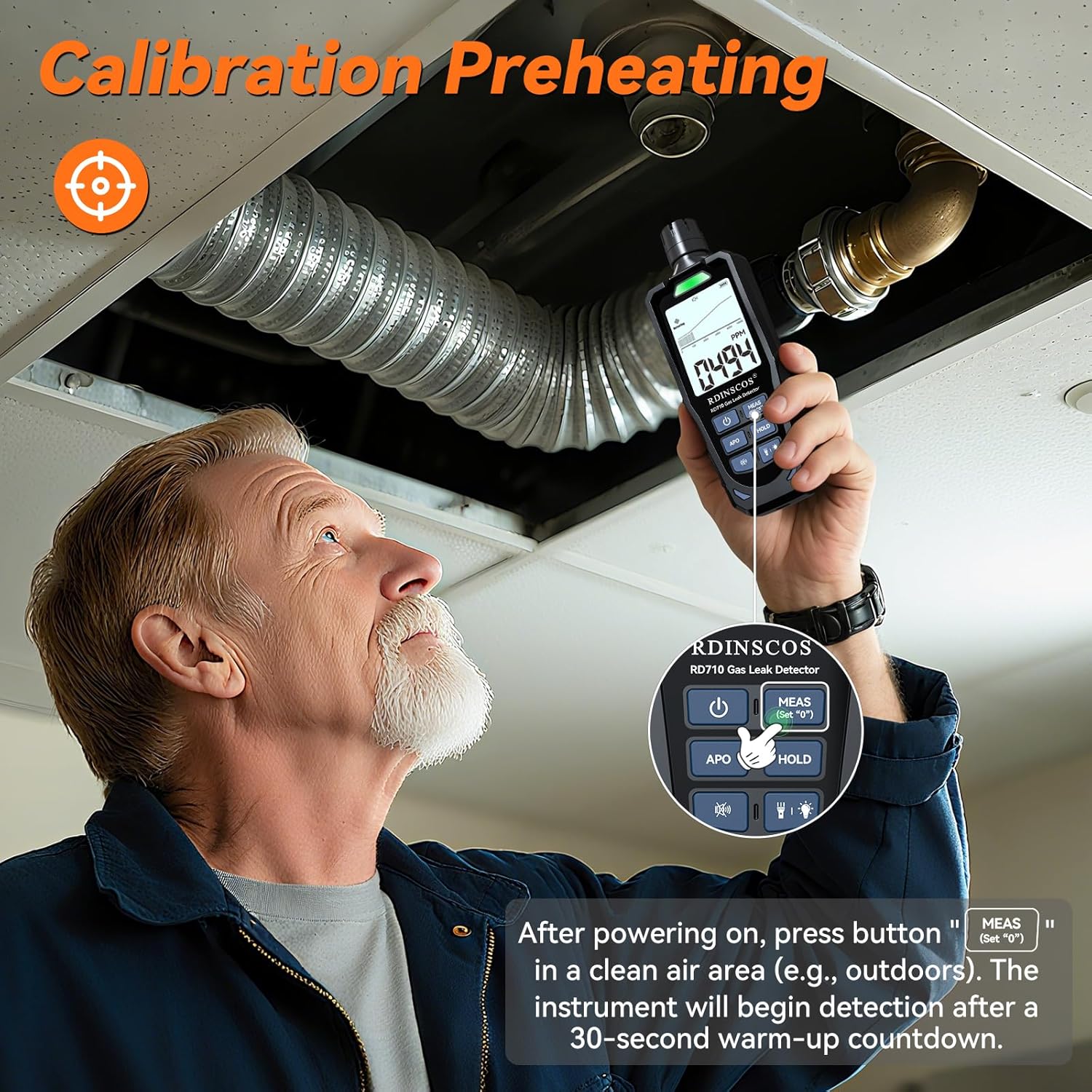
Figure 3.2.1: Performing initial calibration in a clean air environment.
4. Bedienungsanleitung
4.1 Ein-/Ausschalten
- To power on, press the power button (U) einmal.
- Zum Ausschalten den Netzschalter gedrückt halten (U) for a few seconds until the device shuts down.
4.2 Gas Detection Process
After calibration, slowly move the detector's probe tip near areas where a gas leak is suspected. The device will display gas concentration in PPM (Parts Per Million) on its digital screen. An increase in PPM indicates the presence of gas.
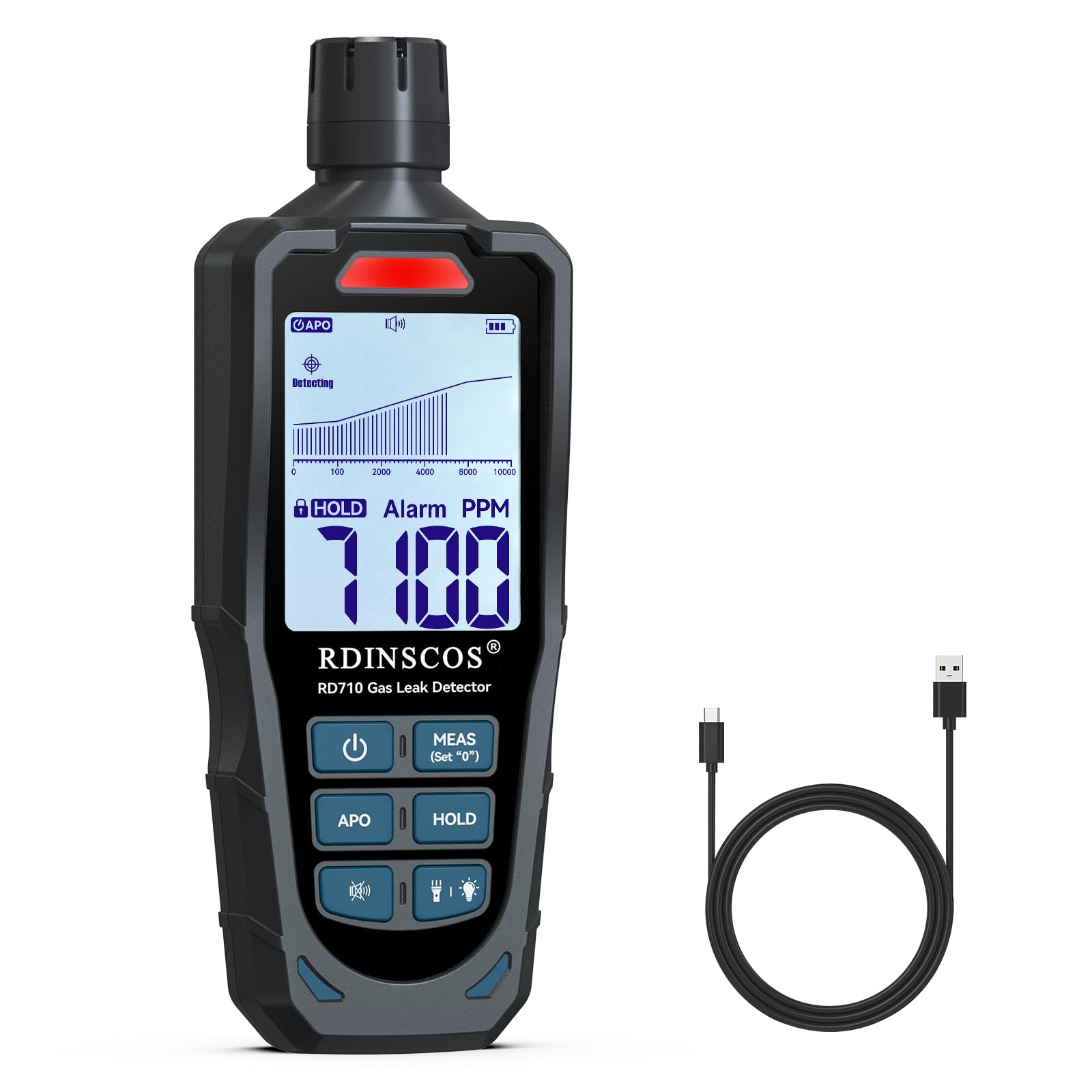
Figure 4.2.1: The RD710 detector with its FIGARO sensor, capable of detecting multiple combustible gases.
4.3 Display Modes and Alerts
The RD710 features a large LCD HD screen with two display modes: a graphic display and a numerical display. It provides both visual and audible alerts.
- Visueller Alarm: The screen will show increasing PPM values, and indicator lights will change color (e.g., green for operation, yellow for low thresholds, red for high thresholds).
- Hörbarer Alarm: A buzzing sound will activate when gas concentration reaches hazardous levels.
- Mute-Funktion: Press the mute button (speaker icon) to turn audible alerts on or off as needed.
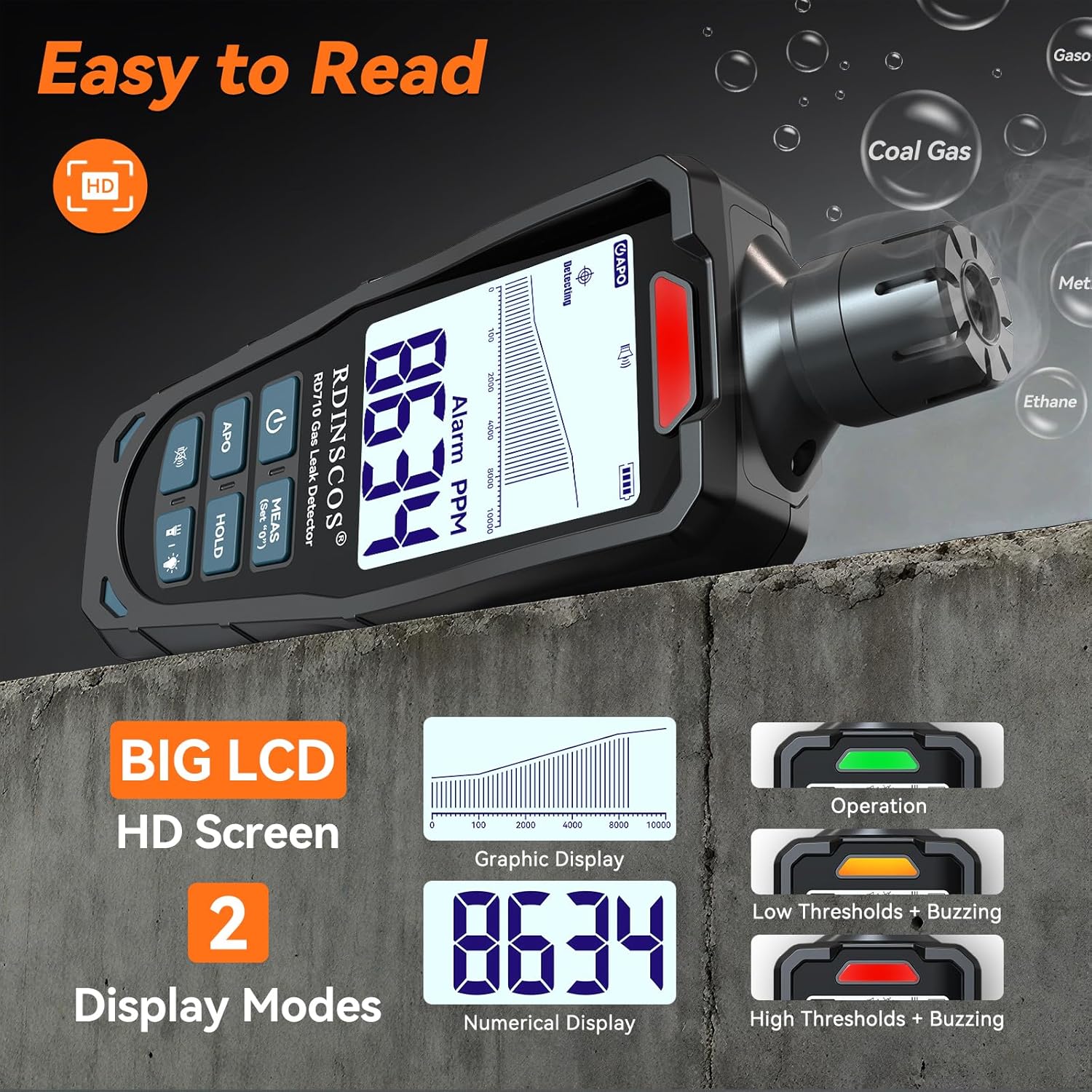
Figure 4.3.1: Digital display modes and visual alert indicators.
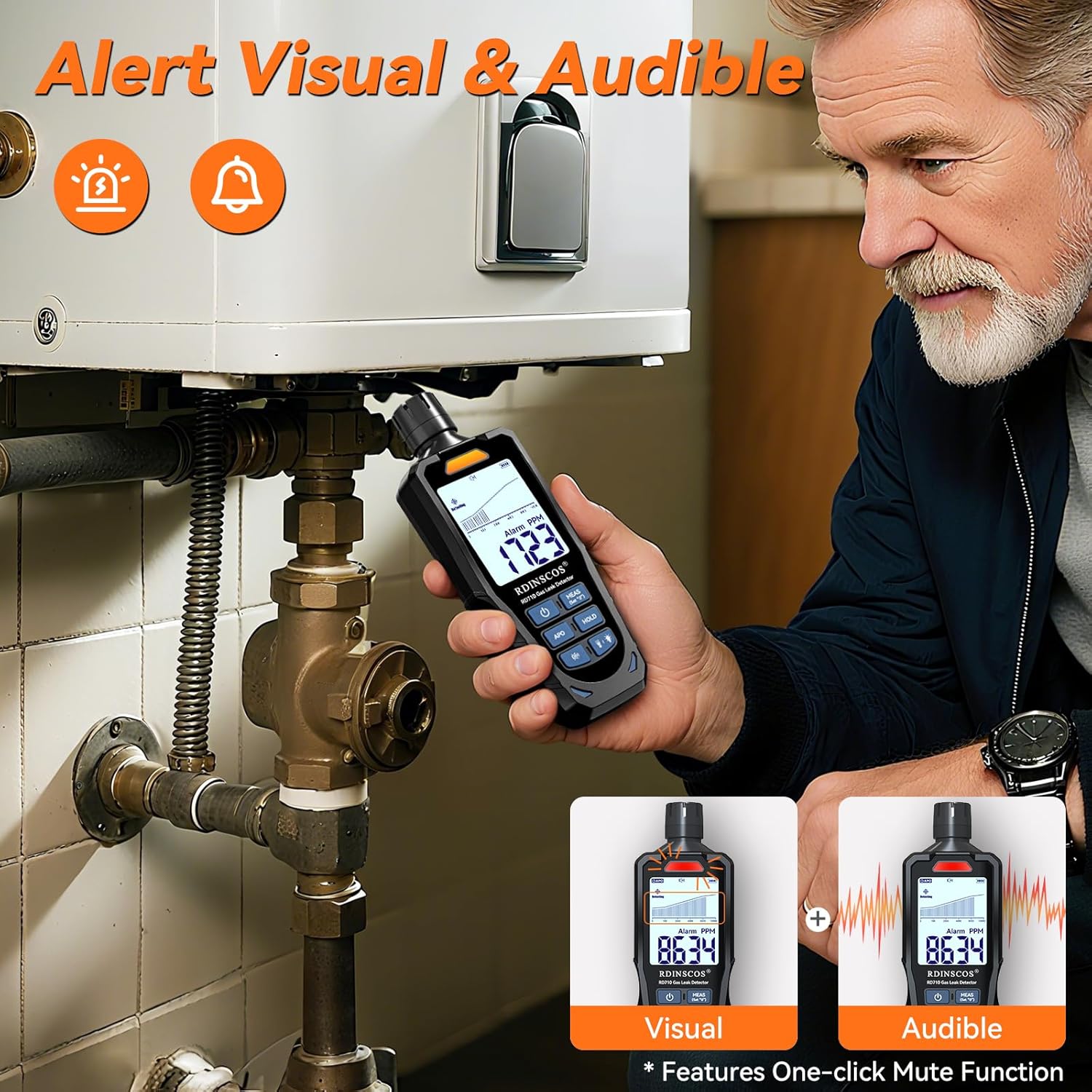
Figure 4.3.2: Visual and audible alert features of the gas detector.
4.4 Taschenlampe und Hintergrundbeleuchtung
The device includes a flashlight and backlight for use in dimly lit environments.
- Press the flashlight/backlight button (light bulb icon) to toggle the flashlight and screen backlight.
- Turning off the backlight when not needed helps conserve battery life.
4.5 Haltefunktion
Press the "HOLD" button to freeze the current reading on the display. This is useful for recording measurements in hard-to-reach areas or for later review. Press "HOLD" again to resume real-time detection.
4.6 Automatische Abschaltung (APO)
The device features an Auto Power Off (APO) mode to save energy. If no operation is performed for 10 minutes, the detector will automatically power off. Press the "APO" button to toggle this feature on or off.
4.7 Anwendungen
The RD710 is suitable for detecting combustible gases in various settings:
- Home kitchens (gas stoves, ovens)
- Gas boilers and furnaces
- RV gas systems
- Plumbing inspections
- Industrial sites and petrochemical plants
- Outdoor gas appliances (e.g., gas grills)
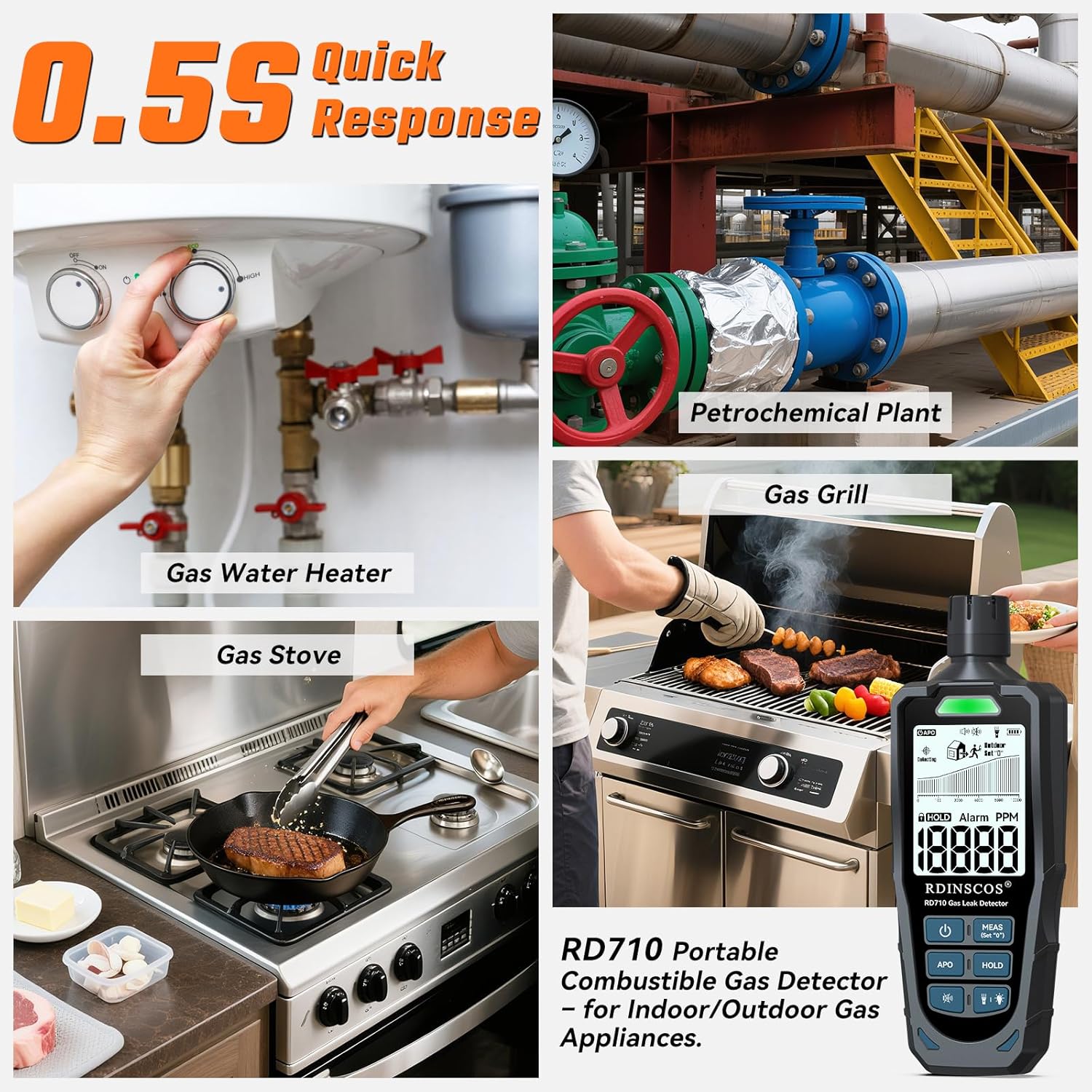
Figure 4.7.1: Versatile applications of the RD710 Gas Detector.
Video 4.7.2: Ein überview of the RDINSCOS RD710 Combustible Gas Detector, demonstrating its features and ease of use in various scenarios. This video highlights the device's quick response and multiple functions.
5. Wartung
To ensure the longevity and accuracy of your RDINSCOS RD710 Gas Detector, follow these maintenance guidelines:
- Reinigung: Reinigen Sie das Gerät mit einem weichen, trockenen Tuch. Verwenden Sie keine Scheuermittel oder Lösungsmittel, da diese das Gerät beschädigen können.asing oder Sensor.
- Lagerung: Bewahren Sie den Detektor an einem kühlen, trockenen Ort, vor direkter Sonneneinstrahlung und extremen Temperaturen geschützt auf. Verwenden Sie die mitgelieferte Tragetasche zum Schutz.
- Batteriepflege: Laden Sie den Akku regelmäßig auf, auch wenn das Gerät nicht häufig benutzt wird, um seine Lebensdauer zu erhalten. Vermeiden Sie es, den Akku über längere Zeiträume vollständig zu entladen.
- Sensorschutz: Keep the sensor tip clean and free from dust or debris. Avoid exposing the sensor to harsh chemicals or liquids.
6. Fehlerbehebung
If you encounter issues with your RDINSCOS RD710 Gas Detector, refer to the following common problems and solutions:
- Das Gerät lässt sich nicht einschalten: Stellen Sie sicher, dass der Akku geladen ist. Schließen Sie das Gerät an ein Ladegerät an und versuchen Sie es erneut.
- Inaccurate readings or false alarms:
- Ensure the device was calibrated in a clean air environment. Recalibrate if necessary.
- Keep the device away from strong air currents (fans) or metal objects during detection, as these can interfere with the sensor.
- The sensor uses high-precision technology and responds quickly to leaks. If false alarms persist, ensure there are no actual trace amounts of gas present.
- No response to gas: Ensure the sensor tip is clean and unobstructed. Verify the device is powered on and not in APO mode.
- Which gases can this gas leak detector detect? The device detects propane, methane, and LPG (liquefied petroleum gas). It uses an advanced FIGARO sensor with high sensitivity for fast leak detection. Natural gas (mainly methane) is within the detection range.
Sollte das Problem weiterhin bestehen, wenden Sie sich bitte an den Kundendienst, um weitere Unterstützung zu erhalten.
7. Spezifikationen
| Marke | RDINSCOS |
| Modellnummer | RD710US |
| Stil | Schnüffler |
| Stromquelle | Batteriebetrieben |
| Farbe | Black_deep |
| Technische Daten | 1.6"T x 1.1"B x 5.4"H |
| Artikelgewicht | 0.44 Pfund (7 Unzen) |
| Alarmtyp | Akustisch, visuell |
| Anzahl der Artikel | 1 |
| Akku-Typ | 1 Nonstandard Lithium Polymer Battery (included) |
| Messbereich | 0-10000 PPM |
| Betriebstemperatur | 0°C–50°C (32°F–122°F) |
| Ladungseingang | Gleichstrom 5 V, 500 mA |
8. Sicherheitshinweise
Please read and understand all safety information before using the RDINSCOS RD710 Gas Detector. Failure to follow these instructions may result in property damage, injury, or death.
- This device is designed to detect combustible gases. It is not a substitute for proper ventilation, maintenance, or other safety measures.
- Do not disassemble or modify the device. Tampering with the device may compromise its safety features and void the warranty.
- Avoid using the device in extremely high or low temperatures, or in environments with high humidity.
- If a gas leak is detected, immediately ventilate the area, turn off gas sources if safe to do so, and evacuate. Contact emergency services or a qualified technician.
- Bewahren Sie das Gerät außerhalb der Reichweite von Kindern auf.
9. Garantie und Support
For warranty information or technical support, please refer to the documentation included with your product or contact RDINSCOS customer service. Keep your purchase receipt as proof of purchase for any warranty claims.