
1. Wichtige Sicherheitshinweise
Please read all safety instructions before using this product. Failure to follow these instructions may result in electric shock, fire, or injury.
- Do not expose the power bank to extreme temperatures (above 45°C or below 0°C) or direct sunlight.
- Do not disassemble, modify, or repair any part of the power bank.
- Halten Sie die Powerbank von Wasser und anderen Flüssigkeiten fern.
- Die Powerbank darf nicht fallen gelassen, durchstochen oder übermäßiger Kraft ausgesetzt werden.
- Sorgen Sie während der Verwendung und des Ladevorgangs für ausreichende Belüftung.
- This power bank is CCC Certified and includes 9 safety mechanisms: overcharge, overcurrent, short circuit, overvoltage, over-discharge, overheat, recovery, overpower, and flame-retardant casing protection.

Image: Advanced safety protection features of the VENTION Power Bank.
2. Produktüberschreitungview
The VENTION 45W 20000mAh Power Bank is a portable charging solution designed for various electronic devices. It features a high-capacity battery, fast charging capabilities, and a compact design for travel convenience.
- 45 W Hochgeschwindigkeitsladen: Supports Power Delivery (PD) and PPS protocols for rapid charging of compatible devices.
- 20000mAh Kapazität: Provides multiple charges for smartphones and tablets, and can partially charge laptops.
- Eingebautes USB-C-Kabel: Integrated USB-C cable for convenient charging without needing an extra cable. This cable also functions as a lanyard.
- LED-Digitalanzeige: Zeigt die verbleibende Akkuladung in Prozent antage.
- Mehrere Ausgangsports: Includes an additional USB-C port (45W output) and a USB-A port (22.5W output) for charging up to three devices simultaneously.
- Kompaktes und tragbares Design: Smaller than many smartphones, making it easy to carry in pockets or bags.

Image: The VENTION 45W 20000mAh Power Bank.

Image: The compact size of the VENTION Power Bank compared to a smartphone.

Image: The built-in USB-C cable also serves as a convenient lanyard.
3. Packungsinhalt
Das Paket enthält die folgenden Artikel:
- 1 x VENTION 45W 20000mAh Power Bank
- 1 x Beutel mit Kordelzug
- 1 x Benutzerhandbuch
4. Spezifikationen
| Besonderheit | Spezifikation |
|---|---|
| Marke | BELÜFTUNG |
| Modellname | FHGH0 |
| Modellnummer | FHG |
| Batteriekapazität | 20000 Milliamp Stunden (77 Wh) |
| Batteriezellentyp | Lithium Polymer |
| Batteriegewicht | 254 Gramm |
| Input (Built-in USB-C Cable) | 5 V = 3 A, 9 V = 3 A, 12 V = 2.5 A, 15 V = 2 A, 20 V = 1.5 A (max. 30 W) |
| Eingang (USB-C-Anschluss) | 5 V = 3 A, 9 V = 3 A, 12 V = 2.5 A, 15 V = 2 A, 20 V = 1.5 A (max. 30 W) |
| Ausgang (Eingebautes USB-C-Kabel) | 5 V = 3 A, 9 V = 3 A, 12 V = 3 A, 15 V = 3 A, 20 V = 2.25 A (max. 45 W) |
| Ausgang (USB-C-Anschluss) | 5 V = 3 A, 9 V = 3 A, 12 V = 3 A, 15 V = 3 A, 20 V = 2.25 A (max. 45 W) |
| Ausgang (USB-A-Anschluss) | 5 V = 3 A, 9 V = 2.5 A, 12 V = 1.87 A (max. 22.5 W) |
| Gesamtleistung | 5 V = 3 A |
| Abmessungen (Länge x Breite x Dicke) | 6.1"L x 4.3"W x 1.4"Th (10.35 x 7.14 cm) |
| Besonderheit | Slim, LED Digital Display, Built-in USB-C Cable |
| Farbe | Grau |
5. Einrichtung
5.1 Erstes Aufladen der Powerbank
Before first use, fully charge the power bank to ensure optimal performance. The LED digital display will show the battery percentage. A full charge is indicated by 100% on the display.
- Schließen Sie das integrierte USB-C-Kabel oder ein separates USB-C-Kabel an den Eingangsanschluss der Powerbank an.
- Schließen Sie das andere Ende des Kabels an ein kompatibles USB-Netzteil (nicht im Lieferumfang enthalten) an. Für schnellstes Laden verwenden Sie ein PD-kompatibles Ladegerät mit mindestens 30 W Leistung.
- Die LED-Anzeige zeigt den Ladefortschritt an.
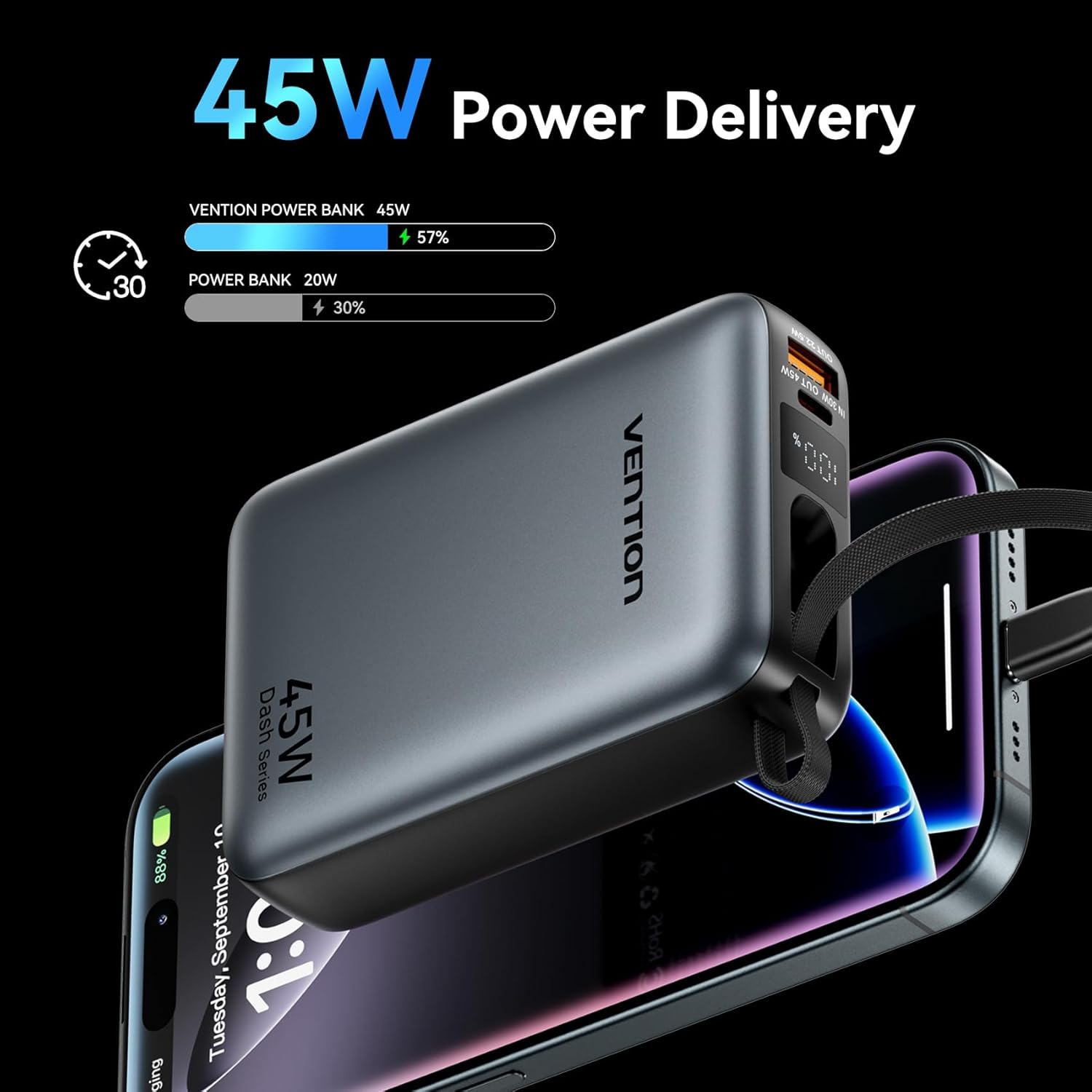
Image: The power bank's LED display showing charging status.
6. Bedienungsanleitung
6.1 Ladegeräte
The power bank can charge various devices using its built-in USB-C cable, dedicated USB-C port, or USB-A port.
- Verwendung des integrierten USB-C-Kabels: Pull out the integrated USB-C cable from its storage slot and connect it directly to your device's USB-C charging port.
- Verwendung des USB-C-Anschlusses: Connect a compatible USB-C to USB-C cable (not included) to the power bank's USB-C output port and then to your device.
- Verwendung des USB-A-Anschlusses: Connect a compatible USB-A to your device's charging cable (not included) to the power bank's USB-A output port and then to your device.
Die Powerbank beginnt automatisch mit dem Laden Ihres Geräts. Das LED-Display zeigt den verbleibenden Akkustand in Prozent an.tage.
6.2 Gleichzeitiges Laden
The VENTION Power Bank supports charging up to three devices concurrently using its built-in USB-C cable, USB-C port, and USB-A port. Note that the total output will be shared among the devices, and charging speed may vary depending on the number of devices and their power requirements.

Bild: Gleichzeitiges Laden von drei Geräten mit der Powerbank.

Image: The built-in USB-C cable ready for use.
7. Wartung und Pflege
Durch sachgemäße Wartung wird die Langlebigkeit und Leistungsfähigkeit Ihrer Powerbank sichergestellt.
- Reinigung: Reinigen Sie die Powerbank mit einem weichen, trockenen Tuch. Verwenden Sie keine scharfen Chemikalien oder Scheuermittel.
- Lagerung: Bewahren Sie die Powerbank an einem kühlen, trockenen Ort fern von direkter Sonneneinstrahlung und extremen Temperaturen auf.
- Batteriezustand: To maintain optimal battery health, fully charge the power bank at least once every 3-6 months, even if not in use. Avoid completely discharging the battery frequently.
- Temperaturkontrolle: The power bank features smart temperature control to prevent overheating during operation and charging.

Image: Smart temperature control system for safe operation.
8. Fehlerbehebung
If you encounter issues with your VENTION Power Bank, refer to the following common problems and solutions:
- Powerbank lädt nicht:
- Stellen Sie sicher, dass das Ladekabel sowohl mit der Powerbank als auch mit dem Wandladegerät fest verbunden ist.
- Verify that the wall charger is functioning correctly and provides sufficient power (e.g., 30W PD charger).
- Versuchen Sie es mit einem anderen Ladekabel oder Netzteil.
- Gerät lädt nicht über die Powerbank:
- Prüfen Sie, ob die Powerbank ausreichend geladen ist.
- Ensure the cable connecting the power bank to your device is securely connected and compatible.
- Versuchen Sie einen anderen Anschluss an der Powerbank oder ein anderes Ladekabel.
- Some devices may require specific charging protocols; ensure your device is compatible with the power bank's output.
- Langsames Laden:
- Ensure your device supports fast charging protocols (PD/PPS) and that you are using a compatible cable.
- Charging speed may decrease as the power bank's battery level increases to protect the device.
- Charging multiple devices simultaneously can reduce the charging speed for each individual device.
9. Garantie und Support
VENTION products are designed and manufactured to the highest quality standards. For warranty service or support, please contact VENTION directly.
- WebWebsite: www.ventiontech.com
- E-Mail: vention@ventiontech.com


