
Einführung
Thank you for choosing the UGREEN LP986 Magnetic Car Phone Mount. This device offers a secure and convenient way to hold your smartphone in your vehicle, featuring a strong magnetic grip and flexible installation options for both air vents and dashboards. Please read this manual carefully to ensure proper installation and optimal performance.
Lieferumfang
- 1x UGREEN Magnetic Car Phone Mount
- 1x Air Vent Clip Attachment
- 1x Dashboard Adhesive Base Attachment
- 2x Metal Rings (for non-MagSafe devices)
Produkteigenschaften
- 2-in-1-Installation: Offers versatile mounting options for either your car's air vent or dashboard.
- Unerschütterlicher Magnetgriff: Equipped with N52 magnets providing 2500g holding force to secure your phone even on rough roads.
- Verbesserte Stabilität: The air vent hook features a built-in metal structure for increased stability, and the upgraded air vent clip ensures a secure hold.
- 360° verstellbar Viewing: Easily switch between portrait and landscape orientations and find your preferred viewing angle with one-hand adjustment.
- Universelle Kompatibilität: Compatible with iPhone 12, 13, 14, 15, 16, 17 series and official MagSafe cases. Includes additional metal rings for compatibility with Android smartphones or non-MagSafe cases.
Aufstellen
1. Air Vent Installation
- Identify a suitable air vent. The mount is designed for vertical and horizontal vents. Avoid round or unusually shaped vents.
- Attach the air vent clip to the main magnetic mount unit.
- Insert the air vent clip firmly into one of your car's air vent blades. Ensure the hook is securely latched to prevent movement.
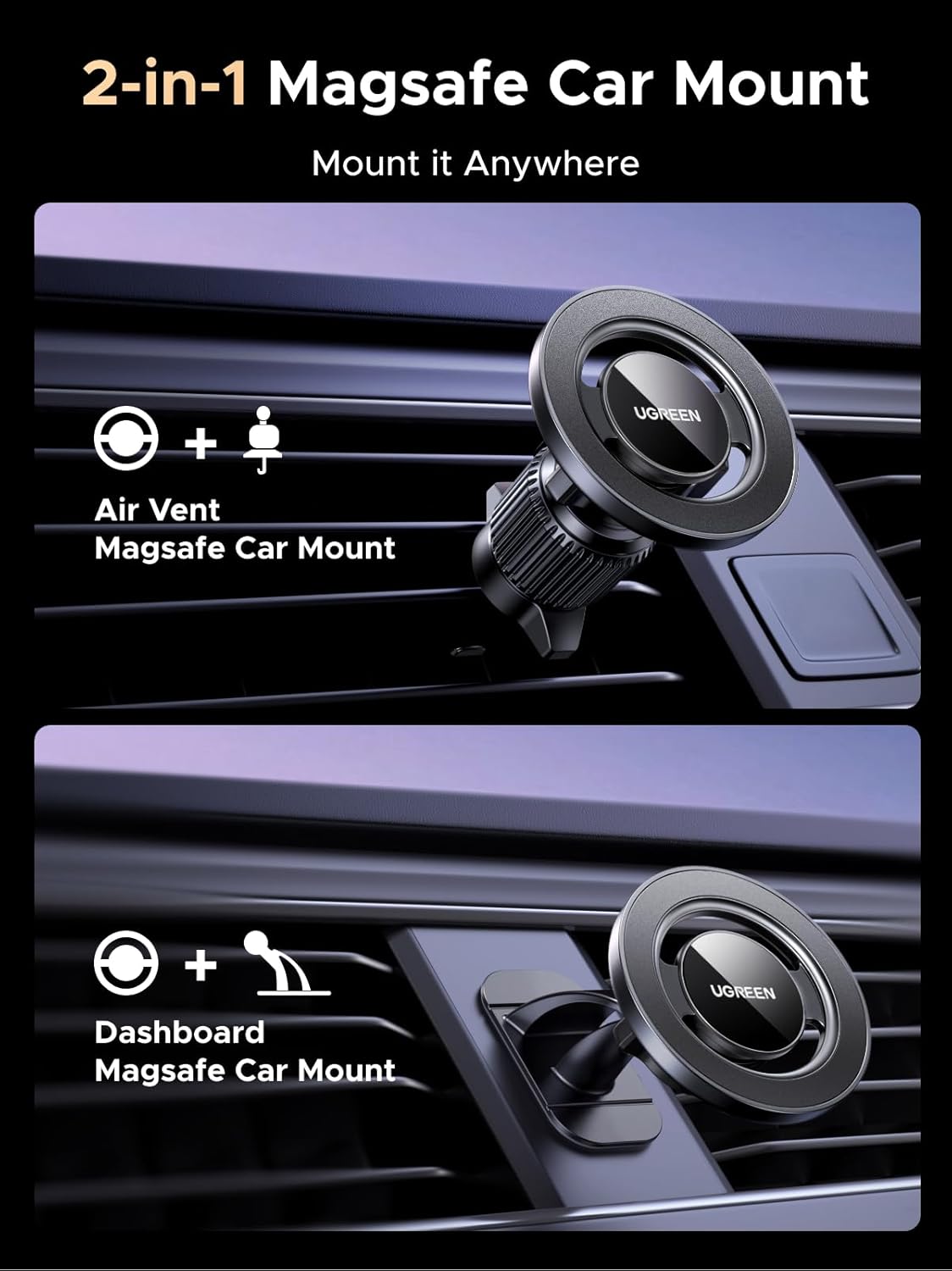
Image: The UGREEN magnetic car phone mount securely attached to a car's air vent.

Image: Visual guide indicating compatible air vent designs (vertical and horizontal slats) and incompatible designs (round or complex shapes).
2. Dashboard-Installation
- Choose a flat, clean surface on your dashboard. Ensure the area is free from dust, oil, and moisture.
- Peel off the protective film from the 3M adhesive base.
- Press the adhesive base firmly onto the chosen dashboard surface for at least 30 seconds. Allow 24 hours for the adhesive to fully cure before attaching the phone mount.

Image: The UGREEN magnetic car phone mount attached to a car's dashboard using its adhesive base.

Image: Illustrations showing suitable surfaces for dashboard mounting, such as glass, plastic, and faux leather.

Image: A car interior showing multiple potential locations on the dashboard where the phone mount can be installed.
Bedienungsanleitung
1. Verbinden Sie Ihr Telefon
- For MagSafe-compatible iPhones (iPhone 12-17 series) or cases: Simply bring your phone close to the magnetic surface of the mount. The magnets will automatically align and secure your device.
- For non-MagSafe phones or cases: Attach one of the provided metal rings to the back of your phone or phone case. Ensure the ring is centered for optimal magnetic connection. Then, bring your phone close to the magnetic surface of the mount.
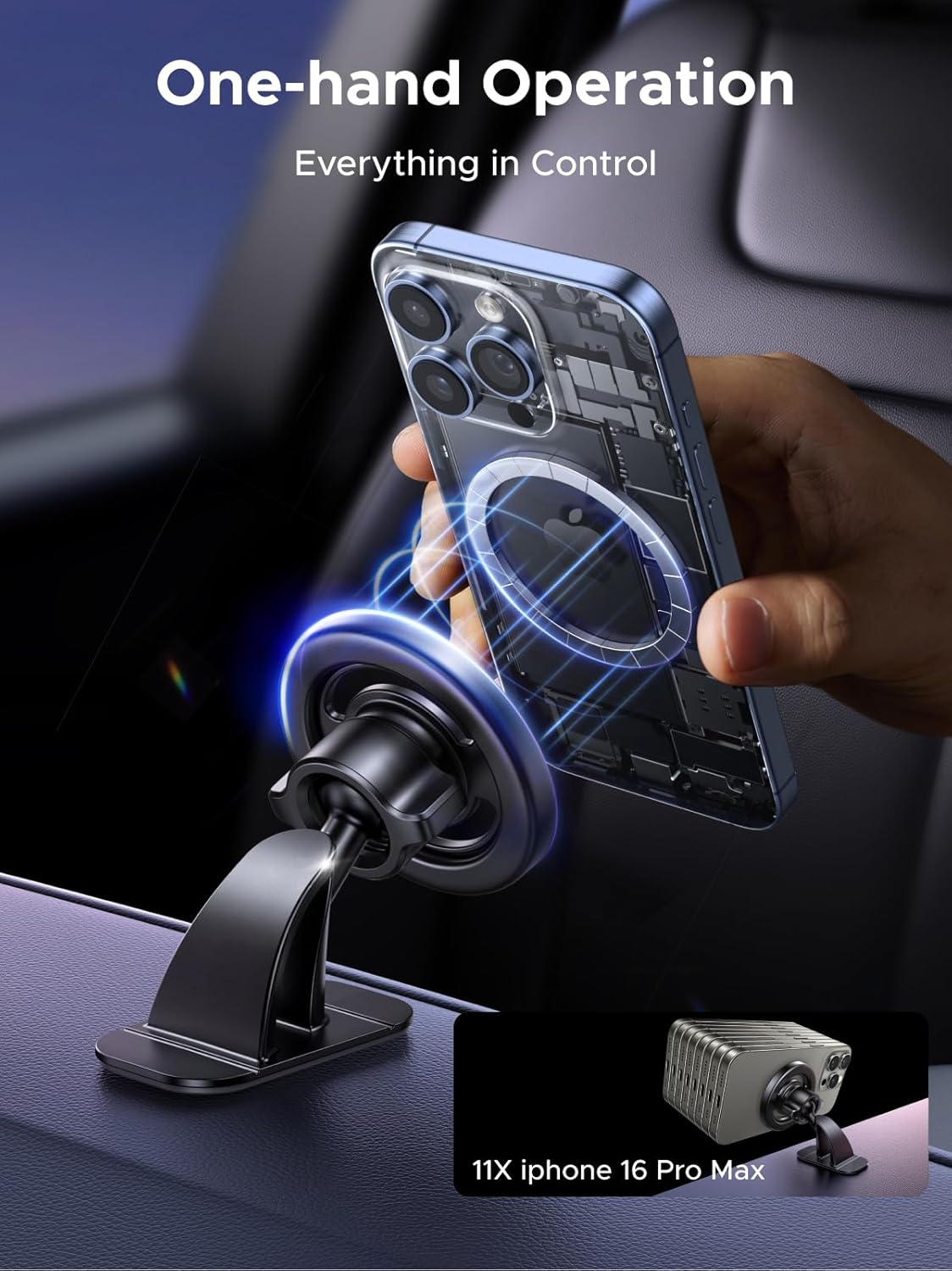
Image: A hand demonstrating the one-hand operation of attaching a smartphone to the magnetic car mount.

Image: A visual representation showing how MagSafe-compatible iPhones connect directly, while other smartphones require an included metal ring for magnetic attachment.
2. Anpassen Viewing-Winkel
- The mount features a ball joint that allows for 360° rotation. Gently pivot your phone to achieve your desired portrait or landscape orientation.
- Adjust the angle of the mount to optimize your view for navigation or calls.

Image: A diagram illustrating the full 360-degree rotation and tilt capabilities of the phone mount for flexible viewwinkeln.
Wartung
- Keep the magnetic surface clean and free of debris to ensure a strong connection.
- Wischen Sie die Halterung mit einem weichen, fusselfreien Tuch ab.amp Bei Bedarf mit einem Tuch abwischen. Scharfe Chemikalien oder Scheuermittel vermeiden.
- Periodically check the stability of the air vent clip or dashboard adhesive to ensure it remains securely attached.
Fehlerbehebung
1. Phone Not Holding Securely
- Auf Hindernisse prüfen: Ensure there is no foreign material between your phone/case and the magnetic mount.
- Verify MagSafe compatibility: If using a non-MagSafe phone or case, ensure the metal ring is properly attached and centered.
- Gehäusedicke: Very thick phone cases may weaken the magnetic connection. Consider a thinner case or attaching the metal ring to the outside of the case.
2. Mount Detaching from Air Vent/Dashboard
- Entlüftung: Ensure the air vent clip is fully inserted and the hook is securely latched onto a vent blade.
- Armaturenbrett: Re-clean the dashboard surface thoroughly with an alcohol wipe and allow it to dry completely before re-applying the adhesive base. Ensure sufficient curing time (24 hours) before use.
Technische Daten
| Marke | UGREEN |
| Modellname | LP986 |
| Modellnummer | 85397 |
| Montagetyp | Vent, Dashboard |
| Kompatible Geräte | Smartphones (iPhone 12-17 series, Android with metal rings) |
| Material | Metall |
| Artikelgewicht | 0.11 Kilogramm |

Image: Detailed dimensions of the UGREEN magnetic car phone mount, including the magnetic head (2.3 inches diameter) and dashboard base (2.06 inches wide, 1.40 inches high).
Sicherheitshinweise
- Installieren Sie die Halterung nicht an einem Ort, der Ihre Sicht behindert view die Straße oder die Auslösung des Airbags behindert.
- Ensure your phone is securely attached to the mount before driving.
- Avoid adjusting the mount or your phone while driving to prevent distractions.
- Außerhalb der Reichweite von Kindern aufbewahren.
Garantie und Support
UGREEN-Produkte werden mit einer Standardgarantie geliefert. Ausführliche Garantieinformationen, technischen Support und Kundendienstanfragen finden Sie auf der offiziellen UGREEN-Website. website or contact their customer support team directly. Please have your product model number (LP986) and purchase information ready when contacting support.