
1. Einleitung
Thank you for choosing the YESIMOM Baby Monitor Indoor WiFi Camera 8SM. This device is designed to provide reliable monitoring of your baby or indoor space with advanced features such as 360° pan-tilt-zoom, two-way audio, and app control. This manual will guide you through the setup, operation, and maintenance of your camera to ensure optimal performance and safety.
2. Packungsinhalt
Bitte überprüfen Sie den Packungsinhalt nach dem Auspacken. Sollten Artikel fehlen oder beschädigt sein, kontaktieren Sie bitte unseren Kundenservice.
- 1 × YESIMOM Baby Monitor Camera
- 1 × Netzteil
- 1 × Netzkabel
- 3 × Schrauben
- 3 × Wanddübel
- 1 × Reset Pin
- 1 × Multilingual Instruction Manual (this document)
- 1 × Video Guide Card
3. Produktüberschreitungview und Funktionen
The YESIMOM 8SM camera offers a range of features for comprehensive indoor monitoring.
3.1 Hauptmerkmale
- Full HD 1080p-Auflösung: Bietet klare und detaillierte Video-Footage.
- 360° Schwenk-Neige-Zoom (PTZ): Horizontal 355° and vertical 60° rotation for complete room coverage.
- Zweiwege-Audio: Communicate with your baby or family members through the camera.
- Bewegungs- und Geräuscherkennung: Erhalten Sie sofortige Benachrichtigungen auf Ihrem Smartphone über erkannte Aktivitäten.
- Unsichtbare Nachtsicht: Monitor in low-light conditions without disturbing sleep.
- Flexible Lagerung: Supports local TF card storage (up to 256GB, not included) and cloud storage options.
- App-Steuerung: Verwalten und view live feed from your iOS or Android device.
- One-Click Call Function: Initiate a call directly from the camera.
3.2 Kamerakomponenten
Familiarize yourself with the camera's physical components.

Bild: Front view of the YESIMOM Baby Monitor Camera. This image displays the camera's lens, microphone, and speaker, along with its distinctive rabbit ear design.
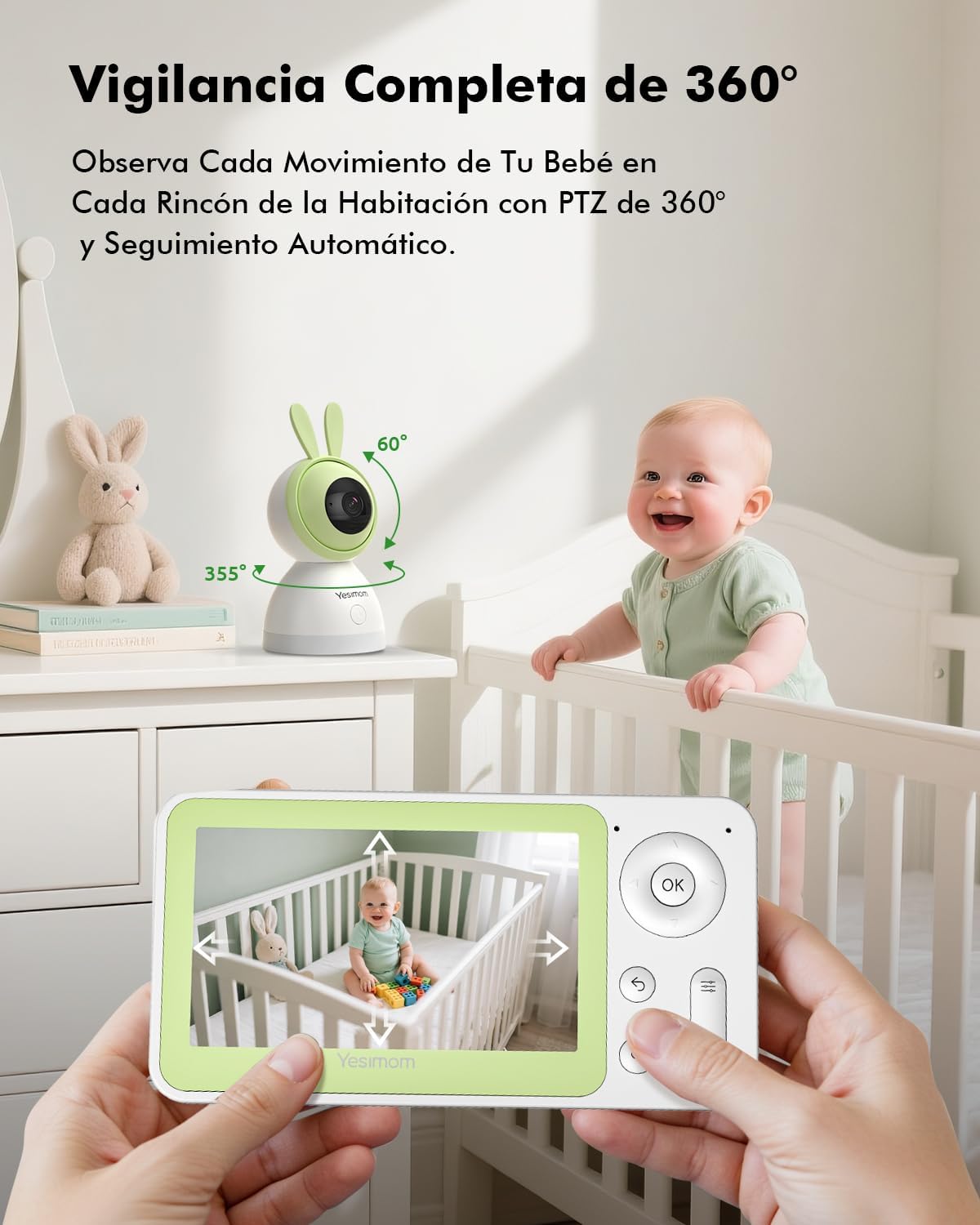
Bild: Illustration of the camera's 360-degree pan and tilt capabilities. The image shows arrows indicating 355 degrees horizontal rotation and 60 degrees vertical tilt, demonstrating the camera's wide coverage.

Bild: Depiction of the camera's flexible storage options, including a visible TF card slot. This image highlights the ability to record and store footage locally or via cloud services.

Bild: Visual representation of the camera's 4X digital zoom capability. The image shows a zoomed-in section of a larger scene, illustrating the clarity maintained even when magnified.
4. Installationsanleitung
Follow these steps to set up your YESIMOM Baby Monitor.
4.1 Physische Installation
- Wählen Sie einen Standort: Place the camera on a flat surface like a table or shelf, or mount it to a wall using the provided screws and wall plugs. Ensure it has a clear view des Bereichs, den Sie überwachen möchten.
- Stromanschluss: Connect the power cable to the camera's power port and plug the adapter into a power outlet. The camera will power on and initiate its startup sequence.
- TF-Karte einlegen (optional): If you plan to use local storage, gently insert a TF card (up to 256GB, not included) into the designated slot on the camera.
4.2 App-Download und Kontoregistrierung
- Laden Sie die App herunter: Suchen nach the official YESIMOM app in the Apple App Store (for iOS devices) or Google Play Store (for Android devices).
- Registrieren/Anmelden: Öffnen Sie die App und folgen Sie den Anweisungen auf dem Bildschirm, um ein neues Konto zu registrieren oder sich anzumelden, falls Sie bereits eines besitzen.
4.3 Wi-Fi-Verbindung
Die Kamera unterstützt Nur 2.4-GHz-WLAN-Netzwerke. It is not compatible with 5GHz Wi-Fi networks. Ensure your router is configured to use 2.4GHz or has a mixed mode enabled.
- Gerät hinzufügen: Tippen Sie in der App auf das Symbol "+" oder auf "Gerät hinzufügen", um den Kopplungsvorgang zu starten.
- Kameratyp auswählen: Wählen Sie das passende Kameramodell aus der Liste aus.
- Bluetooth-Pairing: The camera uses Bluetooth for initial setup. Ensure Bluetooth is enabled on your smartphone. The app will guide you through connecting to the camera via Bluetooth.
- Wi-Fi-Konfiguration: Once connected via Bluetooth, the app will prompt you to select your 2.4GHz Wi-Fi network and enter the password.
- Bestätigung: Follow any further on-screen instructions to complete the connection. The camera will indicate a successful connection (e.g., a specific LED light pattern or voice prompt).
5. Bedienungsanleitung
Once set up, you can utilize the camera's features through the YESIMOM app.
5.1 Live View und PTZ-Steuerung
- Zugriff auf den Live-Feed: Öffnen Sie die App und wählen Sie Ihre Kamera aus der Geräteliste aus. view den Live-Videostream.
- Schwenken und kippen: Verwenden Sie die Richtungssteuerung in der App, um die Kamera horizontal (355°) und vertikal (60°) zu drehen und so die Einstellungen anzupassen. viewing-Winkel.
- Digitalzoom: Pinch to zoom in or out on the live feed to get a closer look (up to 4X digital zoom).
5.2 Zwei-Wege-Audio
- Hören: The camera's microphone captures audio from the monitored area, which you can hear through the app.
- Sprechen: Tap the microphone icon in the app to speak. Your voice will be transmitted through the camera's speaker, allowing you to communicate with your baby or anyone near the camera.
5.3 Bewegungs- und Geräuscherkennung
- Warnungen aktivieren: In the app settings, navigate to "Detection Settings" to enable motion and sound detection.
- Empfindlichkeit: Passen Sie die Erkennungsempfindlichkeit an, um Fehlalarme zu minimieren.
- Benachrichtigungen: When motion or sound is detected, you will receive instant push notifications on your smartphone.
- Automatische Nachverfolgung: Die Kamera kann erkannte Bewegungen innerhalb ihres Sichtfelds automatisch verfolgen. view.
5.4 Aufzeichnung und Speicherung
- TF-Kartenaufzeichnung: If a TF card is inserted, the camera will automatically record events or continuous footage based on your settings. You can review Aufnahmen direkt aus der App.
- Cloud-Speicher: The app offers optional cloud storage services (subscription may be required). Refer to the app for details on plans and activation.
- Ereigniswiedergabe: Access recorded events and playback history through the app's timeline or event list.
5.5 Ein-Klick-Anruf
The camera features a physical button that can be configured for a one-click call function. This allows a person near the camera to initiate a call to a pre-set contact via the app.
- Konfiguration: In the app settings, locate the "One-Click Call" or similar option.
- Set Contact: Assign a contact from your app's contact list to the one-click call button.
- Verwendung: Press the button on the camera to initiate a call to the configured contact.
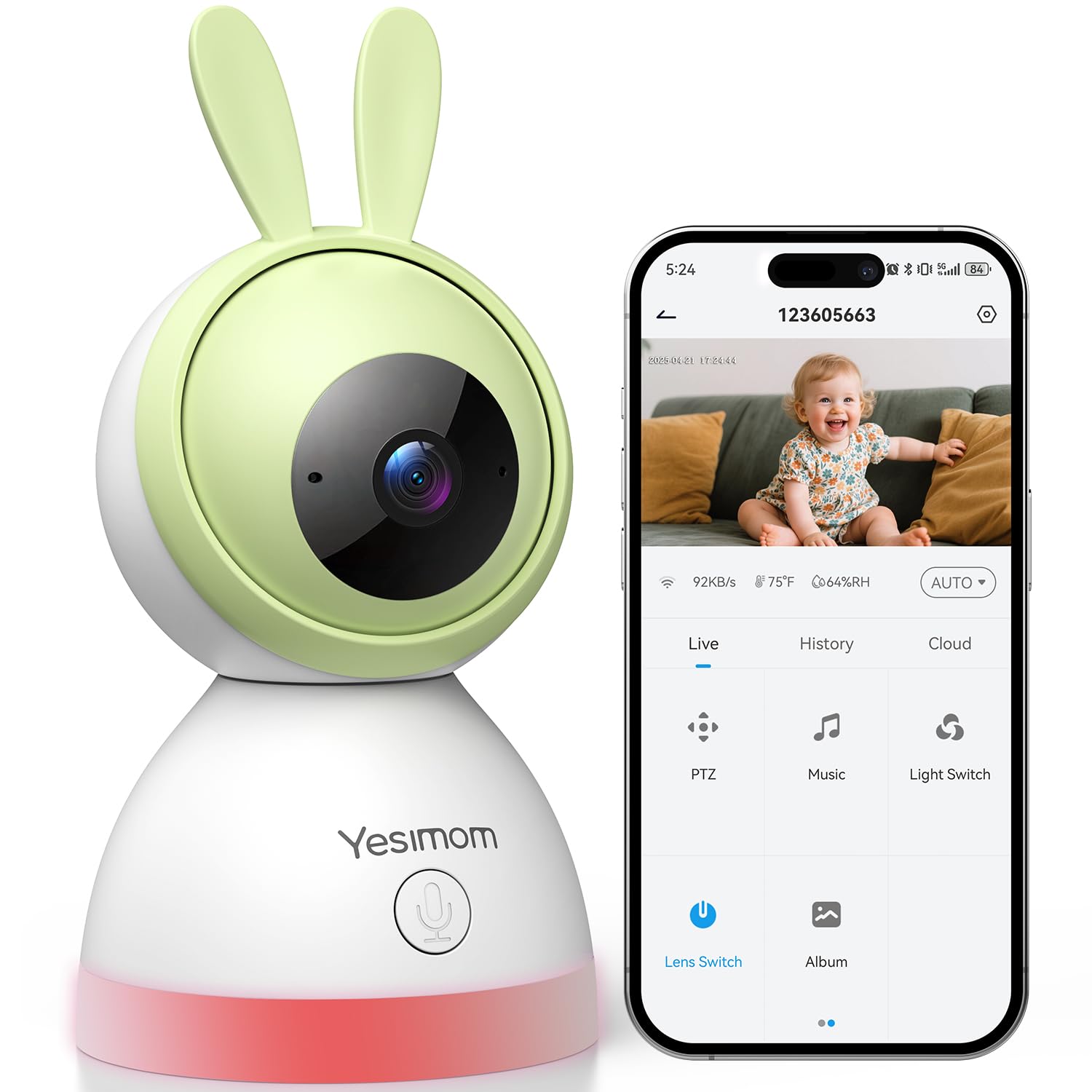
Bild: Illustration of the camera's one-click call button and its interaction with a smartphone app. The image shows a finger pressing the button on the camera and a phone screen displaying an incoming call, demonstrating the ease of communication.
6. Wartung
Durch sachgemäße Wartung wird die Langlebigkeit und optimale Leistung Ihrer Kamera gewährleistet.
- Reinigung: Reinigen Sie Objektiv und Gehäuse der Kamera mit einem weichen, trockenen Tuch. Vermeiden Sie die Verwendung von scharfen Chemikalien oder Scheuermitteln.
- Software-Updates: Regularly check the app for firmware updates for your camera. Updates often include performance improvements and security enhancements.
- Platzierung: Ensure the camera is placed in a stable environment, away from direct sunlight, extreme temperatures, and moisture.
7. Fehlerbehebung
Sollten Probleme auftreten, konsultieren Sie bitte die folgenden gängigen Lösungsansätze.
| Problem | Mögliche Lösung |
|---|---|
| Kamera stellt keine Verbindung zum WLAN her |
|
| Kein Live-Videostream |
|
| Bewegungs-/Geräuscherkennung funktioniert nicht |
|
| Probleme mit der Zwei-Wege-Audiofunktion |
|
8. Spezifikationen
| Besonderheit | Detail |
|---|---|
| Modellname | 8SM |
| Marke | YESIMOM |
| Konnektivitätstechnologie | Wired (Power), Bluetooth & 2.4G WiFi (Data) |
| Auflösung der Videoaufnahme | 1080p |
| Videoaufnahmeformat | MPEG-4 |
| Besondere Merkmale | Two-way audio, Motion Detection, Sound Detection, Automatic Tracking, Invisible Night Vision, 360° PTZ, App Control, One-Click Call |
| Innen-/Außenbereich | Innenbereich |
| Montagetyp | Tabletop (with wall mounting option) |
| Batterien erforderlich | NEIN |
| Artikelabmessungen | 16.2 x 8 x 8 cm |
| Speicheroptionen | TF-Karte (bis zu 256 GB), Cloud-Speicher |
| UPC | 658215565984 |
9. Garantie und Support
The YESIMOM Baby Monitor Indoor WiFi Camera 8SM comes with a standard manufacturer's warranty. For detailed warranty information, please refer to the warranty card included in your package or visit the official YESIMOM webWebsite.
If you require technical assistance, have questions about your product, or need to report an issue, please contact YESIMOM customer support through the contact information provided on the official website or within the app. Please have your model number (8SM) and purchase details ready when contacting support.