1. Einleitung
Thank you for choosing the LEFANT M3 Max Robot Vacuum and Mop. This device is designed to provide an efficient and automated cleaning experience for your home. Featuring an all-in-one self-cleaning station, powerful suction, advanced navigation, and smart control options, the M3 Max simplifies floor maintenance. Please read this manual thoroughly before use to ensure proper operation and maintenance.
2. Sicherheitshinweise
- Lesen Sie alle Anweisungen, bevor Sie das Gerät in Betrieb nehmen.
- Kinder dürfen nicht mit dem Roboter spielen. Beaufsichtigen Sie Kinder und Haustiere, wenn der Roboter in Betrieb ist.
- Verwenden Sie ausschließlich das vom Hersteller angegebene Netzteil und die Ladestation.
- Stellen Sie sicher, dass der Roboter ausgeschaltet und vom Stromnetz getrennt ist, bevor Sie Reinigungs- oder Wartungsarbeiten durchführen.
- Der Roboter darf nicht in feuchter Umgebung oder in der Nähe von Wasser betrieben werden.
- Entfernen Sie vor der Reinigung lose Kabel, kleine Gegenstände oder zerbrechliche Dinge vom Boden, um Verheddern oder Beschädigungen zu vermeiden.
- Verwenden Sie den Roboter nicht zum Aufsammeln von großen Trümmerteilen, Flüssigkeiten oder brennenden Gegenständen.
- Keep the charging contacts and sensors clean to ensure proper functionality.
3. Packungsinhalt
Überprüfen Sie, ob alle Artikel im Paket vorhanden sind:

Image: All components included in the LEFANT M3 Max package, laid out for clear identification.
- LEFANT M3 Max Robot Vacuum and Mop
- All-in-One Self-Cleaning Station
- Stromkabel (x1)
- Staubbeutel (x2)
- Seitenbürsten (x2)
- Mopphalter (x2)
- Washable Mop Pads (x4)
- HEPA-Filter (x2)
- Reinigungslösung (x1)
- Reinigungswerkzeug (x1)
- Benutzerhandbuch (x1)
4. Produktüberschreitungview
4.1 Saug- und Wischroboter

Bild: Draufsicht view of the LEFANT M3 Max robot vacuum and mop, showing its sleek design and main sensor.
The LEFANT M3 Max combines powerful vacuuming with effective mopping. Key features include:
- 20,000 Pa Saugleistung: Provides strong suction for deep cleaning carpets and hard floors, effectively removing dust, debris, and pet hair.
- dToF-Lasernavigation: 360° laser scanning for precise mapping and efficient path planning, even in low-light conditions.
- Doppelte rotierende Wischmopps: Two mop pads rotate at 200 RPM to effectively scrub stubborn stains. Mops automatically lift by 9mm when a carpet is detected.
- 190° PSD Hindernisvermeidung: Precisely recognizes and avoids obstacles like furniture, cables, and shoes, minimizing collisions.

Image: Illustration of the robot's powerful 20,000Pa suction, showing dust and debris being lifted from the floor.

Image: The robot using its dToF laser navigation to map a room with furniture and a pet.
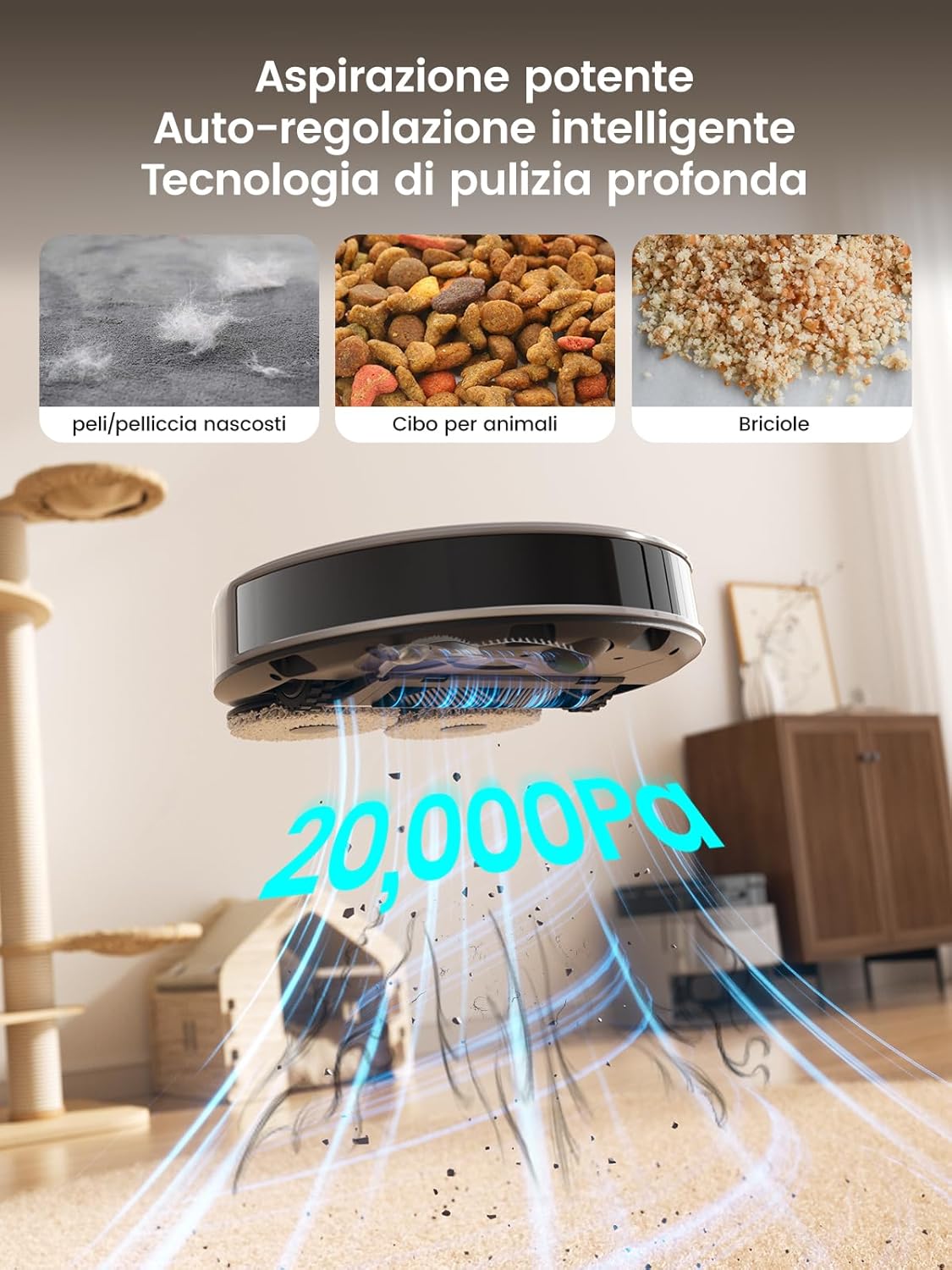
Image: Close-up of the robot's underside showing the two rotating mop pads in action on a hard floor with a spill.

Image: The robot detecting and avoiding various objects on the floor using its 190° PSD sensors.
4.2 All-in-One Self-Cleaning Station

Bild: Detailliert view of the self-cleaning station, highlighting its automatic detergent dispensing, 3.2L dust collection, 45°C hot water mop washing, and air-drying features.
The self-cleaning station automates daily maintenance:
- Automatische Staubentleerung: The 3.2L dust bag allows for weeks of hands-free operation.
- Heißwasser-Wischmoppreinigung: Mops are automatically washed with 45°C hot water to ensure hygiene.
- Lufttrocknung: Mops are air-dried to prevent odors and mildew.
- Automatic Detergent Dispensing: Ensures optimal cleaning performance.
5. Einrichtung
5.1 Station Placement
- Place the self-cleaning station against a wall in an open area, ensuring at least 0.5 meters of clear space on both sides and 1.5 meters in front.
- Connect the power cable to the station and plug it into a power outlet.
- Ensure the station is on a hard, level surface.
5.2 Erstaufladung
Place the robot onto the charging station. The robot will automatically power on and begin charging. For first-time use, fully charge the robot before operation (approximately 3-4 hours).
5.3 App-Verbindung
To unlock all smart features, connect your LEFANT M3 Max to the Lefant app:

Image: Step-by-step guide on connecting the LEFANT M3 Max robot to the Lefant mobile application.
- Download the 'Lefant' app from your smartphone's app store.
- Öffne die App und registriere dich oder melde dich an.
- Tap 'Add Device' and select 'M3 Max Robot'.
- Power on the robot by pressing and holding the power button for 3 seconds.
- Follow the in-app instructions to connect the robot to your 2.4GHz/5GHz Wi-Fi network.
- Once connected, you can control the robot via the app.
5.4 Sprachassistentenverbindung (Alexa/Google Assistant)
Integrate your robot with voice assistants for hands-free control:

Image: Step-by-step guide on linking the Lefant account with Amazon Alexa for voice control.
- Open the Lefant app, go to 'Mine' > 'Third-party voice services'.
- Follow the instructions to link your Lefant account.
- Öffne die Alexa- oder Google Home-App.
- Suchen nach the 'Smart Life' skill/service and enable it.
- Link your Smart Life account (using the same credentials as your Lefant account).
- Discover devices. You can now control your robot with voice commands like "Alexa, ask Lefant Robot to clean."
6. Bedienung
6.1 Starten/Pausieren/Beenden der Reinigung
- Start: Press the power button on the robot once, or use the 'Start' button in the Lefant app.
- Pause: Press the power button during cleaning, or use the 'Pause' button in the app.
- Stop: Press and hold the power button for 3 seconds, or use the 'Stop' button in the app. The robot will return to the charging station.
6.2 Reinigungsmodi
The Lefant app allows you to select various cleaning modes:
- Automatische Reinigung: The robot intelligently plans a cleaning path for your entire home.
- Fleckenreinigung: Reinigt einen bestimmten Bereich intensiver.
- Zone Clean: Definieren Sie auf der Karte spezifische Zonen, die der Roboter reinigen soll.
- Benutzerdefinierte Reinigung: Wählen Sie bestimmte Räume zur Reinigung aus.
- Nur Wischmopp: The robot will only mop, with vacuuming disabled.
- Nur Staubsauger: The robot will only vacuum, with mopping disabled.
6.3 Intelligente Funktionen über die App
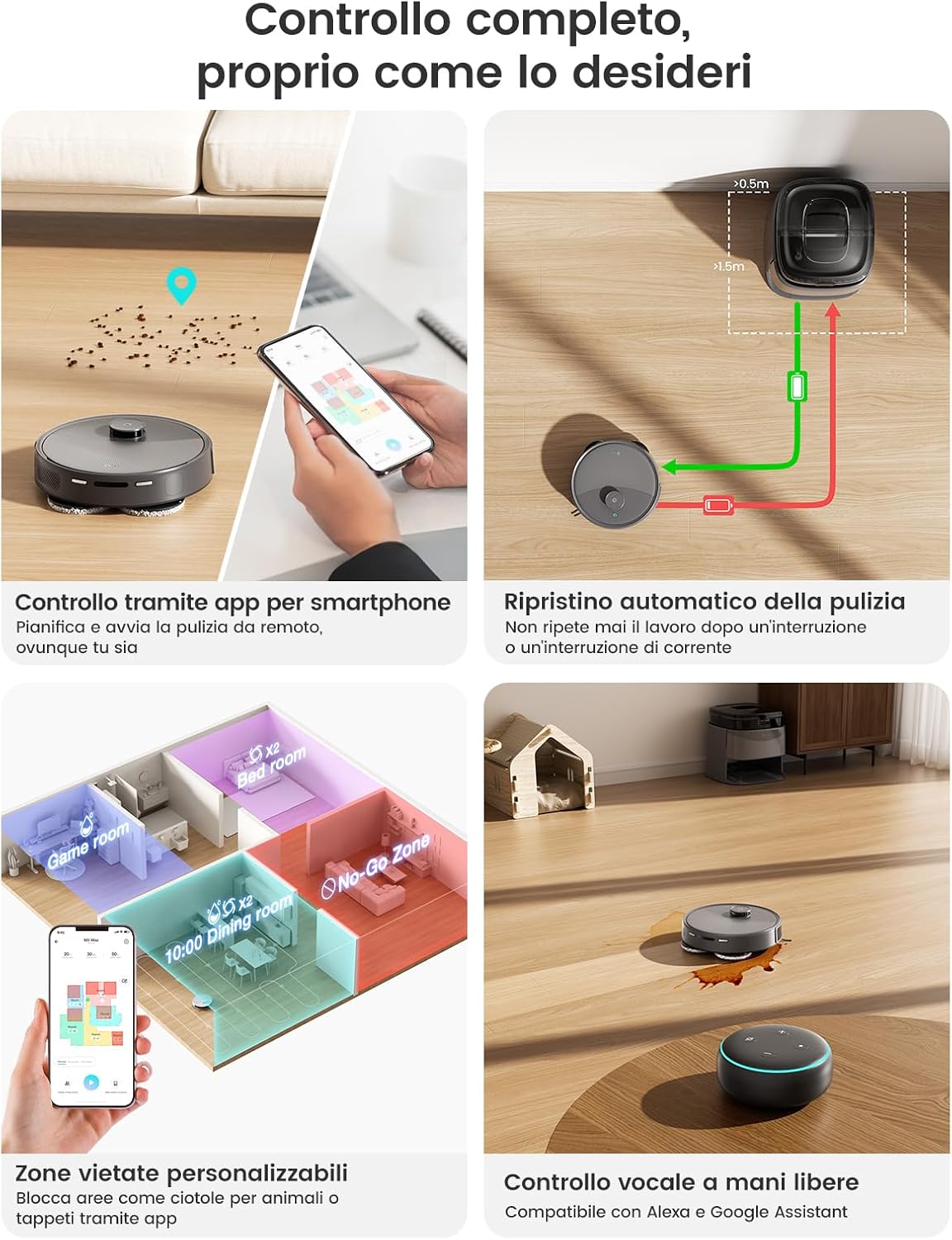
Image: A smartphone displaying the Lefant app interface, showing various control options for the robot vacuum, including scheduling, zone cleaning, and voice control compatibility.
- Terminplanung: Set cleaning times for specific days.
- Sperrzonen/Virtuelle Wände: Define areas the robot should avoid (e.g., pet bowls, fragile items).
- Mehrstufige Kartierung: The robot can store maps for up to three different floors.
- Reinigungshistorie: View Frühere Reinigungsrouten und -dauern.
- Suction/Water Level Adjustment: Reinigungsintensität anpassen.
7. Wartung
Regelmäßige Wartung gewährleistet optimale Leistung und verlängert die Lebensdauer Ihres Roboters.
7.1 Wartung der Selbstreinigungsstation
Image: The self-cleaning station with its removable tray being cleaned under a faucet, demonstrating ease of maintenance.
- Staubbeutelwechsel: The 3.2L dust bag typically needs replacement every 8 weeks, depending on usage. The app will notify you when it's full.
- Wassertanks: Regularly empty the dirty water tank and refill the clean water tank. Clean both tanks with fresh water.
- Wischmopp-Waschwanne: The removable mop washing tray should be cleaned periodically to prevent residue buildup.
7.2 Wartung von Roboterkomponenten
- Wischmopp-Pads: Remove and wash the mop pads after each mopping session. They are machine washable.
- Hauptbürste: Remove the main brush and clean any tangled hair or debris using the provided cleaning tool. Check weekly.
- Seitenbürsten: Check for tangled hair or debris. Replace if worn or damaged. Check monthly.
- HEPA-Filter: Tap out dust from the HEPA filter. Do not wash. Replace every 3-6 months.
- Sensoren und Ladekontakte: Wipe all sensors (LIDAR, anti-drop, obstacle avoidance) and charging contacts on both the robot and station with a clean, dry cloth. Clean weekly.
8. Fehlerbehebung
| Problem | Mögliche Ursache | Lösung |
|---|---|---|
| Der Roboter startet nicht und reagiert nicht. | Niedriger Batteriestand; Netzschalter ausgeschaltet; Roboter blockiert. | Laden Sie den Roboter auf; stellen Sie sicher, dass der Netzschalter eingeschaltet ist; beseitigen Sie alle Hindernisse. |
| Mangelhafte Reinigungsleistung. | Mülleimer voll; Bürsten verheddert; Filter verstopft; Wischmoppbezüge schmutzig. | Empty dustbin; clean/replace brushes; clean/replace filter; wash mop pads. |
| Der Roboter kann nicht zur Ladestation zurückkehren. | Station obstructed; station not powered; robot too far. | Clear area around station; ensure station is powered; manually place robot near station. |
| Probleme mit der App-Verbindung. | Incorrect Wi-Fi password; router issues; robot offline. | Verify Wi-Fi password; restart router; reset robot Wi-Fi and reconnect. |
| Mops not cleaning effectively. | Mop pads dry; water tank empty; detergent low. | Ensure mop pads are wet; refill clean water tank; check detergent level. |
9. Spezifikationen
| Besonderheit | Spezifikation |
|---|---|
| Modell | M3 Max |
| Marke | LEFANT |
| Saugleistung | 20,000 Pa |
| Batteriekapazität | 5200 mAh |
| Max Laufzeit | Bis zu 210 Minuten (3 Stunden 40 Minuten) |
| Maximale Reinigungsfläche | Bis zu 220 m² |
| Navigationstyp | dToF Laser Navigation (LIDAR) |
| Hindernisvermeidung | 190° PSD Sensors (Freemove Tech 3.0) |
| Mopp-Rotationsgeschwindigkeit | 200 U/min |
| Mop Auto-Lift Height | 9 mm |
| Staubbeutelkapazität | 3.2 L (Self-Emptying Station) |
| Hot Water Mop Wash | 45°C |
| Konnektivität | Wi-Fi (App Control), Alexa, Google Assistant |
| Produktabmessungen (Roboter) | 32 x 32 x 9.7 cm (ca.) |
| Produktabmessungen (Station) | 37 x 38.5 x 35.7 cm (ca.) |
| Gewicht | 11.85 kg (Gesamtpaket) |
10. Garantie und Support
LEFANT products are manufactured to high-quality standards and are covered by a limited warranty from the date of purchase. For specific warranty terms and conditions, please refer to the warranty card included in your package or visit the official LEFANT webWebsite.
If you encounter any issues or have questions regarding your LEFANT M3 Max, please contact LEFANT customer support through the app or the official website. Our support team is available to assist you with troubleshooting, parts replacement, and general inquiries.
Please have your model number (M3 Max) and purchase information ready when contacting support.