
AURAFIT Trek 1
AURAFIT Trek 1 Smartwatch User Manual
Model: Trek 1
1. Einleitung
This manual provides detailed instructions for the AURAFIT Trek 1 Smartwatch. Please read this manual thoroughly before using your device to ensure proper operation and to maximize its features. The AURAFIT Trek 1 is designed to be a versatile companion for daily life and fitness activities, offering advanced health monitoring, GPS tracking, and communication capabilities.
2. Lieferumfang
- AURAFIT Trek 1 Smartwatch
- Ladekabel
- Watch Band (Black)
- Additional Silicone Strap (Military Green)
- Bedienungsanleitung

Image: Contents of the AURAFIT Trek 1 Smartwatch package, showing the watch, charging cable, and two interchangeable watch bands.
3. Gerät überview
The AURAFIT Trek 1 Smartwatch features a robust design with a 1.43-inch AMOLED screen, multiple physical buttons, and advanced sensors for comprehensive tracking.

Bild: Vorderseite view of the AURAFIT Trek 1 Smartwatch, showcasing its round AMOLED display and rugged casing with a green silicone strap.
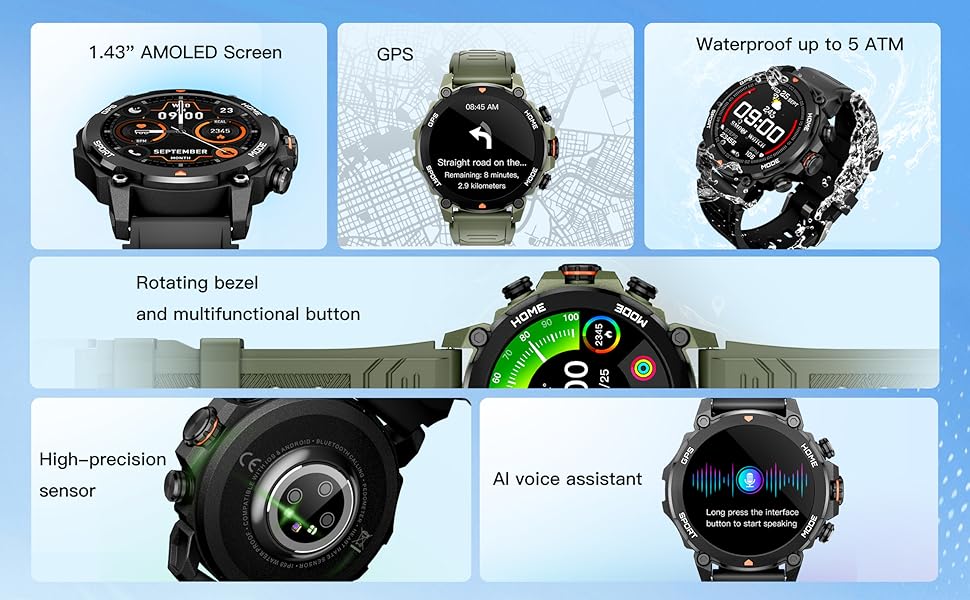
Image: An infographic detailing the main components and features of the smartwatch, such as the AMOLED screen, GPS, 5ATM water resistance, rotating bezel, high-precision sensor, and AI voice assistant.

Bild: Detailliert view of the smartwatch's rear, highlighting the high-precision optical sensor for health tracking and the charging interface.
4. Einrichtung und Kopplung
4.1 Erstaufladung
Before first use, fully charge your AURAFIT Trek 1 Smartwatch. Connect the magnetic charging cable to the charging contacts on the back of the watch and plug the USB end into a power adapter (not included) or a computer USB port. The watch display will indicate charging status.
4.2 App-Installation
To unlock the full potential of your smartwatch, download the companion application. The app is compatible with both Android and iOS devices.
- Scan the QR code in the manual or on the watch packaging.
- Suchen nach "Smart Time Pro" in the Google Play Store (for Android) or Apple App Store (for iOS).

Image: A user interacting with the Smart Time Pro application on a smartphone, showing various health metrics and tracking data.
4.3 Gerätekopplung
- Stellen Sie sicher, dass Ihre Smartwatch aufgeladen und eingeschaltet ist.
- Aktivieren Sie Bluetooth auf Ihrem Smartphone.
- Open the "Smart Time Pro" app and follow the on-screen instructions to add a new device.
- Select "AURAFIT Trek 1" from the list of available devices.
- Bestätigen Sie die Kopplungsanfrage sowohl auf Ihrem Smartphone als auch auf der Smartwatch.
Once paired, your watch will synchronize data and notifications with your smartphone.
5. Grundlegende Bedienung
5.1 Navigation auf der Benutzeroberfläche
The AURAFIT Trek 1 features a responsive touchscreen and physical buttons for navigation.
- Nach oben/unten wischen: Durch Menüs und Benachrichtigungen scrollen.
- Nach links/rechts wischen: Greifen Sie schnell auf Widgets oder verschiedene Zifferblätter zu.
- Klopfen: Wählen Sie ein Element aus oder bestätigen Sie eine Aktion.
- Press Top Button (HOME): Kehren Sie zum Hauptzifferblatt zurück.
- Press Bottom Button (MODE): Access the main menu or switch modes.
Video: Demonstrates basic UI navigation on the AURAFIT Trek 1 Smartwatch, including swiping through menus and selecting applications like the stopwatch.
5.2 Anpassen von Zifferblättern
The watch supports over 100 cloud-based watch faces and allows for customizable watch faces using your own images via the companion app.

Image: A visual representation of the multiple selectable watch faces, demonstrating how users can personalize their smartwatch display.
5.3 Anruffunktionalität
With Dual Bluetooth 5.3 + 3.0 connectivity, you can answer and make calls directly from your wrist.
- Anrufe entgegennehmen: Bei einem eingehenden Anruf tippen Sie auf das grüne Telefonsymbol auf dem Bildschirm Ihrer Uhr.
- Anrufe tätigen: Access the call menu from the main menu to dial numbers or select contacts (requires synchronization with your phone).
5.4 KI-Sprachassistent
The smartwatch integrates an AI voice assistant for convenient control. Long press the designated button or interface to activate the voice assistant and issue commands (e.g., "What's the weather today?", "Call Jack").
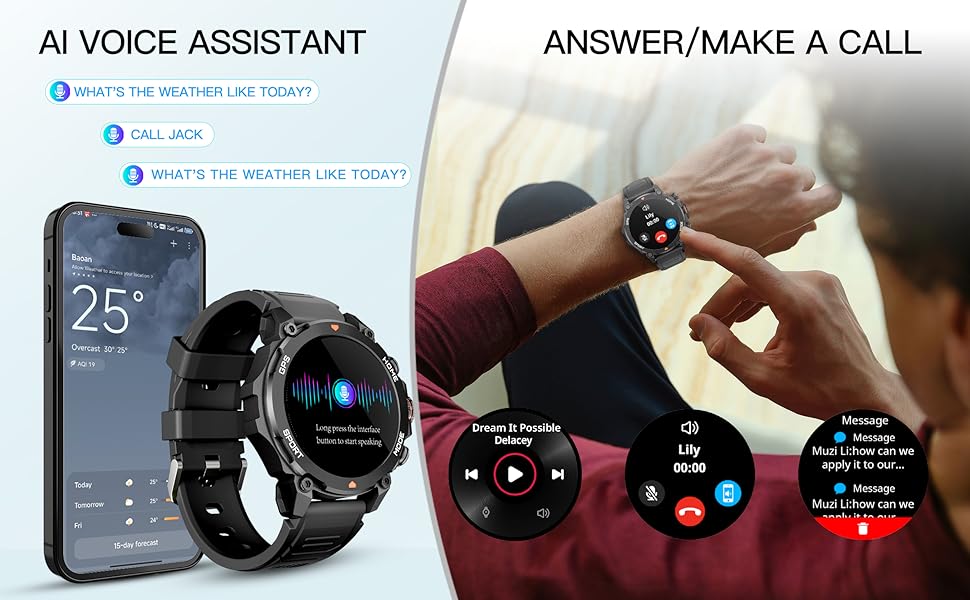
Image: An illustration demonstrating the AI Voice Assistant and the ability to answer/make calls directly from the smartwatch, showing the watch paired with a smartphone.
6. Gesundheits-Tracking
The AURAFIT Trek 1 provides continuous 24/7 health monitoring to help you understand your body's status.
6.1 Herzfrequenzüberwachung
The watch continuously tracks your heart rate throughout the day. View Echtzeitdaten auf der Uhr oder detaillierte Trendanalysen in der App.
6.2 Blutsauerstoffmessung (SpO2)
Monitor your blood oxygen levels to assess your respiratory health. Measurements can be taken on demand or automatically at intervals.
6.3 Schlafüberwachung
The advanced sleep mode monitors various sleep stages, including Awake, REM, Light, and Deep sleep, as well as short naps. The app provides detailed sleep analysis and suggestions for improving rest.

Image: A comprehensive display of the smartwatch's 24-hour health monitoring capabilities, including graphs for heart rate, stress levels, blood oxygen saturation, and a breakdown of sleep stages.

Image: A person sleeping, wearing the smartwatch, to visually represent its sleep tracking functionality.
6.4 Überwachung des Stressniveaus
The watch can also track your stress levels, providing insights into your mental well-being throughout the day.
7. Sportmodi und GPS
The AURAFIT Trek 1 offers over 150 sports modes to accurately track your workouts, along with built-in GPS for precise outdoor activity monitoring.
7.1 Auswahl eines Sportmodus
Navigate to the 'Sports' menu on your watch to select from a wide range of activities such as running, cycling, swimming, hiking, and more. The watch will track relevant metrics like heart rate, calories burned, distance, and duration.

Image: The smartwatch displaying a sports tracking screen, with icons for over 150 different sports modes, indicating its versatility for various fitness activities.
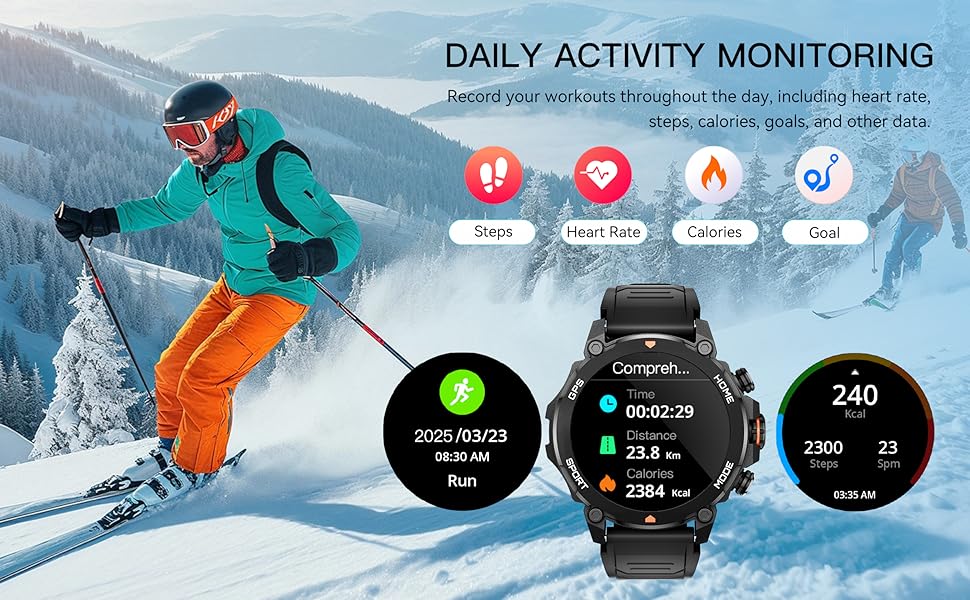
Image: A scene of a person skiing, with the smartwatch displaying activity data such as distance, calories, and steps, illustrating its daily activity monitoring capabilities.
7.2 GPS-Tracking
The built-in GPS and independent GNSS chip (supporting GPS, Beidou, GLONASS, GALILEOGPS, QZSS) provide precise location data for outdoor activities. Track your routes and view movement trajectories even in remote areas.

Image: The smartwatch displaying a map with GPS tracking, emphasizing its global independent five-star positioning capabilities for accurate navigation.
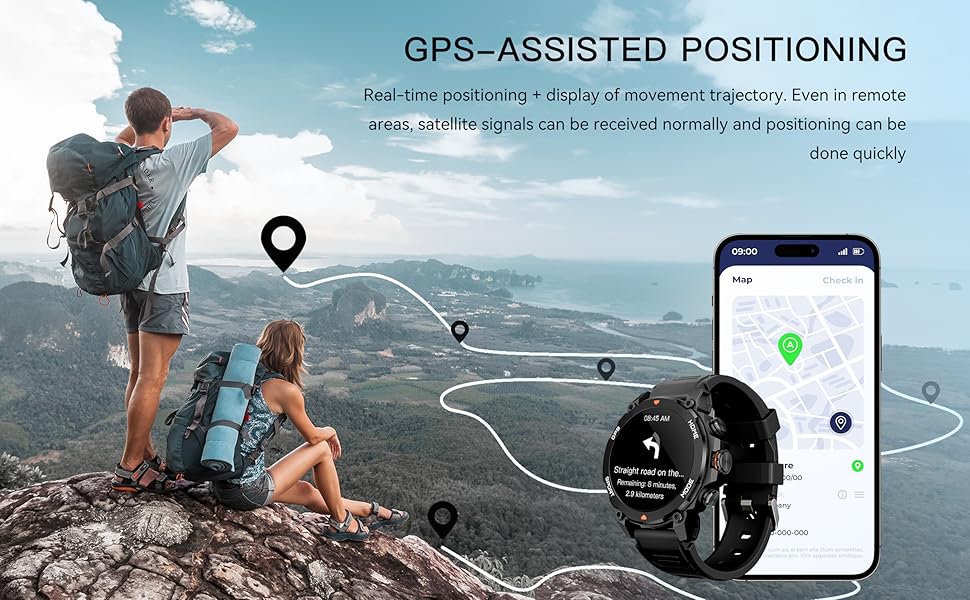
Bild: Eine malerische view of a hiking trail with the smartwatch displaying GPS-assisted positioning, showing real-time tracking and movement trajectory.
7.3 Environmental Sensors
The Trek 1 is equipped with a built-in compass and barometric altimeter sensors to display your current direction, altitude, and atmospheric pressure, aiding navigation in wilderness areas.
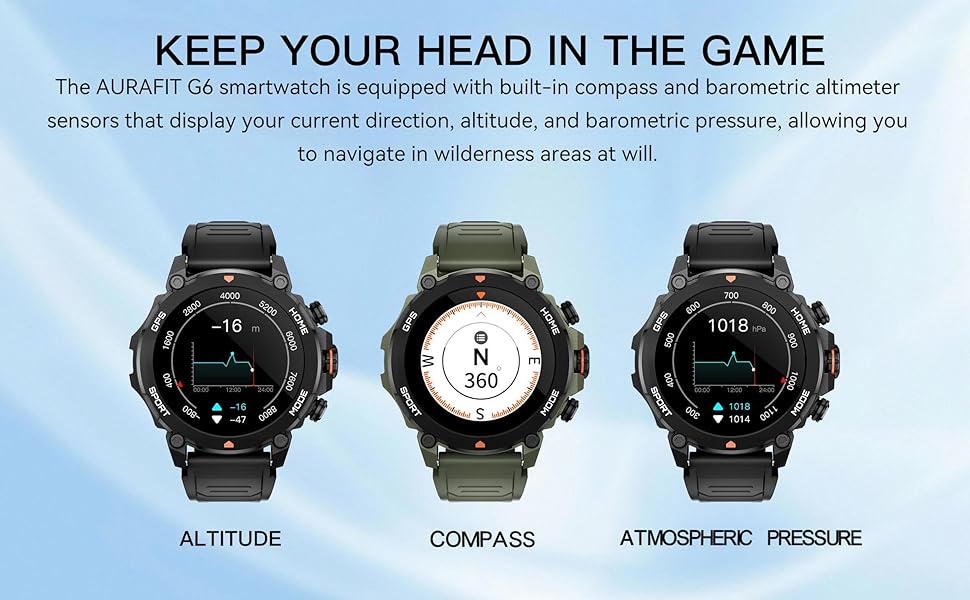
Image: The smartwatch displaying readings for altitude, compass direction, and atmospheric pressure, highlighting its environmental sensing capabilities.
8. Wasserbeständigkeit
The AURAFIT Trek 1 Smartwatch is 5ATM waterproof, meaning it can withstand pressures equivalent to a depth of 50 meters. This makes it suitable for:
- Swimming in pools or open water (not deep-sea diving).
- Duschen (heißes Wasser und Dampf vermeiden).
- Rain and sweat exposure during workouts.
Notiz:
- Do not use the watch in hot water, saunas, or steam rooms as steam can penetrate the seals.
- Vermeiden Sie es, unter Wasser Knöpfe zu drücken.
- Nach Kontakt mit Salzwasser die Uhr mit Süßwasser abspülen und gründlich trocknen.
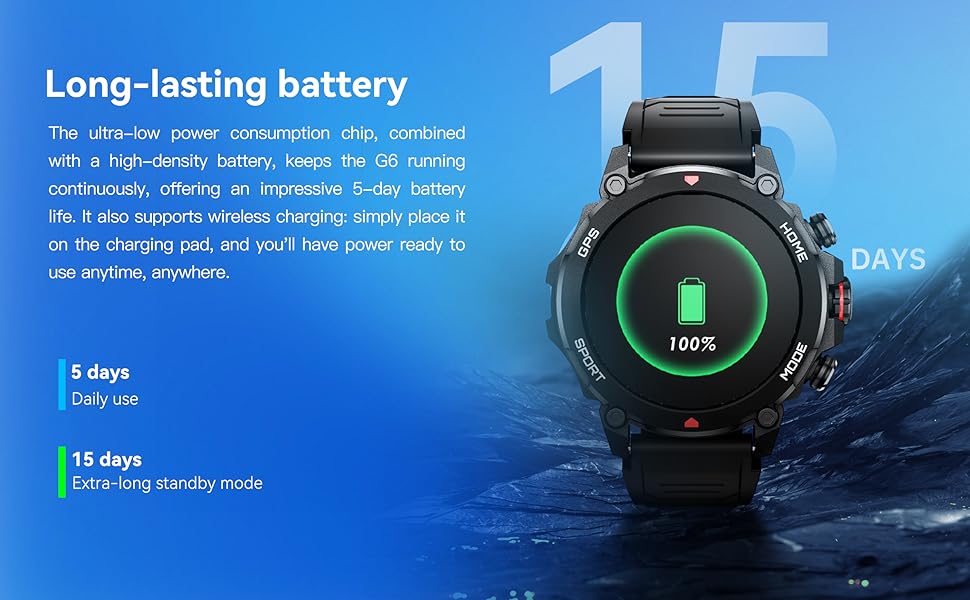
Image: A person swimming underwater with the smartwatch, demonstrating its 5ATM high water resistance for aquatic activities.

Image: An infographic highlighting the smartwatch's 5ATM water resistance, along with its ability to withstand high/low temperatures, dust, and shock.
9. Akkulaufzeit
The AURAFIT Trek 1 is equipped with a 450mAh large battery and an ultra-low power consumption chip, providing extended usage times.
- Täglicher Gebrauch: Bis zu 5 Tage.
- Extra-long Standby Mode: Bis zu 15 Tage.
The watch supports wireless charging. Simply place it on the charging pad to power it up.
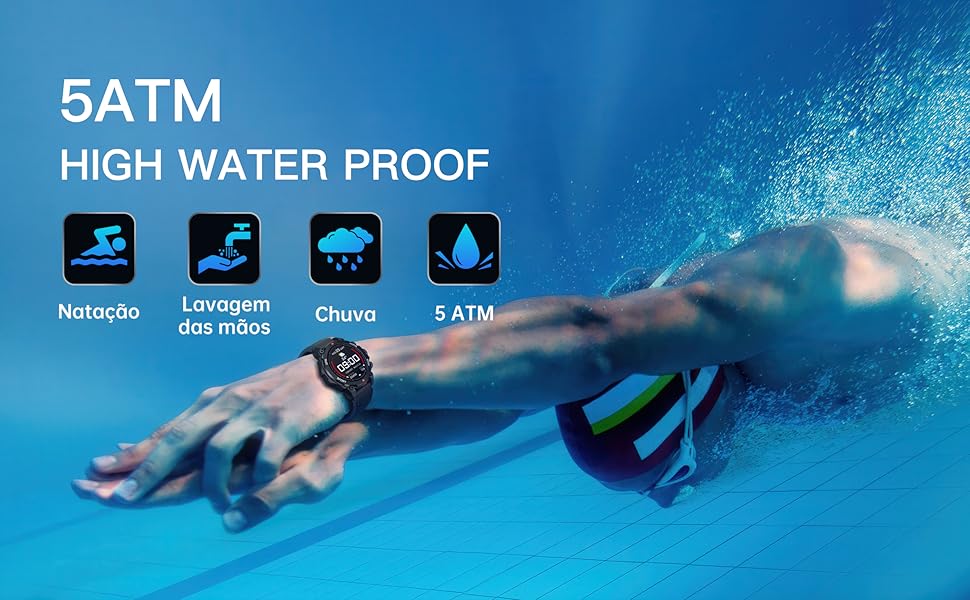
Image: The smartwatch on a charging pad, illustrating its long-lasting battery life with indicators for 5 days of daily use and 15 days of standby time.
10. Fehlerbehebung
- Uhr schaltet sich nicht ein: Stellen Sie sicher, dass die Uhr vollständig aufgeladen ist. Schließen Sie sie für mindestens 30 Minuten an das Ladekabel und eine Stromquelle an.
- Kopplung mit dem Telefon nicht möglich:
- Stellen Sie sicher, dass Bluetooth auf Ihrem Telefon aktiviert ist.
- Stellen Sie sicher, dass sich die Uhr in Bluetooth-Reichweite befindet (typischerweise 10 Meter).
- Starten Sie sowohl Ihr Smartphone als auch Ihre Smartwatch neu.
- Clear Bluetooth cache on your phone or try pairing from the app directly.
- Ungenaue Gesundheitsdaten: Achten Sie darauf, dass die Uhr eng am Handgelenk sitzt, weder zu eng noch zu locker. Reinigen Sie den Sensorbereich regelmäßig.
- Benachrichtigungen werden nicht angezeigt:
- Check app permissions on your phone to ensure the "Smart Time Pro" app has access to notifications.
- Verify that notification settings are enabled within the "Smart Time Pro" app for desired applications.
- Stellen Sie sicher, dass die Uhr per Bluetooth verbunden ist.
- GPS-Signalprobleme: Stellen Sie sicher, dass Sie sich in einem offenen Außenbereich mit freier Sicht befinden. view des Himmels für optimalen GPS-Signalempfang.
11. Spezifikationen
| Besonderheit | Spezifikation |
|---|---|
| Modellnummer | Trek 1 |
| Bildschirmgröße | 1.43 Zoll |
| Anzeigetyp | AMOLED |
| Wasserbeständigkeit | 5ATM |
| Batteriekapazität | 450 mAh |
| Konnektivität | Bluetooth 5.3 + 3.0 |
| GPS | Built-in GPS (GNSS chip) |
| Betriebssystem | Echtzeitbetriebssystem |
| Speicherkapazität | 128 MB |
| Artikelgewicht | 68.3 Gramm (2.41 Unzen) |
| Hersteller | Shenzhen Smart Care Technology Limited |
12. Garantie und Support
AURAFIT provides a 2-year warranty for the Trek 1 Smartwatch. If the product is damaged or unusable due to manufacturing defects, we will provide warranty or replacement service.
For any questions or support needs, please contact our customer service. We are available 24/7 to assist you.

Image: An icon representing customer service, indicating 24/7 support availability.
Ask a question about this manual
Ask about setup, troubleshooting, compatibility, parts, safety, or missing instructions. Manuals+ will review the question and use this page’s manual context to help answer it.