
1. Einleitung
The UGREEN Revodok USB-C Hub (Model 75775) is a 6-in-1 multi-port adapter designed to expand the connectivity of your USB-C enabled devices. It provides a 4K@60Hz video output, high-speed 10Gbps data transfer through multiple USB ports, and up to 100W Power Delivery pass-through charging. This manual provides essential information for proper setup, operation, maintenance, and troubleshooting.
2. Produktüberschreitungview
The UGREEN Revodok USB-C Hub features a compact design with an integrated USB-C cable. It includes the following ports:
- 1x USB-C PD Port: For power input, supporting up to 100W Power Delivery (85W output to host device).
- 2x USB-A 3.2 Gen 2 Anschlüsse: For data transfer up to 10Gbps.
- 2x USB-C 3.2 Gen 2 Ports: For data transfer up to 10Gbps.
- 1x USB-C Video Port: Für Videoausgabe bis zu 4K@60Hz.

Figure 1: UGREEN Revodok USB-C Hub with labeled ports for 6-in-1 connectivity.
3. Einrichtungsanweisungen
- Verbindung zum Hostgerät herstellen: Plug the integrated USB-C cable of the hub into a fully functional USB-C port on your laptop, tablet, or smartphone. Ensure your device's USB-C port supports video output (DisplayPort Alternate Mode) for display functionality.
-
Peripheriegeräte anschließen: Connect your USB-A and USB-C devices (e.g., external hard drives, keyboards, mice, cameras) to the corresponding data ports on the hub.

Figure 2: Connecting a keyboard and mouse to the hub for expanded peripheral use.
-
Anschlussdisplay (optional): For video output, connect a USB-C to USB-C cable from your monitor or AR glasses to the USB-C Video port on the hub. Ensure the display supports USB-C video input.

Figure 3: Using the USB-C Video port to connect an external display.
-
Netzteil anschließen (optional): To charge your host device and power the hub simultaneously, connect a USB-C power adapter (up to 100W, not included) to the USB-C PD port on the hub. The hub will deliver up to 85W to your host device.
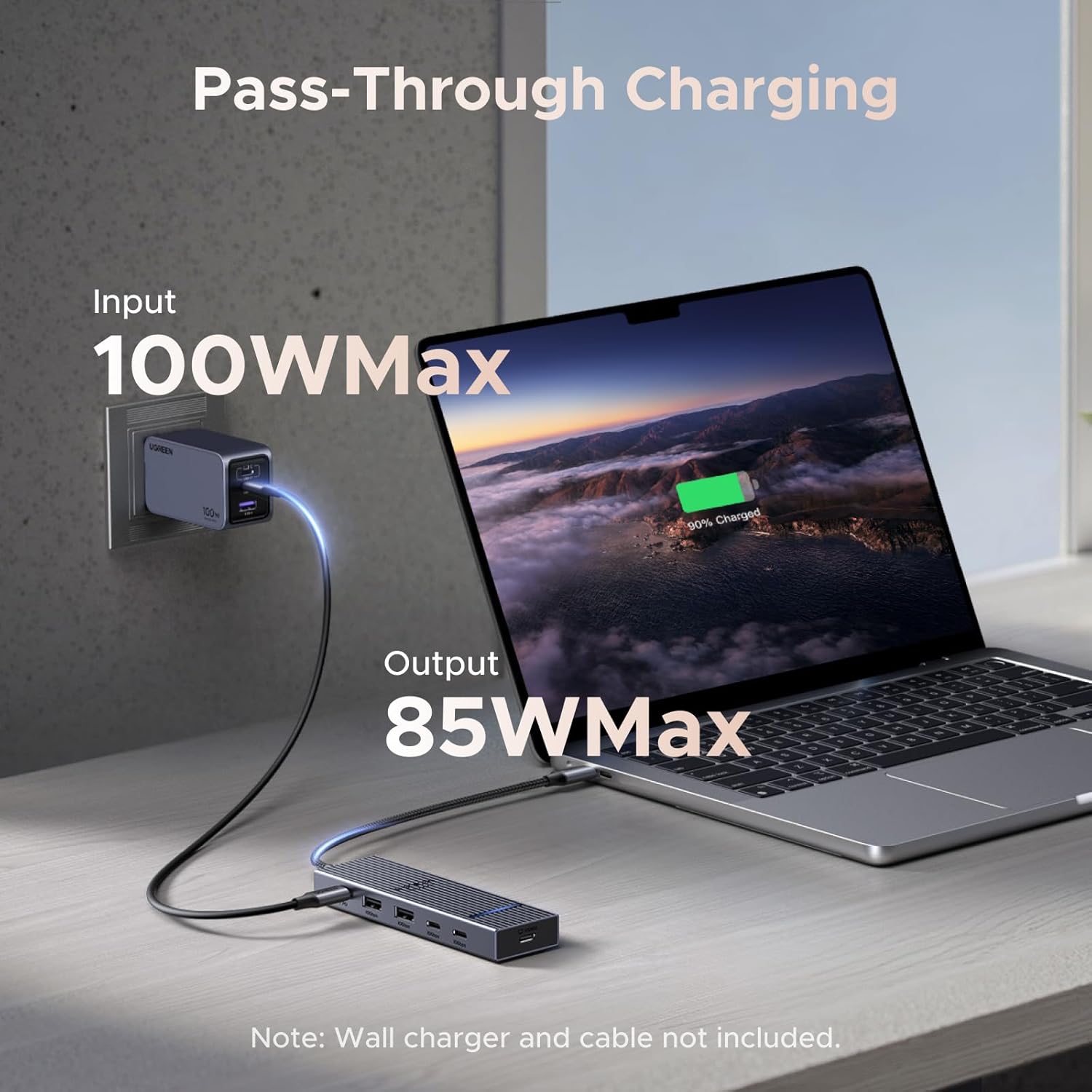
Figure 4: Pass-through charging setup with a 100W input and 85W output to the laptop.
4. Bedienungsanleitung
4.1 Plug-and-Play-Funktionalität
The UGREEN Revodok USB-C Hub is designed for universal plug-and-play operation. No drivers are typically required for most operating systems, including macOS, iOS, and SteamOS. Simply connect the hub to your device, and it should be recognized automatically.
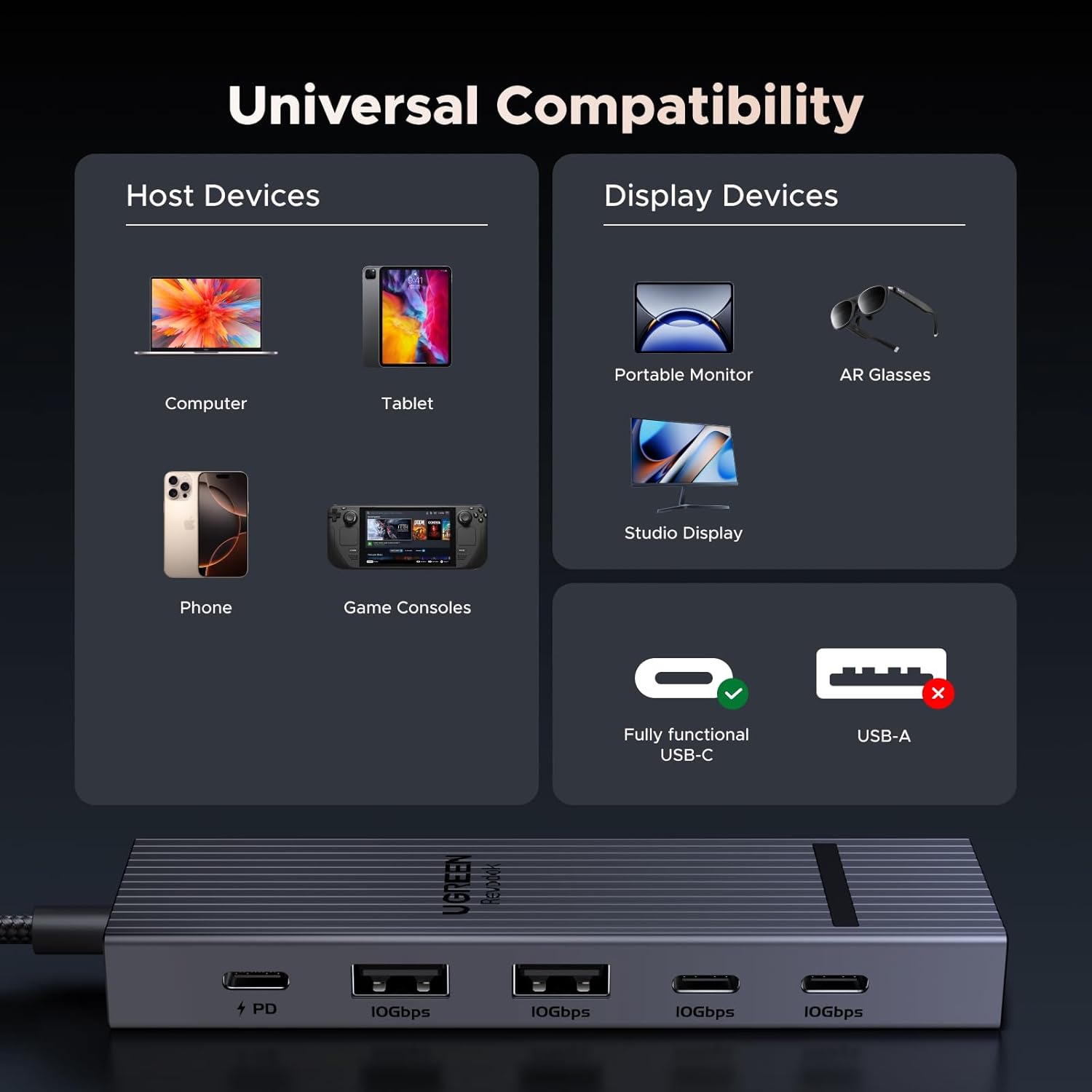
Figure 5: Universal compatibility with various host and display devices.
4.2 Datenübertragung
The two USB-A 3.2 Gen 2 ports and two USB-C 3.2 Gen 2 ports support data transfer speeds up to 10Gbps. This allows for rapid transfer of large files, such as 1GB in approximately 1 second. These ports are for data transfer only and do not support video output or charging.

Figure 6: 10Gbps data transfer capabilities and port limitations.
4.3 Videoausgang
The dedicated USB-C Video port supports 4K resolution at a 60Hz refresh rate, providing a smooth and clear display experience. This port is specifically for video output and does not support charging or data transfer.

Figure 7: Visual representation of Ultra-Clear 4K@60Hz display quality.
4.4 Stromversorgung
The USB-C PD port allows for pass-through charging of your host device. When connected to a 100W USB-C power adapter, the hub intelligently distributes power, providing up to 85W to your laptop or other compatible device while reserving 15W for the hub's operation and connected peripherals.
5. Wartung
- Reinigung: Disconnect the hub from all devices before cleaning. Use a soft, dry cloth to wipe the surface. Avoid liquid cleaners or abrasive materials.
- Lagerung: Lagern Sie den Nabenkörper an einem kühlen, trockenen Ort, geschützt vor direkter Sonneneinstrahlung und extremen Temperaturen.
- Temperatur: The aluminum shell is designed to dissipate heat efficiently, maintaining an operating temperature of approximately 45 °C under full load. This is normal for electronic devices.
- Kabelpflege: Avoid bending or twisting the integrated cable excessively to prevent damage.
6. Fehlerbehebung
-
Keine Videoausgabe:
- Stellen Sie sicher, dass der USB-C-Anschluss Ihres Host-Geräts den DisplayPort-Alternativmodus (Videoausgabe) unterstützt. Nicht alle USB-C-Anschlüsse verfügen über diese Funktion.
- Verify the USB-C cable connecting the hub to the display is fully functional and supports video transmission.
- Check display settings on your host device to ensure the external monitor is detected and configured correctly.
-
Langsame Datenübertragung:
- Confirm that your connected devices (e.g., external SSD) and cables support USB 3.2 Gen 2 (10Gbps) speeds.
- Ensure the hub is connected directly to your host device's USB-C port, avoiding additional adapters or extension cables that may degrade performance.
-
Kein Laden über den PD-Anschluss:
- Ensure you are using a compatible USB-C power adapter (e.g., 100W) and a USB-C to USB-C cable that supports Power Delivery.
- Prüfen Sie, ob das Netzteil an eine funktionierende Steckdose angeschlossen ist.
- Check if your host device supports USB-C Power Delivery input.
-
Im Hub fühlt es sich warm an:
- It is normal for the hub to become warm during operation, especially under heavy load (e.g., 4K video output, high-speed data transfer, and charging simultaneously). The aluminum casing is designed for heat dissipation. If the hub becomes excessively hot to touch or malfunctions, disconnect it immediately.
7. Spezifikationen
| Besonderheit | Detail |
|---|---|
| Marke | UGREEN |
| Modellnummer | 75775 |
| Hardware-Schnittstelle | USB Typ C |
| Videoausgang | 1x USB-C (4K@60Hz) |
| Datenports | 2x USB-A 3.2 Gen 2 (10Gbps), 2x USB-C 3.2 Gen 2 (10Gbps) |
| Stromversorgung | 1x USB-C PD (100W input, 85W output to host) |
| Anzahl der Ports | 6 (1x PD, 4x Data, 1x Video) |
| Datenübertragungsrate | 10 Gigabit pro Sekunde |
| Kompatible Betriebssysteme | SteamOS, iOS, macOS (and other USB-C compatible OS) |
| Gehäusematerial | Aluminium |
| Artikelgewicht | 0.1 Kilogramm |
8. Garantie und Support
8.1 Garantieinformationen
The UGREEN Revodok USB-C Hub (Model 75775) comes with a 2 Jahr HerstellergarantieBitte bewahren Sie Ihren Kaufbeleg für Garantieansprüche auf. Die Garantie deckt Material- und Verarbeitungsfehler bei normalem Gebrauch ab.
8.2 Kundendienst
Bei technischen Problemen, Fragen zur Fehlerbehebung oder Garantieansprüchen wenden Sie sich bitte über die offizielle Website an den UGREEN-Kundendienst. webBitte wenden Sie sich an den Kundendienst oder den Händler, bei dem Sie das Produkt gekauft haben. Halten Sie bitte Ihre Modellnummer (75775) und die Kaufdetails bereit, wenn Sie den Kundendienst kontaktieren.