
1. Einleitung
This manual provides essential information for the safe and efficient operation, maintenance, and troubleshooting of your BWT EV03CBX Rechargeable Pool Vacuum Kit. Please read this manual thoroughly before using the product and retain it for future reference.
The BWT EV03CBX is a cordless, portable cleaning device designed for maintaining spas and small pools. It features a rechargeable lithium battery for convenient operation and a filter system to capture fine debris.
2. Sicherheitshinweise
WARNUNG: Die Nichtbeachtung dieser Anweisungen kann zu Stromschlägen, Bränden und/oder schweren Verletzungen führen.
- Lesen Sie alle Anweisungen, bevor Sie dieses Gerät verwenden.
- Do not operate the vacuum when people are in the pool.
- Keep the charging port dry. Do not charge the vacuum near water or with wet hands.
- Verwenden Sie nur das vom Hersteller gelieferte Ladegerät.
- Do not attempt to disassemble or repair the battery or motor unit. Contact qualified service personnel.
- Store the vacuum in a cool, dry place away from direct sunlight when not in use.
- Dieses Gerät ist nicht für den Gebrauch durch Personen (einschließlich Kinder) mit eingeschränkten physischen, sensorischen oder geistigen Fähigkeiten oder Mangel an Erfahrung und Wissen bestimmt, es sei denn, sie werden von einer für ihre Sicherheit verantwortlichen Person beaufsichtigt oder erhalten Anweisungen zur Verwendung des Geräts.
3. Packungsinhalt
Verify that all items listed below are present in your package. If any parts are missing or damaged, contact customer support.
- BWT EV03CBX Pool Vacuum Unit
- Filter Bag (0.3-liter capacity)
- Ladekabel (USB)
- Pole Sections (2 sections, total 36.6 inches)
- Vacuum Head with Wheels
- Bürstenaufsatz
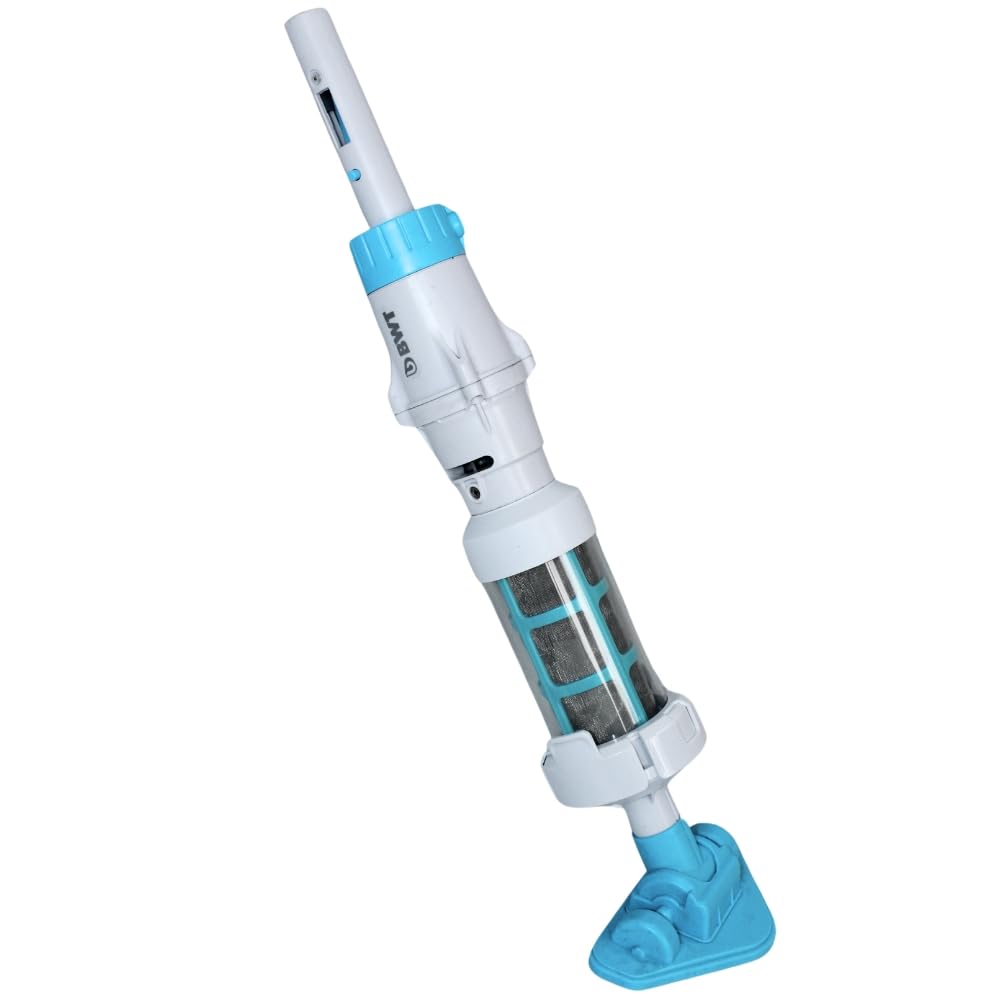
Image 1: Fully assembled BWT EV03CBX Rechargeable Pool Vacuum Kit.
4. Aufbau und Montage
4.1 Laden des Akkus
- Ensure the vacuum unit is dry before charging.
- Locate the charging port on the vacuum unit.
- Connect the provided USB charging cable to the vacuum unit and to a suitable USB power adapter (not included).
- Allow the vacuum to charge fully before first use. The charging indicator light will change color or turn off when charging is complete.

Image 2: USB charging cable.
4.2 Assembling the Pole
- Take the two pole sections.
- Connect the two sections by aligning the holes and pressing the spring clips. Ensure they lock securely.
- Attach the assembled pole to the vacuum unit. The pole is compatible with standard 1-1/4 inch attachments.

Image 3: Two pole sections for assembly.
4.3 Attaching the Vacuum Head or Brush
- Select either the vacuum head with wheels or the brush attachment based on your cleaning needs.
- Align the chosen attachment with the bottom of the vacuum unit and push firmly until it clicks into place.
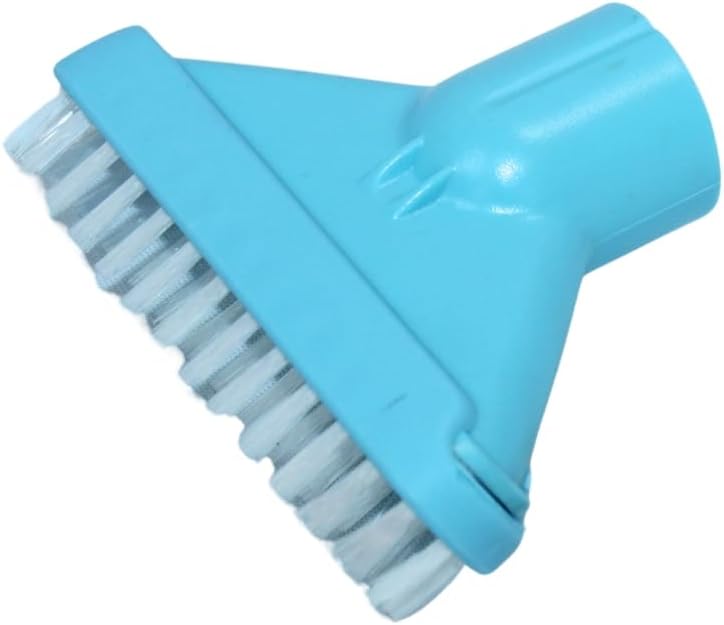
Image 4: Brush attachment.
5. Bedienungsanleitung
5.1 Starting the Vacuum
- Stellen Sie sicher, dass der Staubsauger vollständig aufgeladen ist.
- Submerge the vacuum unit completely in water. The non-return valve prevents water from flowing back out.
- Locate the power switch on the vacuum unit. Turn it ON. The motor will start, and the vacuum will begin to draw water and debris.
5.2 Cleaning the Pool/Spa
- Gently guide the vacuum head along the bottom and sides of your pool or spa.
- Move the vacuum slowly to allow sufficient time for debris to be collected.
- The vacuum is designed to operate effectively in water depths up to 2 meters.
- The lithium battery provides up to 30 minutes of continuous operation on a full charge.
5.3 Stopping the Vacuum
- Schalten Sie den Netzschalter AUS.
- Carefully remove the vacuum from the water.
6. Wartung
6.1 Cleaning the Filter Bag
It is recommended to clean the filter bag after each use or when suction power decreases.
- Ensure the vacuum is turned OFF and removed from water.
- Locate the click-lock opening system on the vacuum unit. Open it to access the filter compartment.
- Entfernen Sie den Filterbeutel.
- Empty any collected debris from the filter bag.
- Spülen Sie den Filterbeutel gründlich mit sauberem Wasser aus, bis alle Verunreinigungen entfernt sind.
- Reinsert the clean filter bag into the vacuum unit and securely close the click-lock system.

Image 5: Vacuum body with visible filter compartment.
6.2 Speicherung
- After cleaning, ensure the vacuum unit and filter bag are completely dry before storage.
- Bewahren Sie den Staubsauger an einem kühlen, trockenen Ort auf, fern von direkter Sonneneinstrahlung und extremen Temperaturen.
- For long-term storage, it is recommended to charge the battery periodically to maintain its health.
7. Fehlerbehebung
| Problem | Mögliche Ursache | Lösung |
|---|---|---|
| Der Staubsauger lässt sich nicht einschalten. | Batterie ist nicht geladen. | Laden Sie den Akku vollständig auf. |
| Geringe Saugleistung. | Der Filterbeutel ist voll oder verstopft. | Reinigen Sie den Filterbeutel. |
| Geringe Saugleistung. | Debris is blocking the intake. | Inspect and clear any blockages from the vacuum head or intake port. |
| Der Staubsauger schaltet sich unerwartet ab. | Batterie ist leer. | Laden Sie den Akku auf. |
8. Spezifikationen
- Modell: EV03CBX
- Energiequelle: Wiederaufladbare Lithiumbatterie
- Betriebszeit: Bis zu 30 Minuten (vollständig aufgeladen)
- Filterkapazität: 0.3 Liter
- Maximale Betriebstiefe: 2 Meter (6.5 Fuß)
- Stangenlänge: 36.6 inches (two sections)
- Polkompatibilität: Standard 1-1/4 inch attachments
- Produktabmessungen: 6"L x 2"W x 10"H (vacuum unit only)
9. Garantie und Support
For warranty information or technical support, please refer to the warranty card included with your product or visit the official BWT webBewahren Sie Ihren Kaufbeleg für Garantieansprüche auf.
Kundendienst: For assistance, please contact BWT customer service through their official channels.