
Einführung
Thank you for choosing the MIDEA 12L Dehumidifier. This appliance is designed to efficiently remove excess moisture from the air, creating a more comfortable and healthier indoor environment. With its silent operation, app control, and various modes, it offers a convenient solution for humidity control in your home. Please read this manual thoroughly before operation to ensure proper use, maintenance, and safety.
Sicherheitshinweise
- Schließen Sie das Gerät immer an eine geerdete Steckdose mit der korrekten Spannung an.tage.
- Betreiben Sie den Luftentfeuchter nicht mit einem beschädigten Netzkabel oder Stecker.
- Halten Sie das Gerät von Wasser und anderen Flüssigkeiten fern, um einen Stromschlag zu vermeiden.
- Sorgen Sie für ausreichende Belüftung rund um das Gerät; blockieren Sie keine Lufteinlässe oder -auslässe.
- Stecken Sie keine Gegenstände in die Lüftungsöffnungen.
- Ziehen Sie den Stecker aus der Steckdose, bevor Sie das Gerät reinigen oder Wartungsarbeiten durchführen.
- Dieses Gerät ist nicht für den Gebrauch durch Personen (einschließlich Kinder) mit eingeschränkten physischen, sensorischen oder geistigen Fähigkeiten oder Mangel an Erfahrung und Wissen bestimmt, es sei denn, sie werden von einer für ihre Sicherheit verantwortlichen Person beaufsichtigt oder erhalten Anweisungen zur Verwendung des Geräts.
- Kinder sollten beaufsichtigt werden, um sicherzustellen, dass sie nicht mit dem Gerät spielen.
Produkt überview
The MIDEA 12L Dehumidifier is a compact and efficient unit designed for spaces up to 35 m². It features a 2.1L removable water tank and offers various operating modes for optimal humidity control.
Hauptmerkmale:
- Effiziente Entfeuchtung: Entfernt bis zu 12 Liter Feuchtigkeit pro Tag.
- App-Steuerung: Monitor and control the unit remotely via the MSmartHome app.
- Leiser Betrieb: Operates at a low noise level of 36dB, ideal for bedrooms and offices.
- Trocknermodus: Facilitates quick drying of clothes.
- Automatik-Modus: Maintains desired humidity levels between 30-85%.
- Kindersicherung: Verhindert versehentliche Änderungen der Einstellungen.
- Dual Drainage: Offers both removable tank and continuous drainage options.
- Portabilität: Equipped with integrated wheels for easy movement.

Bild: Überview of the MIDEA compact dehumidifier highlighting its key features such as silent mode, drying mode, automatic mode, child lock, app control, high mobility, removable water tank, and full tank indicator.
Aufstellen
1. Auspacken und Aufstellen:
- Nehmen Sie den Luftentfeuchter vorsichtig aus der Verpackung.
- Place the unit on a firm, level surface in an area where the humidity is highest.
- Stellen Sie sicher, dass um das Gerät herum mindestens 20 cm (8 Zoll) Platz für eine ordnungsgemäße Luftzirkulation vorhanden sind.
- Vermeiden Sie es, das Gerät in der Nähe von Wärmequellen oder in direktem Sonnenlicht aufzustellen.
2. Stromanschluss:
- Stecken Sie das Netzkabel in eine geerdete Steckdose.
3. Water Drainage Options:
The dehumidifier offers two drainage methods: using the removable water tank or continuous drainage.

Abbildung: Seite view of the MIDEA dehumidifier showing the removable 2.5-liter water tank and the continuous drainage hose connection.
- Abnehmbarer Wassertank: The unit will automatically shut off when the 2.1L tank is full. Empty the tank and reinsert it to resume operation.
- Kontinuierliche Entwässerung: For extended use without emptying the tank, connect a drainage hose (60 cm hose included in the toolkit) to the continuous drainage port and direct it to a suitable drain.
Bedienungsanleitung
Bedienfeld:

Image: Close-up of the dehumidifier's control panel, showing buttons for Timer, Mode, Humidity Level adjustment, Fan Speed, and Power/Connect. The display shows '40%' humidity.
- 24H Timer Adjustment: Press for 3 seconds to cancel the timer setting.
- Modusanpassung: Cycle through Auto, Silent, and Dry modes.
- Einstellung der Luftfeuchtigkeit: Use up/down arrows to set desired humidity. Press both simultaneously to activate/deactivate Child Lock.
- Einstellung der Lüftergeschwindigkeit: Wählen Sie zwischen hoher und niedriger Lüftergeschwindigkeit.
- Ein-/Ausschalten: Press to turn the unit on or off. Press for 3 seconds to connect the device with the MSmartHome app.
Betriebsarten:
- Automatik-Modus: Adjust the desired humidity level between 35% and 85%. The dehumidifier will operate until the set humidity level is reached.
- Lautloser Modus: For quiet operation, especially during rest or work, the unit maintains a low noise level of 36 dB.
- Trocknermodus: Activate this mode to quickly dry clothes, providing a worry-free environment even on rainy days.
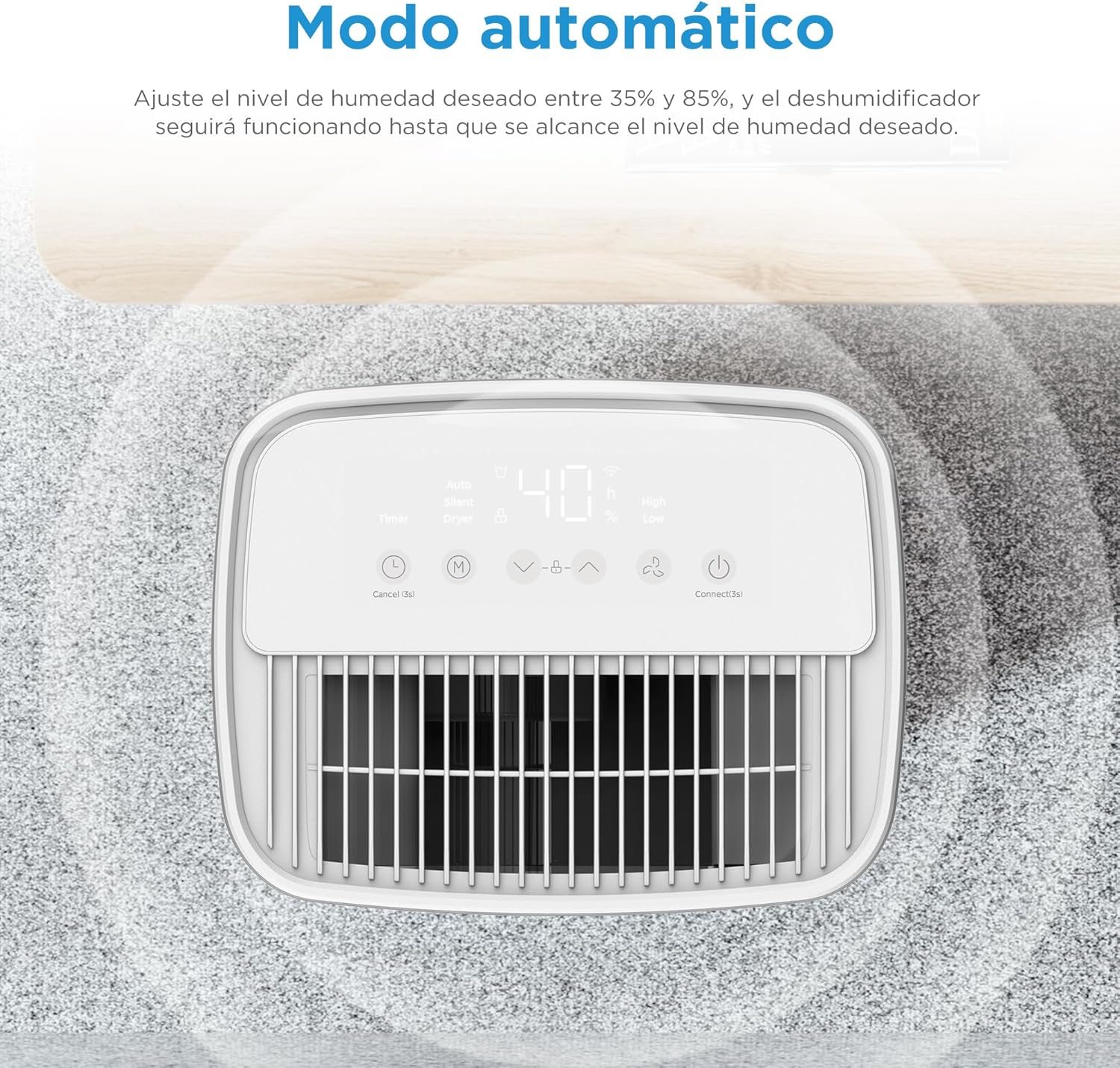
Bild: Oben view of the dehumidifier's control panel displaying '40%' humidity, indicating automatic mode operation.
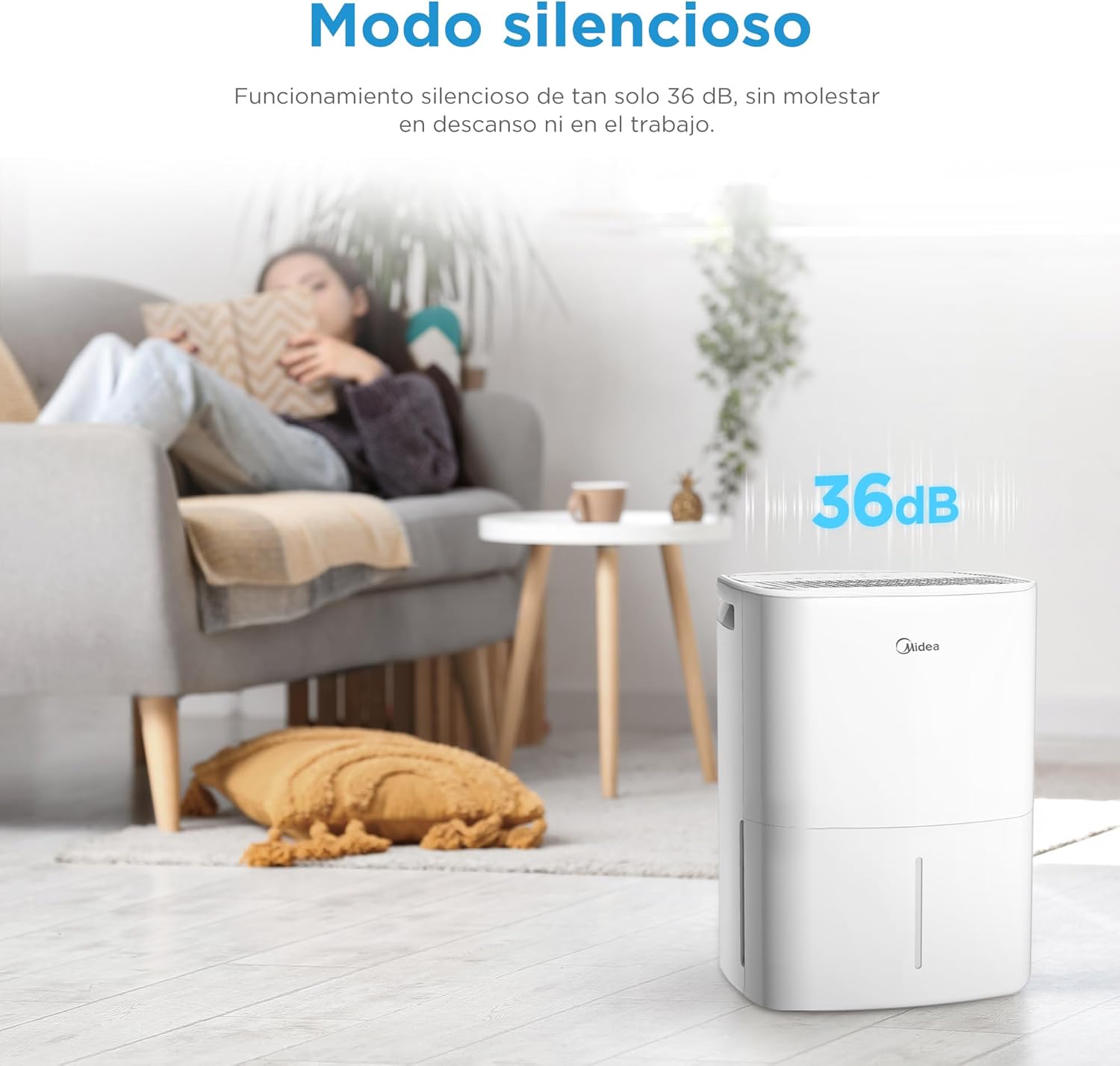
Image: MIDEA dehumidifier operating silently in a living room, with a visual representation of 36dB noise level.

Image: MIDEA dehumidifier placed near a clothes rack, illustrating its use in dryer mode to assist with laundry drying.
App-Steuerung:
Control your dehumidifier anytime, anywhere with the MSmartHome app. You can monitor water levels, predict tank fill times, and adjust settings with ease.

Image: A smartphone screen showing the MSmartHome app interface controlling the MIDEA dehumidifier, with options for humidity, fan speed, and water level.
Kindersicherungsfunktion:
To prevent accidental operation, press the up and down humidity adjustment buttons simultaneously to activate or deactivate the child lock function.

Image: A child playing near the MIDEA dehumidifier, with a shield icon indicating the child lock function is active.
Wartung
1. Entleeren des Wassertanks:
- When the water tank is full, the unit will automatically stop and an indicator light will illuminate.
- Ziehen Sie den Wassertank vorsichtig von der Vorderseite des Geräts heraus.
- Schütte das gesammelte Wasser aus.
- Reinsert the empty water tank firmly into the unit. Ensure it is properly seated to resume operation.
2. Reinigung des Luftfilters:
Die regelmäßige Reinigung des Luftfilters ist für einen effizienten Betrieb unerlässlich.
- Schalten Sie den Luftentfeuchter aus und ziehen Sie den Netzstecker.
- Suchen Sie den Luftfilter (befindet sich normalerweise an der Rück- oder Seitenwand des Geräts) und entfernen Sie ihn.
- Reinigen Sie den Filter mit einem Staubsauger oder waschen Sie ihn mit warmem Seifenwasser ab.
- Gründlich ausspülen und vollständig an der Luft trocknen lassen, bevor es wieder eingesetzt wird.
- Clean the filter every two weeks or more often if used in a dusty environment.
3. Reinigung des Außenbereichs:
- Wischen Sie die Außenseite des Geräts mit einem weichen,amp Tuch.
- Verwenden Sie keine aggressiven Chemikalien, Scheuermittel oder Lösungsmittel, da diese die Oberfläche beschädigen können.
4. Lagerung:
- Wenn Sie das Gerät über einen längeren Zeitraum lagern, stellen Sie sicher, dass der Wassertank leer und sauber ist.
- Reinigen Sie den Luftfilter.
- Lagern Sie das Gerät aufrecht an einem kühlen, trockenen Ort und schützen Sie es vor direkter Sonneneinstrahlung.
Fehlerbehebung
| Problem | Mögliche Ursache | Lösung |
|---|---|---|
| Der Luftentfeuchter schaltet sich nicht ein. | No power, power cord unplugged, water tank full or incorrectly inserted. | Überprüfen Sie den Stromanschluss, leeren Sie den Wassertank und setzen Sie ihn korrekt wieder ein. |
| Es wurde kein Wasser gesammelt. | Humidity level too low, room temperature too low, air filter clogged, continuous drainage hose connected. | Increase desired humidity setting, ensure room temperature is above 5°C, clean air filter, disconnect continuous drainage if using tank. |
| Das Gerät ist laut. | Gerät steht nicht auf ebener Fläche, Luftfilter verstopft, interne Bauteile vibrieren. | Stellen Sie das Gerät auf eine ebene Fläche und reinigen Sie den Luftfilter. Sollte das Geräusch weiterhin bestehen, wenden Sie sich bitte an den Kundendienst. |
| App-Steuerung funktioniert nicht. | Wi-Fi connectivity issues, incorrect app pairing. | Ensure stable Wi-Fi, re-pair the device with the MSmartHome app (press Power button for 3s). |
| Die Kindersicherung ist aktiv. | Child Lock accidentally activated. | Press humidity up and down buttons simultaneously to deactivate. |
Technische Daten
| Besonderheit | Spezifikation |
|---|---|
| Marke | Midea |
| Modellnummer | MDDOZ-12DEN7-QA3 |
| Farbe | Weiß |
| Technische Daten | 20.5 x 26 x 41.2 cm |
| Gewicht | 10.34 kg |
| Entfeuchtungskapazität | 12 L/Tag |
| Wassertankvolumen | 2.1 Liter |
| Empfohlener Bereich | Bis zu 35 m² |
| Anzahl der Geschwindigkeiten | 3 |
| Besondere Merkmale | App Control, Dual Drainage, Midea Proactive Pure - R-290, Dryer Mode, Automatic Shut-off |
| Material | Plastik |
Garantie und Support
For warranty information, please refer to the documentation provided with your purchase. If you encounter any issues or require technical assistance, please contact customer support:
- Verkäufer: PACERIN EU
- Telefon: +34 614 230 356
- E-Mail: support@pacerin.com

Image: MIDEA customer support contact details including Amazon messaging, phone number, and email address.