
1. Einleitung
The Lamzu Inca Gaming Mouse is engineered for competitive gaming, featuring an ultra-lightweight design, high-precision sensor, and advanced connectivity options. This manual provides essential information for setting up, operating, maintaining, and troubleshooting your Lamzu Inca mouse to ensure optimal performance.
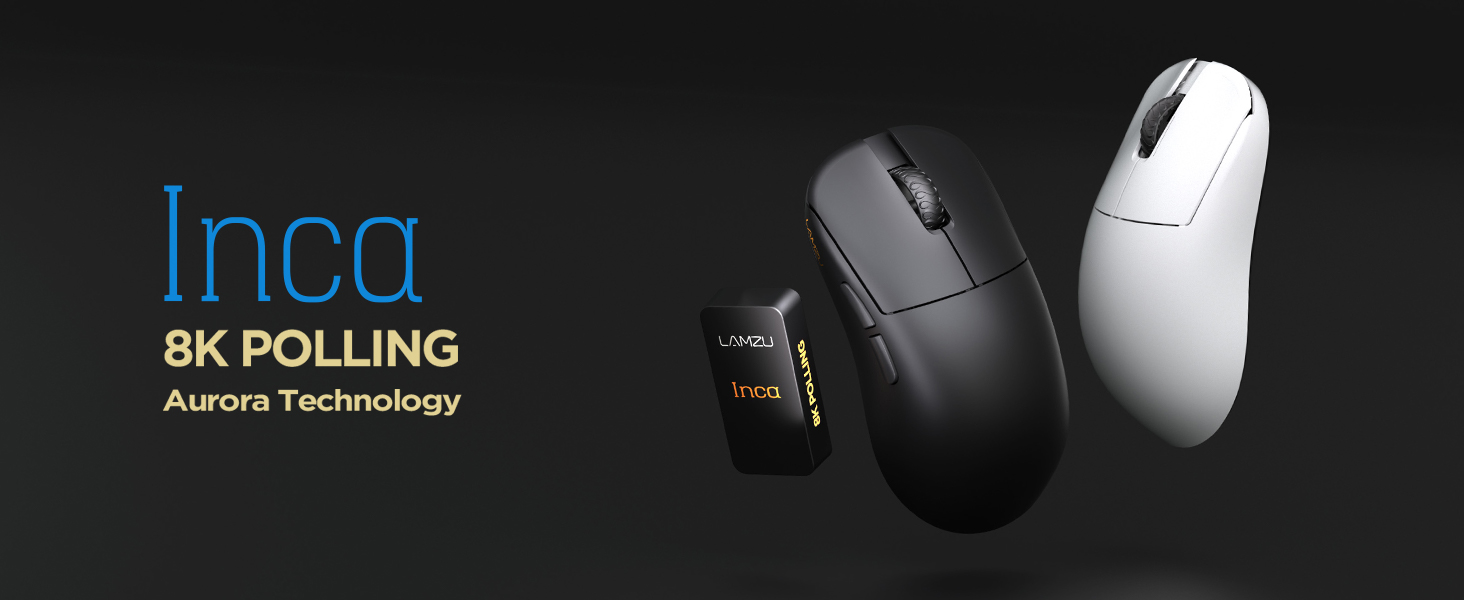
Image: The Lamzu Inca Gaming Mouse, highlighting its 8K Polling Rate and Aurora Technology.

Bild: Überview of key features including Pixart 3950 sensor, 40g weight, Aurora Technology, 8K Polling, Dual Mode connectivity, and Nordic 52840 MCU.
2. Packungsinhalt
Bitte vergewissern Sie sich, dass alle Artikel im Paket vorhanden sind:
- Lamzu Inca Gaming Mouse (Black)
- 8K Polling Rate Dongle
- USB-Typ-C-Kabel (1.8 m)
- PTFE Feet (x2 sets)
- Samtbeutel
- Mausgriffband
3. Einrichtung
3.1 Anschließen der Maus
The Lamzu Inca mouse supports both 2.4GHz wireless and wired connectivity.
Wireless Mode (2.4GHz)
- Locate the 8K Polling Rate Dongle included in your package.
- Plug the 8K dongle into an available USB port on your computer.
- Schalten Sie die Maus mit dem Ein-/Ausschalter an der Unterseite der Maus ein.
- The mouse should automatically connect to the dongle. If not, refer to the pairing instructions in the software section.

Image: The Lamzu Inca mouse with its 8K dongle, illustrating the bottom view of the mouse where the sensor and power switch are located.
Kabelgebundener Modus
- Connect the provided USB Type-C cable to the front port of the Lamzu Inca mouse.
- Stecken Sie das andere Ende des USB-Kabels in einen freien USB-Anschluss Ihres Computers.
- Die Maus funktioniert auch im kabelgebundenen Modus und lädt dabei gleichzeitig ihren internen Akku auf.

Bild: Vorderseite view of the Lamzu Inca mouse, clearly showing the USB-C port for wired connection and charging.

Image: Diagram illustrating the dual connectivity modes: 2.4G Wireless and Wired (Type-C).
3.2 Software Installation (LAMZU Aurora Driver)
To unlock the full customization potential of your Lamzu Inca mouse, download and install the LAMZU Aurora driver from the official Lamzu webWebsite.
- The software allows adjustments for DPI, polling rate, debounce time, macro settings, and more.
- Hinweis für macOS-Benutzer: To use the Aurora driver on macOS, you must first update the firmware to version 0.0.0.15 or later using a Windows system.

Image: Screenshot of the LAMZU Aurora driver interface, showing options for macro settings, button customization, DPI, polling rate, and debounce time.
4. Bedienung der Maus
4.1 Tastenfunktionen
The Lamzu Inca is a 6-button gaming mouse:
- Links Klick: Primäre Maßnahme.
- Rechtsklick: Sekundäraktion.
- Scrollrad: Scrollen nach oben/unten, Mittelklick.
- DPI-Taste: Cycles through preset DPI stages (customizable via software).
- Vorwärts-Taste: Navigational forward.
- Zurück-Schaltfläche: Navigational back.
- Ein-/Ausschalter: Located on the bottom of the mouse to power on or off.

Image: A detailed diagram labeling all buttons on the Lamzu Inca gaming mouse, including Left, Right, Scroll Wheel, DPI, Forward, Back, and On/Off switch.
4.2 DPI-Anpassung
The Lamzu Inca features a PixArt PAW3950 sensor capable of up to 30,000 DPI. DPI settings can be customized and adjusted using the LAMZU Aurora driver. The dedicated DPI button on the mouse allows for quick cycling through your configured DPI profiles.

Abbildung: Unten view of the Lamzu Inca mouse, emphasizing its maximum 30,000 DPI capability and the sensor area.
4.3 Umfragequote
The mouse supports an 8K polling rate, ensuring faster and more accurate responses, particularly beneficial in fast-paced games. The polling rate can be configured via the LAMZU Aurora driver.

Image: The Lamzu Inca mouse connected to its 8K dongle, demonstrating the smooth tracking achieved with an 8K polling rate.
4.4 Recommended Grip Style
The Lamzu Inca features a symmetrical high-back design, making it suitable for various grip styles. It is particularly recommended for claw-grip gamers.
- For hand length ≤ 18cm: Palm grip (extended), Claw grip (inward), Fingertip grip.
- For hand length ≥ 18cm: Fingertip grip, Claw grip (extended), Hybrid grip.
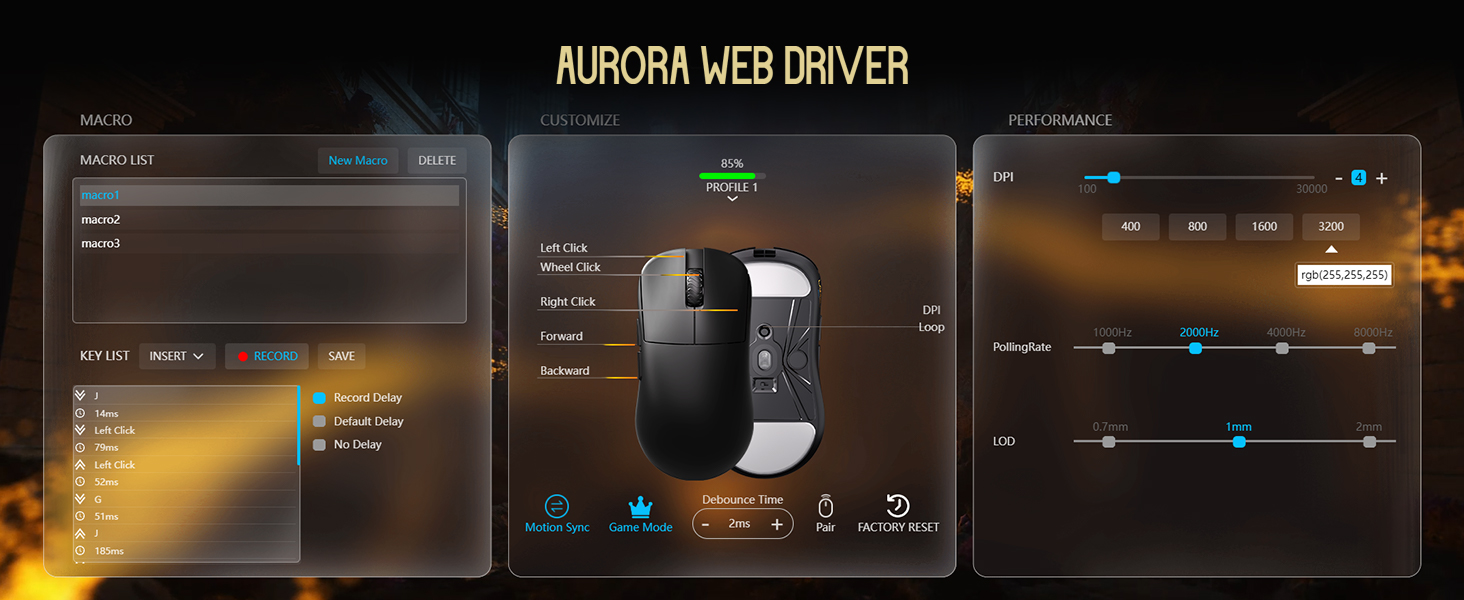
Image: Illustrations of common mouse grip methods (Palm Grip, Claw Grip, Fingertip Grip), indicating the Lamzu Inca's suitability for claw grip.
5. Wartung
5.1 Reinigung
- Reinigen Sie die Oberfläche der Maus regelmäßig mit einem weichen, trockenen Tuch.
- Bei hartnäckigen Verschmutzungen leicht dampDas Tuch mit Wasser oder einer milden Reinigungslösung befeuchten und anschließend sofort trocken wischen.
- Vermeiden Sie die Verwendung von aggressiven Chemikalien oder scheuernden Materialien, da diese die Oberfläche der Maus beschädigen können.
- Clean the sensor area on the bottom of the mouse periodically to ensure accurate tracking.
5.2 Batteriepflege
- The mouse uses a nonstandard battery (included).
- Charge the mouse using the provided USB Type-C cable.
- Um die Lebensdauer der Batterie zu verlängern, sollte eine häufige vollständige Entladung vermieden werden.
- Bewahren Sie die Maus an einem kühlen, trockenen Ort auf, wenn Sie sie längere Zeit nicht verwenden.
6. Fehlerbehebung
6.1 Maus reagiert nicht
- Überprüfen Sie die Leistung: Ensure the mouse is turned on using the switch on the bottom.
- Batterie prüfen: If in wireless mode, ensure the battery is charged. Connect the USB-C cable to charge.
- Konnektivität prüfen: For wireless, ensure the 8K dongle is securely plugged into a USB port. For wired, ensure the USB-C cable is firmly connected to both the mouse and the computer.
- Versuchen Sie einen anderen USB-Anschluss: Plug the dongle or cable into a different USB port on your computer.
- Neu koppeln (drahtlos): If connection is lost, use the LAMZU Aurora driver to re-pair the mouse with the dongle.
6.2 Sensor Stutter or Inaccurate Tracking
- Sensor reinigen: Ensure the optical sensor on the bottom of the mouse is clean and free of dust or debris.
- Oberfläche des Mauspads: Use the mouse on a clean, uniform mouse pad surface. Avoid highly reflective or uneven surfaces.
- Polling Rate/DPI Settings: Adjust polling rate and DPI settings in the Aurora driver. Sometimes very high polling rates can cause issues on older systems or with certain USB controllers.
- Firmware Update: Ensure your mouse firmware is up to date via the LAMZU Aurora driver.
6.3 Software Not Detecting Mouse
- Treiber neu installieren: Uninstall and reinstall the LAMZU Aurora driver.
- USB-Verbindung prüfen: Ensure the mouse is connected directly to the computer, not through a USB hub.
- Starte den Computer neu: A system restart can often resolve software detection issues.
- macOS Firmware: If on macOS, ensure the firmware has been updated on a Windows system as required.
7. Spezifikationen
| Besonderheit | Detail |
|---|---|
| Produktmodell | LA-INCA |
| Technische Daten | 122 × 63 × 40 mm (4.8 × 2.48 × 0.1 Zoll) |
| Artikelgewicht | 40 Gramm (1.41 Unzen) |
| Sensor-IC | PixArt PAW3950 |
| Maximale DPI | 30,000 DPI |
| MCU | Nordic 52840 |
| Abfragerate | Up to 8K (8000Hz) |
| Konnektivität | 2.4-GHz-Funkverbindung, USB-Kabelverbindung (Typ-C) |
| Schalter | Optical Switches (70 million clicks durability) |
| Encoder | TTC Gold Dustproof Encoder |
| Besondere Merkmale | Ultra-Lightweight, Symmetrical High-Hump Design |
| Batterie | 1 nicht standardmäßige Batterie (im Lieferumfang enthalten) |
| Farbe | Schwarz |

Image: Detailed diagram showing the dimensions of the Lamzu Inca mouse and a summary of its key specifications.
7.1 Component Highlights
- Pixart 3950 Sensor: High-precision optical sensor for accurate tracking.
- Nordic 52840 MCU: Advanced microcontroller for efficient performance and improved battery life.
- Optische Schalter: Provide tactile feedback, ultra-fast actuation, and enhanced durability.
- TTC Encoder: Features a five-layer dustproof structure for improved longevity and scroll wheel reliability.

Bild: Nahaufnahme view of the Pixart 3950 sensor IC, a core component for precise mouse tracking.

Bild: Nahaufnahme view of the Nordic 52840 MCU, highlighting its role in advanced mouse functionality and 8K polling rate compatibility.

Bild: Transparent view illustrating the internal mechanism of the optical switches, designed for optimized click feel and to prevent double clicks.

Bild: Nahaufnahme view of the TTC Encoder, responsible for the scroll wheel's precise and durable operation.
8. Garantie und Support
For warranty information, technical support, and frequently asked questions, please visit the official Lamzu website or contact Lamzu customer service directly. Keep your proof of purchase for warranty claims.
Hersteller: Lamzu
Datum der Erstveröffentlichung: 12. März 2025