
SYMYNELEC B0DWSC9D7M
SYMYNELEC Wireless Outdoor Security Camera User Manual
Model: B0DWSC9D7M
1. Einleitung
Thank you for choosing the SYMYNELEC Wireless Outdoor Security Camera. This manual provides comprehensive instructions for the installation, operation, and maintenance of your new security system. Please read this manual thoroughly before use to ensure proper functionality and safety.
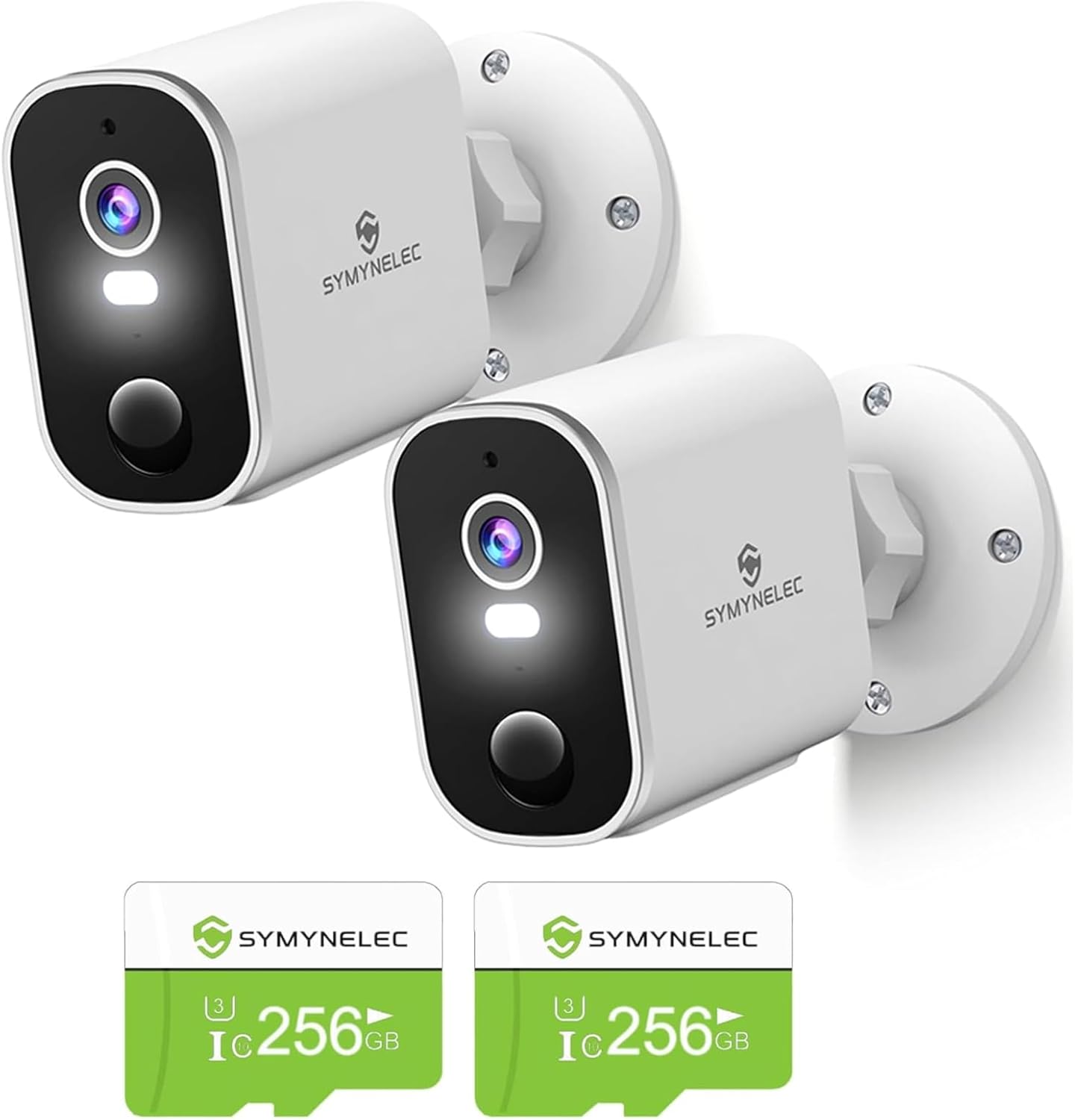
Figure 1: SYMYNELEC Wireless Outdoor Security Camera Kit with TF Cards.
2. Packungsinhalt
Überprüfen Sie, ob alle Artikel in Ihrem Paket vorhanden sind:
- SYMYNELEC Wireless Outdoor Security Camera (2 units)
- 256GB TF Card (2 units)
- Montagehalterungen und Schrauben
- USB-Ladekabel
- Benutzerhandbuch (dieses Dokument)
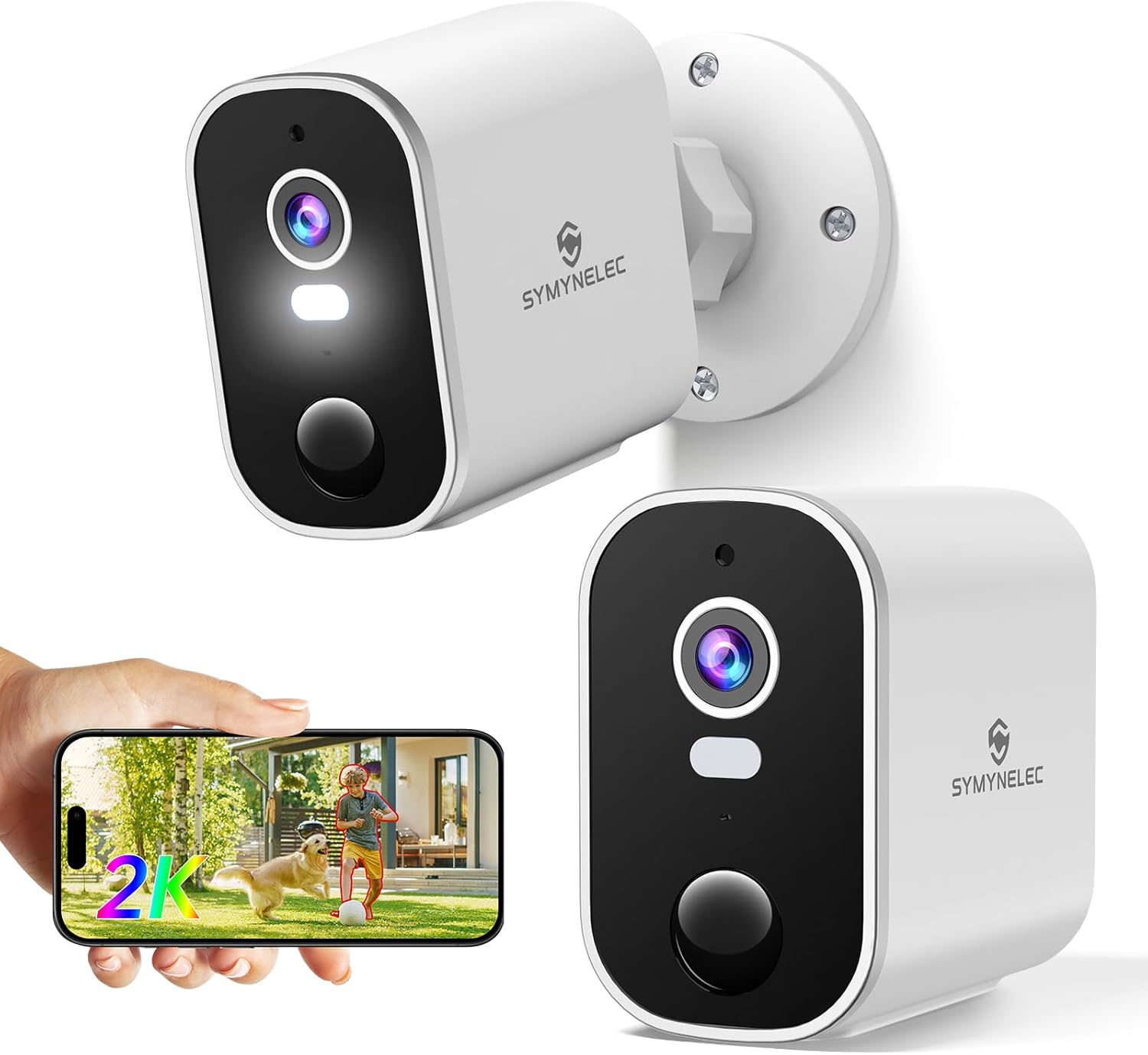
Figure 2: Individual camera unit and mobile app interface.
3. Produktmerkmale
- 2K-Ultra-HD-Auflösung: Provides sharp and clear video footage.
- Farbnachtsicht: Ensures clear visibility even in low-light conditions up to 33 ft.
- KI-Bewegungserkennung: Advanced human body filtering to minimize false alarms.
- Wiederaufladbarer 5200-mAh-Akku: Offers 1-3 months of operation per charge (usage dependent).
- 100 % kabellos und wasserdicht gemäß IP65: Easy installation and reliable outdoor performance in various weather conditions.
- Zwei-Wege-Gespräch: Eingebautes Mikrofon und Lautsprecher zur Kommunikation.
- Scheinwerfer- und Sirenenalarm: Deter intruders with integrated light and sound alarms.
- Lokaler und Cloud-Speicher: Supports up to 256GB TF card and optional cloud storage.
- Multi-User & Multi-Platform Support: View up to 16 cameras on mobile/iPad and 9 on PC, with up to 20 simultaneous users.

Figure 3: Key features of the SYMYNELEC camera.
4. Installationsanleitung
4.1 Aufladen der Kamera
Before first use, fully charge the camera battery. Connect the provided USB charging cable to the camera's charging port and a 5V power adapter (not included). The charging indicator light will show the charging status.
4.2 App-Installation und Kontoerstellung
- Download the "Symynelec" app from your device's app store (iOS or Android).
- Öffne die App und erstelle ein neues Konto oder melde dich an, falls du bereits eines hast.
4.3 Die Kamera mit WLAN verbinden
Ensure your Wi-Fi network is 2.4GHz. 5GHz Wi-Fi is not supported.
- In the Symynelec app, tap the "+" icon to add a new device.
- Folgen Sie den Anweisungen auf dem Bildschirm, um Ihr Kameramodell auszuwählen.
- Power on the camera. The camera will enter pairing mode (indicated by a flashing LED).
- Enter your 2.4GHz Wi-Fi network name (SSID) and password in the app.
- The app will generate a QR code. Hold your camera approximately 6-8 inches (15-20 cm) in front of your phone screen until you hear a confirmation sound from the camera.
- Once connected, the camera's LED will turn solid blue, and you will see the camera added to your app.
4.4 Montage der Kamera
Wählen Sie einen geeigneten Montageort, der eine gute WLAN-Signalstärke und freie Sicht gewährleistet. view. The camera is IP65 waterproof for outdoor use.
- Markieren Sie die Bohrpunkte, indem Sie die Montagehalterung als Schablone verwenden.
- Bohren Sie Löcher und setzen Sie bei Bedarf Dübel ein.
- Befestigen Sie die Montagehalterung mit den mitgelieferten Schrauben an der Wand.
- Attach the camera to the mounting bracket and adjust the angle as desired.

Figure 4: Camera's IP65 waterproof and weather resistance.
5. Bedienungsanleitung
5.1 Live View und Wiedergabe
- Open the Symynelec app and select the camera you wish to view.
- Tap on the live feed to access real-time video.
- Zu view aufgenommenes footage, navigate to the "Playback" or "History" section within the app.
5.2 Bewegungserkennung und Benachrichtigungen
The camera features AI human motion detection to reduce false alarms.
- In the app settings for your camera, enable "Human Body Filtering" under motion detection settings.
- Passen Sie die Empfindlichkeitseinstellungen nach Bedarf an.
- Configure notification preferences to receive alerts on your mobile device when motion is detected.

Figure 5: PIR Motion Detection and app interface for alerts.

Figure 6: AI Human Motion Detection capabilities.
5.3 Zwei-Wege-Kommunikation
Um die Zwei-Wege-Gesprächsfunktion zu nutzen, tippen Sie auf das Mikrofonsymbol im Live-Chat. view interface of the app. Speak into your phone, and your voice will be transmitted through the camera's speaker. Release the icon to listen.
5.4 Spotlight and Siren Alarm
These features can be activated manually from the app's live view or configured to trigger automatically upon motion detection.
- Scheinwerfer: Sorgt für Beleuchtung bei Farbnachtsicht und wirkt abschreckend.
- Sirenenalarm: Emits a loud sound to scare away intruders.

Figure 7: Day and Color Night Vision capabilities.
5.5 Multi-User and Multi-Platform Access
Die Symynelec-App unterstützt viewing up to 16 cameras on mobile devices (phones/iPads) and 9 cameras on PC simultaneously. Up to 20 users can view live feeds concurrently.

Figure 8: Multi-User and Multi-Platform Support.
6. Wartung
- Reinigung: Reinigen Sie Objektiv und Gehäuse der Kamera regelmäßig mit einem weichen, fusselfreien Tuch.amp Mit einem Tuch Staub und Schmutz entfernen. Keine scharfen Chemikalien verwenden.
- Batteriemanagement: Monitor battery levels via the app. Recharge the camera promptly when low battery notifications are received.
- Firmware-Updates: Check the Symynelec app regularly for firmware updates to ensure optimal performance and security.
- TF-Kartenverwaltung: If using a TF card, ensure it is properly inserted. Format the TF card periodically through the app to maintain recording efficiency.
7. Fehlerbehebung
| Problem | Mögliche Ursache | Lösung |
|---|---|---|
| Die Kamera verbindet sich nicht mit dem WLAN. | Falsches WLAN-Passwort; 5-GHz-WLAN-Netzwerk; Kamera zu weit vom Router entfernt. | Ensure correct 2.4GHz Wi-Fi password. Move camera closer to router. Restart camera and router. |
| Schlechte Videoqualität. | Schwaches WLAN-Signal; verschmutzte Linse. | Verbessern Sie die WLAN-Signalstärke. Reinigen Sie die Kameralinse. |
| Häufige Fehlalarme. | Motion detection sensitivity too high; environmental factors (e.g., trees, pets). | Enable "Human Body Filtering" in app settings. Adjust motion detection sensitivity. |
| Der Akku entlädt sich schnell. | Frequent motion detection; live view Verwendungszweck: kaltes Wetter. | Bewegungserkennungsempfindlichkeit reduzieren. Live-Speicherung begrenzen view time. Ensure camera is fully charged. |
8. Spezifikationen
- Auflösung: 2K Ultra HD
- Fachgebiet View: 100° Weitwinkelobjektiv
- Nachtsicht: IR Night Vision, Color Night Vision (up to 33 ft)
- Batterie: 5200mAh wiederaufladbar
- W-lan: 2.4 GHz (IEEE 802.11b/g/n)
- Lagerung: Up to 256GB TF Card (included), Cloud Storage (optional)
- Wetterbeständigkeit: IP65 Wasserdicht
- Betriebstemperatur: -10 °C bis 55 °C (14 °F bis 131 °F)
- Modell: B0DWSC9D7M
9. Garantie und Kundendienst
SYMYNELEC provides a one-year replacement warranty for this product. For technical assistance, installation queries, or any other support needs, please contact our 24/7 customer support team.
Kundenunterstützung E-Mail: support@symynelec.com
WebWebsite: Visit the SYMYNELEC Store on Amazon