
1. Einleitung
Vielen Dank für Ihren Einkauf.asing the AGPTEK A02XT MP3 Player. This device is designed to provide a high-quality audio experience with its HIFI lossless sound and Bluetooth 5.3 connectivity. It features a compact design, button operation, and various functions including FM radio, voice recording, and a pedometer. This manual will guide you through the setup, operation, and maintenance of your new MP3 player.

Figure 1.1: AGPTEK A02XT MP3 Player with accessories.
2. Produktüberschreitungview
2.1 Packungsinhalt
- AGPTEK A02XT MP3 Player (1)
- USB-C-Ladekabel (1)
- Benutzerhandbuch (1)
- Earphones (1 pair) - May vary by region/package

Figure 2.1: Contents of the AGPTEK A02XT package.
2.2 Geräteaufbau und Bedienelemente
Familiarize yourself with the buttons and ports on your A02XT MP3 player.

Abbildung 2.2: Vorderseite view of the A02XT MP3 Player.
- Bildschirm: Displays menus, music information, and settings.
- M-Taste: Menu/Back button. Long press to lock/unlock the screen.
- Wiedergabe-/Pause-Taste: Startet oder pausiert die Wiedergabe.
- Vorherige/Nächste Schaltflächen: Navigates through tracks or menu options.
- VOL-Taste: Lautstärkeregelung.
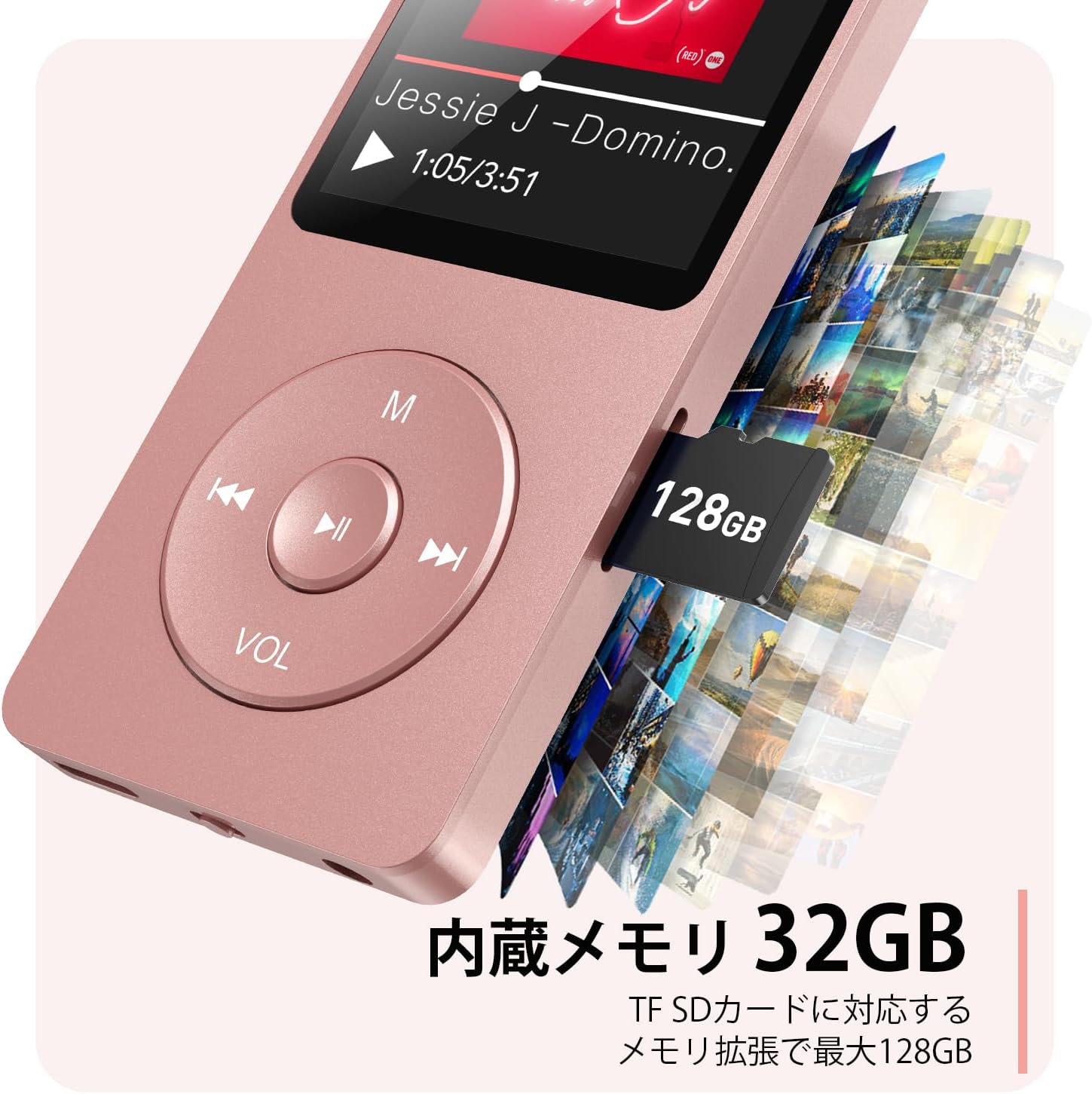
Abbildung 2.3: Seite view with microSD card slot.
- USB-C-Anschluss: Zum Aufladen und zur Datenübertragung.
- 3.5mm Kopfhörerbuchse: Für kabelgebundene Audioausgabe.
- MicroSD-Kartensteckplatz: Für erweiterbaren Speicher bis zu 64 GB.
3. Einrichtung
3.1 Aufladen des Geräts
Before first use, fully charge the MP3 player. Connect the provided USB-C cable to the player's USB-C port and the other end to a USB power adapter (not included) or a computer's USB port. The screen will indicate charging status. A full charge takes approximately 2 hours and provides up to 40 hours of music playback.

Figure 3.1: MP3 Player charging indication.
3.2 Einlegen einer microSD-Karte
The player has 32GB of internal storage. To expand storage, insert a microSD card (up to 64GB, not included) into the microSD card slot until it clicks into place. Ensure the card is inserted correctly to avoid damage.
3.3 Musikübertragung Files
- Verbinden Sie den MP3-Player mit Ihrem Computer über das USB-C-Kabel.
- Der Player wird auf Ihrem Computer als Wechseldatenträger angezeigt.
- Ziehen Sie Ihre Musik per Drag-and-Drop files (MP3, WMA, OGG, WAV, APE, FLAC, AAC, ACELP) into the 'Music' folder on the player or microSD card.
- Trennen Sie das Gerät sicher vom Computer, bevor Sie das Kabel abziehen.
4. Bedienungsanleitung
4.1 Ein-/Ausschalten
- Einschalten: Long press the Power button (usually on the side or top edge) until the screen lights up.
- Ausschalten: Long press the Power button until the 'Power Off' option appears, then select it.
4.2 Grundlegende Navigation
Use the navigation buttons (Previous, Next, Play/Pause, M) to move through menus and select options. The Play/Pause button often acts as a 'Confirm' button in menus.

Figure 4.1: Main menu interface with various functions.
4.3 Musikwiedergabe
- Im Hauptmenü wählen Sie „Musik“.
- Browse by Artist, Album, Songs, Playlists, etc.
- Wählen Sie einen Song aus, um die Wiedergabe zu starten.
- Use the Previous/Next buttons to skip tracks, and Play/Pause to control playback.
- Adjust volume using the VOL button.
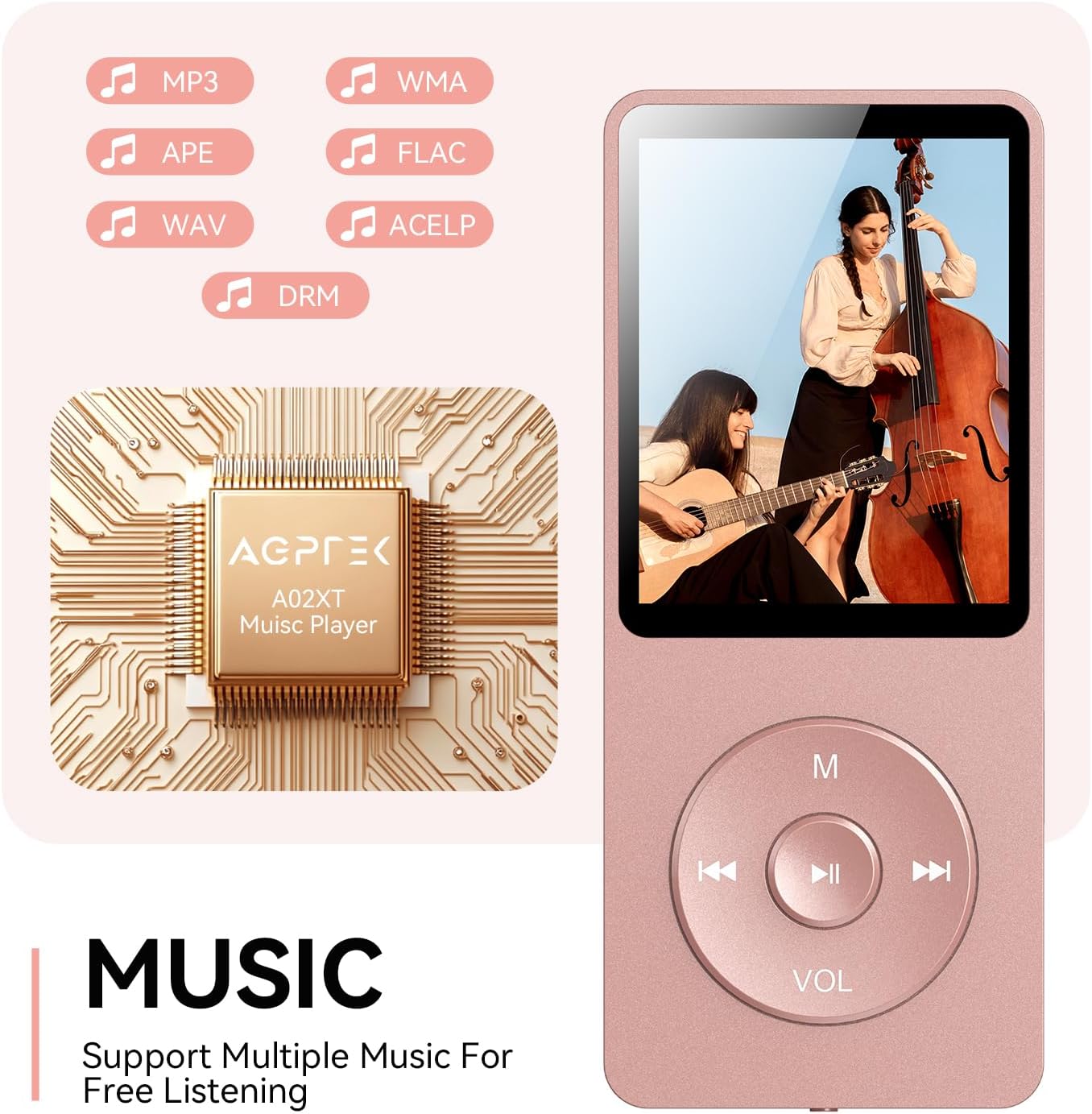
Figure 4.2: Music playback screen and supported formats.
4.4 Bluetooth-Verbindung
The A02XT supports Bluetooth 5.3 for wireless audio output to headphones or speakers.
- Wählen Sie im Hauptmenü „Bluetooth“.
- Turn on Bluetooth on the player.
- Stellen Sie sicher, dass sich Ihre Bluetooth-Kopfhörer/Ihr Bluetooth-Lautsprecher im Kopplungsmodus befinden.
- The player will search for nearby devices. Select your device from the list to pair.
4.5 UKW-Radio
- Schließen Sie kabelgebundene Kopfhörer an die 3.5-mm-Klinkenbuchse an; diese dienen als Antenne.
- Wählen Sie im Hauptmenü „FM-Radio“.
- Nutzen Sie die Navigationstasten, um nach Sendern zu suchen oder manuell einzustellen.
4.6 Sprachaufzeichnung
- Wählen Sie im Hauptmenü die Option „Aufnahme“.
- Wählen Sie „Sprachaufnahme starten“, um zu beginnen.
- Press Play/Pause to stop and save the recording.
4.7 Bildschirmsperre
To prevent accidental button presses, long press the 'M' button to lock the screen. Repeat the action to unlock.
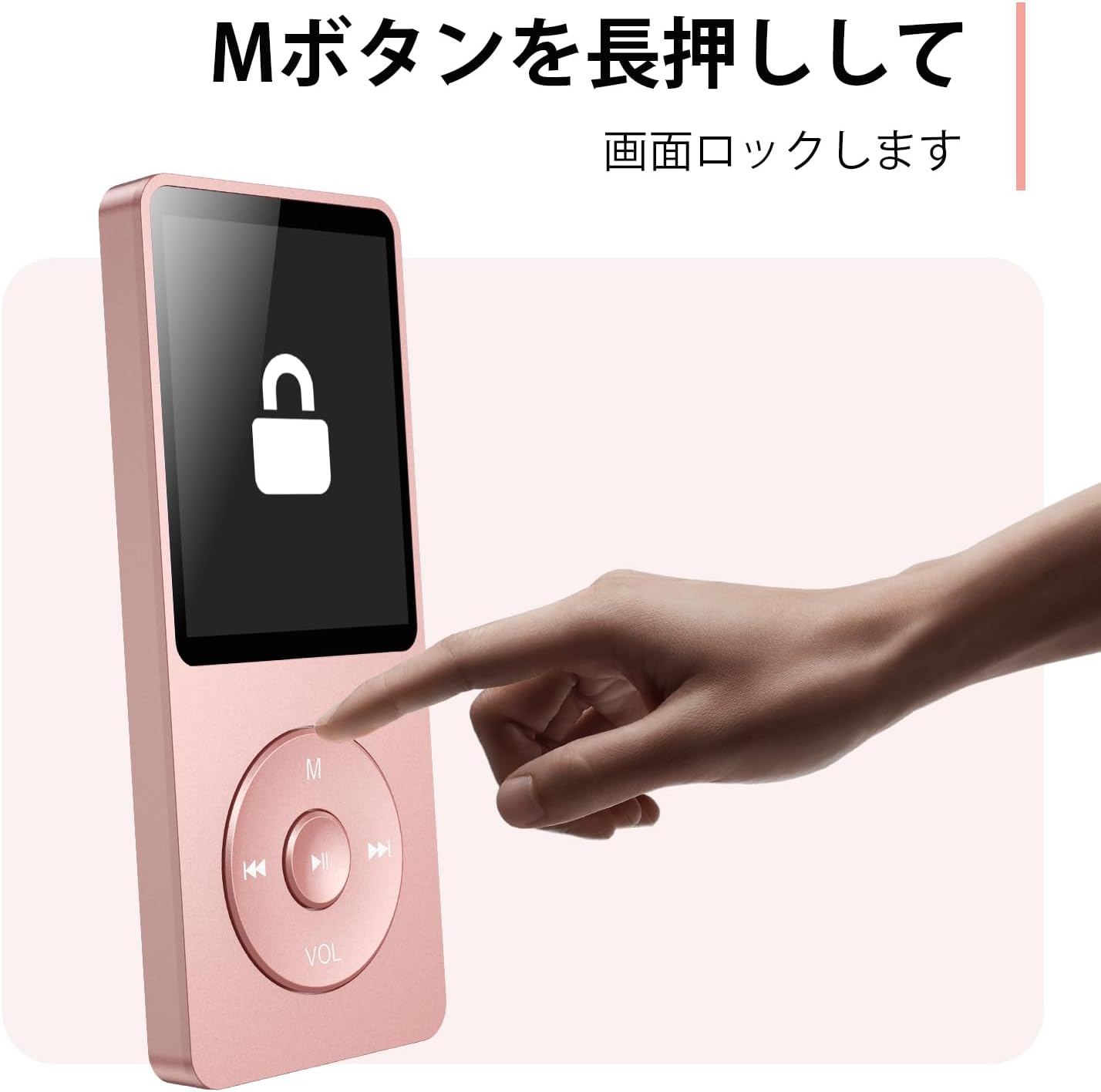
Figure 4.3: Screen lock function using the M button.
5. Wartung
5.1 Reinigung
- Wischen Sie das Gerät mit einem weichen, trockenen Tuch ab.
- Verwenden Sie keine flüssigen Reinigungs- oder Lösungsmittel.
5.2 Speicherung
- Bewahren Sie den Player an einem kühlen, trockenen Ort fern von direkter Sonneneinstrahlung und extremen Temperaturen auf.
- Lassen Sie das Gerät nicht fallen und setzen Sie es keinen starken Stößen aus.
5.3 Batteriepflege
- Um die Batterieleistung zu erhalten, laden Sie sie regelmäßig auf, auch wenn sie nicht verwendet wird.
- Vermeiden Sie es, den Akku häufig vollständig zu entladen.
6. Fehlerbehebung
6.1 Gerät schaltet sich nicht ein
- Stellen Sie sicher, dass der Akku geladen ist. Schließen Sie das Gerät an eine Stromquelle an und versuchen Sie es erneut.
- Führen Sie einen Hard-Reset durch, indem Sie den Netzschalter 10-15 Sekunden lang gedrückt halten.
6.2 Kann nicht übertragen werden Files
- Check the USB-C cable connection. Try a different cable or USB port.
- Ensure the device is properly recognized by your computer.
- Überprüfen Sie, ob die file Das Format wird vom Player unterstützt.
6.3 Probleme beim Bluetooth-Pairing
- Ensure both the player and the Bluetooth device are in pairing mode and within range.
- Schalten Sie Bluetooth auf beiden Geräten aus und wieder ein.
- Löschen Sie die vorherigen Kopplungen und versuchen Sie es erneut.
6.4 Kein Ton
- Überprüfen Sie die Lautstärke.
- Ensure headphones are properly connected or Bluetooth device is paired.
- Test with different headphones or Bluetooth device.
7. Spezifikationen
| Marke | AGPTEK |
| Modellname | A02XT |
| Speicherkapazität | 32 GB (expandable up to 64 GB via microSD card) |
| Farbe | Rosa |
| Bildschirmgröße | 8.9 Zentimeter (ca. 3.5 Zoll) |
| Medientyp | Micro SD Karte |
| Display-Technologie | LCD |
| Unterstützte Audioformate | MP3, WMA, OGG, WAV, APE, FLAC, AAC, ACELP |
| Akkulaufzeit | Bis zu 40 Stunden |
| Artikelgewicht | 130 Gramm |
8. Garantie und Support
8.1 Garantieinformationen
This AGPTEK A02XT MP3 Player comes with a 1 Jahr Garantie Diese Garantie gilt ab Kaufdatum und deckt Herstellungsfehler und Funktionsstörungen bei normalem Gebrauch ab. Sie deckt keine Schäden ab, die durch Missbrauch, Unfälle, unbefugte Änderungen oder normale Abnutzung verursacht wurden.
8.2 Kundendienst
If you encounter any issues or have questions regarding your AGPTEK A02XT MP3 Player, please refer to the troubleshooting section of this manual first. If the problem persists, contact AGPTEK customer support through the official website or your retailer's support channels. Please have your purchase receipt and product model number (A02XT) ready when contacting support.