
Einführung
Thank you for choosing the QXQ J55 Wireless Earbuds. This manual provides detailed instructions on how to set up, operate, and maintain your earbuds to ensure optimal performance and longevity. Please read this manual thoroughly before use.
Packungsinhalt
- 2 x kabellose Ohrhörer
- 1 x Ladekoffer
- 1 x Typ-C Ladekabel
- 1 x Benutzerhandbuch
Produkt überview
The QXQ J55 Wireless Earbuds feature Bluetooth 5.4 technology, Environmental Noise Cancelling (ENC) microphones, and a compact design for comfortable use. The charging case includes an LED display to show battery status.

Image: QXQ J55 Wireless Earbuds securely placed in their charging case, which features a digital LED display indicating a 100% charge level. The earbuds themselves show a blue light, suggesting they are charging or fully charged.
Aufstellen
1. Aufladen der Ohrhörer und des Ladecase
Vor der ersten Benutzung sicherstellen, dass sowohl die Ohrhörer als auch das Ladecase vollständig aufgeladen sind.
- Aufladen des Gehäuses: Connect the provided Type-C charging cable to the charging port on the case and to a USB power source. The LED display on the case will show the current battery percentage.
- Aufladen der Ohrhörer: Place the earbuds into the charging slots inside the case. They will automatically begin charging. The LED display will show individual battery levels for each earbud (L and R) and the case's battery status.
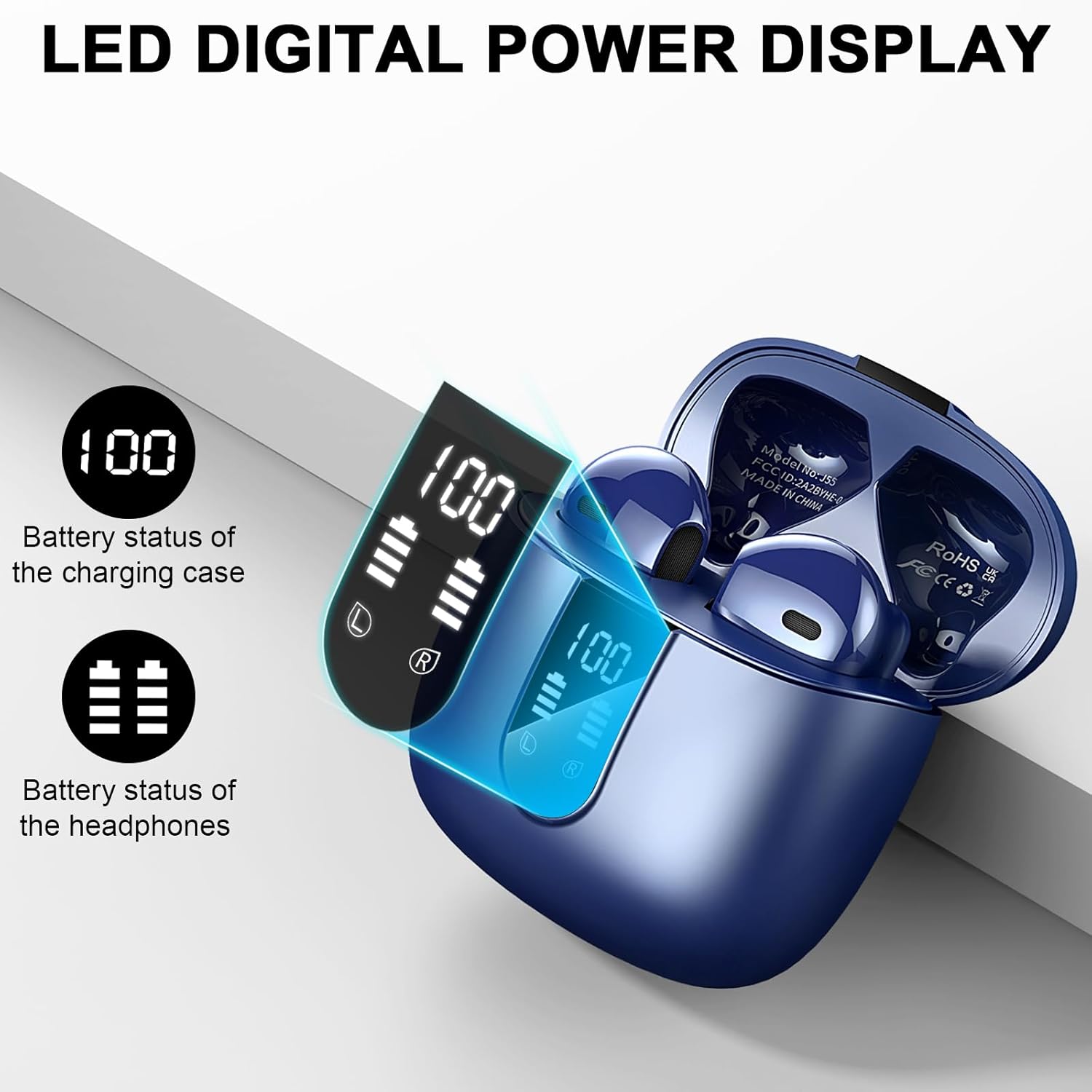
Image: Close-up of the QXQ J55 charging case's LED digital display, clearly showing the battery percentage for the charging case (100) and separate battery indicators for the left (L) and right (R) earbuds.
A full charge provides approximately 8 hours of playback for the earbuds, with the charging case extending total playtime up to 40 hours.

Image: An infographic illustrating the QXQ J55 earbuds' battery life, highlighting 8 hours of playback from a single charge and an additional 32 hours provided by the charging case, totaling 40 hours of use.
2. Koppeln mit Ihrem Gerät
The QXQ J55 earbuds utilize Bluetooth 5.4 for a stable and efficient connection.
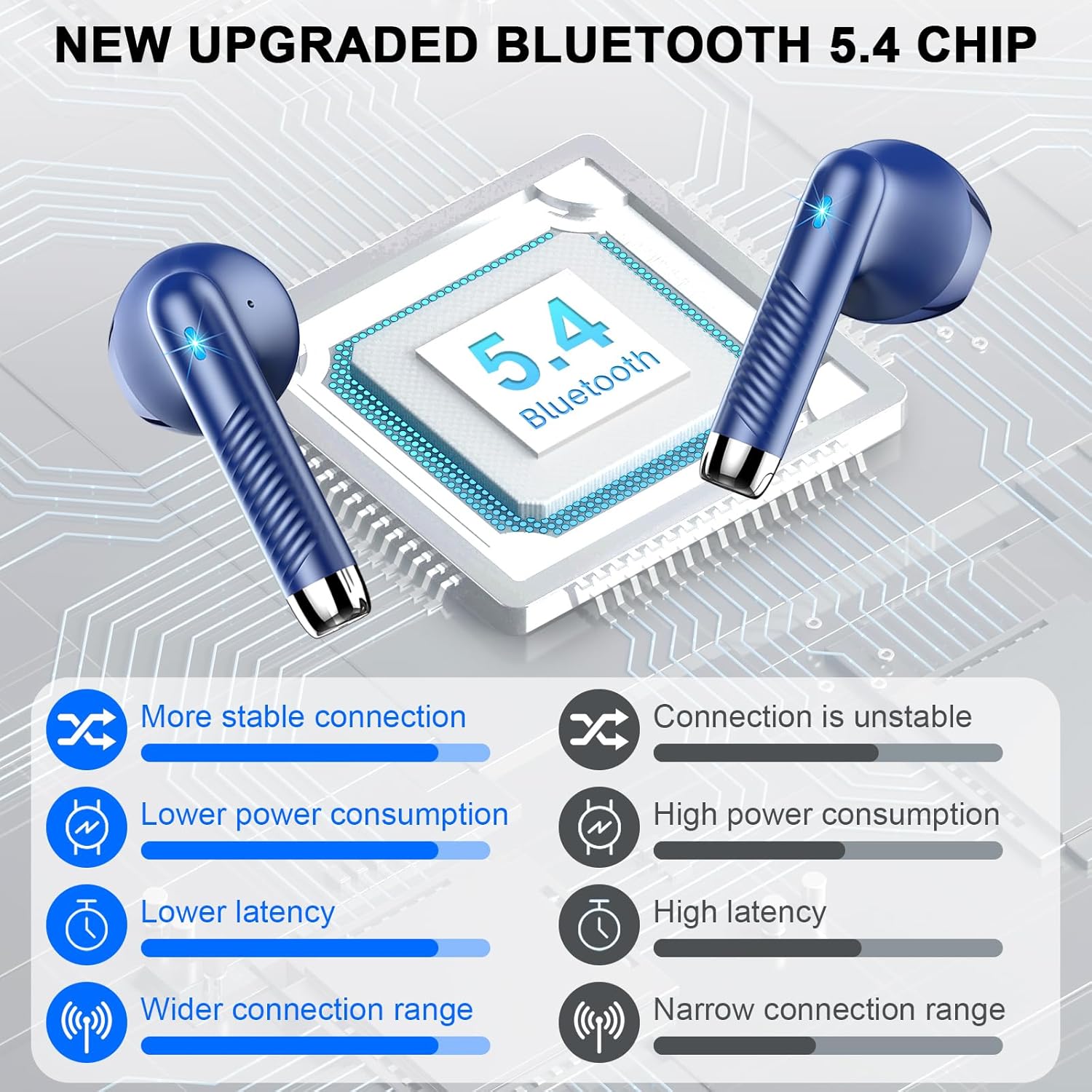
Image: A visual representation of the benefits of the new upgraded Bluetooth 5.4 chip in the QXQ J55 earbuds, showing improvements in connection stability, power consumption, latency, and connection range compared to older versions.
- Erstmalige Kopplung:
- Öffnen Sie das Ladecase. Die Ohrhörer schalten sich automatisch ein und wechseln in den Kopplungsmodus.
- Aktivieren Sie auf Ihrem Gerät (Smartphone, Tablet, Computer) Bluetooth und suchen Sie nach verfügbaren Geräten.
- Select "J55" from the list of found devices.
- Sobald die Verbindung hergestellt ist, hören Sie einen Bestätigungston, und die Ohrhörer sind einsatzbereit.
- Automatische Wiederverbindung: Nach der ersten Kopplung verbinden sich die Ohrhörer beim Herausnehmen aus dem Ladecase automatisch mit dem zuletzt gekoppelten Gerät, vorausgesetzt, Bluetooth ist auf dem Gerät aktiviert.

Image: A graphic demonstrating the one-step pairing process for the QXQ J55 earbuds. It shows the earbuds being taken out of their case, and a smartphone screen displaying "J55" as a discoverable Bluetooth device, ready for connection.
Bedienungsanleitung
1. Tragen der Ohrhörer
The QXQ J55 earbuds are designed for comfort and a secure fit. Gently insert each earbud into your ear canal and rotate slightly until it feels snug and comfortable. The ergonomic design ensures they stay in place during various activities.

Image: A person wearing the QXQ J55 earbuds, illustrating their comfortable and lightweight design. Text overlays emphasize "ULTRA-LIGHT AND COMFORTABLE" and "Ergonomic design," with a graphic showing an earbud fitting into an ear.
2. Tippen Sie auf Steuerung
Die Ohrhörer verfügen über intuitive Touch-Bedienelemente an ihrer Außenseite. Die folgenden Tabellen zeigen die gängigen Funktionen:
| Funktion | Aktion |
|---|---|
| Musik abspielen/pausieren | Tippen Sie einmal auf einen der Ohrhörer |
| Nächstes Lied | Doppeltippen Sie auf den rechten Ohrhörer |
| Vorheriges Lied | Doppeltippen Sie auf den linken Ohrhörer |
| Anruf annehmen/beenden | Tippen Sie einmal auf einen der Ohrhörer |
| Anruf ablehnen | Drücken Sie lange auf einen der Ohrhörer |
| Sprachassistent aktivieren (Siri/Google Assistant) | Dreimaliges Tippen auf einen der Ohrhörer |
| Lautstärke erhöhen | Den rechten Ohrhörer lange drücken |
| Lautstärke verringern | Linken Ohrhörer lange drücken |
3. Environmental Noise Cancelling (ENC)
The QXQ J55 earbuds are equipped with ENC microphones, which effectively reduce ambient noise during calls. This ensures your voice is transmitted clearly, even in noisy environments.

Image: A visual representation of the ENC Noise Cancelling technology in action. A person is shown wearing an earbud, with sound waves indicating environmental noise being blocked, ensuring clear communication during calls.
4. Wasserdichtigkeitsklasse IP7
The earbuds have an IP7 waterproof rating, making them resistant to sweat, rain, and dust. This allows for worry-free use during workouts or in light rain conditions. Notiz: Das Ladeetui ist nicht wasserdicht.
Wartung
- Reinigung: Reinigen Sie die Ohrhörer und das Ladecase regelmäßig mit einem weichen, trockenen und fusselfreien Tuch. Vermeiden Sie die Verwendung von Scheuermitteln oder aggressiven Chemikalien.
- Lagerung: Bewahren Sie die Ohrhörer bei Nichtgebrauch im Ladecase auf, um sie vor Staub und Beschädigungen zu schützen. Lagern Sie das Case an einem kühlen, trockenen Ort.
- Batteriepflege: Um die Akkulaufzeit zu verlängern, sollten Sie die Ohrhörer und das Ladecase nicht häufig vollständig entladen. Laden Sie sie regelmäßig auf, auch wenn Sie sie nicht ständig benutzen.
- Vermeiden Sie extreme Temperaturen: Do not expose the earbuds or charging case to extreme temperatures (hot or cold), as this can damage the battery and internal components.
Fehlerbehebung
If you encounter any issues with your QXQ J55 Wireless Earbuds, please refer to the following common solutions:
- Ohrhörer lassen sich nicht koppeln:
- Stellen Sie sicher, dass beide Ohrhörer aufgeladen sind.
- Schalten Sie Bluetooth auf Ihrem Gerät aus und anschließend wieder ein.
- Delete "J55" from your device's Bluetooth list and attempt to re-pair.
- Legen Sie die Ohrhörer zurück in das Ladecase, schließen Sie den Deckel, warten Sie einige Sekunden und öffnen Sie ihn dann, um den Kopplungsmodus erneut zu aktivieren.
- Nur ein Ohrhörer funktioniert:
- Stellen Sie sicher, dass beide Ohrhörer aufgeladen sind.
- Legen Sie beide Ohrhörer zurück in das Ladecase, schließen Sie den Deckel und nehmen Sie sie dann gleichzeitig wieder heraus.
- Try resetting the earbuds (refer to the "Resetting Earbuds" section if available in the full manual, otherwise, this is a general tip).
- Ohrhörer laden nicht:
- Stellen Sie sicher, dass das Ladekabel sowohl mit dem Gehäuse als auch mit der Stromquelle fest verbunden ist.
- Check if the charging case has power (LED display should be active).
- Reinigen Sie die Ladekontakte sowohl an den Ohrhörern als auch im Inneren des Ladecase mit einem trockenen Wattestäbchen.
- Schlechte Tonqualität:
- Stellen Sie sicher, dass die Ohrhörer richtig in Ihren Ohren sitzen.
- Entfernen Sie jeglichen Schmutz vom Lautsprechergitter des Ohrhörers.
- Um Störungen zu vermeiden, gehen Sie näher an Ihr angeschlossenes Gerät heran.
Technische Daten
| Besonderheit | Detail |
|---|---|
| Modellname | J55 |
| Marke | QXQ |
| Konnektivitätstechnologie | Kabellos (Bluetooth 5.4) |
| Bluetooth-Version | 5.4 |
| Bluetooth-Reichweite | Bis zu 15 Meter |
| Lärmschutz | Umgebungsgeräuschunterdrückung (ENC) |
| Wasserbeständigkeit | IP7 Wasserdicht (nur Ohrhörer) |
| Akkulaufzeit (Ohrhörer) | Bis zu 8 Stunden pro Ladung |
| Gesamtspielzeit (mit Ladeetui) | Bis zu 40 Stunden |
| Ladeanschluss | Typ C |
| Kontrollmethode | Berühren |
| Platzierung des Ohrs | Im Ohr |
| Artikelgewicht | 0.09 Kilogramm (ca. 3.2 Unzen) |
| Technische Daten | 1.18 x 0.79 x 1.18 Zoll |
| Im Lieferumfang enthaltene Komponenten | Kabellose Ohrhörer (x2), Ladecase (x1), USB-C-Ladekabel (x1), Bedienungsanleitung (x1) |
Garantie und Support
For warranty information or technical support, please refer to the contact details provided on the product packaging or the official QXQ webBewahren Sie Ihren Kaufbeleg als Kaufnachweis für Garantieansprüche auf.