
Einführung
This manual provides instructions for the safe and effective operation of your CIGMAN CT-800Y Golf Laser Rangefinder. Please read this manual thoroughly before using the device to ensure proper functionality and to prevent damage. Keep this manual for future reference.
The CIGMAN CT-800Y is a laser rangefinder designed for golf and hunting, offering precise distance measurements, slope compensation, and multiple measurement modes.
Sicherheitshinweise
- Lasersicherheit: This device uses an invisible Class 1 laser. Do not stare directly into the laser beam or point it at others. Direct eye exposure to the laser beam may cause eye damage.
- Do not disassemble, repair, or modify the device. Unauthorized modifications may cause damage and void the warranty.
- Halten Sie das Gerät von Wasser und Feuchtigkeit fern.
- Bewahren Sie das Gerät bei Nichtgebrauch an einem kühlen, trockenen Ort auf.
- Außerhalb der Reichweite von Kindern aufbewahren.
Packungsinhalt
Prüfen Sie nach dem Öffnen der Verpackung, ob alle folgenden Artikel enthalten sind:
- 1x CIGMAN CT-800Y Laser Rangefinder
- 1x Hartschalenkoffer
- 1x USB charging cable (Type-C)
- 1x Magnetic rangefinder mount strap
- 1x Tragegurt
- 1x Reinigungstuch
- 1x Benutzerhandbuch (dieses Dokument)
Produkt überview
Familiarize yourself with the components of your CIGMAN CT-800Y Laser Rangefinder.

Bild: Vorne und oben view of the CIGMAN CT-800Y Laser Rangefinder with key components labeled. Labels include Eyepiece, Power/Measure button, Adjustable Focus, Dustproof Charging Port, and an indication of 6X Magnification and One Button Switching Five Modes.
- Okular: Für viewing the target and display.
- Ein-/Aus-/Messtaste: Das Gerät wird eingeschaltet und die Messungen werden gestartet.
- Modus-Taste: Switches between different measurement modes.
- Einstellbarer Fokus: Rotates to adjust the focus for a clear view.
- Dustproof Charging Port (Type-C): Zum Aufladen des internen Akkus.
- Neigungsschalter: A physical switch to enable or disable slope compensation.
- Magnethalterung: Integrated magnet for attaching to metal surfaces like a golf cart frame.
Einrichten und Aufladen
Laden des Akkus
The rangefinder is equipped with a built-in 750mAh rechargeable Li-ion battery. Before first use, fully charge the device.
- Locate the Type-C charging port, usually protected by a dustproof cover.
- Connect the provided USB charging cable to the rangefinder's Type-C port.
- Verbinden Sie das andere Ende des USB-Kabels mit einem Standard-USB-Netzteil (nicht im Lieferumfang enthalten) oder einem USB-Anschluss Ihres Computers.
- The charging indicator will show the charging status. A full charge typically takes about 3 hours and provides up to 30,000 uses.

Bild: The CIGMAN CT-800Y rangefinder connected to a USB-C charging cable, illustrating the charging process. The display shows "750mAh" and "30000 times" indicating battery capacity and usage cycles.
Attaching the Lanyard and Magnetic Strap
- Attach the lanyard to the designated loop on the rangefinder to prevent accidental drops.
- The magnetic mount strap can be used to secure the rangefinder to metal surfaces, such as a golf cart frame, for easy access and secure storage during play.
Bedienungsanleitung
Powering On and Adjusting Focus
- Drücken Sie die Leistung/Messung button once to power on the device. The display will activate.
- Look through the eyepiece. If the display or target appears blurry, rotate the Einstellbarer Fokus ring until the image is clear.
Messmodi
The rangefinder features five measurement modes, switchable using the Modus Taste.

Bild: A visual representation of the essential features including Slope Compensation, Flagpole Locking, Speed Measurement, Fast Readout, Type-C Rechargeable, 6X Magnification, Vibration Alert, and LCD Display.
- Straight Distance Mode: Measures the direct line-of-sight distance to a target. Press the Leistung/Messung button once to activate the laser and measure.
- Flagpole Mode (Pin-Lock): Designed for easily locking onto a flagpole.
- In this mode, press and hold the Leistung/Messung button while slowly scanning across the flagpole. The device will vibrate twice when the flagpole is locked, displaying the distance.

Bild: A user operating the rangefinder to lock onto a flagpole. The display shows the target reticle and distance. The device vibrates to confirm flagpole lock.
- Golf Slope Compensation Mode: Provides an adjusted distance reading that accounts for elevation changes (uphill/downhill).
- Activate or deactivate slope compensation using the physical Neigungsschalter on the side of the device. When enabled, the compensated distance will be displayed alongside the actual distance.
- Notiz: For tournament play, ensure the slope compensation feature is turned OFF.

Bild: Illustration of slope compensation for uphill and downhill shots, showing how the rangefinder calculates adjusted distances. The physical slope switch on the device is also highlighted.
- Vertical and Horizontal Distance Mode: Measures the vertical height and horizontal distance to a target.
- Geschwindigkeitsmessmodus: Measures the speed of a moving target. Aim at the moving target and press the Leistung/Messung Taste.

Bild: A person using the CIGMAN CT-800Y rangefinder on a golf course, highlighting its high precision shooting capabilities with a range of 5-850 yards, 7-degree field angle, and +/- 1 yard accuracy, along with 6X magnification.

Bild: Ein Overhead view of a golf course with the rangefinder's display superimposed, showing a measurement of 503.6 yards. The image indicates a measuring range of 3-850 yards/meters.
Technische Daten
| Besonderheit | Spezifikation |
|---|---|
| Modellnummer | CT-800Y |
| Messbereich | 3-850 Meter |
| Genauigkeit | ±1 Meter |
| Vergrößerung | 6X |
| Anzeige | LCD |
| Akku-Typ | 750 mAh wiederaufladbarer Lithium-Ionen-Akku |
| Ladeanschluss | Typ C |
| Maße | 9.2L x 7B x 3.5H cm (3.62"L x 2.76"B x 1.38"H) |
| Gewicht | 152 Gramm |
| Material | Plastik |
| Wasserbeständigkeit | Wasserfest |
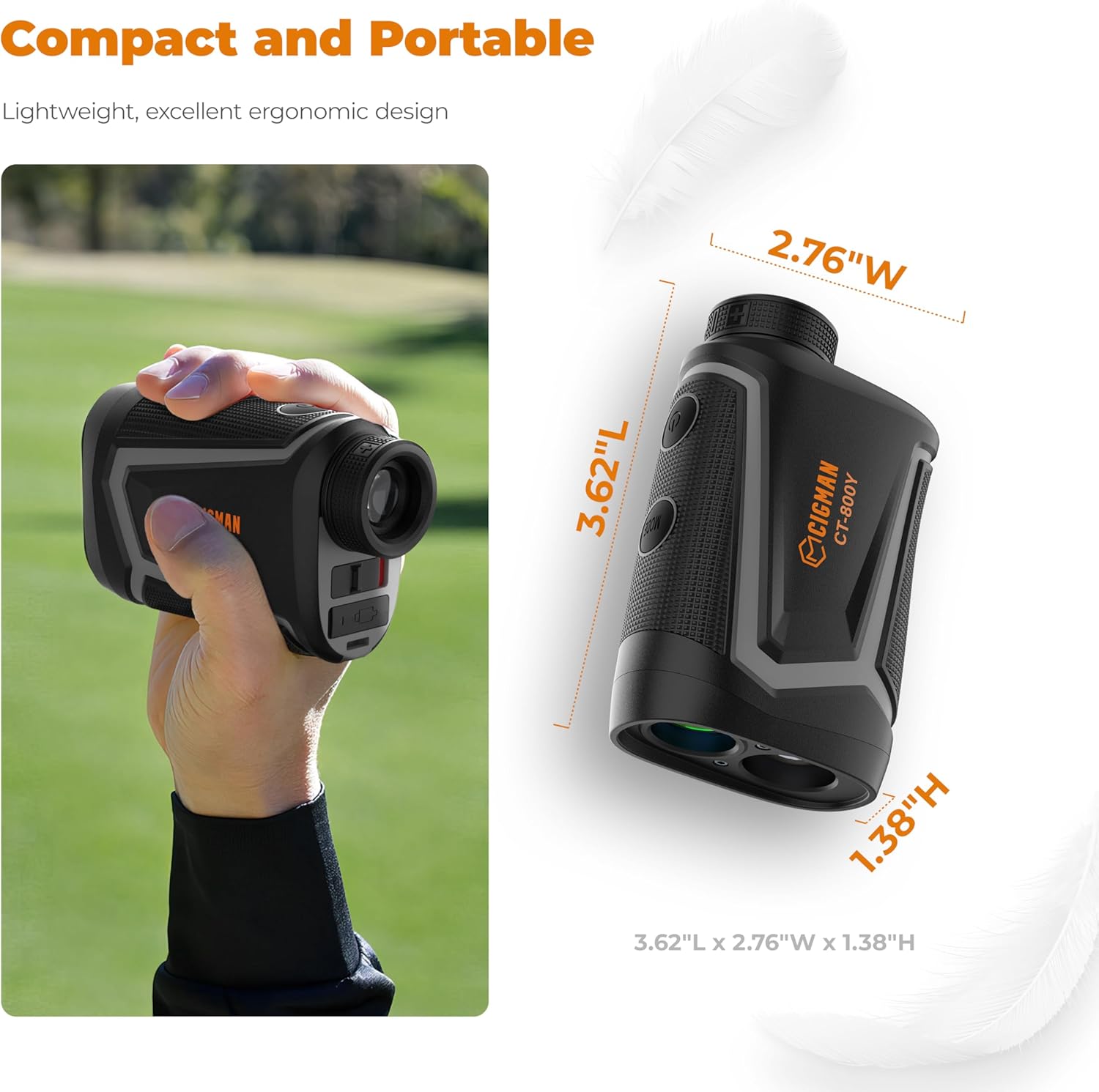
Bild: The CIGMAN CT-800Y rangefinder held in a hand and a diagram showing its compact dimensions: 3.62"L x 2.76"W x 1.38"H.
Wartung und Pflege
- Reinigung: Verwenden Sie das mitgelieferte Reinigungstuch, um die Linsen und das Gehäuse des Entfernungsmessers vorsichtig abzuwischen. Verwenden Sie keine Scheuermittel oder chemischen Reinigungsmittel.
- Lagerung: When not in use, store the rangefinder in its hard shell case in a cool, dry place, away from direct sunlight and extreme temperatures.
- Batteriepflege: Laden Sie den Akku regelmäßig auf, auch wenn das Gerät nicht häufig benutzt wird, um seine Lebensdauer zu erhalten. Vermeiden Sie es, den Akku über längere Zeiträume vollständig zu entladen.
- Wasserbeständigkeit: The device is water resistant, but not waterproof. Avoid submerging it in water or exposing it to heavy rain for prolonged periods.
Fehlerbehebung
If you encounter issues with your CIGMAN CT-800Y Laser Rangefinder, refer to the following common problems and solutions:
| Problem | Mögliche Ursache/Lösung |
|---|---|
| Gerät lässt sich nicht einschalten. |
|
| Ungenaue Entfernungsmessungen. |
|
| Das Bild ist unscharf. |
|
| Flagpole lock not working. |
|
Sollte das Problem nach Anwendung dieser Lösungsansätze weiterhin bestehen, wenden Sie sich bitte an den Kundendienst.
Garantie und Support
CIGMAN provides a 36 Monate Kundendienst and technical support for this product. If you encounter any issues, such as missing components or operational problems, please contact CIGMAN customer service directly. We are committed to ensuring customer satisfaction.
For support, please refer to the contact information provided on the product packaging or the official CIGMAN webWebsite.