
1. Einleitung
Welcome to the user manual for your Hipipooo XS18Pro MAX Mini Smartphone. This guide provides essential information on how to set up, operate, maintain, and troubleshoot your device. Please read this manual carefully to ensure optimal performance and longevity of your smartphone.
The Hipipooo XS18Pro MAX is a compact 4G smartphone featuring a 4.3-inch IPS display, dual SIM capability, a 2750 mAh battery, and a dual camera system (2MP front, 13MP rear). It runs on Android 10.0 and includes features like facial recognition and OTG support.
2. Gerät überview
Machen Sie sich mit den physischen Komponenten Ihres Smartphones vertraut.
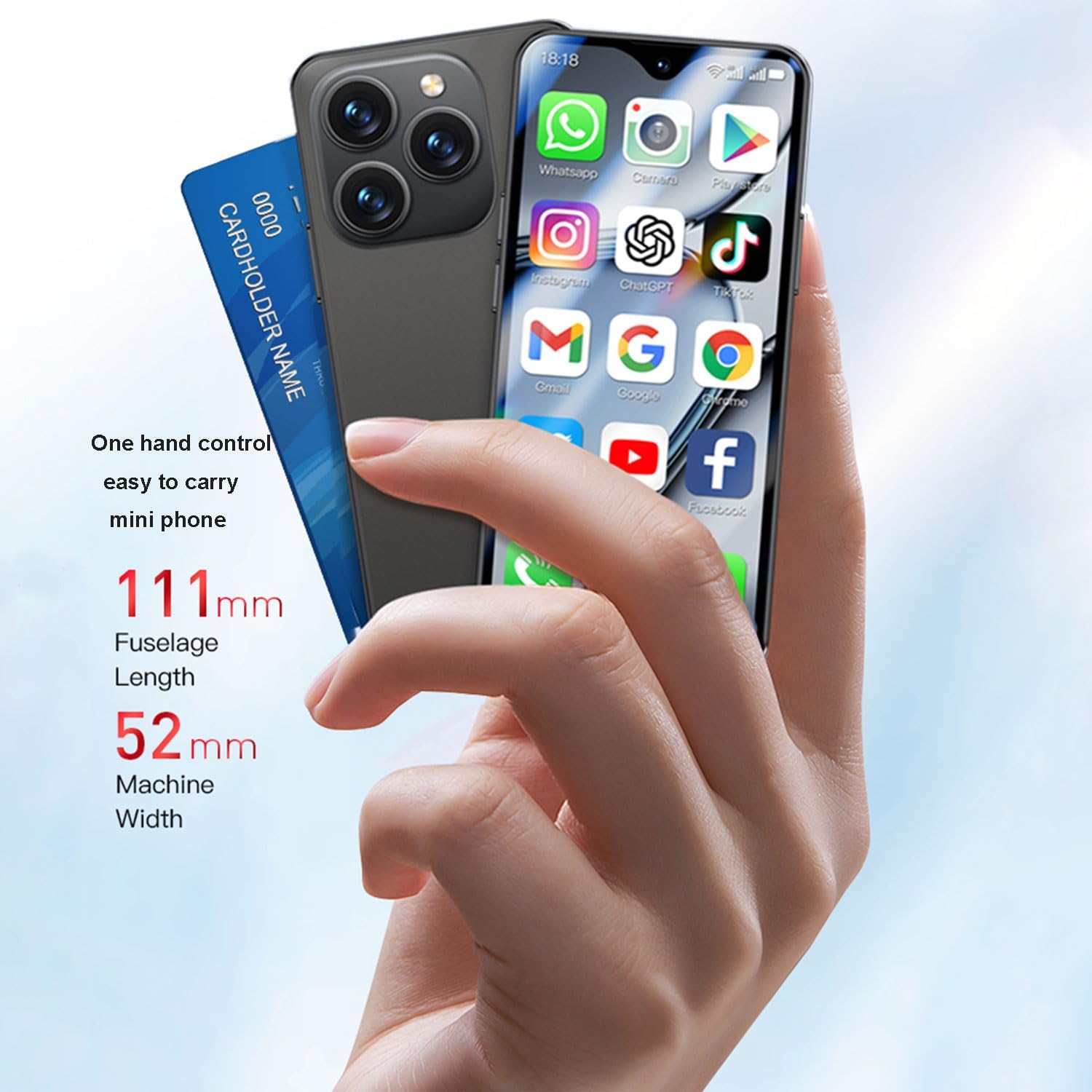
Abbildung 2.1: Vorder- und Rückseite view of the Hipipooo XS18Pro MAX Mini Smartphone.

Abbildung 2.2: The compact size of the smartphone, measuring 111mm in length and 52mm in width, shown next to a credit card for scale.
3. Einrichtung
3.1. SIM-Karteninstallation
Your Hipipooo XS18Pro MAX supports dual 4G SIM cards. Follow these steps to install your SIM cards:
- Suchen Sie den SIM-Karten-Einschub an der Seite des Telefons.
- Führen Sie das SIM-Auswurfwerkzeug (falls vorhanden) in die kleine Öffnung neben dem Fach ein, um es zu öffnen.
- Place your Nano-SIM cards into the designated slots on the tray. Ensure the gold contacts are facing down and the cards are correctly oriented.
- Schieben Sie die Ablage vorsichtig wieder in das Telefon hinein, bis sie bündig mit dem Gerät abschließt.
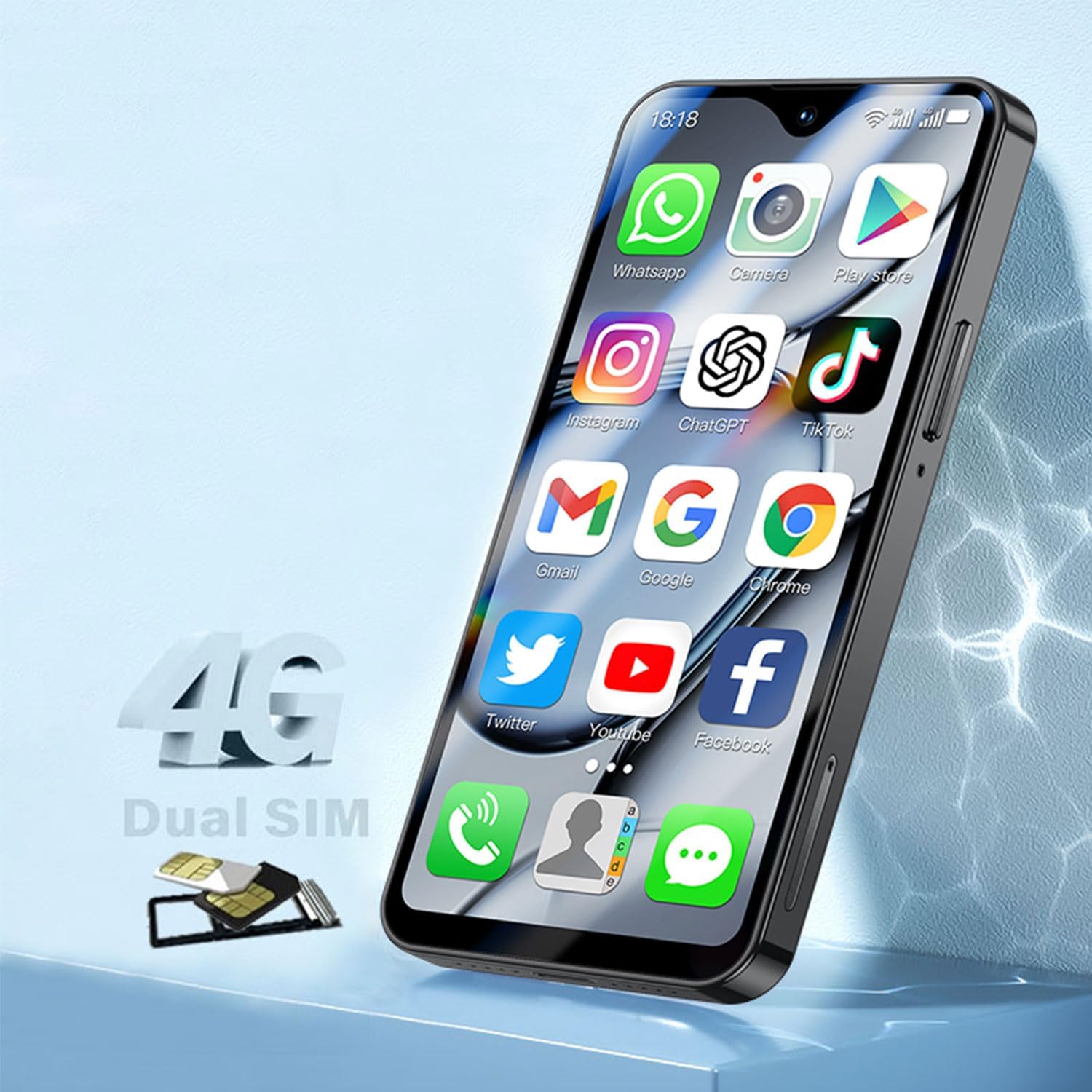
Abbildung 3.1: Illustration of dual SIM card installation.
3.2. Erstes Aufladen
Before first use, it is recommended to fully charge your smartphone. The device is equipped with a 2750 mAh battery.
- Verbinden Sie das USB-Typ-C-Kabel mit dem Ladeanschluss an der Unterseite des Telefons.
- Verbinden Sie das andere Ende des Kabels mit einem kompatiblen Netzteil und stecken Sie dieses in eine Steckdose.
- Die Ladeanzeige erscheint auf dem Bildschirm. Lassen Sie das Telefon laden, bis das Akkusymbol „voll“ anzeigt.

Abbildung 3.2: The smartphone connected to a charger, illustrating the 2750mAh battery capacity.
3.3. Ein-/Ausschalten
- So schalten Sie das Gerät ein: Press and hold the Power button (usually on the right side) until the screen lights up and the Hipipooo logo appears.
- So schalten Sie das Gerät aus: Halten Sie die Ein-/Aus-Taste gedrückt, bis das Menü mit den Energieoptionen erscheint. Wählen Sie „Ausschalten“ und bestätigen Sie.
- Neustarten: Halten Sie die Ein-/Aus-Taste gedrückt, bis das Menü mit den Energieoptionen erscheint. Wählen Sie „Neustart“ und bestätigen Sie.
4. Bedienung Ihres Smartphones
4.1. Grundlegende Navigation
Your smartphone runs on Android 10.0. Use touch gestures to navigate the interface:
- Klopfen: Um ein Element auszuwählen oder eine App zu öffnen.
- Wischen: Zum Durchblättern von Bildschirmen oder Listen.
- Prise: Um Fotos zu vergrößern oder zu verkleinern und web Seiten.
- Lange drücken: Um auf Kontextmenüs zuzugreifen oder App-Symbole zu verschieben.
4.2. Kamerafunktionen
The Hipipooo XS18Pro MAX features a 2 MP front camera and a 13 MP rear camera for capturing photos and videos.
- Öffnen Sie die Anwendung „Kamera“ von Ihrem Startbildschirm oder aus der App-Übersicht.
- Wechseln Sie mithilfe des Kamera-Umschaltsymbols zwischen Front- und Rückkamera.
- Tippen Sie auf den Auslöser, um ein Foto aufzunehmen.
- Tap the video icon to record a video, and tap again to stop.

Abbildung 4.1: Überview of the smartphone's 2MP front camera and 13MP rear camera system.
4.3. Gesichtserkennung
Entsperren Sie Ihr Telefon schnell und sicher per Gesichtserkennung.
- Gehen Sie zu „Einstellungen“ > „Sicherheit & Standort“ > „Gesichtsentsperrung“.
- Folgen Sie den Anweisungen auf dem Bildschirm, um Ihr Gesicht zu registrieren. Stellen Sie sicher, dass Sie sich in einem gut beleuchteten Bereich befinden.
- Nach der Registrierung genügt es, das Telefon ans Gesicht zu halten, um es zu entsperren.

Abbildung 4.2: Demonstrating the facial recognition feature for quick unlocking.
4.4. OTG-Funktionalität (On-The-Go)
The OTG feature allows your smartphone to act as a host for USB devices, enabling data exchange and charging with other devices via the USB interface.
- Connect a compatible OTG adapter to your phone's USB Type-C port.
- Plug in a USB device, such as a flash drive, keyboard, or mouse, into the OTG adapter.
- Your phone will automatically detect the connected device, allowing you to access files or use the peripheral.

Abbildung 4.3: The OTG data transmission feature, allowing convenient data exchange and storage.
4.5. Audio und Multimedia
Experience clear audio with the surround sound stereo speaker.
- Use the volume buttons on the side of the phone to adjust audio levels during calls, media playback, or notifications.
- Connect Bluetooth headphones or speakers via "Settings" > "Connected devices" > "Bluetooth".
- Enjoy music, videos, and other multimedia content through the built-in speaker or connected audio devices.

Abbildung 4.4: The smartphone's surround sound stereo speaker, offering Hi-Fi quality audio.
5. Wartung
5.1. Batteriepflege
- Vermeiden Sie extreme Temperaturen, da diese die Lebensdauer des Akkus beeinträchtigen können.
- Lassen Sie den Akku nicht häufig vollständig entladen. Laden Sie ihn auf, bevor er einen sehr niedrigen Ladestand erreicht.
- Verwenden Sie nur das mitgelieferte oder zertifizierte Ladezubehör.
- Wenn das Telefon längere Zeit nicht benutzt wird, laden Sie es vor der Lagerung auf etwa 50 % auf.

Abbildung 5.1: Intern view of the smartphone highlighting the 2750mAh long-lasting battery.
5.2. Allgemeine Gerätepflege
- Keep your phone clean by gently wiping it with a soft, lint-free cloth.
- Vermeiden Sie es, das Telefon Wasser oder übermäßiger Feuchtigkeit auszusetzen.
- Schützen Sie den Bildschirm mit einer Displayschutzfolie und verwenden Sie eine Schutzhülle, um Kratzer und Beschädigungen durch Stürze zu vermeiden.
- Cache und unnötige Dateien regelmäßig leeren fileum eine optimale Leistung aufrechtzuerhalten.
6. Fehlerbehebung
6.1. Häufige Probleme und Lösungen
| Problem | Lösung |
|---|---|
| Das Telefon lässt sich nicht einschalten | Stellen Sie sicher, dass der Akku geladen ist. Schließen Sie das Gerät für mindestens 30 Minuten an ein Ladegerät an. Sollte das Gerät weiterhin nicht reagieren, erzwingen Sie einen Neustart, indem Sie die Ein-/Aus-Taste 10–15 Sekunden lang gedrückt halten. |
| Der Akku entlädt sich schnell | Reduzieren Sie die Bildschirmhelligkeit, schließen Sie nicht benötigte Apps und deaktivieren Sie WLAN/Bluetooth/GPS, wenn Sie diese nicht benötigen. Überprüfen Sie den Akkuverbrauch in den Einstellungen, um stromfressende Apps zu identifizieren. |
| Apps stürzen ab oder frieren ein. | Clear the app's cache (Settings > Apps > [App Name] > Storage > Clear Cache). If the issue persists, uninstall and reinstall the app. Ensure your Android system is up to date. |
| Verbindung zu WLAN/Mobilfunkdaten nicht möglich | Restart your phone. Check if Wi-Fi/Mobile Data is enabled in Quick Settings or Settings. For Wi-Fi, forget the network and reconnect. For mobile data, ensure SIM card is properly inserted and data plan is active. |
| Facial recognition not working | Ensure your face is well-lit and unobstructed. Re-register your face in Settings > Security & Location > Face Unlock. Clean the front camera lens. |
7. Spezifikationen
Key technical specifications of the Hipipooo XS18Pro MAX Mini Smartphone:
| Besonderheit | Detail |
|---|---|
| Modellname | XS18Pro MAX |
| Marke | Hipipoo |
| Betriebssystem | Android 10.0 |
| CPU | Quad Core (MT6737A) at 1.3 GHz |
| RAM | 2 GB |
| Interner Speicher | 16 GB |
| Bildschirmgröße | 4.3 Zoll |
| Bildschirmauflösung | 540 x 1200 IPS |
| Rückfahrkamera | 13 Megapixel |
| Frontkamera | 2 Megapixel |
| Batteriekapazität | 2750 mAh |
| Konnektivität | 2G, 3G, 4G Cellular, Bluetooth, WiFi, GPS |
| SIM-Unterstützung | Duale 4G-SIM |
| Besondere Merkmale | Facial Recognition, OTG Support |
| Abmessungen (L x B x T) | 111 x 52 x 9.9 mm |
| Gewicht | 139 g |
8. Garantie und Support
For warranty information and customer support, please refer to the documentation included with your purchase or visit the official Hipipooo webBewahren Sie Ihren Kaufbeleg für Garantieansprüche auf.
If you encounter issues not covered in this manual, please contact Hipipooo customer service for assistance.