
artfone G6
artfone G6 4G Senioren-Mobiltelefon – Benutzerhandbuch
Modell: G6 | Marke: artfone
1. Einleitung
This user manual provides comprehensive instructions for the artfone G6 4G Senior Mobile Phone. Designed with ease of use in mind, the artfone G6 features large buttons, a clear interface, and essential functions for reliable communication. Please read this manual carefully to ensure proper operation and maintenance of your device.

Image: The artfone G6 4G Senior Mobile Phone in its open, flip-phone configuration, showcasing its large, easy-to-read keypad and main display.
Hauptmerkmale:
- Doppelanzeige: A 2.4-inch main display and a 1.8-inch outer display for quick information access and time announcement.
- Large Buttons & Clear Menu: Designed for easy navigation and dialing, ideal for users with visual impairments.
- SOS-Notfalltaste: Allows quick contact with pre-set emergency numbers.
- Lautsprecher: Ensures clear audio for calls and alerts.
- Lange Akkulaufzeit: Robust 1300 mAh battery with convenient charging options.
- 4G VoLTE Support: For clear voice quality and wide network compatibility.
2. Lieferumfang
Please check the contents of your artfone G6 package. If any items are missing or damaged, contact your retailer.
- artfone G6 Mobile Phone
- Ladestation
- USB-Kabel
- Benutzerhandbuch (dieses Dokument)
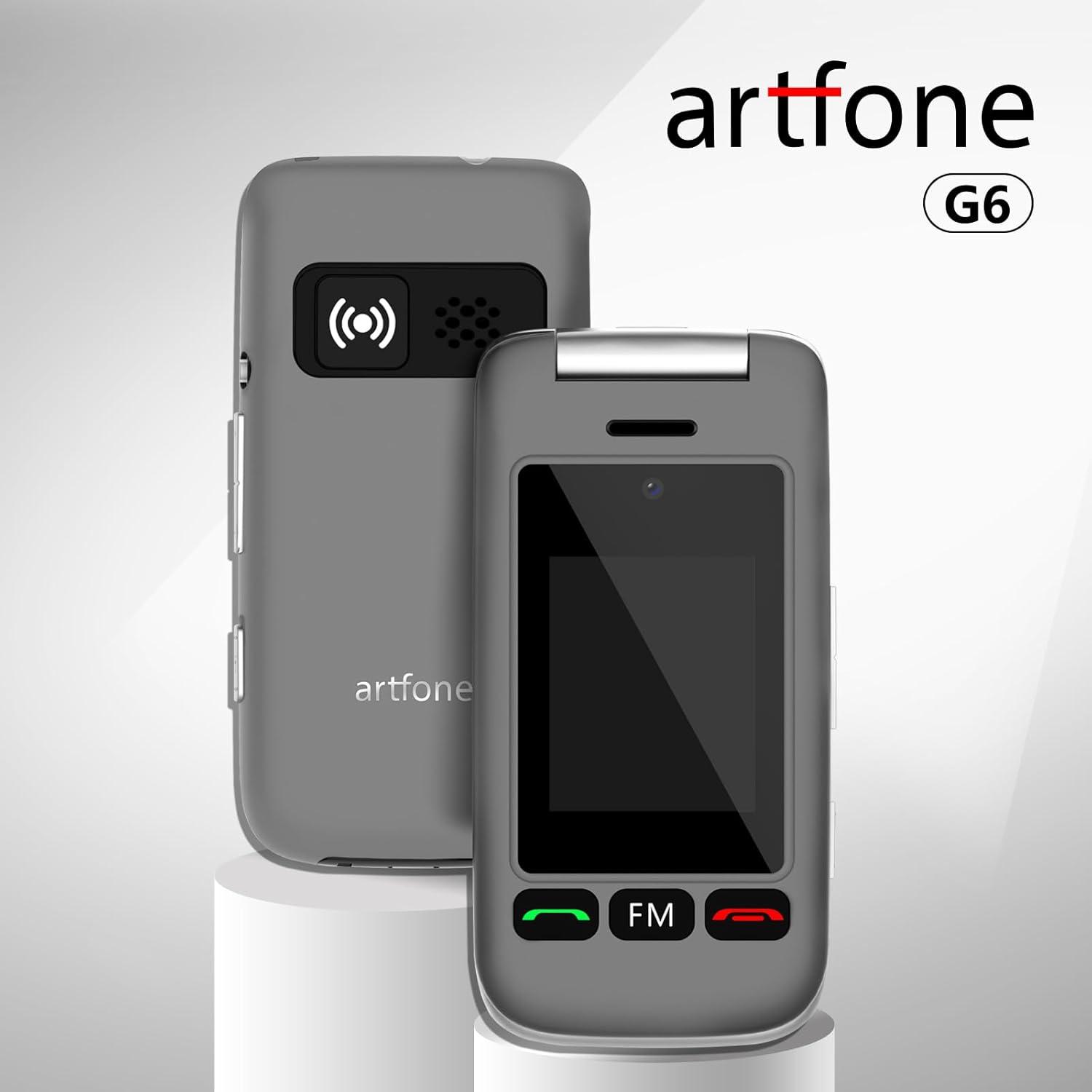
Image: The artfone G6 mobile phone shown alongside its charging station, highlighting the compact design of both components.
3. Einrichtung
3.1 Einlegen der SIM-Karte und des Akkus
The artfone G6 uses a Nano SIM card. Ensure the phone is powered off before installation.
- Entfernen Sie vorsichtig die Rückseite des Telefons.
- Locate the SIM card slot. Insert your Nano SIM card with the gold contacts facing down, ensuring it clicks into place.
- Setzen Sie die Batterie in das Batteriefach ein und achten Sie dabei auf die Ausrichtung der goldenen Kontakte.
- Bringen Sie die Rückseite wieder an, bis sie sicher einrastet.
3.2 Aufladen des Telefons
Before first use, fully charge the phone. The artfone G6 can be charged using the included charging station or directly via the USB-C port.
- Verwendung der Ladestation: Connect the USB cable to the charging station and then to a power adapter (not included) or a USB port. Place the phone securely in the charging station. The charging indicator on the phone's screen will show charging status.
- Direktes Laden: Connect the USB-C cable directly to the phone's USB-C port and then to a power adapter or USB port.
A full charge typically takes approximately 2-3 hours. The battery icon on the screen will indicate when charging is complete.
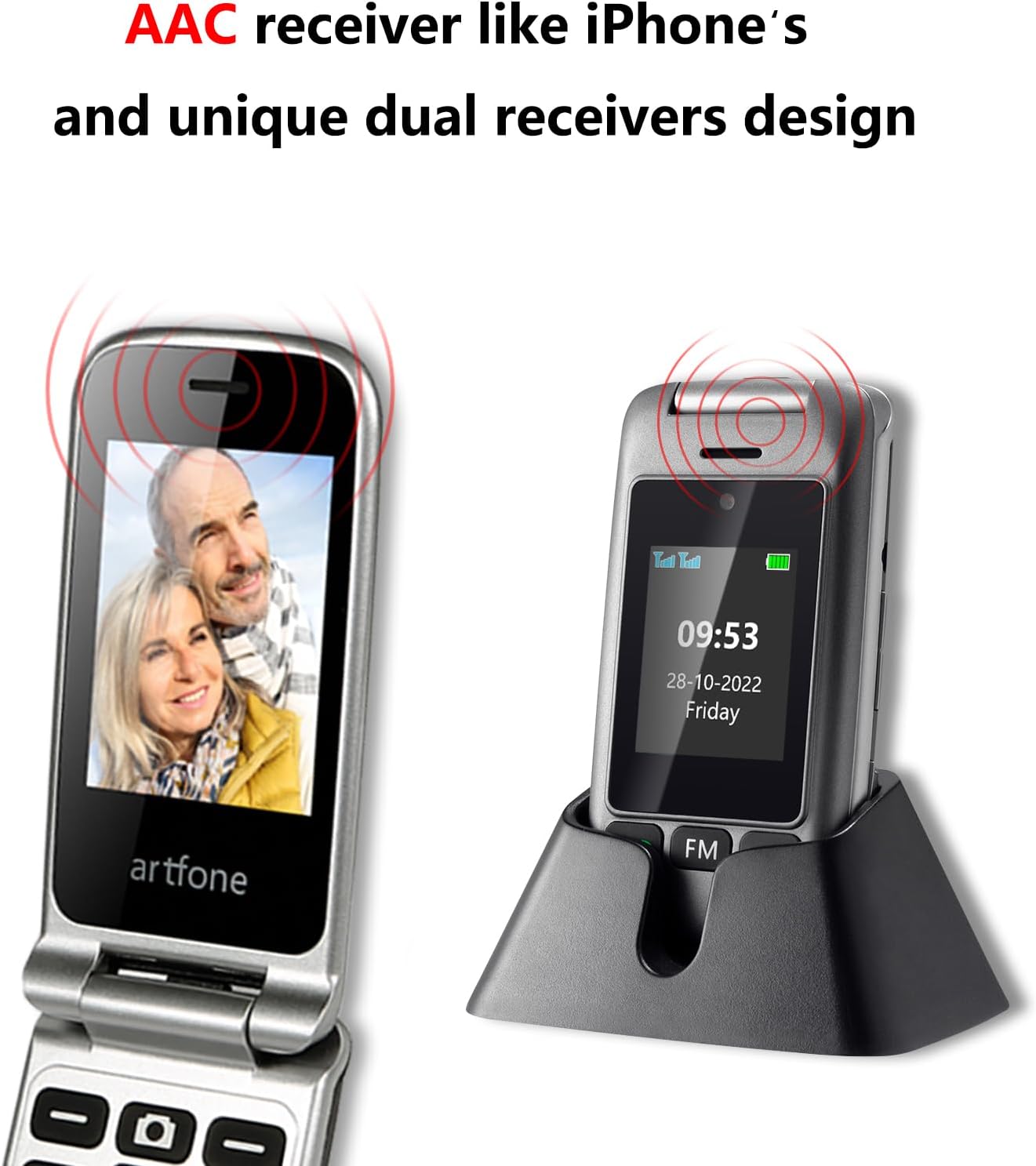
Image: The artfone G6 mobile phone positioned in its dedicated charging dock, illustrating the convenient charging method.
3.3 Ein-/Ausschalten
- So schalten Sie das Gerät ein: Halten Sie die Anruf/Grün gedrückt, bis der Bildschirm aufleuchtet.
- So schalten Sie das Gerät aus: Halten Sie die End Call/Red button until the power off options appear, then confirm.
4. Operating Your artfone G6
4.1 Grundlegende Aufruffunktionen
- Einen Anruf tätigen: Geben Sie die Telefonnummer über die Tastatur ein und drücken Sie die Taste. Anruf/Grün Taste.
- Anruf annehmen: When the phone rings, open the flip to automatically answer, or press the Anruf/Grün Taste.
- Anruf beenden: Drücken Sie die End Call/Red button or close the flip.
- Freisprechfunktion: During a call, press the dedicated speaker button (if available) or navigate through the menu to activate hands-free mode.
4.2 Senden und Empfangen von SMS-Nachrichten
- Navigieren Sie zum Menü „Nachrichten“.
- Wählen Sie „Nachricht schreiben“, um eine neue SMS zu verfassen.
- Geben Sie die Nummer des Empfängers ein oder wählen Sie eine Nummer aus den Kontakten aus.
- Geben Sie Ihre Nachricht über die Tastatur ein.
- Drücken Sie auf „Senden“, um die Nachricht zu übermitteln.
- Received messages will appear in the "Inbox" within the Messages menu.
4.3 Dual-Display-Funktionalität
The artfone G6 features two displays for enhanced convenience:
- Main Display (2.4-inch): Used for all primary operations, menu navigation, and viewing content when the phone is open.
- Outer Display (1.8-inch): Shows essential information like time, date, battery status, and incoming call notifications without needing to open the phone. It also features a multilingual time announcement function.

Image: A visual representation of the artfone G6's dual display feature, showing both the larger internal screen and the smaller external screen.
4.4 Tastatur- und Menünavigation
The large, illuminated buttons and clear menu icons are designed for intuitive use.

Bild: Eine Nahaufnahme view of the artfone G6's keypad, highlighting the large, well-spaced buttons for easy dialing and navigation.
- Verwenden Sie die Navigationstasten (oben, unten, links, rechts), um durch die Menüoptionen zu navigieren.
- Press the "OK" or "Select" button (usually the center button) to confirm a selection.
- Press the "Back" or "Clear" button to return to the previous screen or delete characters.
- Quick Dial Buttons: Assign important contacts to M1, M2, and number keys (2-9) for quick dialing. Refer to the phone's settings for assigning these.

Image: Various screens of the artfone G6 user interface, demonstrating the clear icons and menu structure for functions like messages, call history, and settings.
4.5 SOS-Notruffunktion
Die SOS-Taste stellt eine wichtige Sicherheitsfunktion dar, mit der Sie schnell voreingestellte Notrufnummern kontaktieren können.
- Einrichtung von SOS-Kontakten:
- Gehen Sie zu „Einstellungen“ > „SOS-Einstellungen“.
- Add up to 5 emergency contacts. These contacts will be called sequentially until one answers.
- You can also set an SOS message that will be sent to these contacts.
- Verwendung der SOS-Funktion: In an emergency, press and hold the dedicated SOS button on the back of the phone. The phone will automatically dial the pre-set emergency contacts and send the SOS message.
4.6 Blacklist-Funktion
To block unwanted calls, you can add numbers to the blacklist.
- Navigate to "Settings" > "Call Settings" > "Blacklist".
- Add numbers you wish to block. The phone can block up to 50 numbers.
4.7 Multimedia- und sonstige Funktionen
- FM Radio: Access the FM Radio application from the main menu. You may need to connect headphones (not included) to act as an antenna.
- Fackel: Activate the built-in torch from the quick access button or menu.
- Kamera: The phone supports taking photos. Access the camera from the menu. You can save photos to a microSD card (up to 64GB, not included).
- Spracheinstellungen: Change the phone's language via the "Settings" menu.
5. Wartung
- Reinigung: Reinigen Sie die Oberfläche des Telefons mit einem weichen, trockenen Tuch. Vermeiden Sie die Verwendung von flüssigen Reinigungsmitteln oder scheuernden Materialien.
- Batteriepflege: Um die Akkulaufzeit zu verlängern, vermeiden Sie extreme Temperaturen für Ihr Telefon. Lassen Sie den Akku nicht über längere Zeit vollständig entladen.
- Lagerung: Wenn Sie das Telefon längere Zeit lagern, laden Sie den Akku auf etwa 50 % auf und bewahren Sie es an einem kühlen, trockenen Ort auf.
- Schutz: While the phone is robust, avoid dropping it or exposing it to water.
6. Fehlerbehebung
Sollten Sie Probleme mit Ihrem artfone G6 haben, beachten Sie bitte die folgenden häufig auftretenden Probleme und Lösungen:
| Problem | Mögliche Lösung |
|---|---|
| Das Telefon lässt sich nicht einschalten. | Ensure the battery is correctly installed and fully charged. Press and hold the power button for several seconds. |
| Ich kann keine Anrufe tätigen oder empfangen. | Check if the SIM card is properly inserted. Ensure you have network signal. Contact your network provider if the issue persists. |
| Akku lädt nicht. | Verify the USB cable and charging station/adapter are correctly connected. Check for any damage to the cable or ports. |
| Kein Ton bei Anrufen. | Check the volume settings. Ensure the speaker is not blocked. Try restarting the phone. |
| Tastatur reagiert nicht. | Restart the phone. Ensure no physical obstruction is present. |
If the problem persists after trying these solutions, please contact artfone customer support.
7. Spezifikationen
| Besonderheit | Detail |
|---|---|
| Modellname | G6 |
| Marke | artfone |
| Zellulartechnologie | 4G, 3G, 2G (VoLTE-Unterstützung) |
| Hauptbildschirmgröße | 2.4 Zoll |
| Outer Screen Size | 1.8 Zoll |
| Auflösung | 240 x 320 (Main Display) |
| Batterie | 1300 mAh Lithium-Ionen |
| Gesprächszeit | Bis zu 5-6 Stunden |
| Standby-Zeit | Bis zu 10 Tage |
| Speicherkapazität | 0.13 GB (Internal), expandable with microSD (up to 64GB) |
| Größe des installierten RAM-Speichers | 48 MB |
| Betriebssystem | artfone OS |
| SIM-Kartentyp | Nano-SIM |
| Verpackungsabmessungen | 12.9 x 12 x 5.9 cm; 240 g |
8. Garantie und Support
8.1 Produktgarantie
The artfone G6 mobile phone comes with a standard manufacturer's warranty. Please refer to the warranty card included in your package or contact your retailer for specific terms and conditions regarding warranty coverage and duration.
8.2 Kundendienst
For technical assistance, troubleshooting, or any questions regarding your artfone G6, please contact artfone customer support. Contact details can typically be found on the artfone official webauf der Website oder auf der Produktverpackung.
Sie können auch die folgende besuchen: artfone Store bei Amazon Für weitere Informationen und Produktaktualisierungen.