
GOODaaa PN-W33S
GOODaaa Solar Powerbank Benutzerhandbuch
Model: PN-W33S
Produkt überview
The GOODaaa 42800mAh Solar Power Bank is a versatile and robust portable charging solution designed for various devices and outdoor conditions. It features a high-capacity battery, multiple charging outputs including built-in cables and wireless charging for Apple Watches, and integrated utility features like an LED flashlight, red light pointer, and thermometer.

Image: The GOODaaa Solar Power Bank, highlighting its solar panel and integrated charging cables.
Hauptmerkmale:
- Kompatibilität mit mehreren Geräten: Equipped with built-in Type C, Lightning, and Micro USB output cables, plus a USB-A input cable. Supports charging up to 6 devices simultaneously.
- Hohe Kapazität: 42800mAh capacity for extended power supply.
- Kabelloses Laden: Specifically designed for Apple Watch models (iWatch SE, Ultra/Ultra 2, Series 9/8/7, 6/5/4, 3/2, 1).
- Integrated Utilities: Multi-functional LED red light pointer and a physical thermometer.
- Langlebiges Design: Shock-resistant corner bumpers, silicone port covers, drop-proof, dust-proof, and water-resistant.
- Notbeleuchtung: Two bright LED flashlights with SOS, Strobe, and Steady modes.
Einrichtung und erstmalige Verwendung
Auspacken und Inspektion
Upon receiving your GOODaaa Solar Power Bank, carefully open the packaging and inspect the contents. Ensure all items listed in the "What's in the Box" section are present and undamaged.
- GOODaaa Solar Power Bank x1
- 1 x USB-C-auf-USB-C-Ladekabel
- Karabiner x1
- Benutzerhandbuch x1

Image: The GOODaaa Solar Power Bank package contents, including the power bank, USB-C cable, carabiner, and user manual.
Erstladung
For optimal performance, fully charge the power bank before its first use. While the solar panel provides emergency charging, it is recommended to use a wall adapter for a complete initial charge.
- Connect the provided USB-C to USB-C charging cable to the power bank's USB-C input port.
- Verbinden Sie das andere Ende des Kabels mit einem kompatiblen USB-Netzteil (nicht im Lieferumfang enthalten).
- The LED indicators on the power bank will illuminate to show charging progress. A full charge is indicated when all LEDs are solid.

Image: The GOODaaa Solar Power Bank connected to a wall adapter for USB charging, alongside an illustration of solar charging.
Bedienungsanleitung
Ladegeräte
Die Powerbank bietet mehrere Möglichkeiten zum Aufladen Ihrer Geräte:
Verwendung der integrierten Kabel:
The power bank includes integrated Type C, Lightning, and Micro USB cables. Simply pull out the appropriate cable and connect it to your device. The power bank will automatically begin charging.
Verwendung der USB-Ausgangsports:
For devices requiring a standard USB-A cable, use the USB output port on the power bank. Connect your device's charging cable to the USB output port.
Kabelloses Laden für die Apple Watch:
The power bank features a dedicated wireless charging pad for Apple Watches. This function is compatible with various Apple Watch series (SE, Ultra/Ultra 2, Series 9/8/7, 6/5/4, 3/2, 1).
- Place your Apple Watch directly onto the wireless charging pad on the power bank.
- Press the power button on the power bank to initiate wireless charging.
- Tipp: If your Apple Watch has a silicone band, it may create a gap preventing proper connection. Try flipping or removing the band for a better charging experience.

Image: The power bank simultaneously charging multiple devices, including phones, earbuds, and an Apple Watch, using its various built-in cables and wireless charging feature.

Image: Close-up of the power bank's wireless charging pad with an Apple Watch placed on it, illustrating the magnetic connection and charging process.
Verwenden der LED-Taschenlampe
The power bank is equipped with two bright LED flashlights with three modes: Steady, Strobe, and SOS.
- Ein- / Ausschalten: Halten Sie den Netzschalter drei Sekunden lang gedrückt.
- Um die Modi durchzuschalten: Once the flashlight is on, short press the power button to switch between Steady, Strobe, and SOS modes.

Image: Visual representation of the three flashlight modes (SOS, Strobe, Steady) and the power bank being used as a light source in the dark.
Using the Multifunctional LED Red Light Pointer
The integrated red light pointer can be used for presentations, signaling, or even playing with pets.
- Ein- / Ausschalten: Doppelklicken Sie auf den Netzschalter.

Bild: Examples of the red light pointer being used in various scenarios, such as construction, presentations, and pet interaction.
Using the Built-in Thermometer
The physical thermometer allows you to monitor ambient temperature without consuming battery power from the main unit.
The thermometer is located on the top surface of the power bank. Read the temperature directly from the display.
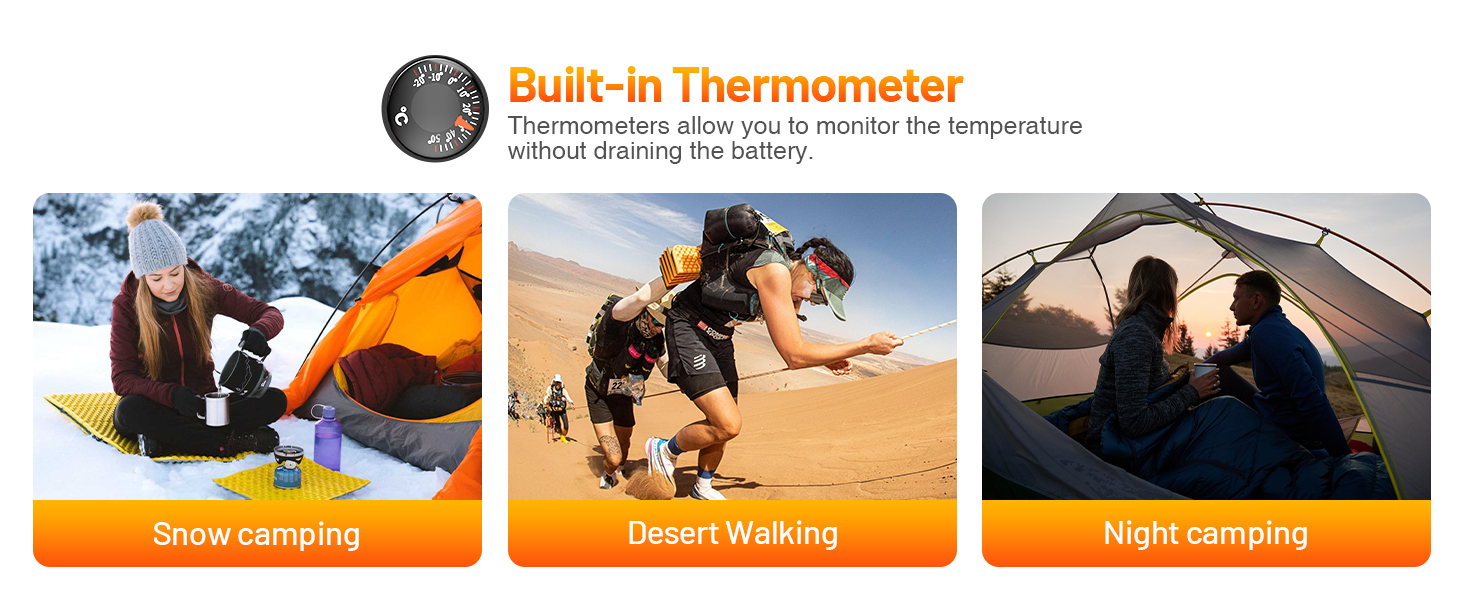
Image: The power bank's built-in thermometer being used in different outdoor environments like snow camping, desert walking, and night camping.
Solarladefunktion
The solar panel on the power bank is designed as an emergency backup solution. It provides a slow charge and is ideal for maintaining battery levels or providing minimal power when no other charging source is available. For primary charging, always use a wall adapter.
To utilize solar charging, place the power bank with the solar panel facing direct sunlight. The charging indicator LEDs will show activity when solar charging is active.

Image: The power bank being solar charged by attaching it to a backpack in direct sunlight, illustrating its outdoor utility.
Wartung und Pflege
- Reinigung: Reinigen Sie die Powerbank mit einem weichen, trockenen Tuch. Vermeiden Sie die Verwendung von scharfen Chemikalien oder scheuernden Materialien.
- Lagerung: Bewahren Sie die Powerbank an einem kühlen, trockenen Ort, geschützt vor direkter Sonneneinstrahlung und extremen Temperaturen, auf. Bei längerer Lagerung sollte die Powerbank alle drei Monate auf etwa 50–70 % ihrer Kapazität aufgeladen werden, um die Lebensdauer des Akkus zu verlängern.
- Wasserbeständigkeit: While water-resistant, avoid submerging the device in water. Ensure silicone covers for charging ports are properly sealed to prevent water and dust ingress.
- Aufprallschutz: The power bank is designed with shock-resistant corner bumpers. However, avoid dropping it from excessive heights or subjecting it to severe impacts.
- Temperatur: The built-in thermometer helps monitor ambient temperature. Avoid using or charging the power bank in environments that are excessively hot or cold to prevent battery damage.
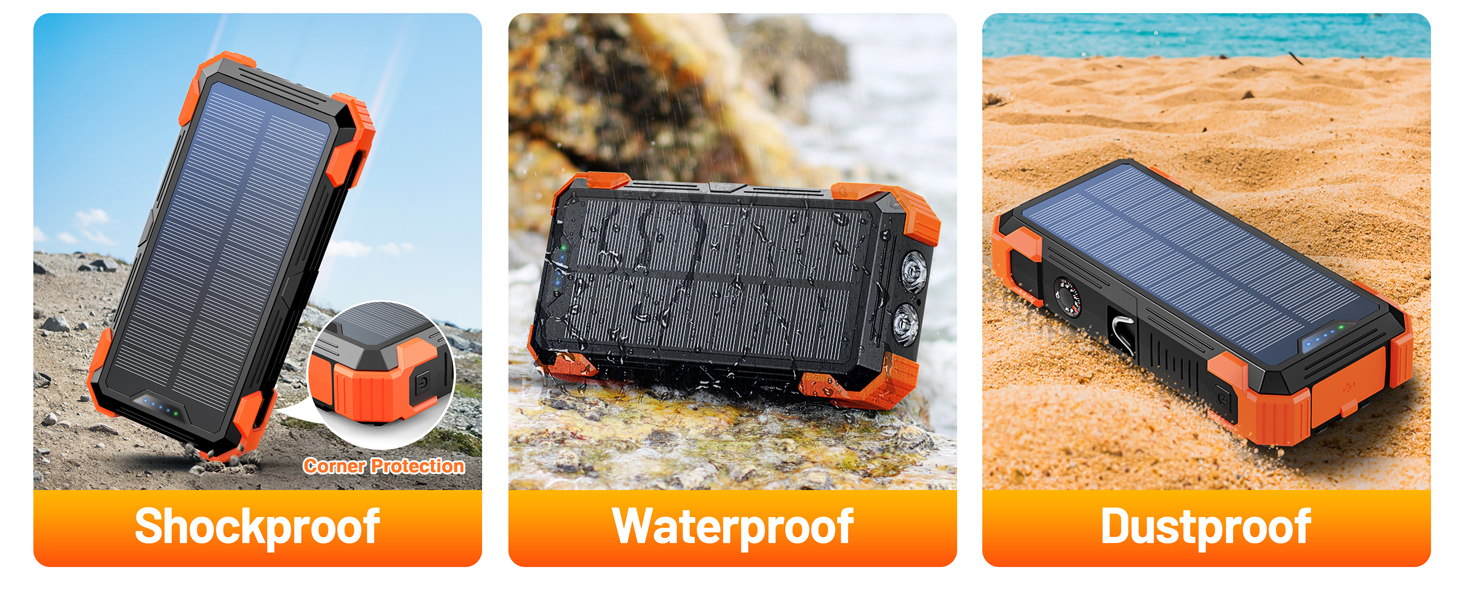
Image: Illustrations demonstrating the power bank's shockproof, waterproof, and dustproof capabilities, highlighting its rugged design.
Fehlerbehebung
| Problem | Mögliche Ursache | Lösung |
|---|---|---|
| Powerbank lädt nicht | Charging cable is loose or damaged; Wall adapter is not working; Power bank battery is completely depleted. | Ensure the charging cable is securely connected. Try a different cable or wall adapter. Allow the power bank to charge for a longer period, especially if fully depleted. |
| Gerät wird nicht über die Powerbank aufgeladen | Device cable is loose or damaged; Power bank is out of charge; Device is incompatible; Wireless charging misalignment (for Apple Watch). | Check cable connections. Ensure the power bank is charged. Verify device compatibility. For Apple Watch wireless charging, ensure proper placement and consider removing the band if it interferes. |
| Flashlight or Red Light Pointer not working | Incorrect button press; Power bank is off or low on battery. | Ensure you are pressing and holding (for flashlight) or double-clicking (for red light) the power button correctly. Charge the power bank. |
| Das Laden mit Solarenergie ist langsam oder funktioniert nicht. | Insufficient sunlight; Solar panel is dirty or obstructed; Solar charging is for emergency use only. | Place the power bank in direct, strong sunlight. Clean the solar panel. Remember solar charging is supplementary; use USB charging for faster, more efficient power. |
Technische Daten
- Modellnummer: PN-W33S
- Batteriekapazität: 42800 mAh
- Produktabmessungen: 7 x 3.5 x 1.3 Zoll
- Artikelgewicht: 1.2 Pfund
- Akku-Typ: Lithium-Polymer (2 erforderlich, im Lieferumfang enthalten)
- Eingangsanschlüsse: USB-A (built-in cable), USB Type C, Lightning
- Ausgangsanschlüsse: Type C (built-in cable), Lightning (built-in cable), Micro USB (built-in cable), USB-A
- Kabelloses Laden: Nur für Apple Watch
- Besondere Merkmale: LED Flashlights (SOS/Strobe/Steady), Built-in Cables, Wireless Charging, Red Light Pointer, Thermometer
- Farbe: Orange
- Hersteller: Shenzhen Pannizhe Technology Co., Ltd.
- Ursprungsland: China
Garantie und Support
GOODaaa offers a hassle-free warranty and responsive customer support to ensure your purchase is protected and any concerns are addressed promptly.
For warranty claims or technical assistance, please contact GOODaaa customer service through the retailer's platform or visit the official GOODaaa webWebsite für Kontaktinformationen.
Notiz: Bitte bewahren Sie Ihren Kaufbeleg zur Überprüfung der Garantie auf.
Offizielles Produktvideo
Video: An official product video from GOODaaa US demonstrating the features and functionality of the 42800mAh Solar Power Bank.
Ask a question about this manual
Ask about setup, troubleshooting, compatibility, parts, safety, or missing instructions. Manuals+ will review the question and use this page’s manual context to help answer it.