
Vandlion V22-64GB
Vandlion V22-64GB Voice Recorder User Manual
Model: V22-64GB
1. Einleitung
Thank you for choosing the Vandlion V22-64GB Voice Recorder. This manual provides detailed instructions on how to set up, operate, and maintain your device to ensure optimal performance. Please read this manual thoroughly before using the product.
The Vandlion V22-64GB is a compact and powerful digital voice recorder designed for clear audio capture in various environments. Key features include:
- Speicherkapazität: 64GB of internal storage for extended recording sessions.
- 7-stufige Geräuschunterdrückung: Enhances audio clarity by minimizing background noise.
- Sprachaktivierte Aufnahme (VAR): Automatically starts recording when sound is detected, conserving memory and battery.
- Ein-Tasten-Bedienung: Simple and quick recording activation.
- Zeitamped Recordings: Easy organization and retrieval of audio files.
2. Packungsinhalt
Bitte prüfen Sie das Paket auf folgende Artikel:
- Vandlion V22-64GB Voice Recorder
- Datenkabel
- Kopfhörer
- OTG adapters
- Benutzerhandbuch (dieses Dokument)
3. Produktüberschreitungview
The Vandlion V22-64GB Voice Recorder is designed for portability and ease of use. Its compact metal casing ensures durability while providing a sleek appearance.

Image 3.1: Vandlion V22-64GB Voice Recorder in use. This image shows the compact size of the recorder, suitable for various recording environments like meetings or lectures.
The device features a simple ON/OFF/SAVE toggle switch for intuitive operation and a built-in microphone for 360-degree panoramic sound capture.

Image 3.2: The ON/REC and OFF/SAVE switch on the Vandlion V22-64GB Voice Recorder. This switch allows for quick initiation and saving of recordings.
4. Einrichtung
4.1 Aufladen des Geräts
Before first use, fully charge the voice recorder. Connect the device to a computer's USB port or a USB wall adapter (not included) using the provided data cable. The indicator light will show charging status and turn off when fully charged.
- Connect the small end of the data cable to the recorder's charging port.
- Schließen Sie das Standard-USB-Ende an eine Stromquelle an.
- Das Aufladen dauert normalerweise etwa 2–3 Stunden.
4.2 Erstes Einschalten
To power on the device, slide the ON/REC switch to the 'ON' position. The device will vibrate briefly or an indicator light will illuminate, indicating it is ready for operation.
5. Bedienungsanleitung
5.1 Grundlegende Aufnahmefunktionen
The Vandlion V22-64GB features a simple one-key recording function:
- Um die Aufnahme zu starten, schieben Sie den Schalter auf die entsprechende Position. 'ON/REC' position. The device will begin recording within approximately 5 seconds.
- Um die Aufnahme zu beenden und zu speichern fileSchieben Sie den Schalter auf die 'OFF/SAVE' Position. Die Aufnahme wird automatisch gespeichert.
Jedes Audio file is automatically timestamped for easy organization and retrieval when connected to a computer.
5.2 Sprachaktivierte Aufzeichnung (VAR)
The voice-activated recording feature helps conserve battery life and memory by only recording when sound is detected. To enable and adjust VAR:
- Schließen Sie das Aufnahmegerät an einen Computer an.
- Access the device's settings file (usually a configuration file or through dedicated software, refer to device's internal documentation if available).
- Adjust the sensitivity level for voice activation (typically 7 levels available). A higher sensitivity will trigger recording with softer sounds, while lower sensitivity requires louder sounds.
- Save the settings and disconnect the device. The VAR function will now be active.
5.3 Rauschunterdrückung
The recorder features 7-level noise reduction to improve audio clarity. This function is typically automatic, but its effectiveness can be influenced by recording environment and microphone placement.

Image 5.1: Illustration of the noise reduction capability of the Vandlion V22-64GB Voice Recorder. The image depicts how unwanted noise (red waves) is reduced, resulting in clearer audio (blue waves).
5.4 Wiedergabe
You can play back recordings directly from the device using the included headphones:
- Stellen Sie sicher, dass das Gerät eingeschaltet ist.
- Connect the included headphones to the recorder's headphone jack.
- Use the controls on the headphone cable (if available) or the device's internal controls (if applicable, refer to specific model's internal documentation) to navigate and play audio files.

Image 5.2: The Vandlion V22-64GB Voice Recorder connected to earphones for direct audio playback. This feature allows listening to recordings without needing a computer.
Alternatively, connect the recorder to a computer to play back files mit dem Media-Player Ihres Computers.
5.5 File Management
To manage your recorded files:
- Connect the voice recorder to your computer using the provided data cable.
- Das Gerät wird als Wechseldatenträger angezeigt.
- Öffnen Sie das Laufwerk, um auf Ihre Audioaufnahmen zuzugreifen. files (typically in a folder like 'RECORD' or 'VOICE').
- You can copy, move, delete, or rename files as you would with any other files auf Ihrem Computer.
- Always safely eject the device from your computer before disconnecting.
The included OTG adapters allow you to connect the recorder to compatible Android smartphones for file Management.
6. Wartung
- Reinigung: Reinigen Sie das Gerät mit einem weichen, trockenen Tuch. Verwenden Sie keine flüssigen Reiniger oder Lösungsmittel.
- Lagerung: Bewahren Sie das Aufnahmegerät an einem kühlen, trockenen Ort fern von direkter Sonneneinstrahlung, extremen Temperaturen und hoher Luftfeuchtigkeit auf.
- Batteriepflege: Um die Akkulaufzeit zu verlängern, vermeiden Sie häufiges vollständiges Entladen des Akkus. Laden Sie das Gerät regelmäßig auf, auch wenn es längere Zeit nicht benutzt wird.
- Datensicherung: Sichern Sie wichtige Aufnahmen regelmäßig auf Ihrem Computer, um Datenverlust zu vermeiden.
7. Fehlerbehebung
| Problem | Mögliche Ursache | Lösung |
|---|---|---|
| Gerät lässt sich nicht einschalten. | Niedriger Akkustand oder Gerät ausgeschaltet. | Charge the device fully. Ensure the ON/REC switch is in the 'ON' position. |
| Kann nicht aufnehmen. | Insufficient storage space or device not in recording mode. | Prüfen Sie den verfügbaren Speicherplatz und löschen Sie unnötige Speichermengen. files. Ensure the switch is in the 'ON/REC' position. |
| Poor sound quality during recording. | Microphone obstructed, noisy environment, or incorrect VAR sensitivity. | Ensure the microphone is clear. Record in a quieter environment. Adjust VAR sensitivity if enabled. |
| Gerät wird vom Computer nicht erkannt. | Defektes USB-Kabel, falscher Anschluss oder Treiberproblem. | Try a different USB cable or port. Restart your computer. Ensure the device is powered on when connecting. |
| Cannot hear playback through headphones. | Headphones not properly connected, volume too low, or corrupted file. | Ensure headphones are fully plugged in. Adjust volume. Try playing the file auf einem Computer. |
8. Spezifikationen
| Marke | Vandel |
| Modell | V22-64GB |
| Speicherkapazität | 64 GB |
| Technische Daten | 0.76 x 2.21 x 7.37 cm; 150 g (or 8 x 22 x 74 Millimeters) |
| Hardware-Schnittstelle | USB 2.0 |
| Kompatible Geräte | Kopfhörer |
| Mikrofon-Formfaktor | Eingebaut |
| Kopfhöreranschluss | 3.5 Millimeter |
| Batterien im Lieferumfang enthalten | Ja (Lithium-Polymer) |
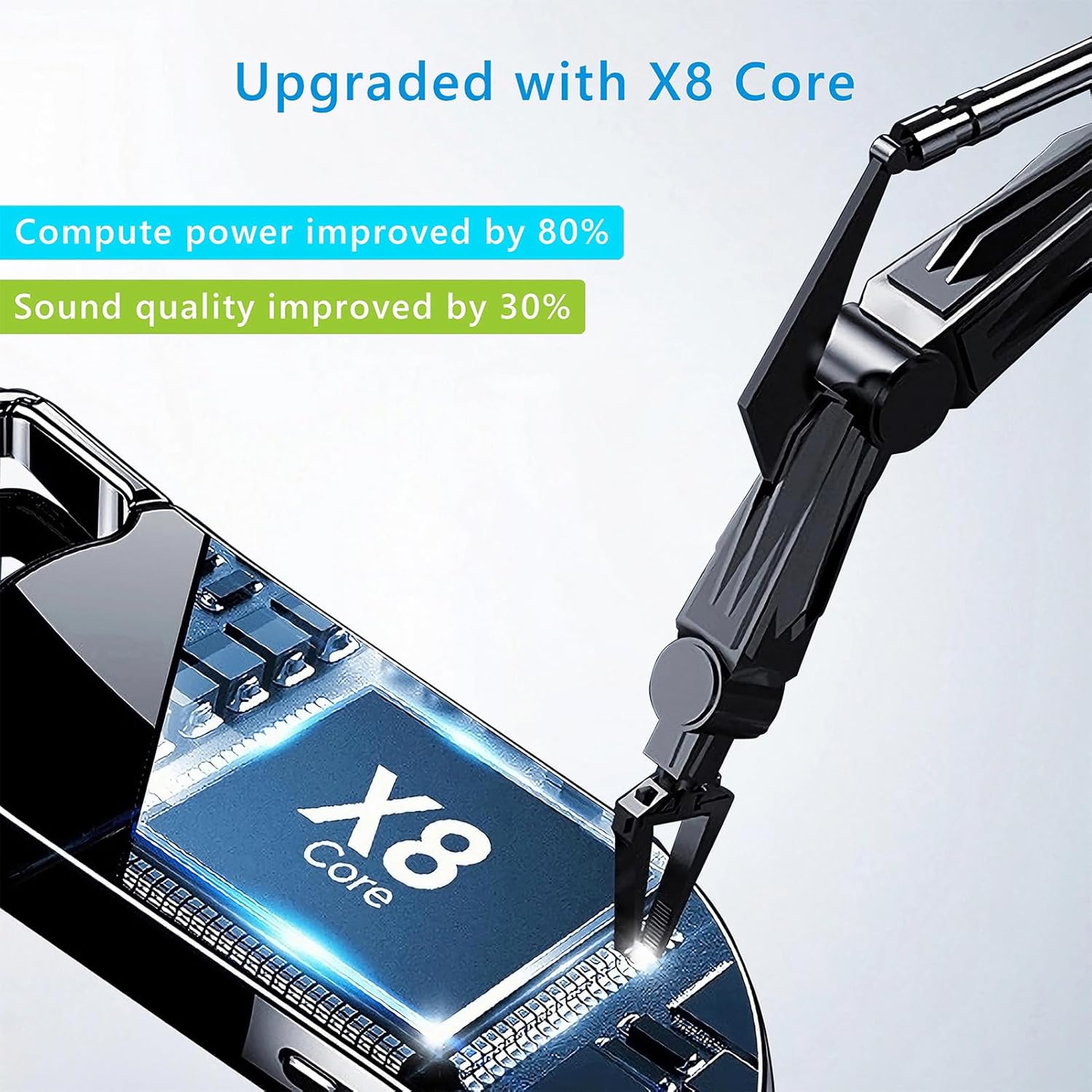
Image 8.1: Internal component view of the Vandlion V22-64GB Voice Recorder, showcasing the X8 Core. This illustrates the advanced processing unit within the device.
9. Garantie und Support
For warranty information and technical support, please refer to the documentation provided with your purchase or contact Vandlion customer service through their official webWebsite oder der Einzelhändler, bei dem Sie das Produkt gekauft haben.
Bewahren Sie Ihren Kaufbeleg als Kaufnachweis für Garantieansprüche auf.