
VTech VG131-11
VTech VG131-11 DECT 6.0 Schnurlostelefon – Benutzerhandbuch
Modell: VG131-11
1. Einleitung
The VTech VG131-11 DECT 6.0 Cordless Phone offers reliable and clear communication with advanced features. Enjoy hands-free conversations with Bluetooth connectivity, superior range with DECT 6.0 technology, and enhanced visibility with its backlit display and large buttons. This manual provides comprehensive instructions for setting up, operating, and maintaining your new cordless phone.

Image: The VTech VG131-11 DECT 6.0 Cordless Phone handset resting in its black base unit. The handset features a blue-white display and large, green-backlit buttons.
2. Lieferumfang
Bitte prüfen Sie, ob alle Artikel in Ihrem Paket enthalten sind:
- Basiseinheit
- Schnurloses Mobilteil
- Netzteil
- Akku
- Telefonkabel
3. Einrichtung
3.1. Erstinstallation
- Connect the AC adapter to the base unit and plug it into a power outlet.
- Verbinden Sie das Telefonkabel mit der Basisstation und stecken Sie das andere Ende in eine Telefonbuchse.
3.2. Einlegen der Batterie
- Öffnen Sie die Abdeckung des Batteriefachs auf der Rückseite des Mobilteils.
- Stecken Sie den Stecker des Akkus fest in die Buchse im Inneren des Fachs.
- Platzieren Sie den Akku mit der Beschriftung „OBEN“ und verstauen Sie die Kabel ordentlich im Fach.
- Schließen Sie den Batteriefachdeckel.
3.3. Laden des Mobilteils
Place the handset face forward in the base unit. The CHARGE light on the base unit will illuminate, indicating proper charging. Allow the handset to charge for at least 16 hours before initial use for optimal battery performance.
4. Bedienungsanleitung
4.1. Anrufe tätigen und entgegennehmen
- Zum Telefonieren: Drücken Sie SPRECHENWählen Sie dann die Telefonnummer.
- Um einen Anruf zu erhalten: Drücken Sie SPRECHEN oder eine beliebige Wähltaste (0-9, #, *).
- So beenden Sie einen Anruf: Drücken Sie AUS.
4.2. Verwenden der Freisprecheinrichtung
The phone features a full-duplex speakerphone, allowing both parties to speak and be heard simultaneously for more natural conversations.
- Drücken Sie während eines Anrufs die Taste LAUTSPRECHER Taste zum Aktivieren der Freisprechfunktion.
- Drücken Sie die LAUTSPRECHER Drücken Sie erneut die Taste, um wieder in den Mobilteilmodus zu wechseln.
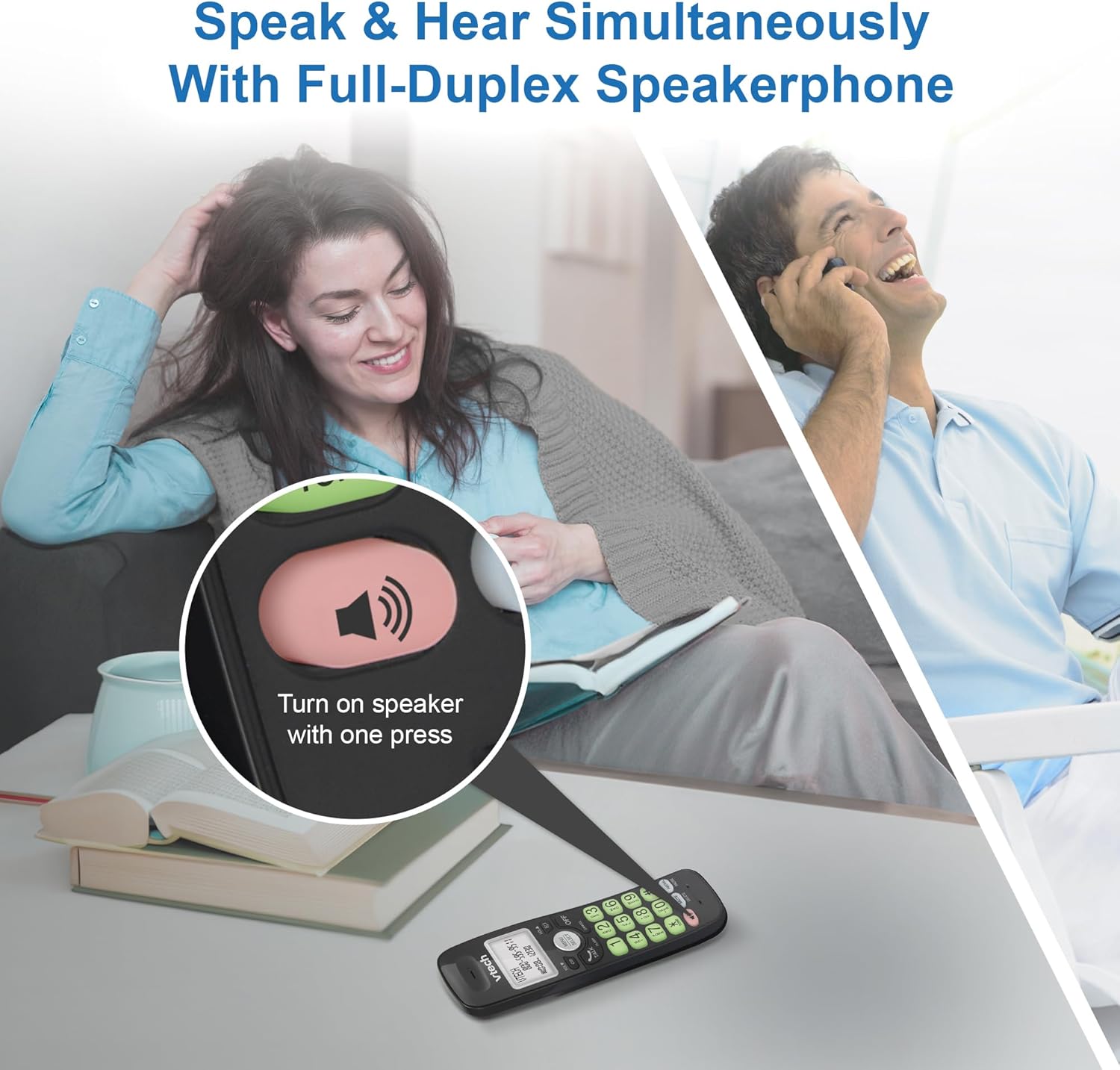
Image: A close-up of the VTech cordless phone handset showing the speakerphone button highlighted, with a person talking on the phone in the background, demonstrating the full-duplex speakerphone feature.
4.3. Lautstärkeregelung und Stummschaltung
- To adjust earpiece or speakerphone volume during a call, press VOL ▼ or VOL ▲.
- To mute the microphone during a call, press MUTE. The other party cannot hear you, but you can still hear them. Press MUTE erneut, um die Stummschaltung aufzuheben.

Bild: Eine detaillierte view of the VTech cordless phone handset, highlighting the 'MUTE' button, indicating its function for silencing the microphone during a call.
4.4. Caller ID and Phonebook
The handset displays the name, number, time, and date of incoming calls. The phone also includes a 30-name and number phonebook directory.
- Um zu review Caller ID history, press CID.
- To access the phonebook, press MENÜ/AUSWÄHLEN, then navigate to the Phonebook option.

Image: A person smiling while holding the VTech cordless phone, with an overlay showing a digital phonebook display with contact names and icons, illustrating the Caller ID and phonebook features.
5. Funktionen
5.1. Bluetooth-Verbindung
By pairing a Bluetooth headset, earbuds, or conference speakerphone to the system, you can enjoy a wireless calling experience. This feature is perfect for multitasking around your home or office.

Image: A woman in a kitchen pouring a drink while wearing wireless earbuds, with the VTech cordless phone and its base unit visible on the counter, demonstrating hands-free calling via Bluetooth connection.
Koppeln eines Bluetooth-Geräts:
- Ensure your Bluetooth headset/earbuds are in pairing mode (refer to your device's manual).
- On the VTech phone, navigate to the Bluetooth menu (usually via MENÜ/AUSWÄHLEN).
- Wählen Sie „Gerät koppeln“ oder eine ähnliche Option.
- Das Telefon sucht nach verfügbaren Bluetooth-Geräten. Wählen Sie Ihr Gerät aus der Liste aus.
- Befolgen Sie die Anweisungen auf dem Bildschirm, um den Kopplungsvorgang abzuschließen.
5.2. DECT 6.0 Technology
Trusted by families worldwide for decades, VTech's cordless telephone transmits secure signals via the DECT 6.0 channel. This ensures crystal clear sounds, interference-free communication, and a stable operation range of up to 1000 ft outdoors, allowing you to move freely while on a call.

Image: A woman working on a laptop at a table, with the VTech cordless phone and its base unit nearby, and a graphic indicating DECT 6.0 digital technology, highlighting its superior range and clarity.
5.3. Backlit Display and Big Buttons
The phone features a blue-white backlit display and green backlit keypad for easier viewing and dialing in dim light conditions. The large buttons enhance usability, especially for those with visual impairments.

Bild: Eine Nahaufnahme view of the VTech cordless phone handset, emphasizing its backlit LCD screen and large, clearly visible buttons, designed for better visibility and ease of use.
5.4. Easy Wall Mount
The base unit is designed for easy wall mounting, fitting all standard wall mount plates without the need for additional brackets. Simply slide the base unit into the mounting plate using the built-in mounting holes for convenient placement.

Image: The VTech cordless phone base unit shown mounted on a wall, highlighting its built-in mounting holes on the back of the base for easy installation.
5.5. Hearing Aid Compatible
This phone is designed to be compatible with hearing aids, providing a clearer audio experience for users with hearing devices.

Image: A woman with a hearing aid talking on the VTech cordless phone, illustrating the phone's hearing aid compatibility feature.
5.6. Produktüberschreitungview Video
Video: Ein kurzer Produktüberblickview of the VTech VG131-11 DECT 6.0 Cordless Phone, showcasing its key features and ease of use.
6. Wartung
To ensure the longevity and optimal performance of your VTech cordless phone, follow these maintenance guidelines:
- Reinigung: Wischen Sie Telefon und Basisstation mit einem weichen, fusselfreien Tuch ab.amp Mit einem Tuch abwischen. Keine Reinigungssprays oder aggressive Chemikalien verwenden.
- Batteriepflege: Avoid exposing the battery to extreme temperatures. If the phone will not be used for an extended period, remove the battery from the handset.
- Platzierung: Halten Sie das Telefon von Wärmequellen, direkter Sonneneinstrahlung und Feuchtigkeit fern.
7. Fehlerbehebung
If you experience any issues with your VTech cordless phone, please refer to the following common problems and solutions:
| Problem | Lösung |
|---|---|
| Kein Freizeichen. | Ensure the telephone line cord is securely plugged into both the base unit and the wall jack. Check if the AC adapter is properly connected to the base unit and a working power outlet. |
| Das Mobiltelefon lädt nicht. | Make sure the handset is correctly placed in the base unit. Clean the charging contacts on both the handset and the base unit with a dry cloth. Verify the AC adapter is plugged in. |
| Schlechte Tonqualität oder Rauschen. | Move closer to the base unit. Other electronic devices (Wi-Fi routers, microwaves) may cause interference; try relocating the base unit. Ensure the handset battery is fully charged. |
| Cannot connect to Bluetooth headset. | Ensure both the phone and the Bluetooth headset are in pairing mode. Make sure the headset is within range of the phone's base unit. Try restarting both devices and attempting the pairing process again. Confirm the headset is compatible with the phone's Bluetooth version. |
| Das Display ist leer oder unleserlich. | Ensure the handset battery is charged. If the display is dim, check if the backlight setting is enabled or adjust the contrast if available. |
8. Spezifikationen
| Besonderheit | Detail |
|---|---|
| Modellnummer | VG131-11 |
| Technische Daten | 3.8 x 4.09 x 7.17 Zoll |
| Artikelgewicht | 14.9 Unzen (0.42 Kilogramm) |
| Batterien | 1 produktspezifische Batterie (im Lieferumfang enthalten) |
| Telefontyp | Kabellos |
| Material | Plastik |
| Stromquelle | Kabelgebundene Elektrik |
| DECT-Technologie | DECT 6.0 |
| Bluetooth | Ja |
| Anrufer-ID / Anklopfen | Ja |
| Full-Duplex Speakerphone | Ja |
| Backlit Display & Keypad | Yes (Blue-white display, green keypad) |
| Zur Wandmontage | Ja |
| Telefonbuchkapazität | 30 Namen und Nummern |
| Reichweite | Up to 1000 ft outdoor |
9. Garantie und Support
For warranty information, technical support, or to purchase accessories, please visit the official VTech webBesuchen Sie die Website oder kontaktieren Sie den Kundendienst. Bewahren Sie Ihren Kaufbeleg als Kaufnachweis für Garantieansprüche auf.
VTech Customer Service: www.vtechphones.com/support