
1. Einleitung
This manual provides detailed instructions for the installation, operation, and maintenance of your EZoneTronics RM-26VW93-2G32 9-inch Android 11 Car Stereo. This universal car radio is designed for various VW models including Passat, Golf MK5, Golf MK6, Jetta, T5, EOS, POLO, Touran, Seat, and Sharan. It features an Android 11 operating system, integrated CarPlay and Android Auto, Bluetooth 5.0, FM/RDS radio, and GPS navigation. Please read this manual thoroughly before using the product to ensure proper function and safety.
2. Sicherheitshinweise
- Bedienen Sie das Gerät stets verantwortungsbewusst und gemäß den örtlichen Verkehrsregeln. Ablenkung am Steuer kann zu Unfällen führen.
- Do not attempt to install or repair the unit yourself if you are not qualified. Improper installation can cause damage to the vehicle's electrical system or the unit itself.
- Stellen Sie sicher, dass alle Kabel korrekt angeschlossen und isoliert sind, um Kurzschlüsse zu vermeiden.
- Das Gerät sollte vor Wasser und übermäßiger Feuchtigkeit geschützt werden.
- Vermeiden Sie es, das Gerät extremen Temperaturen auszusetzen.
3. Packungsinhalt
Bitte überprüfen Sie, ob alle unten aufgeführten Artikel in Ihrem Paket enthalten sind:
- 1 x EZoneTronics Android Car Stereo Unit
- 1 x GPS-Antenne
- 1 x VW Wiring Harness
- 1 x CANBUS-Box
- 1 x Radioantennenadapter
- 1 x USB-Adapter
- 1 x Benutzerhandbuch (dieses Dokument)
4. Produktüberschreitungview
The EZoneTronics RM-26VW93-2G32 is a 9-inch universal car stereo designed to enhance your driving experience with advanced features and seamless integration. Key features include:
- Android 11 System: Provides a fast, stable, and user-friendly operating environment.
- 9-inch TFT Capacitive Touchscreen: High-definition display with 1280 x 720 pixels for clear visuals.
- Integrated CarPlay & Android Auto: Connect your smartphone via USB for navigation, music, calls, and messages.
- Bluetooth 5.0: For hands-free calling, phonebook access, and audio streaming (A2DP).
- GPS Navigation: Built-in receiver compatible with various navigation apps like Waze, Navfree, and Google Maps.
- FM/RDS-Radio: Automatic memory and preset scanning for your favorite stations.
- Unterstützung für die Lenkradsteuerung: Retains original vehicle steering wheel control functionality via CANBUS.
- Multimedia-Player: Supports various audio and video formats.
- Eingang für Rückkamera: Supports CVBS/AHD cameras for parking assistance.
- 32 GB Flash-Speicher: Ample storage for music, map data, and videos.
- 4 x 45W Output Power: Liefert einen klaren und kraftvollen Klang.
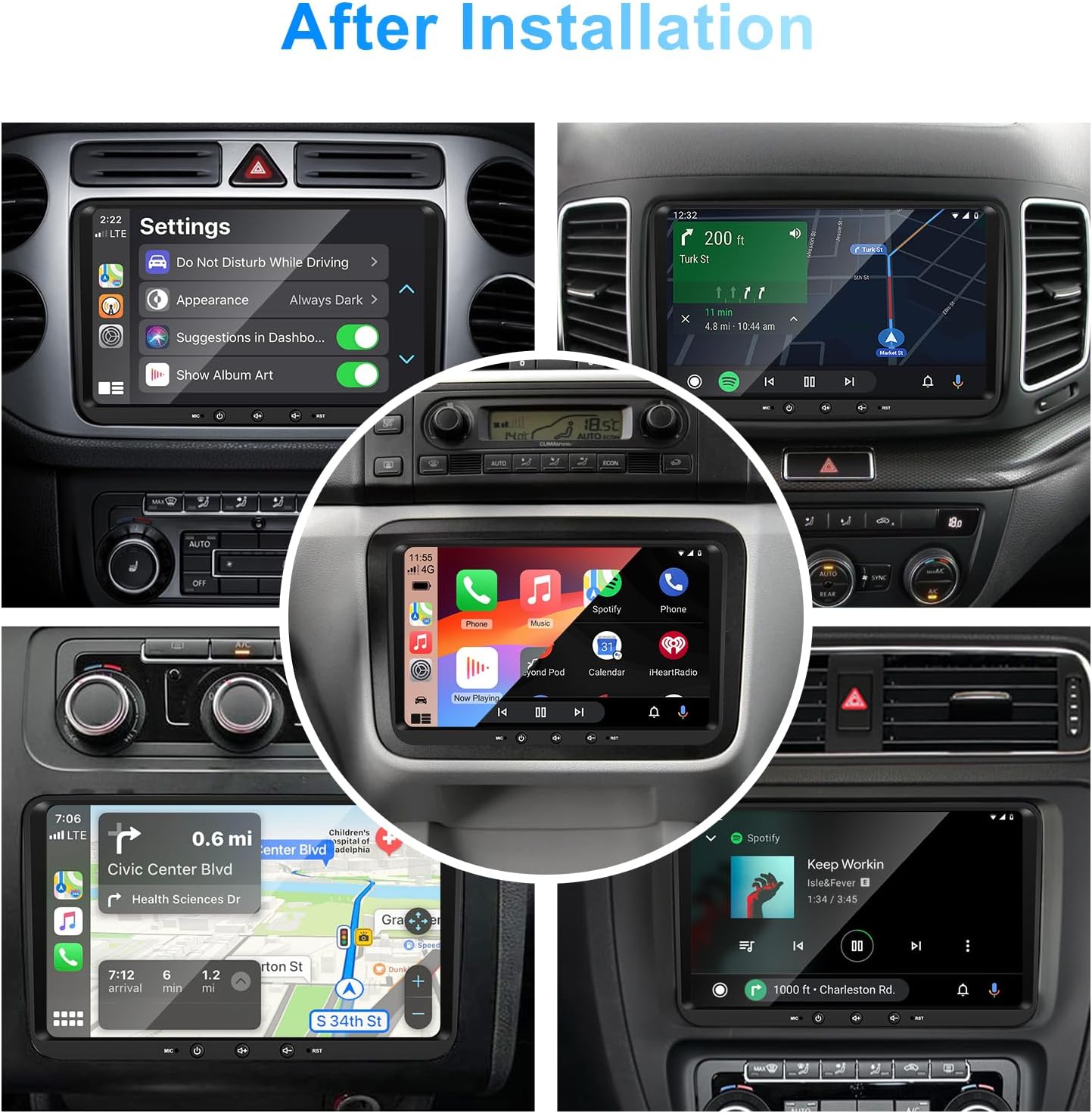
Bild 1: Vorderseite view of the EZoneTronics 9-inch Android 11 Car Stereo unit, showcasing its large touchscreen display and sleek design.
5. Einrichtung und Installation
Eine Installation durch einen Fachmann wird empfohlen. Stellen Sie sicher, dass die Stromversorgung des Fahrzeugs vor Beginn der Installation unterbrochen ist.
5.1 Schaltplan
Refer to the following diagram for proper wiring connections. Each connector is labeled for clarity.

Image 2: Detailed wiring diagram illustrating connections for the power harness, CANBUS box, USB extension, backup camera video input, radio antenna adapter, and GPS antenna.
5.2 Installationsschritte (Allgemein)
- Originaleinheit ausbauen: Carefully remove your vehicle's existing car stereo unit and trim panels.
- Stromkabelbaum anschließen: Connect the provided VW wiring harness to the vehicle's wiring and then to the car stereo unit. Ensure all connections are secure.
- Connect CANBUS Box: Integrate the CANBUS box as shown in the wiring diagram. This enables steering wheel controls and other vehicle data integration.
- GPS-Antenne anschließen: Montieren Sie die GPS-Antenne an einem Ort mit freiem Blick view of the sky (e.g., dashboard or windshield corner) and connect it to the unit.
- Funkantenne anschließen: Use the provided radio antenna adapter to connect the vehicle's radio antenna to the unit.
- USB-Adapter anschließen: Connect the USB extension harnesses for external USB devices.
- Optionale Verbindungen: Connect any optional accessories such as a backup camera (CVBS/AHD), external amplifier (RCA output), or additional video inputs/outputs.
- Testfunktionalität: Before fully reassembling the dashboard, temporarily connect the unit and test all functions (power, audio, radio, GPS, Bluetooth, steering wheel controls, camera).
- Sichere Einheit: Once all functions are verified, secure the car stereo unit in the dashboard and reassemble all trim panels.
6. Bedienungsanleitung
This section details the primary functions and operations of your EZoneTronics car stereo.
6.1 Grundlegende Bedienung
- Ein-/Ausschalten: Zum Ein- oder Ausschalten des Geräts die Ein-/Aus-Taste (normalerweise an der Vorderseite) gedrückt halten. Ein kurzer Druck schaltet den Ton in der Regel stumm bzw. hebt die Stummschaltung auf.
- Lautstärkeregelung: Verwenden Sie den physischen Lautstärkeregler oder die Bedienelemente auf dem Bildschirm, um die Lautstärke anzupassen.
- Touchscreen-Schnittstelle: Navigieren Sie durch Menüs und Anwendungen, indem Sie auf dem 9 Zoll großen kapazitiven Touchscreen tippen, wischen und zoomen.
6.2 Android 11 System
The unit runs on Android 11, providing a familiar smartphone-like experience. You can download and install various applications from the Google Play Store.

Image 3: Screenshot of the Android 11 system interface, showing various applications and media options available on the car stereo.
6.3 CarPlay & Android Auto
Connect your iPhone or Android smartphone via USB to access CarPlay or Android Auto. This allows for safe and convenient use of phone features while driving.
- Verbindung: Connect your smartphone to one of the unit's USB ports using a certified USB cable.
- Aktivierung: The unit should automatically detect and prompt you to launch CarPlay or Android Auto. Follow on-screen instructions.
- Merkmale: Access navigation, make calls, send/receive messages, and play music using voice commands (Siri or Google Assistant) or the touchscreen.

Image 4: Display showing the CarPlay interface with Siri voice commands and the Android Auto interface with Google Assistant commands, demonstrating smartphone integration.
6.4 GPS-Navigation
The unit includes a built-in GPS receiver and supports various navigation applications.
- Pre-installed Maps: Sygic Maps are typically pre-installed. For offline use, download regional map data as needed.
- Online-Navigation: Connect to Wi-Fi or use a mobile hotspot to access real-time traffic information and online map services like Google Maps.
- Externe GPS-Antenne: Ensure the external GPS antenna is properly connected and positioned for optimal signal reception.

Image 5: The car stereo displaying an online navigation map, showing a route and real-time traffic conditions within a vehicle dashboard.
6.5Bluetooth 5.0
Connect your smartphone via Bluetooth for hands-free communication and audio streaming.
- Paarung: Enable Bluetooth on your smartphone and search for the car stereo (e.g., "EZoneTronics"). Select the device and confirm the pairing code.
- Freisprechen: Make and receive calls directly from the car stereo. Access your phonebook and recent call history.
- Audio-Streaming (A2DP): Play music from your smartphone through the car stereo's speakers.

Image 6: The car stereo displaying music playback via Bluetooth 5.0, with a smartphone shown next to it also playing music, illustrating the wireless audio connection.
6.6 FM/RDS-Radio
Empfangen Sie lokale Radiosender mit dem integrierten FM/RDS-Tuner.
- Stimmung: Use the on-screen controls to manually tune to frequencies or perform an automatic scan for available stations.
- Voreinstellungen: Speichern Sie Ihre Lieblingssender auf voreingestellten Tasten für den Schnellzugriff.
- RDS (Radio-Daten-System): Zeigt, sofern verfügbar, Senderinformationen wie Songtitel, Interpret oder Programmtyp an.
6.7 Lenkradsteuerung
The unit supports your vehicle's original steering wheel controls through the CANBUS box, allowing you to manage audio and other functions without taking your hands off the wheel.
- Funktionalität: Control volume, change tracks, answer calls, and switch modes directly from your steering wheel.
- Konfiguration: In some cases, steering wheel controls may require initial configuration in the unit's settings menu.

Image 7: Illustration showing a steering wheel with control buttons and corresponding icons on the car stereo display, indicating seamless integration of steering wheel controls.
6.8 Audio Settings (32-Band EQ)
Customize your audio experience with the built-in 32-band equalizer and other sound controls.
- Equalizer: Adjust frequency bands to fine-tune the sound output to your preference.
- Voreingestellte EQ-Modi: Select from various preset equalizer modes (e.g., Pop, Rock, Jazz, Classic).
- Fader / Balance: Passen Sie die Audioverteilung zwischen vorderen/hinteren und linken/rechten Lautsprechern an.
- Lautstärke: Enhance bass and treble at low volume levels.

Image 8: Screenshot of the car stereo's 32-band equalizer interface, showing adjustable frequency sliders and preset sound modes, along with a visual representation of sound distribution in a car cabin.
6.9 After Installation Overview
Once installed, the unit provides a comprehensive interface for various functions, including system settings, navigation, media playback, and vehicle information.
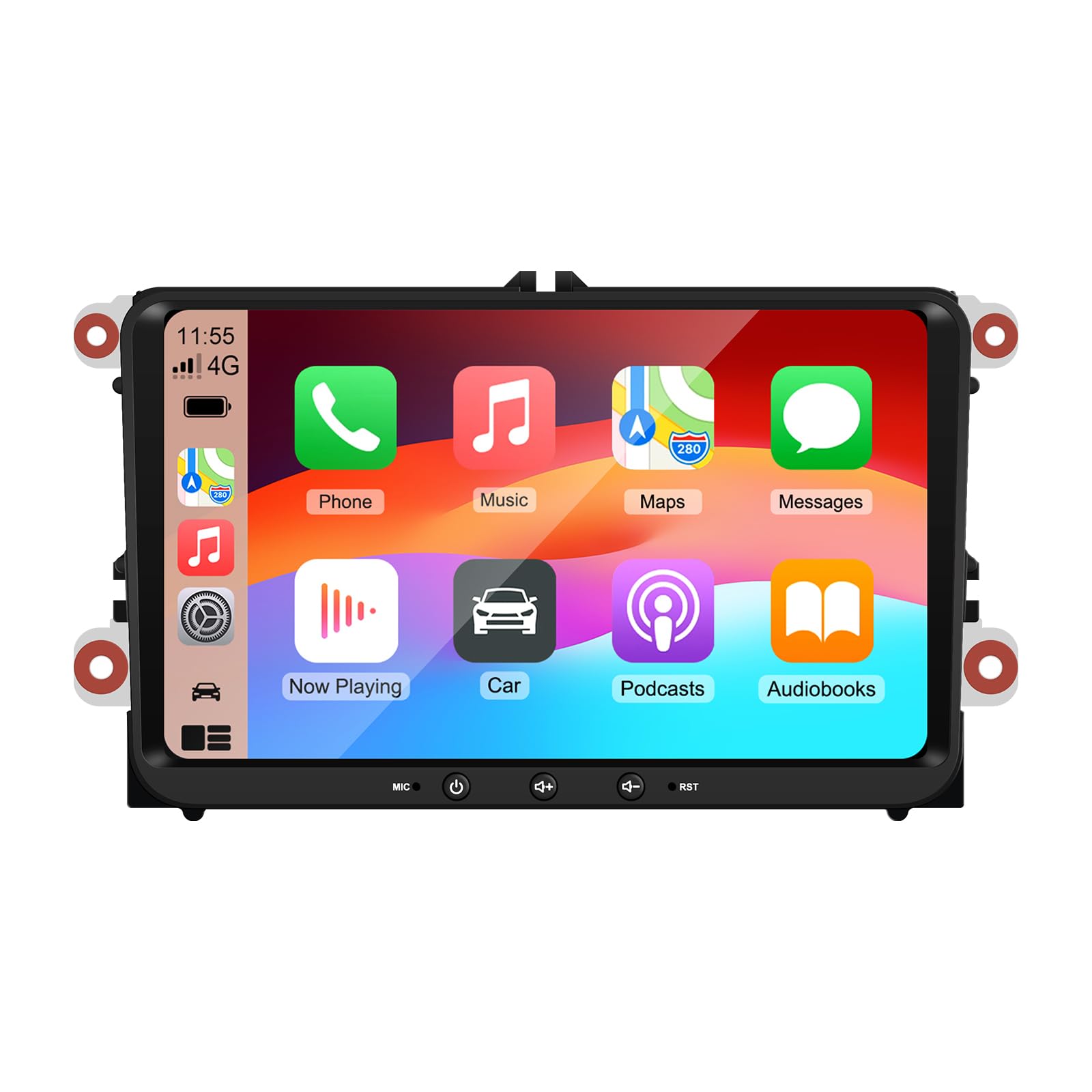
Image 9: A collage of various screen displays from the car stereo after installation, showing settings, navigation, CarPlay, Spotify, and vehicle information screens.
7. Wartung
- Reinigen des Bildschirms: Verwenden Sie ein weiches, fusselfreies Tuch, um den Touchscreen vorsichtig abzuwischen. Bei hartnäckigen Flecken etwas nachhelfen.ampReinigen Sie das Tuch mit Wasser oder einem für Bildschirme geeigneten Reiniger. Vermeiden Sie aggressive Chemikalien.
- Software-Updates: Prüfen Sie regelmäßig über das Einstellungsmenü des Geräts oder die Website des Herstellers, ob Software-Updates verfügbar sind. webWebsite, um optimale Leistung und Zugriff auf neue Funktionen zu gewährleisten.
- Systemreset: Sollten weiterhin Probleme mit dem Gerät auftreten, steht in den Einstellungen eine Option zum Zurücksetzen auf Werkseinstellungen zur Verfügung. Beachten Sie, dass dadurch alle Benutzerdaten und Einstellungen gelöscht werden.
8. Fehlerbehebung
If you encounter problems with your EZoneTronics car stereo, refer to the following common issues and solutions:
| Problem | Mögliche Ursache | Lösung |
|---|---|---|
| Gerät lässt sich nicht einschalten. | Falsche Verkabelung; durchgebrannte Sicherung; Problem mit der Fahrzeugstromversorgung. | Check power connections and fuses. Consult a professional installer. |
| Kein Ton. | Volume muted; Speaker wiring incorrect; AmpLifier-Problem. | Check volume and mute settings. Verify speaker connections. |
| GPS-Signal verloren oder ungenau. | GPS-Antenne falsch platziert oder nicht angeschlossen. | Stellen Sie sicher, dass die GPS-Antenne freie Sicht hat. view des Himmels und ist sicher verbunden. |
| Die Bluetooth-Kopplung schlägt fehl. | Bluetooth ist auf dem Telefon/Gerät nicht aktiviert; Fehlerhafter Kopplungsvorgang. | Stellen Sie sicher, dass Bluetooth auf beiden Geräten aktiviert ist. Starten Sie den Kopplungsvorgang neu. |
| Die Lenkradbedienelemente funktionieren nicht. | CANBUS box not connected; Incorrect configuration. | Verify CANBUS box connection. Check steering wheel control settings in the unit. |
9. Spezifikationen
Technical specifications for the EZoneTronics RM-26VW93-2G32 car stereo:
| Besonderheit | Spezifikation |
|---|---|
| Modellnummer | RM-26VW93-2G32 |
| Betriebssystem | Android 11 |
| Bildschirmgröße | 9 Zoll |
| Bildschirmauflösung | 1280 x 720 Pixel |
| Prozessor | Quad Core 1.5G |
| RAM | 2 GB DDR4 |
| Interner Speicher | 32 GB Flash-Speicher |
| Bluetooth-Version | 5.0 |
| Ausgangsleistung | 4 x 45W (180 Watts total) |
| Anzahl der Kanäle | 2 |
| GPS-Empfänger | Built-in, with external antenna |
| W-lan | Eingebaut |
| USB-Eingang | 2 x USB hinten |
| Kameraeingang | CVBS/AHD compatible |
| Hersteller | Rhythm Electronics Limited |
10. Garantie und Support
10.1 Garantieinformationen
The EZoneTronics RM-26VW93-2G32 car stereo comes with a 1 Jahr Garantie Diese Garantie gilt ab Kaufdatum und deckt Herstellungsfehler und Funktionsstörungen bei normalem Gebrauch ab. Sie deckt keine Schäden ab, die durch unsachgemäße Installation, Missbrauch, Unfälle oder unbefugte Änderungen verursacht wurden.
10.2 Kundendienst
For technical assistance, warranty claims, or any questions regarding your product, please contact our customer support team:
- E-Mail: support@ezonetronics.com
When contacting support, please provide your product model number (RM-26VW93-2G32) and a detailed description of the issue.