
1. Einleitung
Dieses Handbuch enthält umfassende Anweisungen für die Installation, den Betrieb und die Wartung Ihres CAMECHO Android 11 Autoradios. Bitte lesen Sie dieses Handbuch vor der Inbetriebnahme des Produkts sorgfältig durch, um die einwandfreie Funktion und Sicherheit zu gewährleisten.
1.1. Kompatible Fahrzeugmodelle
This 9-inch Android 11 car stereo is designed for specific Opel models:
- Opel Astra H (2004-2008)
- Opel Zafira B (2005-2015)

Figure 1.1: Compatible Opel models and a visual comparison of the dashboard before and after installing the CAMECHO car stereo.
2. Sicherheitshinweise
Always prioritize safety while operating your vehicle. Do not attempt to operate complex functions or watch videos that may distract you from driving. Ensure all connections are secure and correctly installed to prevent electrical hazards or damage to the unit or vehicle.
- Das Gerät darf nicht zerlegt oder modifiziert werden.
- Setzen Sie das Gerät keinen extremen Temperaturen oder Feuchtigkeit aus.
- Consult a professional for installation if you are unsure.
3. Packungsinhalt
Bitte überprüfen Sie, ob alle unten aufgeführten Artikel in Ihrem Paket enthalten sind:
- Haupteinheit
- Stromkabel
- GPS-Antenne
- RCA-Kabel
- USB-Kabel
- Mikrofon
- Kamera-Eingangskabel
- Bedienungsanleitung
- Video-Verlängerungskabel
- Schrauben für die Installation
- AHD-Rückkamera
- Installationstool
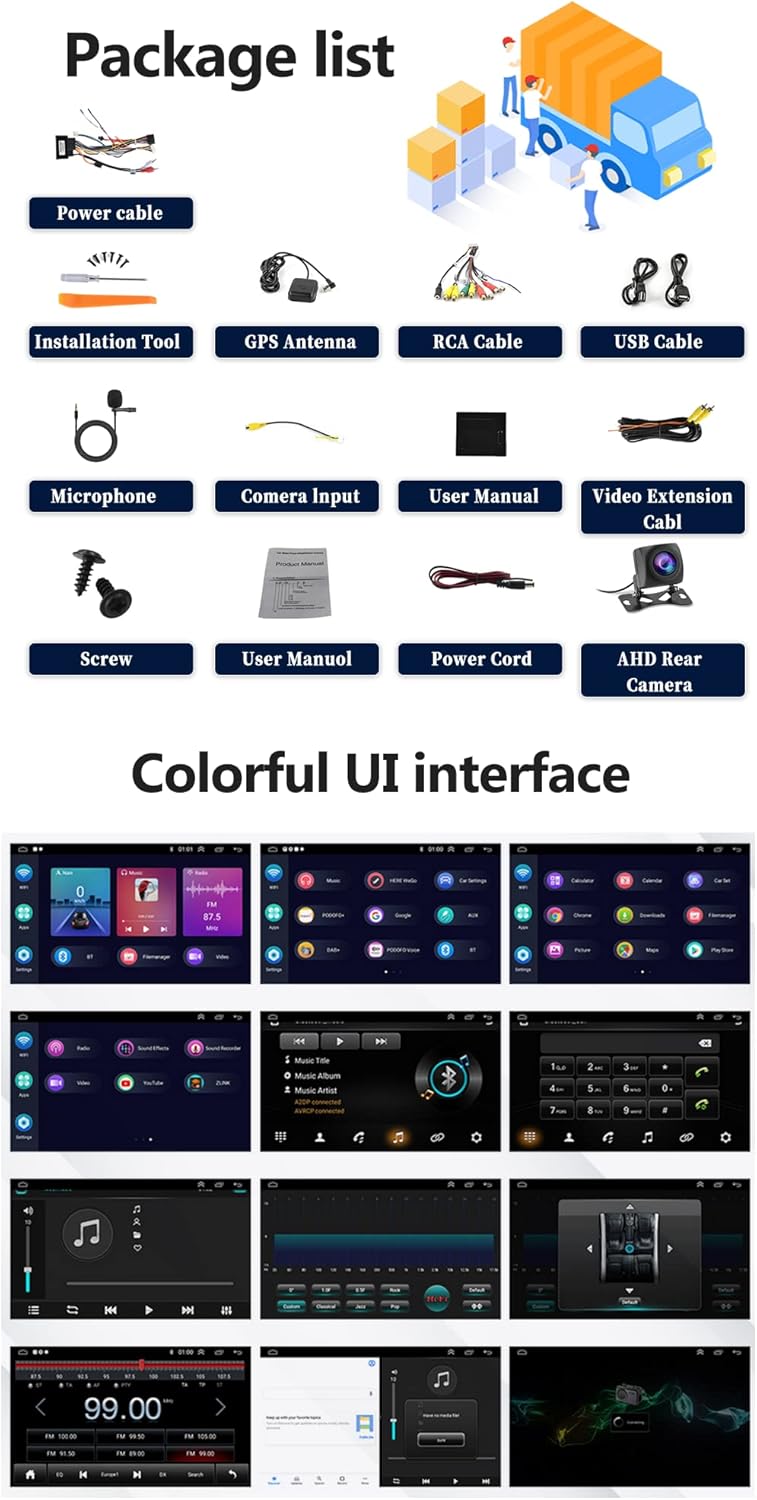
Figure 3.1: Contents of the CAMECHO car stereo package.
4. Produktüberschreitungview
Familiarize yourself with the physical dimensions and connection ports of your car stereo.

Abbildung 4.1: Produktabmessungen und Anschlüsse an der Rückseite.
4.1. Main Unit Dimensions
- Bildschirmgröße: 9 Zoll
- Gesamtbreite: 236 mm (9.30 Zoll)
- Overall Height: 137mm (5.41 inches)
- Mounting Frame Width: 225mm (8.85 inches)
- Mounting Frame Height: 190mm
- Mounting Frame Depth: 107mm
4.2. Back Ports and Connections
The rear of the unit features various ports for power, audio, video, and accessories:
- USB-Anschlüsse (USB1, USB2): For media playback and Android Auto/Carplay connections.
- Eingang für Rückfahrkamera: Dedicated input for the included AHD reversing camera.
- GPS-Antennenanschluss: Zum Anschluss der externen GPS-Antenne.
- RCA-Kabel: For audio output (front/rear, subwoofer), video output, and auxiliary input.
- Stromkabelanschluss: Hauptstrom- und Lautsprecheranschlüsse.
5. Einrichtung und Installation
Eine Installation durch einen Fachmann wird empfohlen. Stellen Sie sicher, dass die Stromversorgung des Fahrzeugs vor Beginn der Installation unterbrochen ist.
5.1. Allgemeine Installationsschritte
- Das originale Autoradio ausbauen.
- Schließen Sie den Hauptstromkabelbaum an die Fahrzeugverkabelung an.
- Connect the GPS antenna and route it to a suitable location (e.g., dashboard).
- Connect the USB cables and route them to a convenient location (e.g., glove compartment).
- Connect the RCA cables for any external amplifiers or auxiliary devices.
- Install the reversing camera (refer to section 5.2).
- Mount the new CAMECHO car stereo into the dashboard opening.
- Befestigen Sie das Gerät mit Schrauben.
- Schließen Sie die Stromversorgung des Fahrzeugs wieder an und testen Sie alle Funktionen.
5.2. Einbau der Rückfahrkamera
The reversing camera provides visual assistance when backing up. Ensure the reversing input is connected even if the camera is not immediately used.
- Connect the red wire (1) of the camera's power cable to the positive pole of the car's reversing light.
- Connect the black wire (2) of the camera's power cable to the negative pole of the car's reversing light.
- The reversing trigger (3) is controlled by the stereo and does not require a separate connection.
- Connect the camera's video output cable (4) to the 'Camera Input' port on the car stereo.
- Wichtig: The white plug must be connected to the main device, otherwise Bluetooth and Wi-Fi signals may not function correctly.
To adjust camera settings: Go to Car Settings > Factory Settings (Password: 8888) > Reversing settings > Reverse video resolution. Select "NTSC/PAL" or "AHD/25" as appropriate, then restart your car.
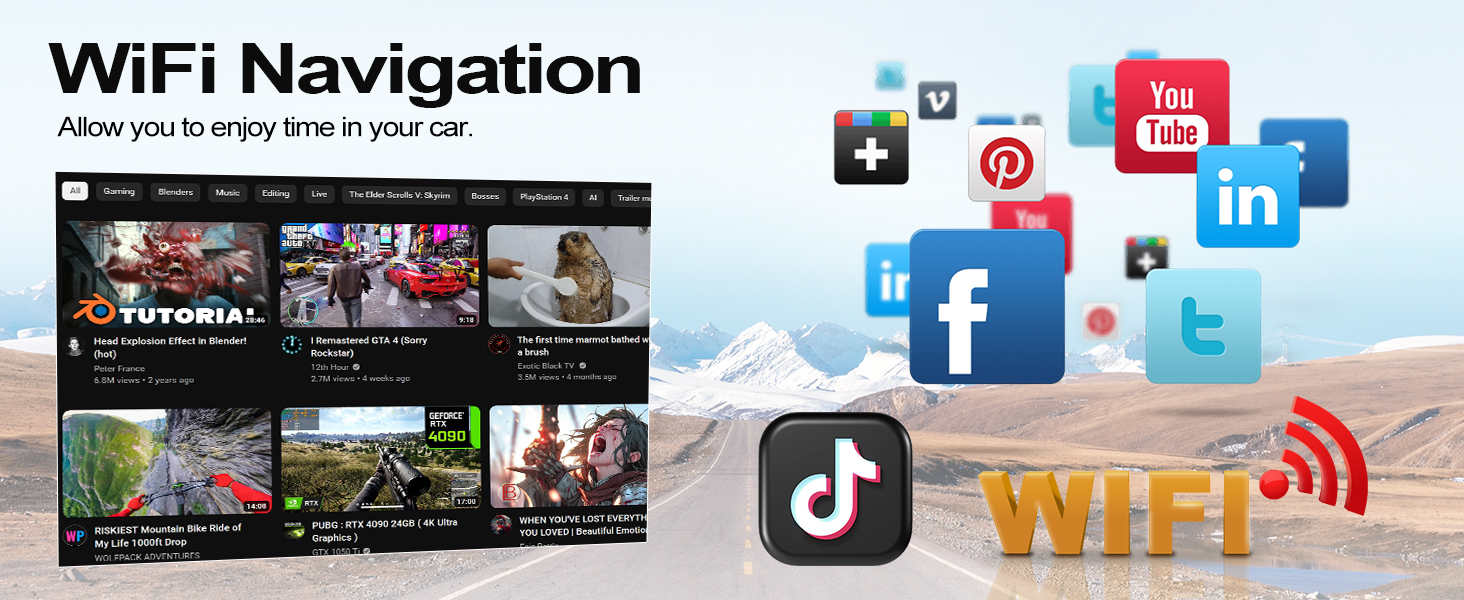
Abbildung 5.1: Schaltplan der Rückfahrkamera.
6. Bedienungsanleitung
6.1. Grundlegende Bedienung
- Ein-/Ausschalten: Drücken und halten Sie den Netzschalter auf der Vorderseite oder benutzen Sie die Zündung des Fahrzeugs.
- Lautstärkeregelung: Die Einstellung erfolgt über den physischen Drehknopf oder die Bedienelemente auf dem Bildschirm.
- Touchscreen-Schnittstelle: Navigate through menus and applications by tapping and swiping on the 9-inch HD display.
6.2. Kabelloses CarPlay & Android Auto
Connect your smartphone wirelessly to access navigation, music, calls, and other apps safely while driving. Supports split-screen functionality.
- Stellen Sie sicher, dass Bluetooth und WLAN auf Ihrem Smartphone aktiviert sind.
- Öffnen Sie auf Ihrem Autoradio die Carplay- oder Android Auto-Anwendung.
- Folgen Sie den Anweisungen auf dem Bildschirm, um Ihr Gerät zu koppeln.
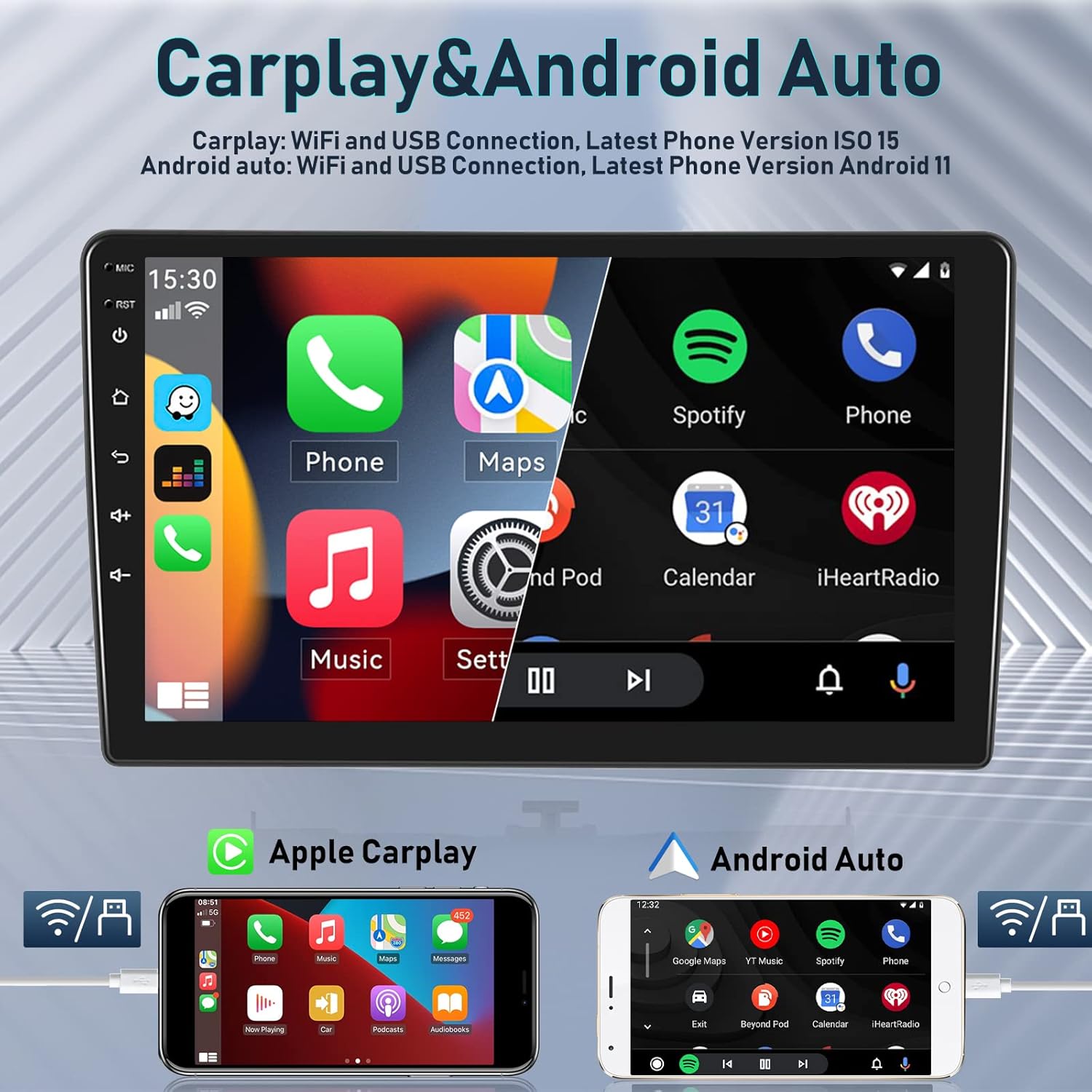
Abbildung 6.1: Drahtlose Carplay- und Android Auto-Funktionalität.

Abbildung 6.2: Verbindungsmethoden von Apple Carplay und Android Auto.
6.3. GPS-Navigation & WLAN
The integrated GPS receiver supports both online and offline maps. Connect to Wi-Fi or a mobile hotspot to access online maps and other internet-based applications.
- Online-Karten: Requires a Wi-Fi connection for real-time traffic and updates.
- Offline-Karten: Download maps for navigation without an internet connection.
- WLAN-Hotspot: Connect to your phone's hotspot to browse the internet, stream media, and use apps like YouTube, TikTok, and Spotify.
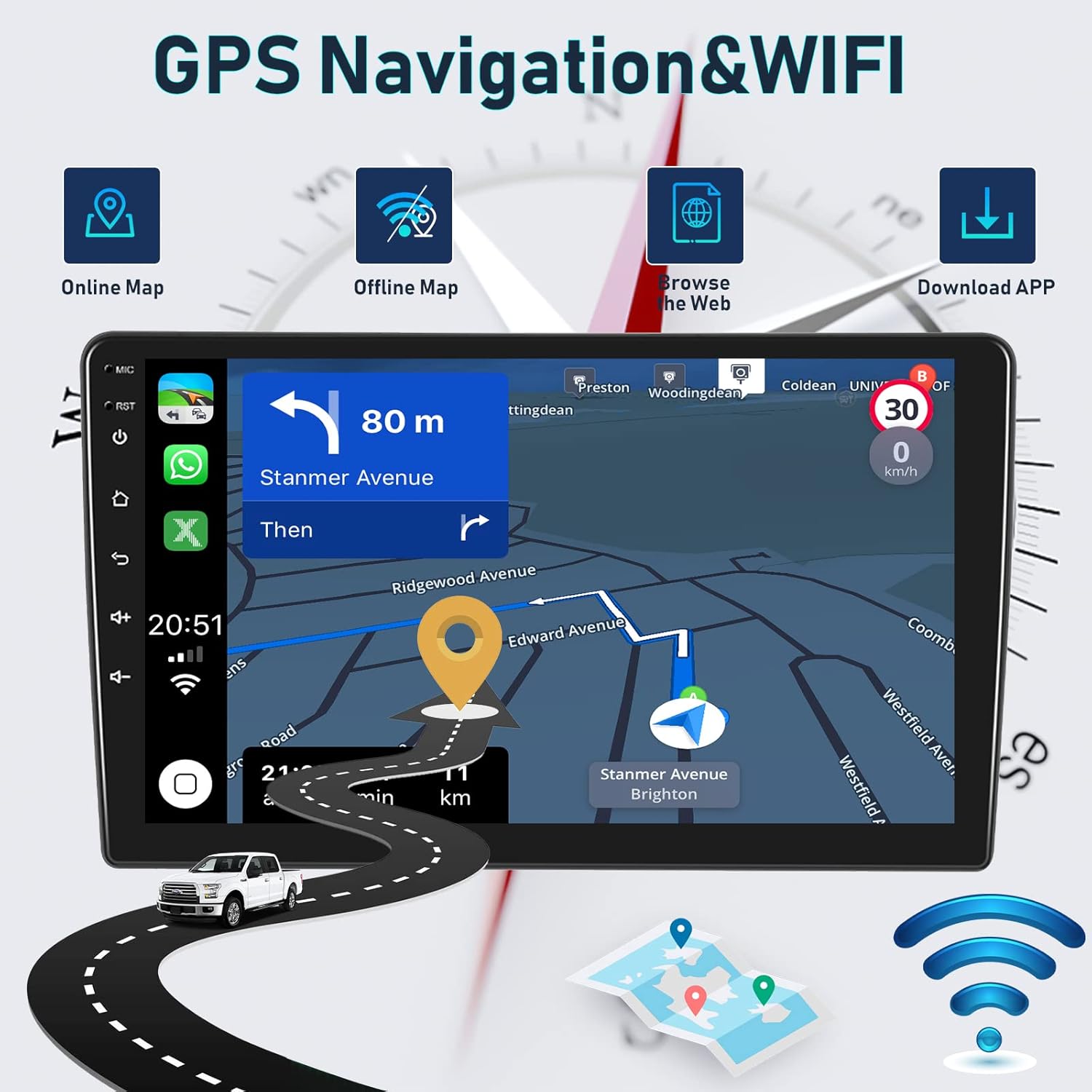
Figure 6.3: GPS Navigation and Wi-Fi features.

Figure 6.4: Detailed GPS navigation features.

Figure 6.5: WiFi connectivity for various applications.
6.4. Bluetooth-Funktionalität
The integrated microphone and Bluetooth module allow for hands-free calling and wireless music streaming from your iOS or Android device.
- Freisprechen: Tätigen und empfangen Sie Anrufe direkt über das Autoradio.
- Bluetooth Musik: Streamen Sie Audio von Ihrem Telefon auf die Autolautsprecher.
- Kontakte synchronisieren: Access your phone's contact list on the stereo display.
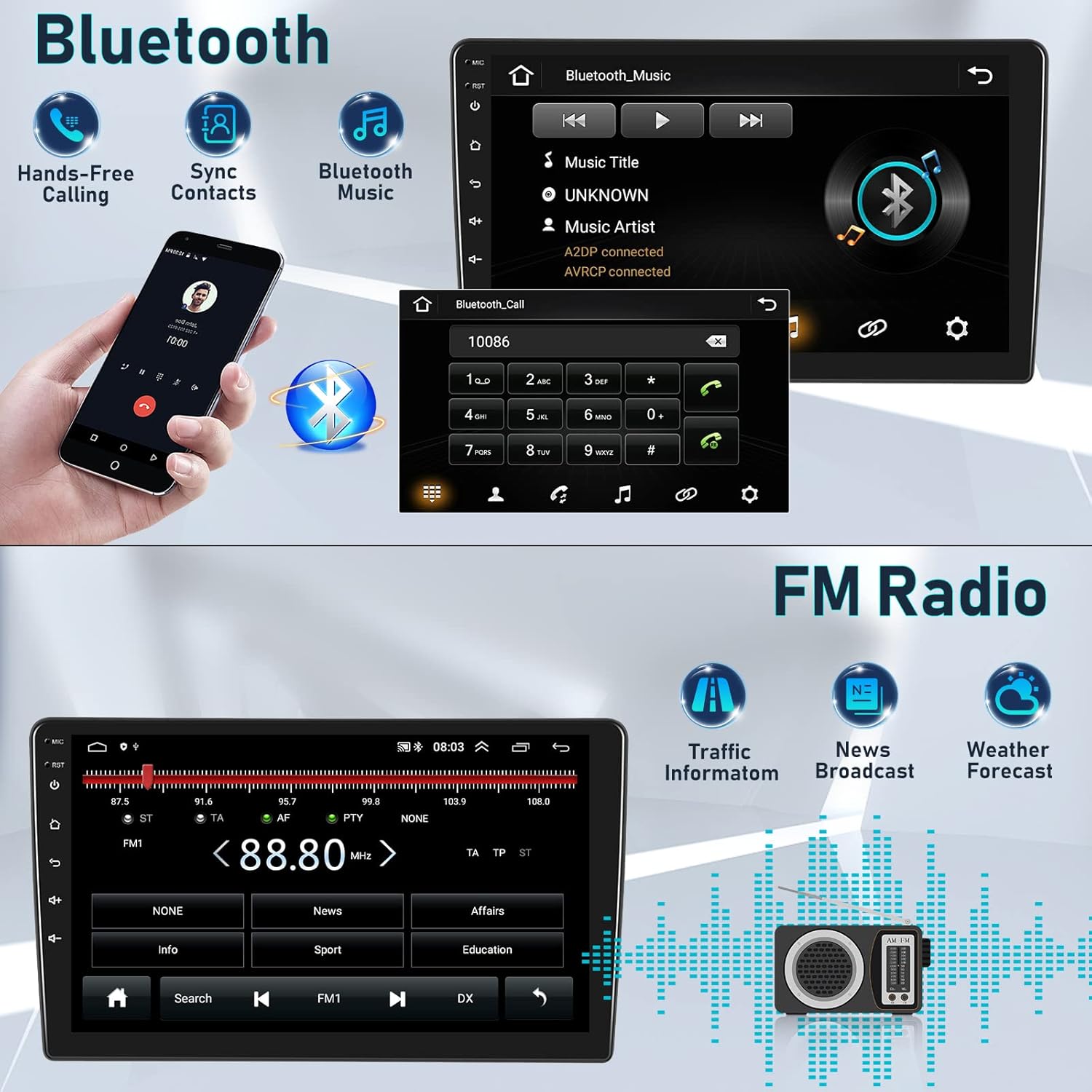
Abbildung 6.6: Bluetooth-Funktionen für Anrufe und Musik.
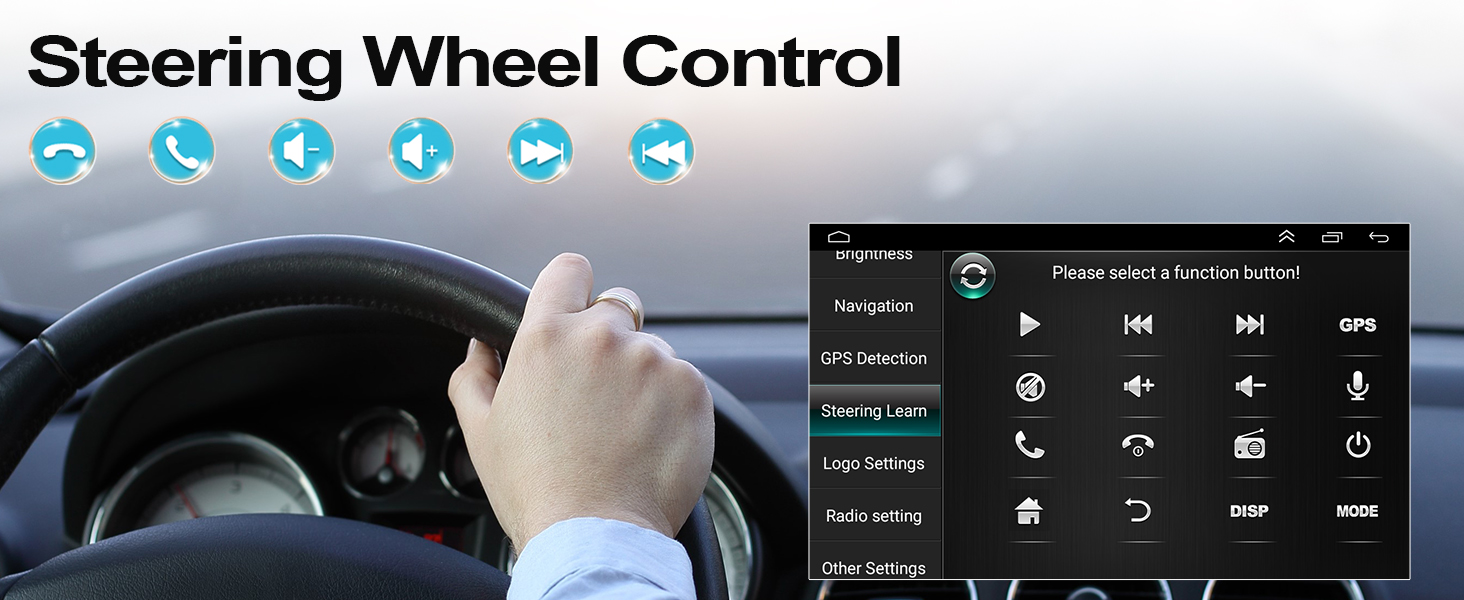
Abbildung 6.7: Bluetooth-Freisprechschnittstelle.
6.5. FM/RDS-Radio
Enjoy high-quality digital stereo FM radio with RDS (Radio Data System) functionality. The unit can automatically or semi-automatically search for radio stations.
- Automatische/Manuelle Abstimmung: Suchen Sie nach verfügbaren Sendern.
- RDS Features: Display station information, traffic announcements, and program types.
- Lautsprecherlautstärkeregler: Adjust individual speaker volumes.
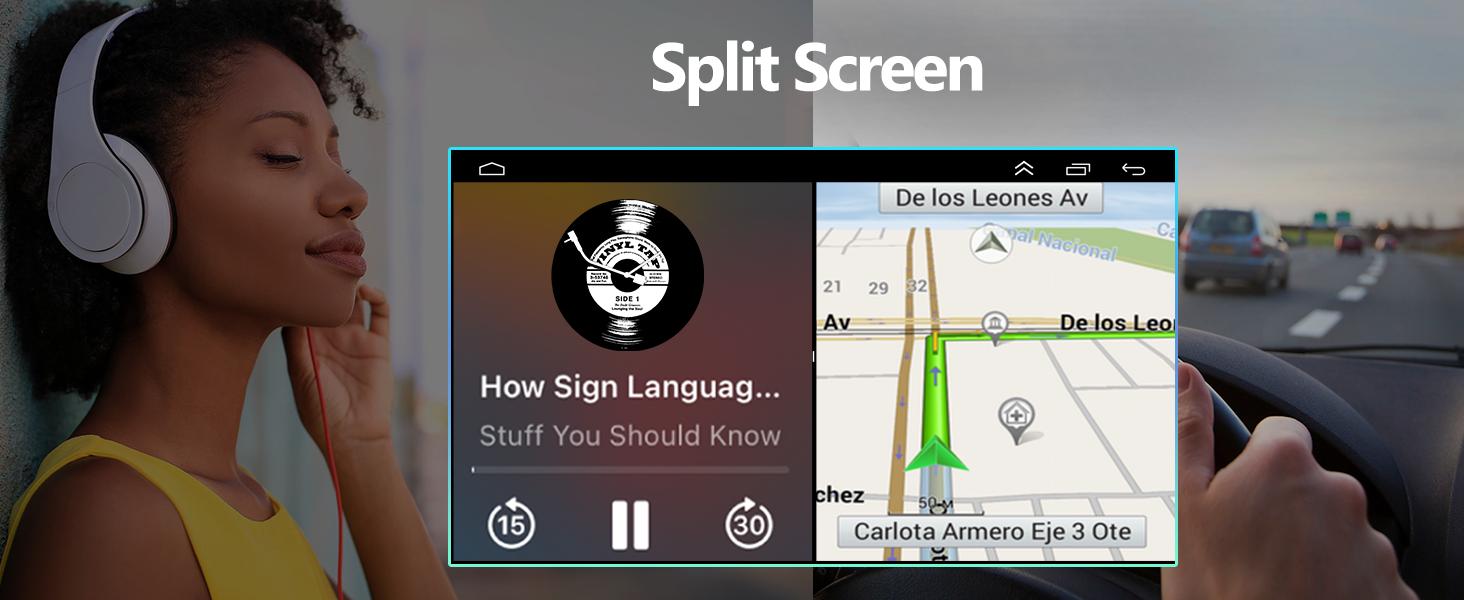
Abbildung 6.8: FM/RDS-Radioschnittstelle.
6.6. HIFI Sound Settings
Customize your audio experience with the built-in 15-band graphic equalizer and various sound presets.
- 15-Band-EQ: Passen Sie die Audiofrequenzen Ihren Vorlieben an.
- Sound-Voreinstellungen: Choose from Pop, Rock, Jazz, Classical, Flat, User, Voice, and Sound Delay.
- Subwoofer-Ausgang: Supports external subwoofer connection for enhanced bass.

Figure 6.9: HIFI sound customization options.
6.7. Lenkradsteuerung (SWC)
Integrate your vehicle's steering wheel controls for safer operation. This allows you to manage calls, adjust volume, and change tracks without taking your hands off the wheel.
- Access the 'Steering Learn' menu in the car stereo settings.
- Folgen Sie den Anweisungen auf dem Bildschirm, um die Tasten Ihres Lenkrads den gewünschten Funktionen zuzuordnen.

Abbildung 6.10: Lenkradsteuerungseinstellungen.

Abbildung 6.11: Lenkradbedienelemente
6.8. Split-Screen-Funktionalität
Die Split-Screen-Funktion ermöglicht es Ihnen, zwei Anwendungen gleichzeitig auszuführen, beispielsweise Navigation und Musikwiedergabe, wodurch die Multitasking-Fähigkeiten verbessert werden.

Abbildung 6.12: Split Screen in Aktion.
6.9. Optionales Zubehör
The car stereo supports various optional accessories to expand its functionality:
- DVR (Digitaler Videorekorder): Für die Aufzeichnung von Fahrgeräuschentage.
- OBD2 (On-Board-Diagnose II): Connect an OBD2 scanner to monitor vehicle data.
- DAB+ (Digital Audio Broadcasting Plus): Für einen verbesserten digitalen Radioempfang.
- External USB Devices: For additional storage or connectivity.
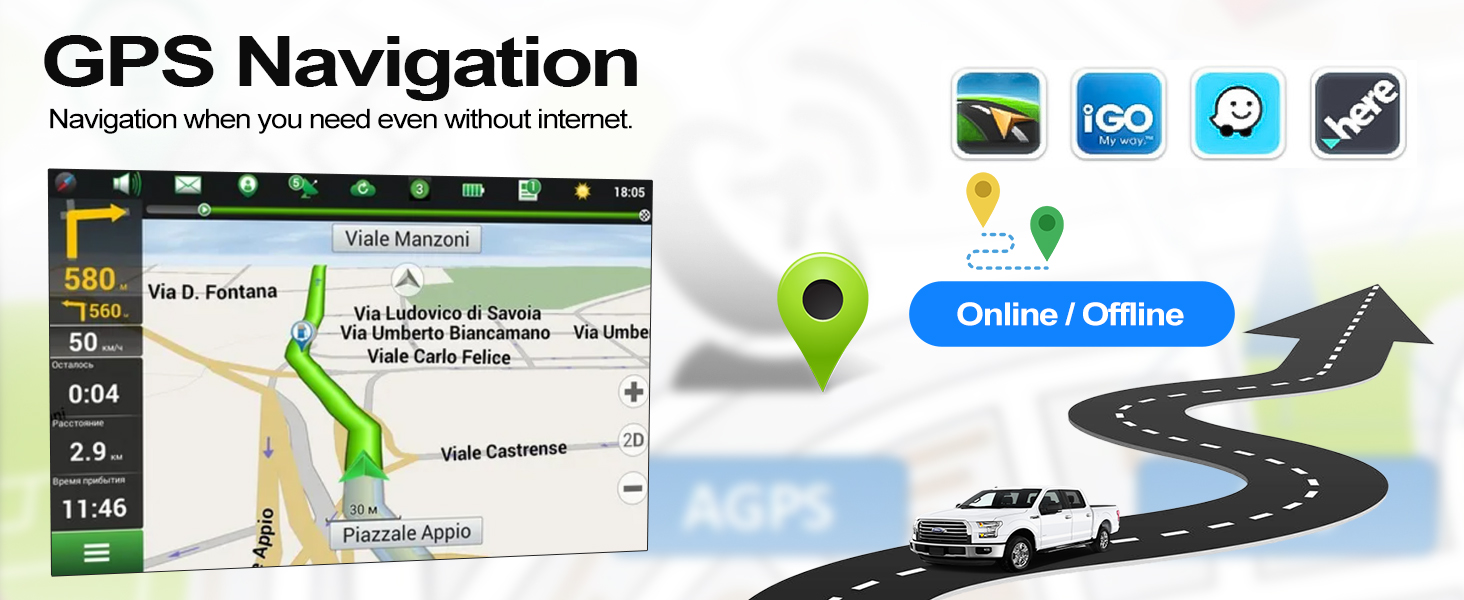
Figure 6.13: Optional accessories for the car stereo.
7. Wartung
Um die Langlebigkeit und optimale Leistung Ihres CAMECHO-Autoradios zu gewährleisten, beachten Sie bitte folgende Wartungshinweise:
- Reinigung: Reinigen Sie Bildschirm und Gerät mit einem weichen, trockenen Tuch. Vermeiden Sie Scheuermittel und Lösungsmittel.
- Software-Updates: Prüfen Sie regelmäßig, ob Software-Updates verfügbar sind, und installieren Sie diese, um die Leistung zu verbessern und neue Funktionen hinzuzufügen.
- Umgebungsbedingungen: Avoid exposing the unit to direct sunlight for extended periods or extreme temperatures.
- Kabelverbindungen: Stellen Sie sicher, dass alle Kabel fest angeschlossen und unbeschädigt sind.
8. Fehlerbehebung
If you encounter issues with your car stereo, refer to the following common troubleshooting tips:
| Problem | Mögliche Ursache | Lösung |
|---|---|---|
| Kein Strom | Lose Stromverbindung, durchgebrannte Sicherung | Überprüfen Sie die Stromkabel und die Fahrzeugsicherungen. Stellen Sie eine ordnungsgemäße Installation sicher. |
| Kein Ton | Lautstärke zu niedrig, falsche Audioquelle, Problem mit der Lautsprecherverkabelung | Lautstärke erhöhen, richtige Audioquelle auswählen, Lautsprecheranschlüsse prüfen. |
| Bluetooth/Wi-Fi not working | White plug not connected, interference, device not paired | Ensure the white plug is connected. Re-pair device. Check for interference. |
| GPS-Signal verloren | GPS-Antenne blockiert oder nicht angeschlossen | Stellen Sie sicher, dass die GPS-Antenne freie Sicht hat. view des Himmels und ist sicher verbunden. |
| Rückfahrkamera zeigt kein Bild an | Incorrect wiring, camera settings, faulty camera | Verify camera wiring (Section 5.2). Check camera settings in the menu. |
Sollte das Problem weiterhin bestehen, wenden Sie sich bitte an den Kundendienst.
9. Spezifikationen
| Besonderheit | Beschreibung |
|---|---|
| Marke | KAMECHO |
| Modell | 4Core 2G+64G Carplay Hifi |
| Betriebssystem | Android 11 |
| RAM | 2 GB |
| Interner Speicher | 64 GB |
| Bildschirmgröße | 9 Zoll |
| Konnektivitätstechnologie | Bluetooth, RCA, USB, WLAN |
| Besondere Merkmale | Wireless Android Auto, Wireless Apple CarPlay, GPS Navigation, FM/RDS Radio, Steering Wheel Control, AHD Reversing Camera Support, HIFI Audio |
| Kompatible Geräte | Smartphone |
| Audioausgabemodus | HIFI |
| Surround Sound-Kanalkonfiguration | 4.0 |
| Videokodierung | H.264 |
10. Garantie und Support
CAMECHO hat sich der Bereitstellung von Qualitätsprodukten und der Kundenzufriedenheit verschrieben.
- Garantie: Für dieses Produkt gilt eine einjährige Herstellergarantie.
- Geld-Zurück-Garantie: Profitieren Sie von unserer 30-Tage-Geld-zurück-Garantie ohne Angabe von Gründen.
- Qualitätssicherung: A 12-month warranty covers any quality-related issues.
10.1. Kundendienst
For any questions, issues, or support needs, please do not hesitate to contact us:
- E-Mail: icamecho@hotmail.com
- Amazon Page: Refer to the seller information on the Amazon product page for direct contact options.
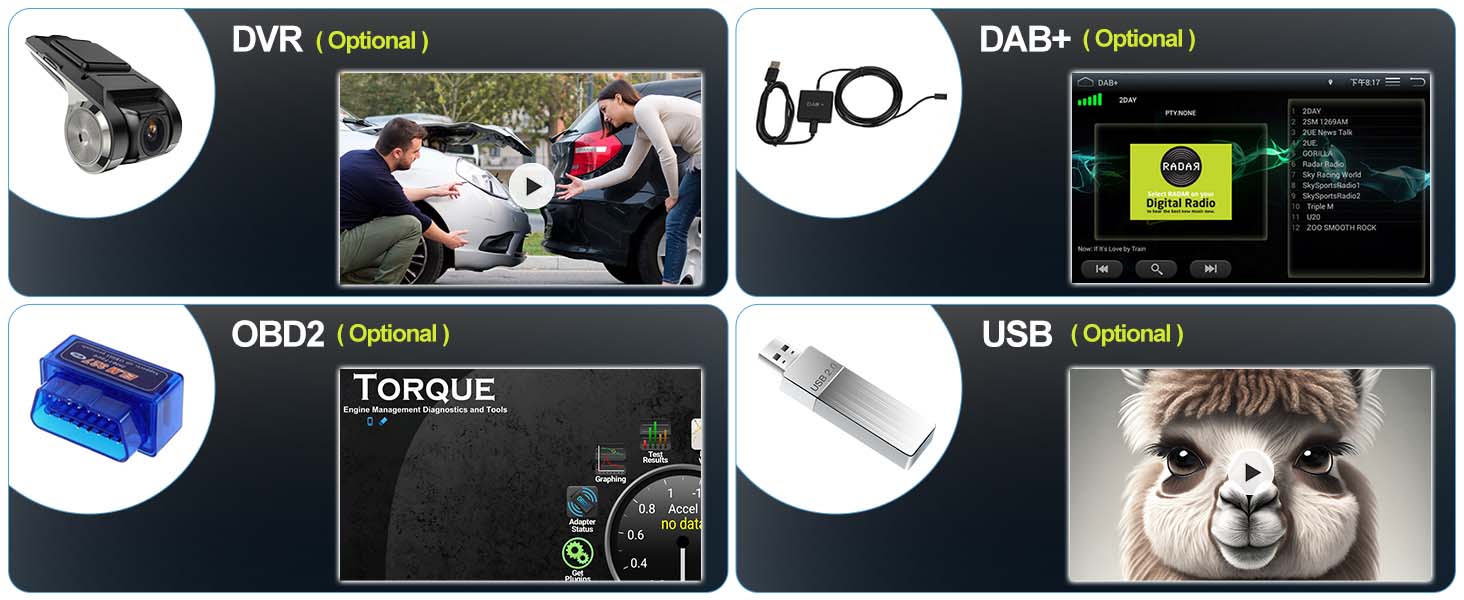
Figure 10.1: How to contact customer support.