
1. Produktüberschreitungview
The Sailnovo Egg Incubator Model ##5373US1 is designed for hatching various poultry eggs, including chicken, duck, and quail. It features automatic egg turning, an external water top-up system, a built-in egg candler, and a Fahrenheit temperature display for ease of use and optimal hatching conditions.
This incubator can accommodate 16-35 eggs, with adjustable tray spacing to suit different egg sizes. The induced airflow system, driven by a strong circulating fan, ensures stable temperature distribution throughout the incubation process. The clear top provides a 360° view, making it suitable for educational purposes.

Image 1: The Sailnovo Egg Incubator, showing its transparent dome and internal egg trays. The design allows for a full view of the eggs during incubation.
2. Einrichtungsanweisungen
- Auspacken: Carefully remove all components from the packaging. Verify that all parts are present: incubator unit, spray bottle, external water device base, and instruction manual.
- Platzierung: Place the incubator on a stable, level surface away from direct sunlight, drafts, or extreme temperature fluctuations. Ensure adequate ventilation around the unit.
- Wasser füllen: Connect the external water device base to the incubator. Fill the provided spray bottle with clean water and attach it to the external water device base. This system allows for automatic water top-up without opening the incubator lid, minimizing temperature and humidity fluctuations.
- Eiablage: Place fertile eggs into the egg trays. The spacing of the egg tray can be adjusted to accommodate different egg sizes. Ensure eggs are placed securely.
- Stromanschluss: Plug the incubator into a suitable power outlet. The LED display will illuminate.

Image 2: Illustration of the automatic water filling mechanism. A bottle is connected to the side of the incubator, allowing water to be added without disturbing the internal environment.
3. Bedienung des Inkubators
3.1 Temperatureinstellung
The incubator features an LED display showing temperature in Fahrenheit. Use the control buttons to set the desired incubation temperature. Refer to specific egg type requirements for optimal temperature settings (e.g., chicken eggs typically require 99.5°F - 100.5°F).
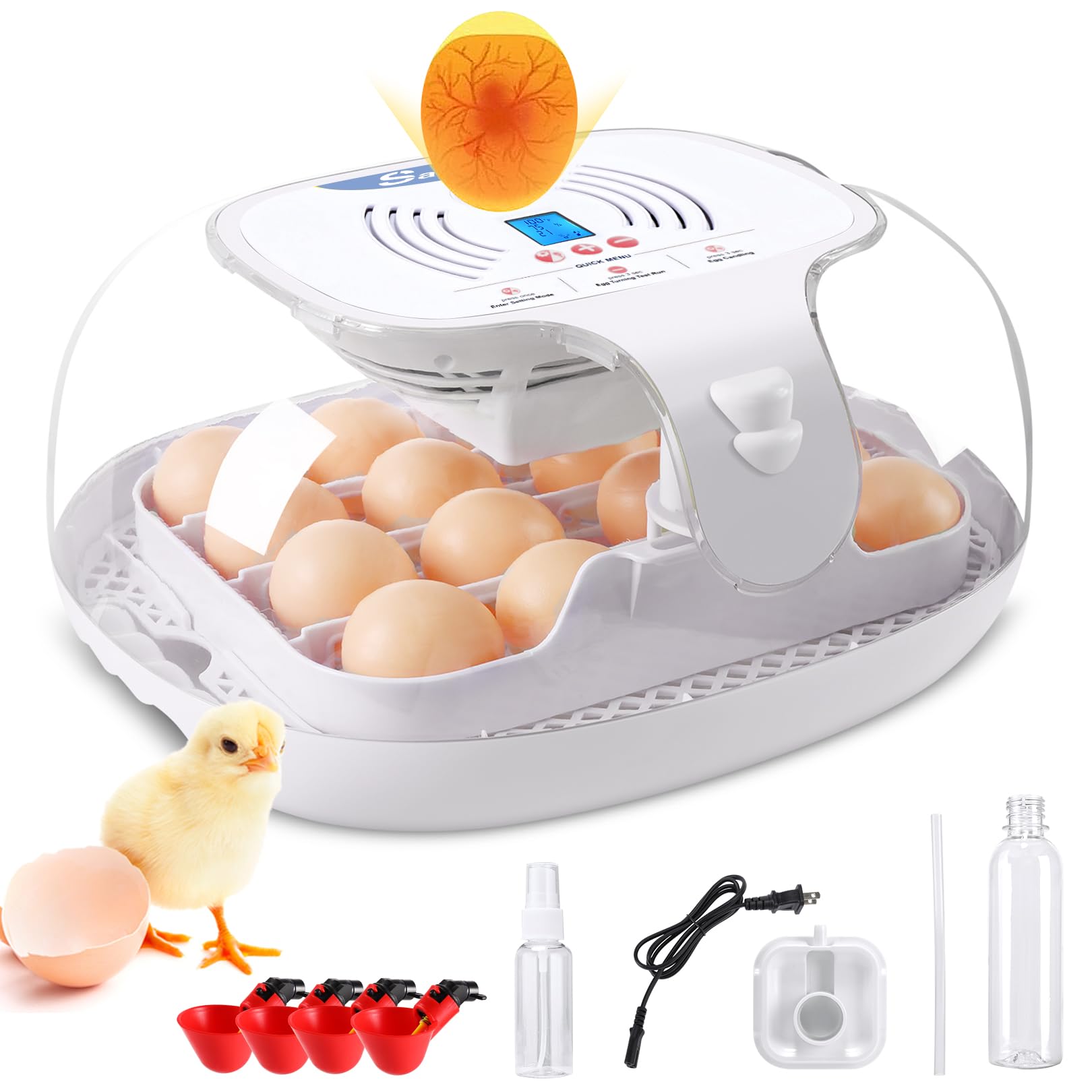
Image 3: The incubator's top panel showing the Fahrenheit temperature display and an illustration of the stable temperature distribution system with warm and cold airflow.
3.2 Automatic Egg Turning
The incubator automatically turns eggs every 2 hours. This process is crucial for embryo development and helps stimulate a higher hatch rate. Do not manually turn the eggs during this period.

Image 4: Diagram illustrating the automatic egg turning function, showing the turntable mechanism and 360° egg rotation.
3.3 Eierdurchleuchten
A built-in egg candler allows you to observe the development of the embryos without needing an additional device. Periodically candle the eggs to check for viability and remove any infertile or non-developing eggs.
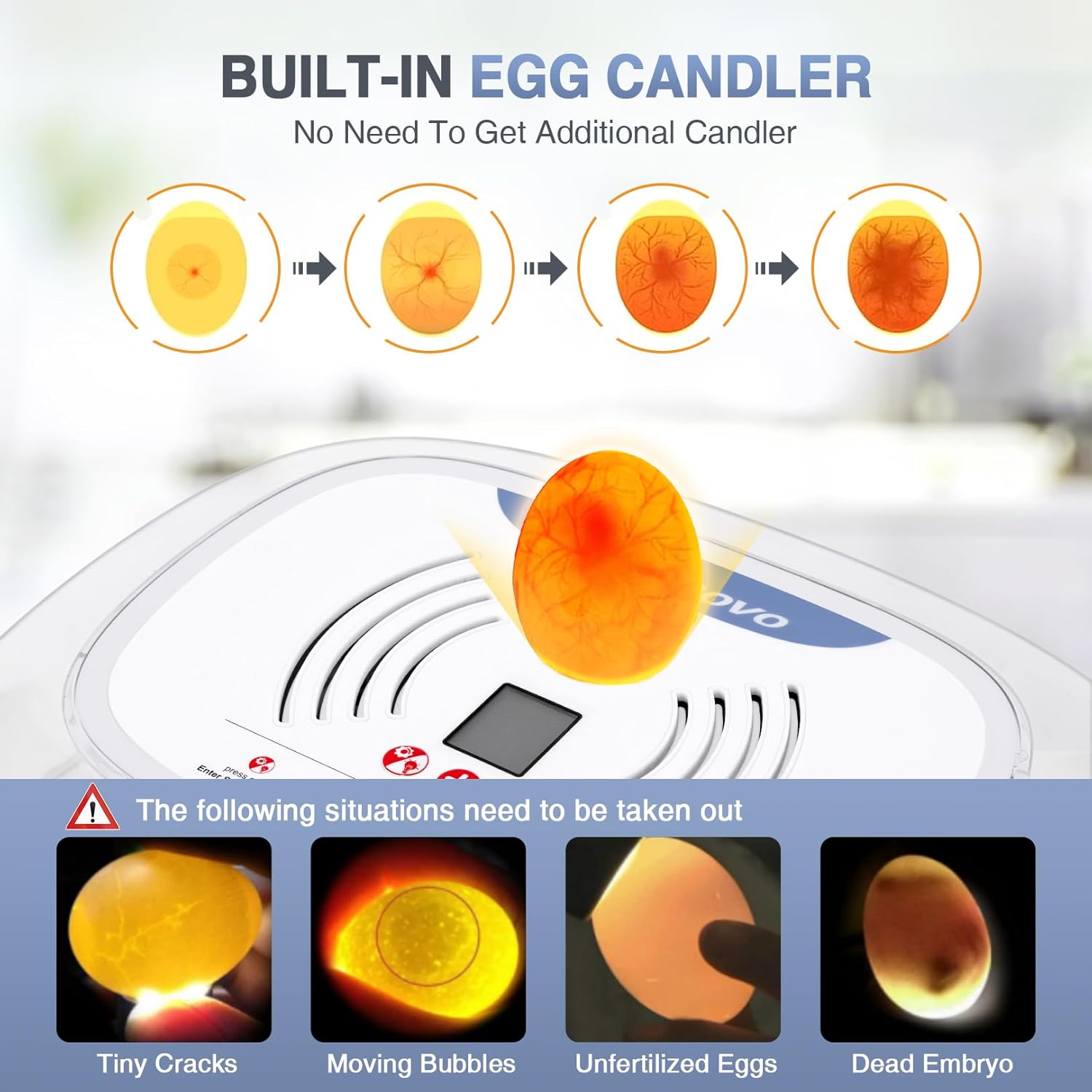
Image 5: Visual guide for using the built-in egg candler, showing different stages of embryo development and examples of eggs to be removed (tiny cracks, moving bubbles, unfertilized, dead embryo).
3.4 Hatching Period
Approximately 3 days before the expected hatch date, remove the egg trays to stop the automatic turning function. This allows the eggs to settle for hatching. Maintain stable temperature and humidity during this critical period. The clear top provides 360-degree visibility to observe the hatching process.

Image 6: The incubator with chicks hatching, highlighting the spacious interior and 360-degree visibility for observing the process.
4. Wartung und Reinigung
The Sailnovo Egg Incubator features a detachable design for easy cleaning. After each hatch, or if the incubator becomes soiled, disconnect it from power and disassemble the components. Wash the trays and interior surfaces with a mild disinfectant solution and warm water. Ensure all parts are completely dry before reassembling and storing or using again.
5. Anleitung zur Fehlerbehebung
| Problem | Mögliche Ursache | Lösung |
|---|---|---|
| Temperaturschwankungen | Incubator placed in a drafty area or near a window. | Relocate the incubator to a stable environment. Ensure the lid is securely closed. |
| Low hatch rate | Incorrect temperature/humidity, infertile eggs, or improper egg handling. | Verify temperature and humidity settings. Use a reliable thermometer/hygrometer. Ensure eggs are fresh and fertile. Follow egg turning instructions. |
| Humidity too high/low | Insufficient or excessive water in the reservoir. | Adjust water levels using the external water top-up system. Monitor humidity with a hygrometer. |
| Egg turning not working | Power issue or obstruction in the turning mechanism. | Check power connection. Ensure no debris is blocking the egg turning mechanism. |
6. Produktspezifikationen
- Modellnummer: ##5373US1
- Marke: Segelnovo
- Egg Capacity: 16-35 eggs (adjustable spacing)
- Temperaturanzeige: Fahrenheit
- Merkmale: Automatic Egg Turning, Automatic External Water Top-up, Built-in Egg Candler, 360° View
- Produktabmessungen: 35.56 x 17.78 x 30.48 cm (14 x 7 x 12 Zoll)
- Artikelgewicht: 2.33 kg
- Als Erstes verfügbar: 25. Januar 2024
7. Garantie und Support
For warranty information or technical support, please refer to the contact details provided with your purchase or visit the official Sailnovo webBewahren Sie Ihren Kaufbeleg als Kaufnachweis für Garantieansprüche auf.


