
1. Einleitung
Vielen Dank für Ihren Einkauf.asing the Willz WLCMD211WE-10 Countertop Microwave Oven. This manual provides essential information for the safe and efficient operation, maintenance, and troubleshooting of your new appliance. Please read this manual thoroughly before use and retain it for future reference.
2. Wichtige Sicherheitshinweise
Beim Gebrauch von Elektrogeräten sollten grundlegende Sicherheitsvorkehrungen getroffen werden, darunter die folgenden:
- Lesen Sie vor der Verwendung des Geräts alle Anweisungen.
- Betreiben Sie die Mikrowelle nicht, wenn das Kabel oder der Stecker beschädigt ist, wenn sie nicht richtig funktioniert oder wenn sie beschädigt oder heruntergefallen ist.
- Erhitzen Sie keine Flüssigkeiten oder andere Lebensmittel in verschlossenen Behältern, da diese explodieren könnten.
- Verwenden Sie in diesem Gerät keine ätzenden Chemikalien oder Dämpfe.
- Bei der Benutzung des Geräts durch oder in der Nähe von Kindern ist eine genaue Aufsicht erforderlich.
- Stellen Sie sicher, dass das Gerät ordnungsgemäß geerdet ist.
- Versuchen Sie nicht, diesen Backofen bei geöffneter Tür zu betreiben, da dies zu einer schädlichen Einwirkung von Mikrowellenenergie führen kann.
- Only allow qualified service personnel to service or repair the oven.
3. Produktüberschreitungview
3.1 Komponenten
Das Paket enthält die folgenden Artikel:
- 1 x Countertop Microwave Oven
- 1 x Glass Tray
- 1 x Rollenring
- 1 x Welle
- 1 x Netzkabel (integriert)
3.2 Bedienfeldfunktionen
Familiarize yourself with the control panel for optimal use of your microwave oven.

Bild: Detailliert view of the control panel, highlighting the LED display, touch button panel, and push-button door release.
- LED-Anzeige: Shows cooking time, power level, and current time.
- One-Touch Cook Menus: Buttons for Potato, Popcorn, Pizza, Beverage, Frozen Dinner, Reheat.
- Zeit-/Gewichts-Auftauen: Zum Auftauen von Lebensmitteln nach Zeit oder Gewicht.
- Leistungspegel: Adjusts microwave power from 0% to 100%.
- Expresskochen (1-6): Quick start cooking for 1 to 6 minutes.
- Uhr/Timer: Sets the clock and kitchen timer function.
- STOPP/ABBRECHEN: Stoppt den Kochvorgang oder löscht Einstellungen.
- START/+30 SEK: Startet den Garvorgang oder verlängert die Garzeit um 30 Sekunden.
- Ziffernblock (0-9): For entering cooking times and other numerical inputs.
4. Einrichtung
4.1 Auspacken und Aufstellen
- Entfernen Sie sämtliches Verpackungsmaterial von der Innen- und Außenseite des Ofens.
- Check the oven for any damage, such as a misaligned door or dents. Do not operate if damaged.
- Place the microwave on a flat, stable surface strong enough to hold its weight.
- Ensure adequate ventilation: leave at least 3 inches (7.5 cm) of space on the top, sides, and rear of the oven.
- Blockieren Sie keine Lüftungsschlitze.
4.2 Plattenspieler-Baugruppe
- Place the roller ring in the center of the microwave oven cavity.
- Place the glass tray securely on top of the roller ring. Ensure it sits properly on the shaft.

Image: The microwave with its door open, illustrating the interior space, the glass turntable, and the roller ring in place.
4.3 Stromanschluss
Plug the power cord into a standard 120V/60Hz grounded electrical outlet. Do not use an extension cord.
5. Bedienungsanleitung
5.1 Einstellen der Uhr
- Press the 'CLOCK/TIMER' button once.
- Verwenden Sie den Ziffernblock, um die aktuelle Uhrzeit einzugeben (z. B. 12:30 für 12:30 Uhr).
- Press the 'CLOCK/TIMER' button again to confirm.
5.2 Grundlegendes Kochen in der Mikrowelle
- Die Speisen in einen mikrowellengeeigneten Behälter geben und auf dem Glastablett platzieren.
- Schließen Sie die Tür sorgfältig.
- Enter the desired cooking time using the number pad (e.g., 1 for 1 minute, 30 for 30 seconds).
- Press 'START/+30 SEC' to begin cooking.
5.3 Anpassen der Leistungsstufen
To cook at a power level other than 100%:
- Geben Sie die gewünschte Garzeit ein.
- Press the 'POWER LEVEL' button.
- Use the number pad to select a power level from 0 to 10 (10 for 100%, 1 for 10%).
- Press 'START/+30 SEC'.
5.4 One-Touch Cook Menus
For quick cooking of common items:
- Kartoffel: Press 'POTATO' button.
- Popcorn: Press 'POPCORN' button.
- Pizza: Press 'PIZZA' button.
- Getränk: Press 'BEVERAGE' button.
- Tiefkühlgericht: Press 'FROZEN DINNER' button.
- Aufwärmen: Press 'REHEAT' button.
The oven will automatically set the appropriate cooking time and power level for the selected item.
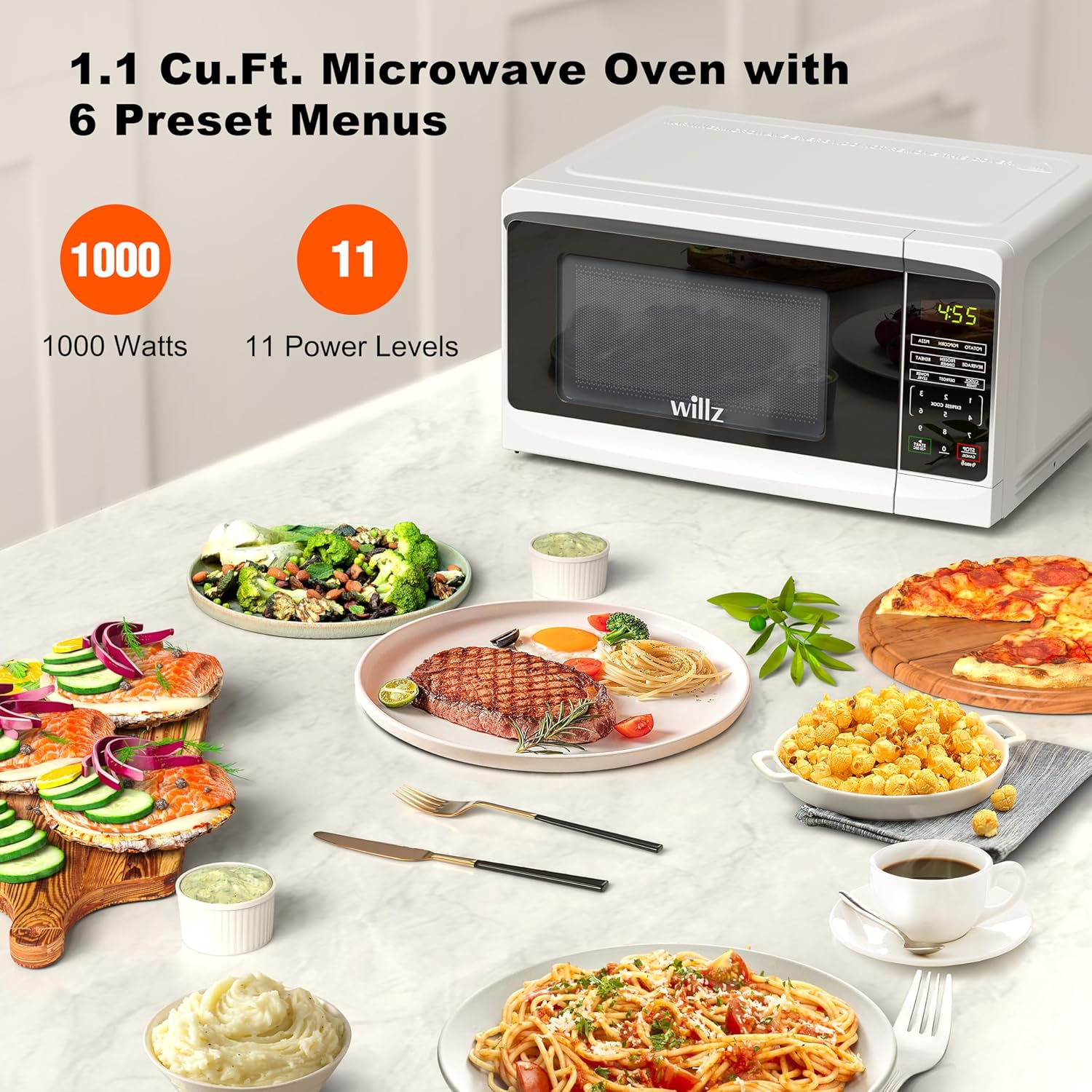
Image: The Willz microwave oven shown with a variety of prepared meals, emphasizing its 1000-watt power and 11 power level settings.
5.5 Time/Weight Defrost
This feature allows defrosting by either time or the weight of the food.
- Press the 'TIME/WEIGHT DEFROST' button.
- Select 'DEFROST BY TIME' or 'DEFROST BY WEIGHT' using the number pad.
- Enter the desired time or weight.
- Press 'START/+30 SEC'.

Image: A couple is shown in a kitchen setting, using the Willz microwave oven for reheating, with several prepared dishes visible on the countertop.
5.6 Express-Koch
For quick cooking without setting a specific time:
- Press any number from 1 to 6 on the number pad. The oven will start cooking immediately for that number of minutes at 100% power.
5.7 Mehrfach-Stage Kochen
This feature allows you to program two cooking stages with different power levels and times.
- Programmiere das erste stage (time and power level).
- Program the second stage (time and power level).
- Press 'START/+30 SEC'. The oven will automatically switch from the first stage zur zweiten.
5.8 Kindersicherung
To prevent unintended operation by children:
- To activate: Press and hold the 'STOP/CANCEL' button for 3 seconds. A lock indicator will appear on the display.
- To deactivate: Press and hold the 'STOP/CANCEL' button for 3 seconds again. The lock indicator will disappear.
5.9 Küchentimer
This function operates independently of the microwave cooking function.
- Press the 'CLOCK/TIMER' button twice.
- Geben Sie die gewünschte Zeit über den Ziffernblock ein.
- Press 'START/+30 SEC'. The timer will count down without microwave operation.
5.10 Add 30 Seconds
During cooking, press 'START/+30 SEC' to add 30 seconds to the current cooking time. This button also serves as a quick start for 30 seconds of cooking at 100% power when the oven is idle.
6. Wartung und Reinigung
Regelmäßige Reinigung trägt dazu bei, die Leistungsfähigkeit und Lebensdauer Ihres Mikrowellenofens zu erhalten.
6.1 Außenreinigung
- Wischen Sie die Außenseite mit adamp Tuch und milde Seife verwenden. Gründlich trocknen.
- Vermeiden Sie Scheuermittel oder aggressive Chemikalien.
6.2 Innenreinigung
- Den Innenraum mit einem Tuch abwischen.amp Tuch nach jedem Gebrauch.
- For stubborn food splatters, place a bowl of water with lemon slices inside and microwave for 2-3 minutes. The steam will loosen the residue, making it easier to wipe clean.
- Ensure the interior light is clean for better visibility.
6.3 Glass Tray and Roller Ring
- The glass tray and roller ring can be removed and washed in warm, soapy water or in the dishwasher.
- Stellen Sie sicher, dass sie vollständig trocken sind, bevor Sie sie wieder in den Ofen geben.
7. Fehlerbehebung
Sollten Sie Probleme mit Ihrem Mikrowellenherd haben, beachten Sie bitte die folgenden häufigen Probleme und Lösungen:
| Problem | Mögliche Ursache | Lösung |
|---|---|---|
| Backofen startet nicht | Netzkabel nicht eingesteckt; Tür nicht richtig geschlossen; Kindersicherung aktiviert. | Ensure plug is secure; Close door firmly; Deactivate child lock (hold STOP/CANCEL for 3 seconds). |
| Essen wird nicht erhitzt | Falsche Garzeit oder Leistungsstufe eingestellt; mikrowellengeeignetes Geschirr nicht verwendet. | Zeit/Leistung anpassen; geeignetes Kochgeschirr verwenden. |
| Plattenspieler dreht sich nicht | Drehteller oder Rollenring nicht richtig positioniert; Schmutz unter dem Drehteller. | Plattenteller und Rollenring neu positionieren; Unter dem Plattenteller reinigen. |
| Glühbirne funktioniert nicht | Die Glühbirne muss ausgetauscht werden. | Contact customer support for service. Do not attempt to replace yourself. |
Wenn das Problem nach dem Ausprobieren dieser Lösungen weiterhin besteht, wenden Sie sich bitte an den Kundensupport.
8. Spezifikationen
Detailed technical specifications for the Willz WLCMD211WE-10 Microwave Oven:
| Besonderheit | Spezifikation |
|---|---|
| Modellnummer | WLCMD211WE-10 |
| Kapazität | 1.1 Kubikfuß |
| Wastage | 1000 Watt |
| Bandtage | 120 Volt / 60 Hz |
| Produktabmessungen (B x T x H) | 21.02" x 15.43" x 11.14" |
| Artikelgewicht | 35.2 Pfund |
| Farbe | Weiß |
| Installationstyp | Arbeitsplatte |
| Controllertyp | Berühren |
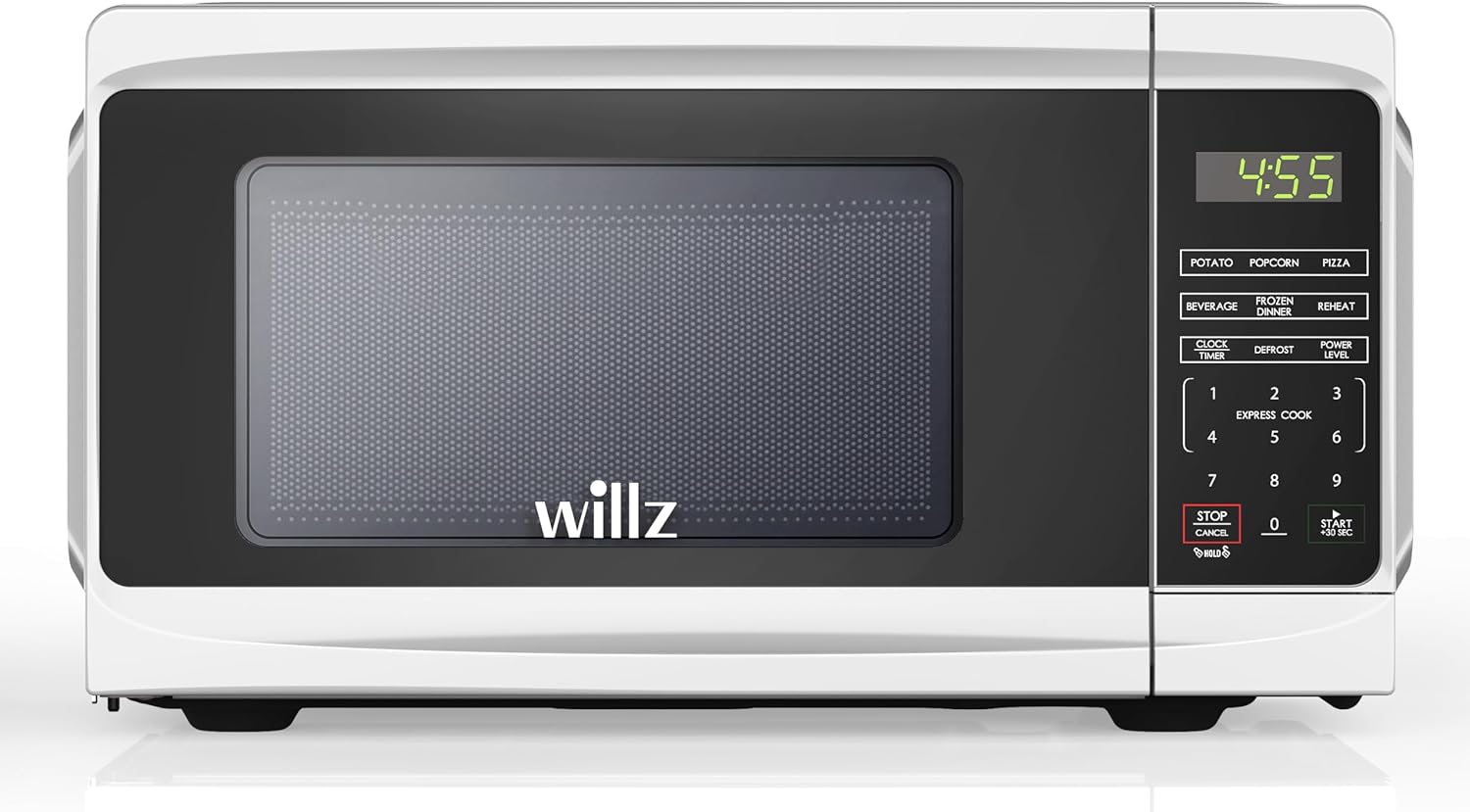
Bild: Vorderseite view of the Willz WLCMD211WE-10 Countertop Microwave Oven, showcasing sein elegantes Design und Bedienfeld.
9. Garantie und Support
9.1 Eingeschränkte Garantie
This Willz microwave oven comes with a 1 Jahre eingeschränkte Garantie Diese Garantie gilt ab Kaufdatum und deckt Material- und Verarbeitungsfehler bei normalem Gebrauch ab. Sie deckt keine Schäden ab, die durch Missbrauch, Unfälle, Veränderungen oder nicht autorisierte Reparaturen entstehen.
9.2 Kundendienst
For warranty claims, technical assistance, or any questions regarding your Willz microwave oven, please contact Willz customer support. Refer to your purchase documentation or the official Willz webDie aktuellsten Kontaktinformationen finden Sie auf dieser Webseite.