
1. Einleitung
Thank you for choosing the KAIWEETS KM601s Smart Digital Multimeter. This device is designed for accurate and reliable electrical measurements, featuring a large display, smart mode for automatic recognition, and a rechargeable battery. This manual provides essential information for safe operation, setup, maintenance, and troubleshooting.

Bild 1.1: Vorderseite view of the KAIWEETS KM601s Smart Digital Multimeter.
2. Sicherheitshinweise
Please read and understand all safety warnings and operating instructions before using this multimeter. Failure to follow these instructions may result in electric shock, fire, or serious injury.
- This multimeter complies with IEC61010-1 measurement categories CAT III 1000V and CAT IV 600V.
- Always ensure the test leads are properly connected and the correct function is selected before making measurements.
- Messen Sie nicht das Volumentages exceeding the specified maximum limits.
- Beim Arbeiten an unter Spannung stehenden Stromkreisen ist äußerste Vorsicht geboten.
- The device features double ceramic fuses and a thermistor protection circuit for enhanced safety against overloads.
- Das Multimeter darf nicht bedient werden, wenn es beschädigt erscheint oder die Messleitungen beschädigt sind.
- Halten Sie Hände und Finger während der Messungen hinter den Sondenbarrieren.
3. Produktüberschreitungview
3.1 Enthaltene Komponenten
The KAIWEETS KM601s package typically includes the following items:
- 1 x KAIWEETS KM601s Digitalmultimeter
- 1 x Test Leads Set
- 1 x Ladekabel
- 1 x Thermoelement (zur Temperaturmessung)
- 1 x Aufbewahrungstasche
- 1 x Benutzerhandbuch (dieses Dokument)

Image 3.1: KAIWEETS KM601s multimeter with its included accessories.
3.2 Geräteaufbau
The KM601s features a user-friendly design with clearly labeled buttons and input jacks.
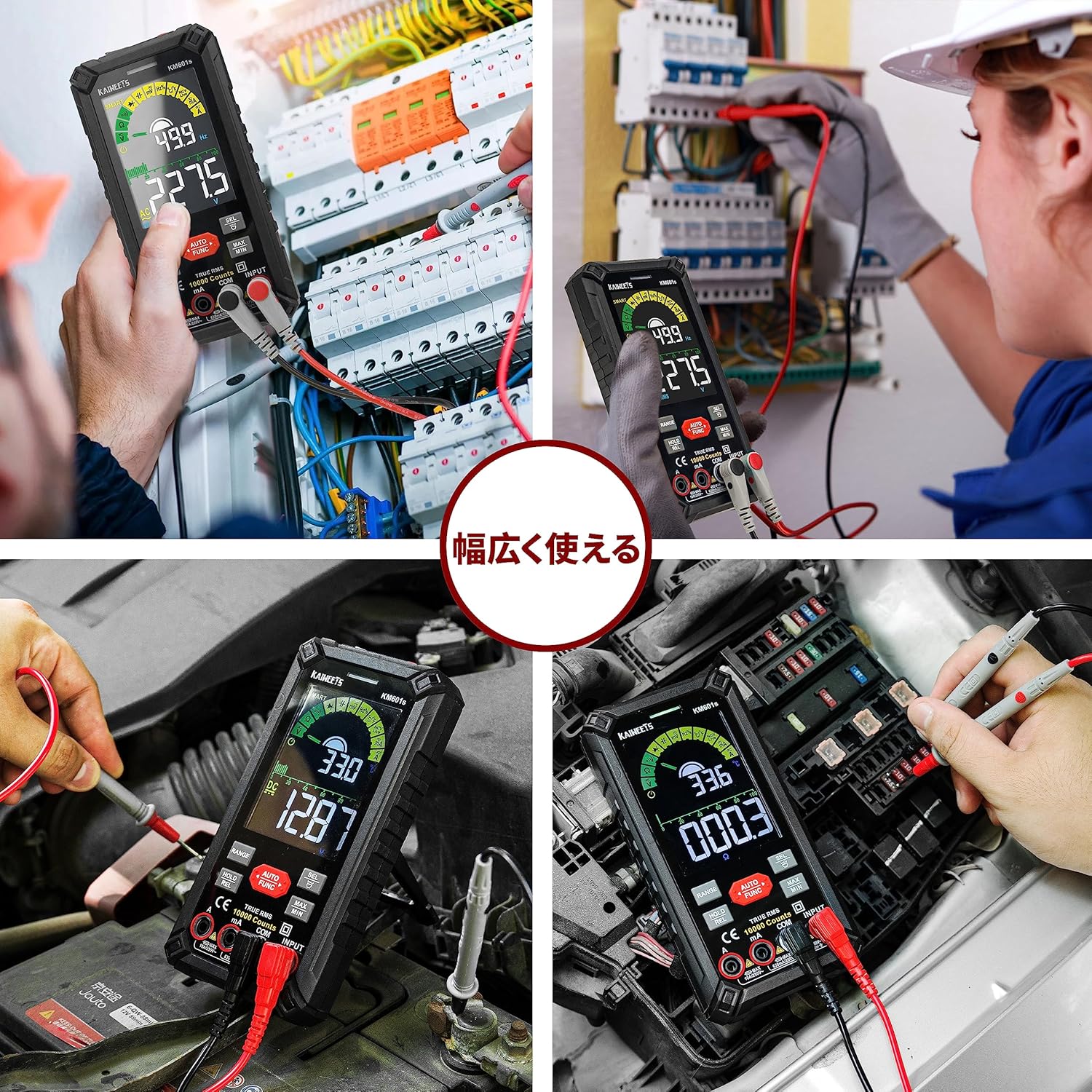
Image 3.2: KAIWEETS KM601s multimeter showing its integrated kickstand for hands-free operation.
- Anzeige: Large, backlit LCD for clear readings.
- Funktionstasten: For selecting modes, holding data, and other features.
- Eingangsbuchsen: Clearly marked for test lead connections (VΩmA, COM, 10A).
- Ständer: Integrated on the back for convenient viewwinkeln.
- Taschenlampe: Located on the top for illuminating work areas.
- NCV-Sensor: Für berührungslose Bdtage Erkennung.
- Ladeanschluss: Zum Aufladen des internen Akkus.
3.3 Anzeigefunktionen
The multimeter's display provides comprehensive information during measurements.

Image 3.3: The backlit display of the KAIWEETS KM601s multimeter, showing clear readings in low light.
- Anzeige der Zählerstände von 10000: Bietet eine hohe Auflösung für präzise Messwerte.
- Hintergrundbeleuchtung: Verbessert die Sichtbarkeit in schwach beleuchteten Umgebungen.
- Anzeige für niedrigen Batteriestand: Alerts when the battery needs recharging.
- Auto Shutdown Indicator: Shows when the device will automatically power off to save battery.
- Maßeinheiten: Displays appropriate units (V, A, Ω, F, Hz, °C/°F).
- Modusanzeigen: Icons for Smart Mode, Manual Mode, Data Hold, MAX/MIN, etc.
4. Einrichtung
4.1 Aufladen des Multimeters
The KM601s features a built-in 1200mAh rechargeable battery. Before first use, or when the low battery indicator appears, charge the device using the provided charging cable.
- Connect the small end of the charging cable to the charging port on the side of the multimeter.
- Verbinden Sie das USB-Ende des Ladekabels mit einem Standard-USB-Netzteil (nicht im Lieferumfang enthalten) oder einem USB-Anschluss Ihres Computers.
- The display will indicate charging status. A full charge ensures extended operation.

Image 4.1: The KAIWEETS KM601s multimeter connected to a power source for charging.
4.2 Anschließen der Testleitungen
Für genaue und sichere Messungen ist der korrekte Anschluss der Messleitungen unerlässlich.
- Stecken Sie die schwarze Messleitung in den COM (Gemeinsame) Eingangsbuchse.
- Für die meisten Bändetage, resistance, continuity, diode, capacitance, and frequency measurements, insert the red test lead into the VΩmA Eingangsbuchse.
- Für Strommessungen (bis zu 10 A) stecken Sie die rote Messleitung in den/die/das 10 A Eingangsbuchse.
- Stellen Sie sicher, dass die Verbindungen fest sitzen, bevor Sie mit den Messungen fortfahren.

Image 4.2: KAIWEETS KM601s multimeter with red and black test leads properly connected to the input jacks.
5. Bedienungsanleitung
5.1 Ein-/Ausschalten
Press and hold the power button to turn the multimeter on or off. The device features an auto-shutdown function to conserve battery life after a period of inactivity.
5.2 Smart Mode (AUTO)
The KM601s defaults to Smart Mode, which automatically identifies and measures AC/DC voltage, resistance, and continuity. This mode simplifies operation for common tasks.
- In Smart Mode, simply connect the test leads to the circuit or component you wish to measure. The multimeter will automatically detect the type of measurement and display the reading.
- Smart Mode also supports automatic detection for temperature, live wire, flashlight, diode, capacitance, and frequency/duty cycle.

Image 5.1: The KAIWEETS KM601s multimeter displaying 'Auto' in Smart Mode, ready for various measurements.
5.3 Manual Mode and Specific Measurements
For specific measurements or when Smart Mode cannot determine the correct function, you can manually select the desired mode using the AUTO/FUNC Taste.
- Bandtage (AC/DC): Drücken AUTO/FUNC bis zum Bdtage symbol (V~ or V-) appears. Connect test leads in parallel to the circuit.
- Widerstand (Ω): Drücken AUTO/FUNC until the Ω symbol appears. Connect test leads across the component. Ensure the circuit is de-energized.
- Kontinuität: Drücken AUTO/FUNC until the continuity symbol (speaker icon) appears. A beep indicates continuity.
- Strom (A): Switch the red test lead to the 10 A jack. Press AUTO/FUNC until the current symbol (A~ or A-) appears. Connect the multimeter in series with the circuit.
- Kapazität (F): Drücken AUTO/FUNC until the F symbol appears. Connect test leads across the capacitor. Ensure the capacitor is discharged.
- Diodentest: Drücken AUTO/FUNC until the diode symbol appears. Connect test leads across the diode.
- Frequency/Duty Cycle (Hz/%): Drücken AUTO/FUNC until Hz or % appears.
- Temperatur (°C/°F): Connect the thermocouple to the appropriate input jacks. Press AUTO/FUNC until °C or °F appears.
- NCV (Kontaktlose Voltage): Select NCV mode. Hold the top of the multimeter near a live wire. The device will beep and flash if voltage wird erkannt.
- Stromführende Leitungen erkennen: Select Live mode. Use the red test lead to detect live wires.

Image 5.2: A user performing an electrical measurement using the KAIWEETS KM601s multimeter.
5.4 Zusatzfunktionen
- Daten halten (HOLD): Drücken Sie die HALTEN Drücken Sie diese Taste, um den aktuellen Messwert auf dem Display einzufrieren. Zum Entsperren erneut drücken.
- MAX MIN: Drücken Sie die MAX/MIN button to record the maximum and minimum values during a measurement session. Press again to cycle through MAX, MIN, and current readings.
- Taschenlampe: Press the flashlight button (often integrated with another function button, refer to device markings) to turn the flashlight on or off.

Image 5.3: The KAIWEETS KM601s multimeter's integrated flashlight illuminating a dark work area.
6. Wartung
Proper maintenance ensures the longevity and accuracy of your KAIWEETS KM601s multimeter.
- Reinigung: Reinigen Sie das Gerät mit einem trockenen, weichen Tuch. Verwenden Sie keine Scheuermittel oder Lösungsmittel.
- Lagerung: Store the multimeter in its protective case in a cool, dry place when not in use. Avoid extreme temperatures and humidity.
- Batterie: Recharge the battery regularly, even if the device is not frequently used, to maintain battery health.
- Messleitungen: Prüfen Sie die Messleitungen vor jedem Gebrauch auf Beschädigungen (Risse, beschädigte Isolierung). Beschädigte Leitungen müssen umgehend ausgetauscht werden.
- Sicherungen: If the current measurement function fails, the fuse may need replacement. Refer to the specifications for the correct fuse type and consult a qualified technician if unsure.
7. Fehlerbehebung
If you encounter issues with your KAIWEETS KM601s, refer to the following common problems and solutions:
| Problem | Mögliche Ursache | Lösung |
|---|---|---|
| Gerät lässt sich nicht einschalten. | Niedriger oder leerer Akku. | Charge the multimeter using the provided cable. |
| Keine oder falsche Lesung. | Incorrect function selected; poor test lead connection; damaged test leads; circuit not energized (for voltage); component faulty. | Verify function selection (Smart Mode or Manual); ensure test leads are firmly connected; check test leads for damage; confirm circuit status; test component separately. |
| Strommessung funktioniert nicht. | Red test lead in wrong jack; blown fuse. | Ensure red test lead is in the 10 A jack; check and replace fuse if necessary (consult a professional). |
| Das Display ist dunkel oder flackert. | Schwache Batterie. | Recharge the multimeter. |
| Die automatische Abschaltung erfolgt zu schnell. | Standardeinstellung. | This is a power-saving feature. The auto-shutdown time is typically fixed and cannot be adjusted. |
8. Spezifikationen
Technical specifications for the KAIWEETS KM601s Smart Digital Multimeter:
| Besonderheit | Spezifikation |
|---|---|
| Marke | KAIWEETS |
| Modellnummer | KM601s |
| Anzeige | 10000 Counts, Large Backlit LCD |
| Stromquelle | Wiederaufladbarer 1200mAh Akku |
| Sicherheitsbewertung | IEC 61010-1, CAT III 1000V, CAT IV 600V |
| Zertifizierungen | CE, RoHS |
| Artikelgewicht | 265 Gramm |
| Farbe | Schwarz |
| Herkunft | China |
9. Garantie und Support
The KAIWEETS KM601s Smart Digital Multimeter comes with a Drei Jahre Garantie ab Kaufdatum. Diese Garantie deckt Material- und Verarbeitungsfehler bei normalem Gebrauch ab.
For warranty claims, technical support, or any questions regarding the product, please contact KAIWEETS customer service through the retailer where you purchased the product or visit the official KAIWEETS webWebsite für Kontaktinformationen.
Bitte bewahren Sie Ihren Kaufbeleg für Garantieleistungen auf.