
1. Einleitung
Vielen Dank für Ihren Einkauf.asing the Hoco BS55 Wireless Outdoor Speaker. This manual provides important information regarding the setup, operation, and maintenance of your speaker. Please read it carefully before using the product to ensure proper function and to extend its lifespan. Keep this manual for future reference.
2. Produktüberschreitungview
2.1 Packungsinhalt
- Hoco BS55 Wireless Outdoor Speaker
- Ladekabel
- Audiokabel (AUX)
- Wired Microphone (may vary by package)
- Bedienungsanleitung
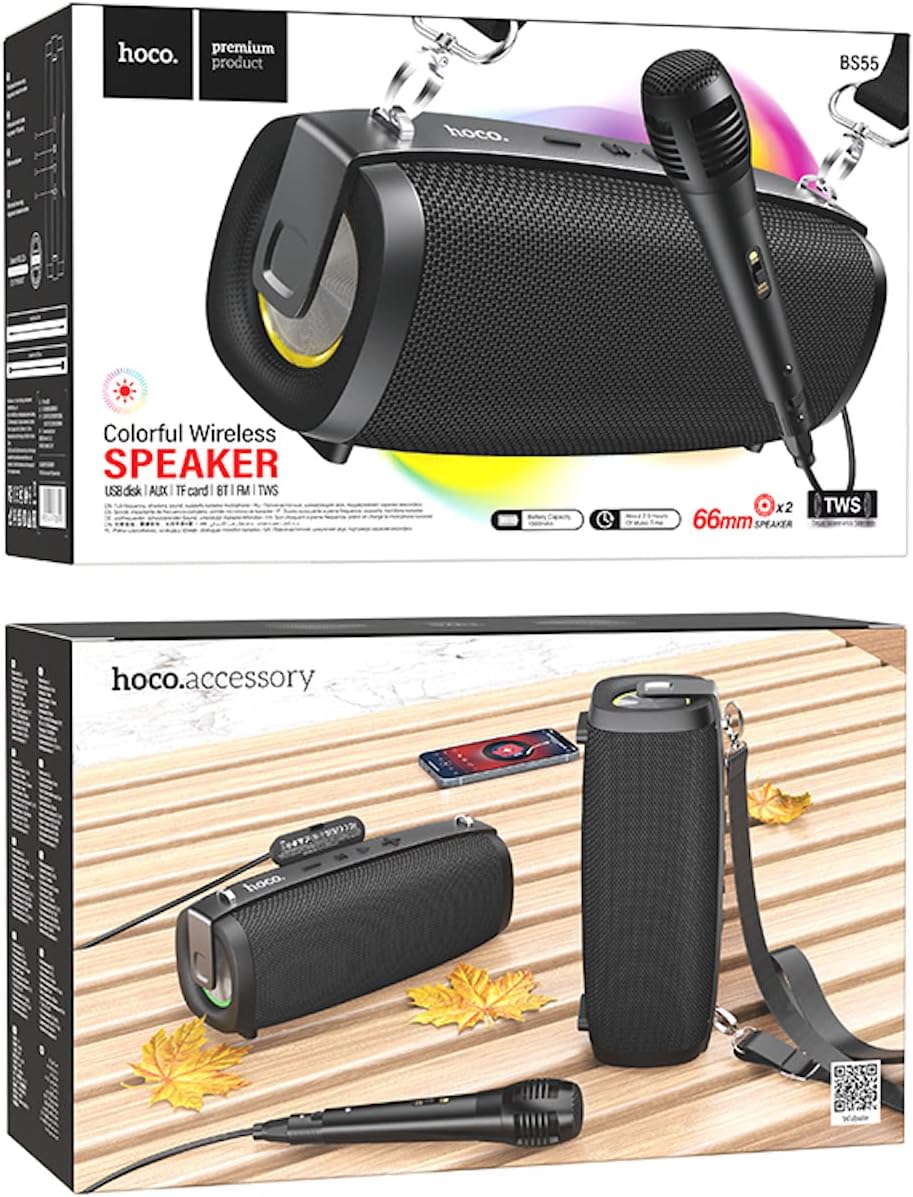
Image: Hoco BS55 Speaker packaging, illustrating the speaker, a wired microphone, and connecting cables.
2.2 Lautsprecherkomponenten und Bedienelemente

Image: The Hoco BS55 speaker, highlighting its control panel with buttons and various input ports.
- Netzschalter: Press and hold to turn the speaker ON/OFF. Short press to switch between modes.
- '-' Taste: Kurz drücken für vorherigen Titel. Lang drücken, um die Lautstärke zu verringern.
- 'M'-Taste (Modus): Short press to cycle through input modes (Bluetooth, FM Radio, TF Card, AUX, USB).
- '>' (Play/Pause) Button: Kurz drücken, um Musik abzuspielen oder anzuhalten.
- '+'-Schaltfläche: Kurz drücken für nächsten Titel. Lang drücken, um die Lautstärke zu erhöhen.
- USB-Anschluss: For USB flash disk playback.
- TF-Karten-Slot: Zur Wiedergabe von TF-Karten (MicroSD).
- AUX-Eingang: Zum Anschluss externer Audiogeräte über ein 3.5-mm-Audiokabel.
- Mikrofoneingang: Zum Anschluss eines kabelgebundenen Mikrofons.
- Ladeanschluss: Zum Laden des internen Akkus des Lautsprechers.
3. Einrichtung
3.1 Aufladen des Lautsprechers
Before first use, fully charge the speaker. Connect the charging cable to the speaker's charging port and the other end to a USB power adapter (not included) or a computer's USB port. The charging indicator light will illuminate during charging and turn off when fully charged. Charging time is approximately 2 hours.
3.2 Ein-/Ausschalten
Halten Sie die Netzschalter for a few seconds to turn the speaker ON. You will hear an audible prompt. To turn OFF, press and hold the Netzschalter wieder.
4. Bedienungsanleitung
4.1 Bluetooth-Modus
- Turn on the speaker. It will automatically enter Bluetooth pairing mode, indicated by a flashing light and an audible prompt.
- Aktivieren Sie Bluetooth auf Ihrem Mobilgerät (Smartphone, Tablet usw.).
- Suchen nach "Hoco BS55" in the list of available Bluetooth devices and select it to pair.
- Nach erfolgreicher Kopplung hören Sie einen Bestätigungston. Sie können nun Audio von Ihrem Gerät über den Lautsprecher wiedergeben.
- Verwenden Sie die '+' Und '-' buttons for volume control, and the '>' button for play/pause. Short press '+' or '-' für den nächsten/vorherigen Titel.
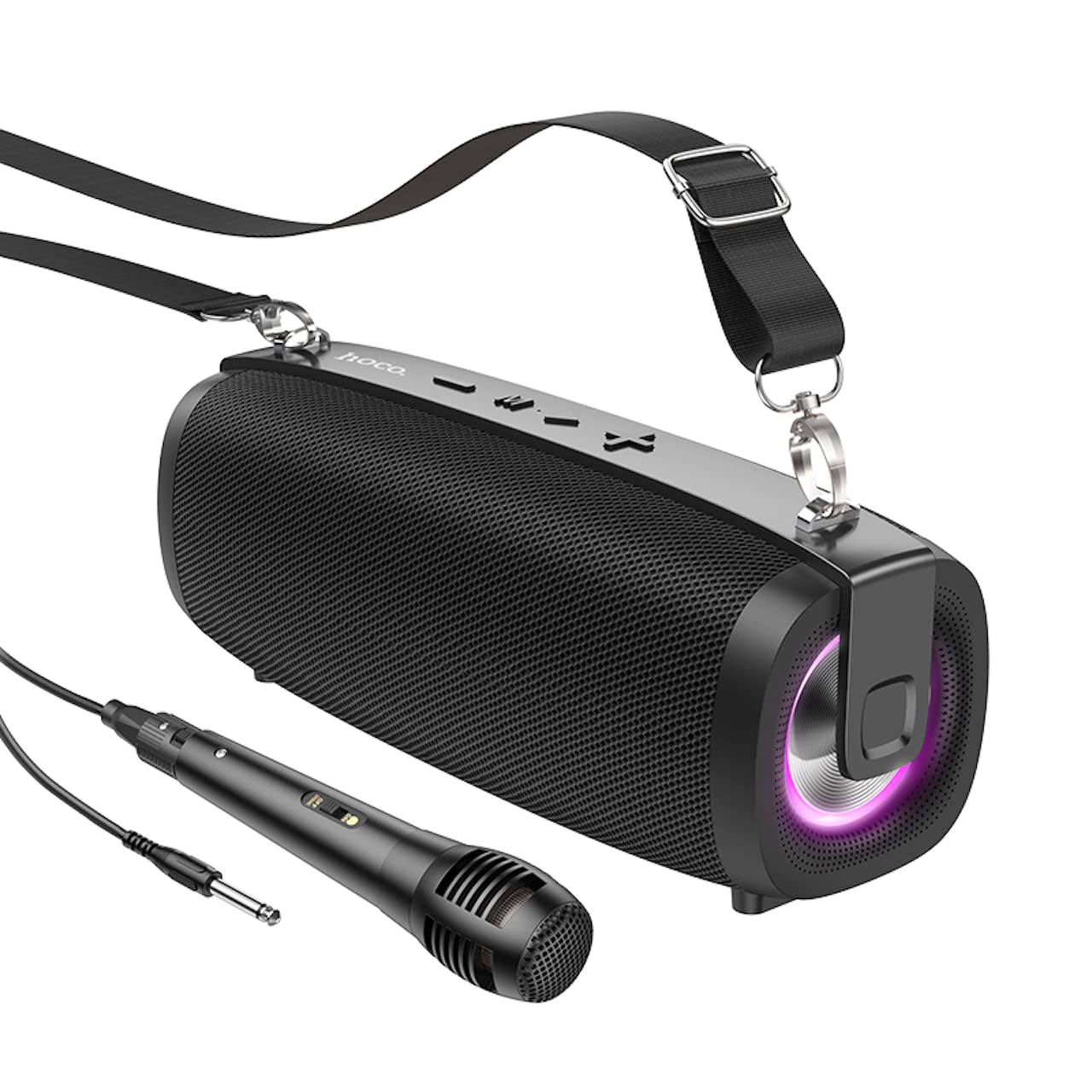
Image: The Hoco BS55 Wireless Outdoor Speaker, ready for use.
4.2 FM-Radio-Modus
- Drücken Sie kurz die 'M' (Mode) Button until you hear the FM radio prompt.
- Zum automatischen Scannen und Speichern verfügbarer Sender die Taste gedrückt halten '>' (Play/Pause) ButtonDer Lautsprecher scannt und speichert Sender automatisch.
- Drücken Sie kurz die '+' or '-' Tasten zum Umschalten zwischen gespeicherten FM-Sendern.
4.3 TF Card / USB Flash Disk Mode
- Insert a TF (MicroSD) card or a USB flash disk into the corresponding slot.
- Der Lautsprecher schaltet automatisch in den TF-Karten- oder USB-Modus und beginnt mit der Audiowiedergabe. files. If it doesn't, short press the 'M' (Mode) Button den richtigen Modus auswählen.
- Verwenden Sie die '+' Und '-' buttons for volume control, and short press them for next/previous track. Use the '>' Taste zum Abspielen/Pausieren.
4.4 AUX-Eingangsmodus
- Connect one end of the 3.5mm audio cable to the speaker's AUX input port and the other end to the audio output of your external device (e.g., MP3 player, computer).
- Drücken Sie kurz die 'M' (Mode) Button until you hear the AUX mode prompt.
- Control playback and volume primarily from your external device. The speaker's volume buttons will also function.
4.5 TWS (True Wireless Stereo) Funktion
The TWS function allows you to pair two Hoco BS55 speakers together for a stereo sound experience.
- Ensure both BS55 speakers are turned ON and are not connected to any Bluetooth device.
- Bei einem der Lautsprecher (dies wird der Hauptlautsprecher sein) die Taste lange drücken 'M' (Mode) Button bis Sie einen Kopplungston hören.
- The two speakers will automatically search and pair with each other. Once connected, you will hear a confirmation sound.
- Verbinden Sie nun Ihr Mobilgerät über Bluetooth mit dem Hauptlautsprecher, wie in Abschnitt 4.1 beschrieben. Beide Lautsprecher geben den Ton in Stereo wieder.
4.6 Wired Microphone Usage
If your package includes a wired microphone, connect it to the speaker's dedicated microphone input port. The speaker will automatically detect the microphone. Adjust the volume as needed using the speaker's volume controls or your connected device.
5. Wartung
- Reinigung: Reinigen Sie den Lautsprecher mit einem weichen, trockenen Tuch. Verwenden Sie keine Scheuermittel oder Lösungsmittel.
- Lagerung: Bewahren Sie den Lautsprecher an einem kühlen, trockenen Ort fern von direkter Sonneneinstrahlung und extremen Temperaturen auf.
- Batteriepflege: Um die Akkulaufzeit zu verlängern, laden Sie den Lautsprecher regelmäßig auf, auch wenn er nicht benutzt wird. Vermeiden Sie es, den Akku häufig vollständig zu entladen.
- Wasserbeständigkeit: The Hoco BS55 speaker is nicht wasserbeständig. Avoid exposing it to water, rain, or excessive moisture to prevent damage.
- Auswirkungen vermeiden: Der Lautsprecher darf nicht fallen gelassen oder starken Stößen ausgesetzt werden.
6. Fehlerbehebung
| Problem | Lösung |
|---|---|
| Der Lautsprecher lässt sich nicht einschalten. | Stellen Sie sicher, dass der Lautsprecher aufgeladen ist. Schließen Sie ihn an eine Stromquelle an und versuchen Sie es erneut. |
| Kein Ton. | Überprüfen Sie die Lautstärke sowohl am Lautsprecher als auch an Ihrem angeschlossenen Gerät. Stellen Sie sicher, dass der richtige Eingangsmodus ausgewählt ist. |
| Kopplung via Bluetooth nicht möglich. | Make sure the speaker is in Bluetooth pairing mode. Disable and re-enable Bluetooth on your device. Move the speaker closer to your device. Ensure no other devices are connected to the speaker. |
| Der FM-Radioempfang ist schlecht. | Try repositioning the speaker. Perform an auto-scan again. |
| TWS-Kopplung fehlgeschlagen. | Ensure both speakers are not connected to any other Bluetooth device. Try restarting both speakers and repeating the TWS pairing process. |
7. Spezifikationen
| Besonderheit | Spezifikation |
|---|---|
| Modell | BS55 |
| Abmessungen (L x B x H) | 202 x 89.5 x 71.4 mm (20.2 x 7.1 x 9 cm) |
| Gewicht | 810 g |
| Bluetooth-Version | 5.3 |
| Bluetooth-Chip | JLAC6965E |
| Batteriekapazität | 1500 mAh |
| Ladezeit | Ungefähr 2 Stunden |
| Musikwiedergabezeit | Bis zu 2.5 Stunden |
| Größe der Lautsprechereinheit | 66 mm * 2 |
| Ausgangsleistung | 5 W * 2 (insgesamt 10 W) |
| Konnektivitätsoptionen | Bluetooth, FM Radio, TF Card, AUX, USB Flash Disk, TWS |
| Mikrofon-Unterstützung | Kabelgebundener Mikrofoneingang |
| Wasserbeständigkeit | Nicht wasserbeständig |
| Farbe | Schwarz |
8. Garantie und Support
Hoco products are designed and manufactured to the highest quality standards. For warranty information and customer support, please refer to the warranty card included with your purchase or contact your local Hoco distributor or retailer. Keep your proof of purchase for any warranty claims.