
Cecotec ForceClima 7500 Soundless Connected (Model 08172)
Cecotec ForceClima 7500 Tragbare Klimaanlage mit Netzwerkanschluss – Benutzerhandbuch
Model: ForceClima 7500 Soundless Connected (Model 08172)
Marke: Cecotec
Einführung
Thank you for choosing the Cecotec ForceClima 7500 Connected Portable Air Conditioner. This manual provides important information regarding the safe operation, installation, maintenance, and troubleshooting of your new appliance. Please read this manual thoroughly before using the product and keep it for future reference.
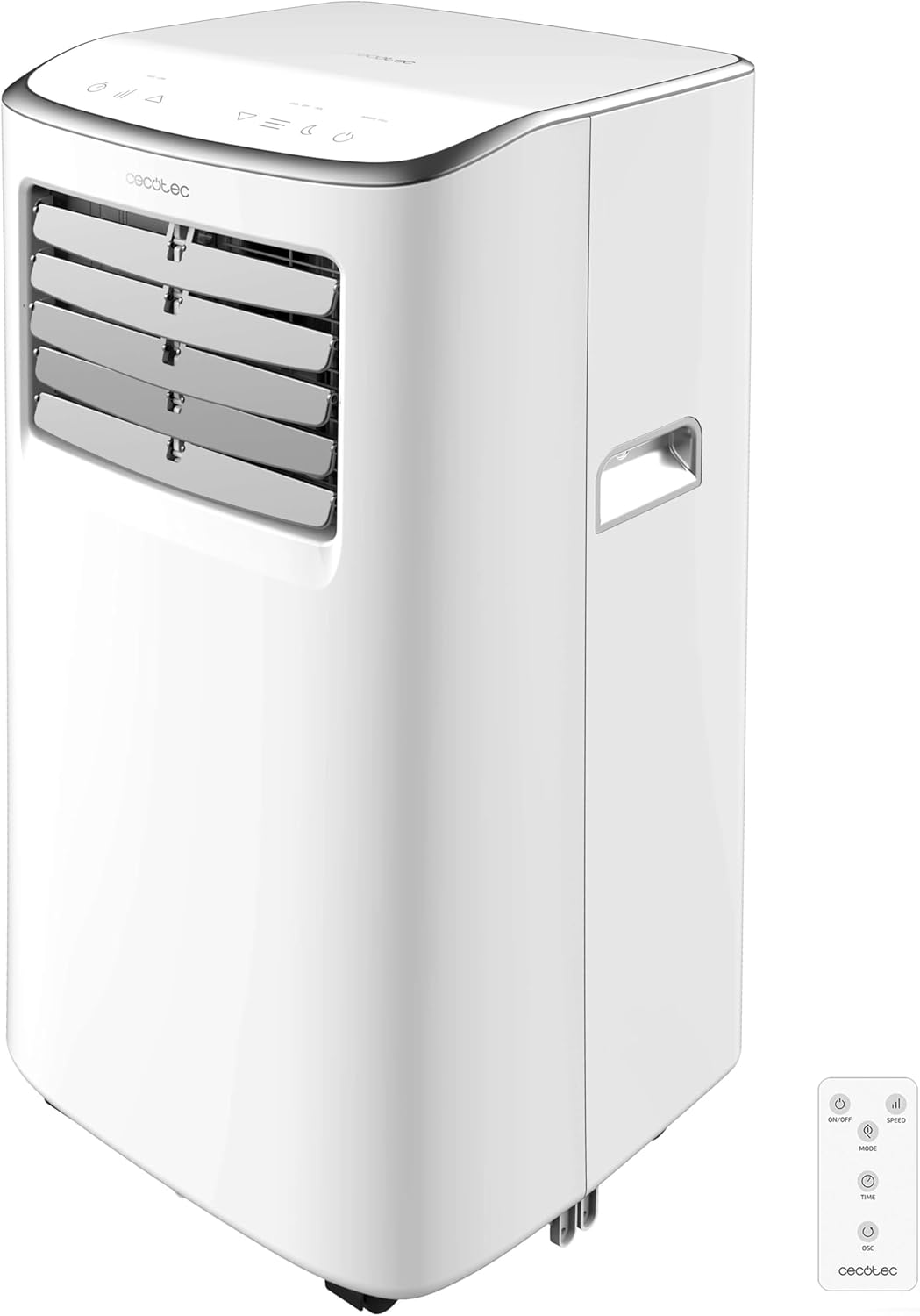
Bild: Vorderseite view of the Cecotec ForceClima 7500 Connected Portable Air Conditioner, showing its compact design and control panel.
Sicherheitshinweise
Beachten Sie beim Gebrauch elektrischer Geräte stets die grundlegenden Sicherheitsvorkehrungen, um das Risiko von Bränden, Stromschlägen und Verletzungen zu verringern.
- Stellen Sie sicher, dass das Netzteil mit der Lautstärke übereinstimmttage, wie auf dem Typenschild des Geräts angegeben.
- Betreiben Sie das Gerät nicht mit beschädigtem Kabel oder Stecker.
- Halten Sie das Gerät von Wärmequellen und direkter Sonneneinstrahlung fern.
- Blockieren Sie keine Luftein- und -auslässe.
- Dieses Gerät verwendet das Kältemittel R-290, das zwar umweltfreundlich, aber entzündlich ist. Gehen Sie vorsichtig damit um und sorgen Sie für ausreichende Belüftung.
- Vor der Reinigung oder Durchführung von Wartungsarbeiten ziehen Sie den Netzstecker des Geräts.
Produkt überview
The ForceClima 7500 Connected is a portable air conditioner designed for efficient cooling and dehumidification in rooms ranging from 15 m² to 20 m².
Hauptmerkmale:
- Kühlleistung von 7000 BTU: Provides rapid and effective cooling.
- Wi-Fi-Konnektivität: Control the unit remotely via your smartphone.
- Fernbedienung: Bequeme Bedienung aus der Ferne.
- Touch Control Panel & LED Display: Easy-to-use interface for settings adjustment.
- 4 Betriebsarten: Fan, Cooling, Dehumidification, and Night mode.
- 2 Lüftergeschwindigkeiten: Niedrige und hohe Einstellungen für individuell anpassbaren Luftstrom.
- 24-Stunden-Timer: Programmieren Sie das Gerät so, dass es sich automatisch ein- oder ausschaltet.
- Entfeuchtungskapazität: Bis zu 20 Liter pro Tag.
- Kältemittel R-290: Umweltfreundliches Kältemittel.
- Multi-directional Wheels & Handles: Easy portability between rooms.
- Fenster-Einbausatz: Included for exhaust hose setup.

Image: The portable air conditioner demonstrating its cooling airflow, highlighting its primary function.
Setup und Installation
Eine fachgerechte Installation ist für optimale Leistung und Sicherheit unerlässlich.
Auspacken:
- Nehmen Sie die Klimaanlage vorsichtig aus der Verpackung.
- Check for any damage during transit. If damaged, contact customer service.
- Bewahren Sie die Originalverpackung für die spätere Lagerung oder den Transport auf.
Auspuffschlauch Installation:
The unit must be vented to the outside to expel hot air.
- Schließen Sie den Abluftschlauch an den Luftauslass auf der Rückseite des Geräts an.
- Extend the exhaust hose and connect it to the window kit adapter.
- Install the window kit in a suitable window opening (sliding windows are ideal).
- Ensure the hose is as straight and short as possible to maximize efficiency.

Image: A person installing the exhaust hose into a window kit, demonstrating the setup process for venting hot air.
Platzierung:
- Stellen Sie das Gerät auf eine ebene, stabile Oberfläche.
- Stellen Sie sicher, dass um das Gerät herum mindestens 30 cm Platz für eine ordnungsgemäße Luftzirkulation vorhanden sind.
- Position the unit near a window for easy exhaust hose installation.
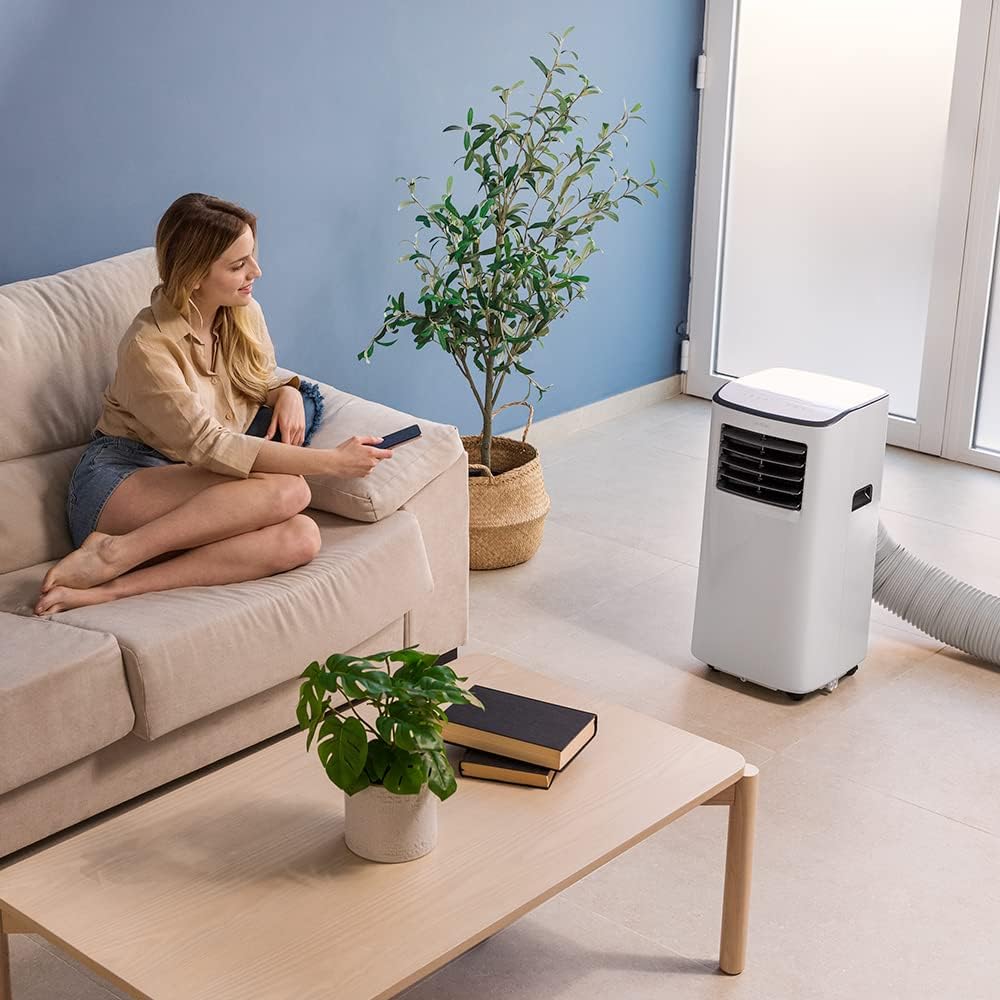
Image: A woman relaxing on a sofa in a living room with the portable air conditioner operating, showing a typical setup.
Bedienungsanleitung
Your ForceClima 7500 Connected offers multiple ways to control its functions.
Bedienfeld:
The touch control panel on top of the unit allows direct access to all settings.

Image: A hand interacting with the touch control panel on the top of the air conditioner, demonstrating its ease of use.
Fernbedienung:
Use the included remote control for convenient operation from anywhere in the room.
Wi-Fi-Steuerung (Smartphone-App):
Download the Cecotec app to control your air conditioner remotely via Wi-Fi. This allows you to adjust settings, change modes, and monitor the unit from your smartphone.

Abbildung: Ein geteiltes Bild zeigt die physische Fernbedienung und ein Smartphone, auf dem die Cecotec-App-Oberfläche zur Steuerung der Klimaanlage angezeigt wird.
Betriebsarten:
- Kühlmodus: Provides powerful cooling to lower room temperature. Adjust desired temperature using the control panel, remote, or app.
- Gebläsemodus: Circulates air without cooling. Select between Low and High fan speeds.
- Entfeuchtungsmodus: Removes excess moisture from the air, collecting up to 20 liters per day.
- Nachtmodus: Operates at a lower fan speed and noise level for comfortable sleep.

Image: A woman reading in bed with the portable air conditioner operating nearby, illustrating its use in a bedroom setting, possibly in night mode.
Timer-Funktion:
Set the timer for up to 24 hours to automatically turn the unit on or off at a specified time.
Wartung
Regelmäßige Wartung gewährleistet die Langlebigkeit und Effizienz Ihrer Klimaanlage.
Reinigen des Luftfilters:
The air filter should be cleaned regularly (every two weeks or more often depending on usage) to maintain optimal performance and air quality.
- Ziehen Sie den Stecker der Klimaanlage aus der Steckdose.
- Suchen Sie den Luftfilter an der Rückseite des Geräts und entnehmen Sie ihn.
- Reinigen Sie den Filter mit einem Staubsauger oder waschen Sie ihn vorsichtig mit warmem Wasser und einem milden Reinigungsmittel.
- Lassen Sie den Filter vollständig trocknen, bevor Sie ihn wieder in das Gerät einsetzen.
Wasserablauf:
During dehumidification or cooling in high humidity, water will accumulate inside the unit. The unit has a drainage tube for continuous drainage or can be manually drained when the internal tank is full.
- Kontinuierliche Entwässerung: Connect a drainage hose (not included) to the drainage port and direct it to a floor drain or a suitable container.
- Manuelle Entwässerung: When the "Full Water" indicator lights up, turn off the unit and place a shallow pan under the drainage port. Remove the drain plug to empty the water. Replace the plug securely after draining.
Fehlerbehebung
Bevor Sie sich an den Kundendienst wenden, beachten Sie bitte die folgenden häufig auftretenden Probleme und Lösungen:
| Problem | Mögliche Ursache | Lösung |
|---|---|---|
| Das Gerät lässt sich nicht einschalten | Kein Strom, Netzkabel nicht angeschlossen, Wassertank voll. | Check power connection, empty water tank if full. |
| Unzureichende Kühlung | Windows/doors open, air filter dirty, exhaust hose blocked/kinked, room too large. | Close windows/doors, clean air filter, check exhaust hose, ensure room size is within coverage area. |
| Gerät ist laut | Gerät steht nicht auf einer ebenen Fläche, Lüfterdrehzahl zu hoch. | Place on a flat surface, select lower fan speed or Night mode. |
| Wasserleck | Drain plug loose, drainage hose not properly connected. | Ensure drain plug is secure, check drainage hose connection. |
Technische Daten
| Besonderheit | Detail |
|---|---|
| Modellnummer | 08172 |
| Kühlleistung | 7000 BTU |
| Abdeckungsbereich | 15-20 m² |
| Entfeuchtungskapazität | 20 Liter/Tag |
| Kältemittel | R-290 |
| Geräuschpegel | 65 dB |
| Abmessungen (L x B x H) | 32.5 x 33 x 67.5 cm |
| Gewicht | 19.1 kg |
| Bandtage | 28 Volt |
| Saisonales Energieeffizienzverhältnis (SEER) | 13.0 |

Image: A detailed product information sheet displaying various technical specifications and environmental data for the air conditioner.
Garantie und Support
Informationen zur Garantie und zum technischen Support finden Sie auf der offiziellen Cecotec-Website. webBesuchen Sie die Website oder kontaktieren Sie direkt den Kundenservice. Bewahren Sie Ihren Kaufbeleg als Kaufnachweis für Garantieansprüche auf.
Weitere Informationen finden Sie unter: Offizieller Cecotec-Shop
Ask a question about this manual
Ask about setup, troubleshooting, compatibility, parts, safety, or missing instructions. Manuals+ will review the question and use this page’s manual context to help answer it.