
1. Produktüberschreitungview
The XCOAST JOLI XC Pro Smartwatch is a durable and robust 45 mm device designed to help you monitor your health and stay connected. It features a round display and a sleek black finish, offering a blend of style and functionality.

Abbildung 1.1: Vorderseite view of the XCOAST JOLI XC Pro Smartwatch, showing the main watch face with current time, battery level, step count, calorie burn, and distance traveled.
Key features include time display, weather forecasts, alarm clock functionality, and comprehensive health tracking capabilities such as pulse, blood pressure, blood oxygen, sleep analysis, and cycle tracking.
2. Lieferumfang
Upon unboxing your XCOAST JOLI XC Pro Smartwatch, please ensure all the following items are present:
- XCOAST JOLI XC Pro Smartwatch (Model: 570427)
- USB-Ladekabel
- Benutzerhandbuch (dieses Dokument)
3. Installationsanleitung
3.1 Aufladen des Geräts
Laden Sie Ihre Smartwatch vor der ersten Verwendung vollständig auf. Verbinden Sie das magnetische Ladekabel mit den Ladekontakten auf der Rückseite der Uhr und stecken Sie das USB-Ende in ein Standard-USB-Netzteil (nicht im Lieferumfang enthalten) oder einen USB-Anschluss Ihres Computers.

Abbildung 3.1: Seitenansichtfile of the XCOAST JOLI XC Pro Smartwatch, illustrating the slim design and the location of the side button, which is typically used for navigation or power functions.
Das Display der Uhr zeigt den Ladestatus an. Eine vollständige Aufladung dauert in der Regel etwa 2 Stunden.
3.2 Koppeln mit Ihrem Smartphone
To unlock the full potential of your smartwatch, pair it with your smartphone via the dedicated companion application. The app is compatible with most modern smartphones.
- Laden Sie die App herunter: Scan the QR code in the quick start guide (if provided) or search for the official XCOAST app in your smartphone's app store (Google Play Store for Android, Apple App Store for iOS).
- Bluetooth aktivieren: Stellen Sie sicher, dass Bluetooth auf Ihrem Smartphone aktiviert ist.
- Öffnen Sie die App: Launch the XCOAST app and follow the on-screen instructions to create an account or log in.
- Gerät hinzufügen: Within the app, navigate to the 'Add Device' or 'Pair Device' section. The app will search for nearby smartwatches.
- Wählen Sie Ihre Uhr: Select 'JOLI XC Pro' from the list of discovered devices. Confirm the pairing request on both your smartphone and the smartwatch if prompted.

Figure 3.2: A user wearing the XCOAST JOLI XC Pro Smartwatch, demonstrating its integration into daily activities and implying its connectivity for tracking.
Once successfully paired, the watch will synchronize time and data with your smartphone.
4. Bedienungsanleitung
4.1 Grundlegende Navigation
The JOLI XC Pro Smartwatch features a touch-sensitive display and a side button for navigation:
- Nach oben/unten wischen: Durch Menüs und Benachrichtigungen scrollen.
- Nach links/rechts wischen: Access different feature screens (e.g., activity tracking, heart rate).
- Klopfen: Wählen Sie ein Element aus oder bestätigen Sie eine Aktion.
- Seitentaste: Drücken Sie diese Taste, um zum vorherigen Bildschirm zurückzukehren oder das Display zu aktivieren. Halten Sie die Taste gedrückt, um die Ein-/Ausschaltoptionen anzuzeigen.
4.2 Funktionen zur Gesundheitsüberwachung
The smartwatch offers comprehensive health monitoring:
- 24/7 Pulse & Blood Pressure Measurement: Monitor your heart rate and blood pressure continuously. Access readings by swiping to the respective screen.
- Blood Oxygen (SpO2) Analysis: Überprüfen Sie Ihre Blutsauerstoffsättigung.
- Schlafanalyse: Track your sleep patterns, including deep sleep, light sleep, and awake times. View Detaillierte Berichte in der Begleit-App.
- Zyklusverfolgung: For female users, monitor menstrual cycles and receive timely reminders.

Figure 4.1: An infographic highlighting the health management features of the smartwatch, including 24/7 pulse and blood pressure measurement, blood oxygen monitoring, sleep analysis, and cycle tracking, emphasizing real-time tracking throughout the day.
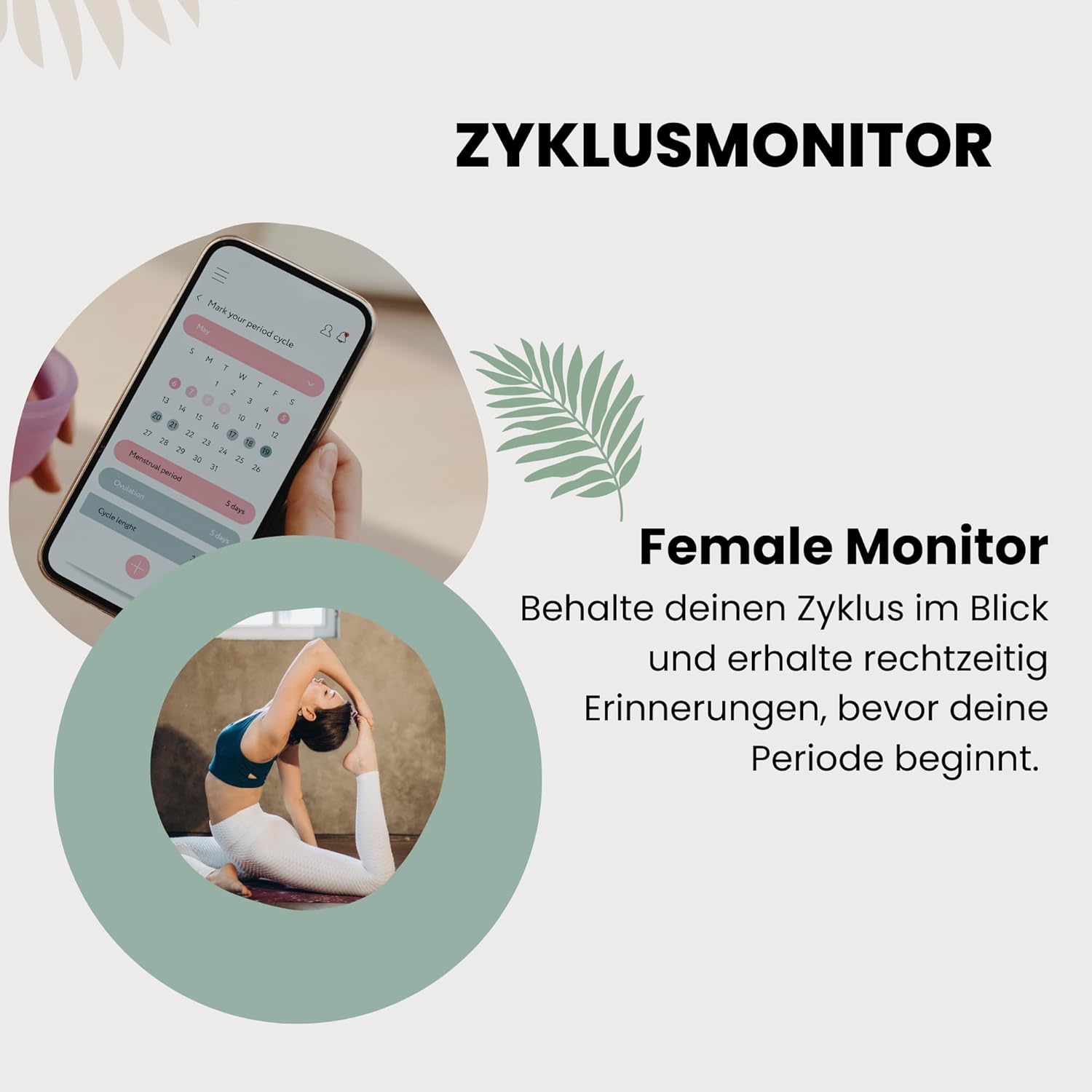
Figure 4.2: A visual representation of the female cycle monitor feature, showing a calendar interface on a smartphone screen and a user stretching, indicating the integration of health tracking with daily life. The text emphasizes keeping track of cycles and receiving timely reminders.
4.3 Benachrichtigungen und Warnungen
Once paired with your smartphone, the smartwatch can display notifications for calls, messages, and app alerts. Ensure notification permissions are granted in the XCOAST app and your phone's settings.
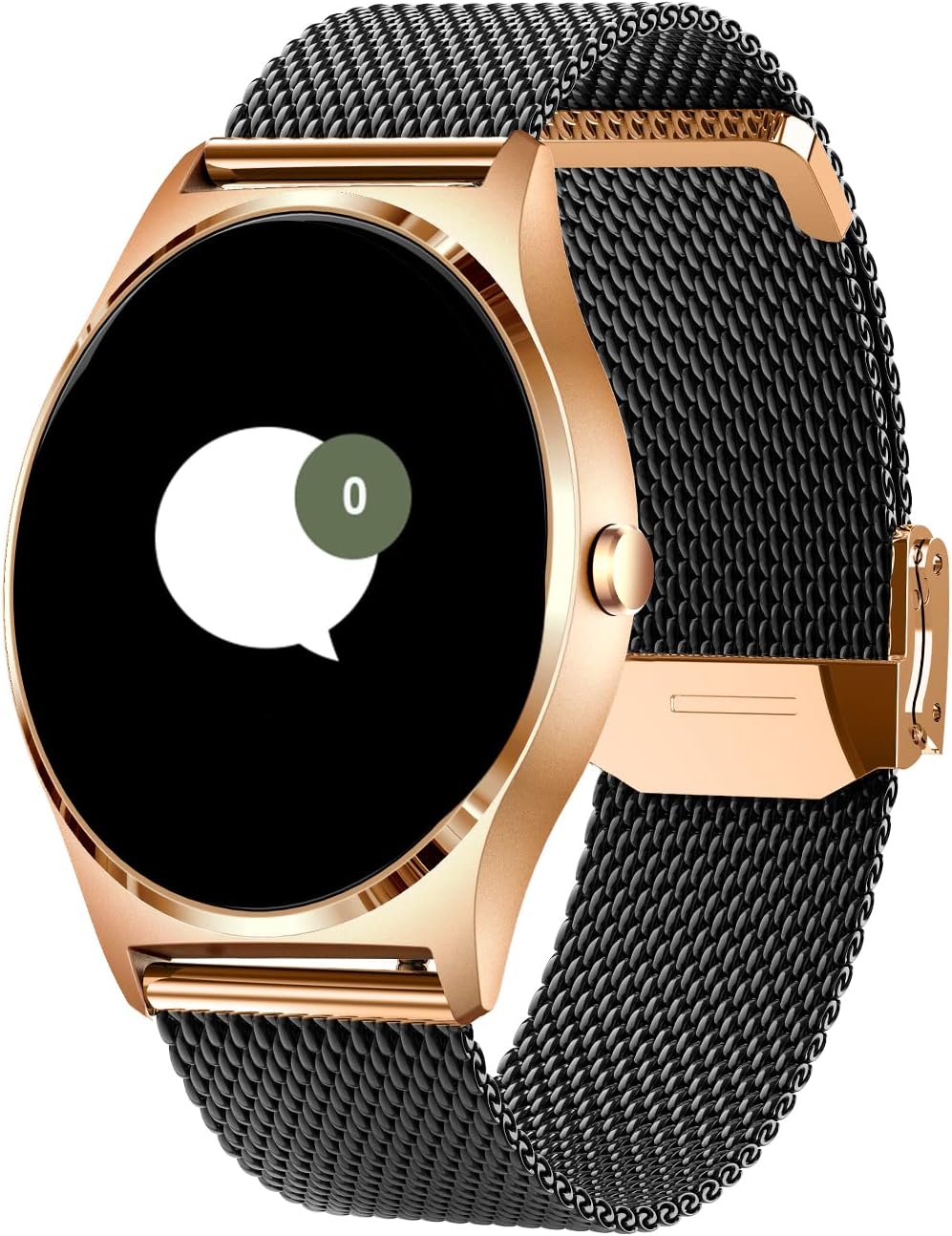
Figure 4.3: The smartwatch display showing a message notification icon, indicating that the device can receive and alert users to incoming communications from a paired smartphone.
4.4 Wettervorhersage
Access real-time weather information directly on your wrist. Ensure the smartwatch is connected to your phone and the app has location permissions enabled to provide accurate local weather data.
4.5 Wecker
Set and manage alarms through the smartwatch or the companion app. The watch will vibrate to alert you at the set time.
5. Pflege und Wartung
To ensure the longevity and optimal performance of your XCOAST JOLI XC Pro Smartwatch, follow these care guidelines:
- Reinigung: Reinigen Sie Uhr und Armband regelmäßig mit einem weichen, fusselfreien Tuch.amp Tuch. Vermeiden Sie die Verwendung aggressiver Chemikalien oder scheuernder Materialien.
- Wasserbeständigkeit: Refer to the product specifications for water resistance ratings. Avoid exposing the watch to hot water, steam, or high-pressure water jets.
- Batteriepflege: Avoid fully discharging the battery frequently. Charge the watch regularly, even if not in daily use, to maintain battery health. Store in a cool, dry place.
- Lagerung: When not in use for extended periods, store the watch in a dry, dust-free environment away from direct sunlight and extreme temperatures.
6. Fehlerbehebung
Sollten Sie Probleme mit Ihrer Smartwatch haben, beachten Sie bitte die folgenden gängigen Lösungsansätze:
- Uhr schaltet sich nicht ein: Stellen Sie sicher, dass die Uhr vollständig aufgeladen ist. Schließen Sie sie an das Ladegerät an und warten Sie einige Minuten, bevor Sie versuchen, sie wieder einzuschalten.
- Kopplung mit Smartphone nicht möglich:
- Stellen Sie sicher, dass Bluetooth auf Ihrem Telefon aktiviert ist und sich die Uhr in Reichweite befindet.
- Starten Sie sowohl Ihr Smartphone als auch Ihre Smartwatch neu.
- Löschen Sie gegebenenfalls den Bluetooth-Cache Ihres Telefons und versuchen Sie es erneut mit der Kopplung.
- Ensure the XCOAST app is updated to the latest version.
- Ungenaue Gesundheitswerte:
- Achten Sie darauf, dass die Uhr eng am Handgelenk sitzt, nicht zu locker und nicht zu eng.
- Reinigen Sie die Sensoren auf der Rückseite der Uhr.
- Note that smartwatch health readings are for reference only and should not replace professional medical advice.
- Benachrichtigungen werden nicht angezeigt:
- Check notification permissions for the XCOAST app in your phone's settings.
- Stellen Sie sicher, dass die Uhr per Bluetooth verbunden ist.
- Vergewissern Sie sich, dass der „Nicht stören“-Modus weder auf der Uhr noch auf Ihrem Telefon aktiviert ist.
Sollte das Problem weiterhin bestehen, wenden Sie sich bitte an den Kundendienst.
7. Technische Daten
| Besonderheit | Spezifikation |
|---|---|
| Marke | XKÜSTE |
| Modellnummer | 570427 |
| Farbe | Schwarz |
| Bildschirmgröße | 1.3 Zoll |
| Form | Runden |
| Konnektivität | Bluetooth |
| GPS | Kein GPS |
| Akku-Typ | Lithium-Ionen |
| Batteriekapazität | 130 mAh |
| Speicherkapazität | 1 MB |
| Besondere Merkmale | Time display, Weather forecast, Alarm clock, Cycle tracking |
| Kompatible Geräte | Smartphone |
| Hersteller | XLYNE |
8. Garantie und Kundendienst
The XCOAST JOLI XC Pro Smartwatch comes with a warranty covering manufacturing defects. Spare parts availability is guaranteed for 1 year from the date of purchase.
For warranty claims, technical support, or any other inquiries, please contact XCOAST customer support through their official webBitte kontaktieren Sie den Support über die Website oder die in Ihren Kaufunterlagen angegebenen Kontaktdaten. Halten Sie bitte Ihre Modellnummer (570427) und den Kaufbeleg bereit, wenn Sie sich an den Support wenden.