
Einführung
This manual provides essential instructions for setting up, operating, and maintaining your Epson EcoTank L121 A4 Ink Tank Printer. Please read this guide thoroughly before using the printer to ensure correct operation and to maximize its lifespan.

Bild: Vorderseite view of the Epson EcoTank L121 A4 Ink Tank Printer. This image shows the compact design and the front paper output tray.
1. Einrichtung
1.1 Auspacken
Carefully remove the printer from its packaging. Ensure all protective tapes and materials are removed from the exterior and interior of the printer. Keep the packaging materials for future transport if needed.
1.2 Befüllen der Tintenbehälter
The EcoTank L121 uses refillable ink tanks. Use only genuine Epson 664 series ink bottles (6641 Black, 6642 Cyan, 6643 Magenta, 6644 Yellow) for optimal performance and to prevent damage.
- Öffnen Sie die Abdeckung der Tintenbehältereinheit an der Seite des Druckers.
- Open the cap for the corresponding color ink tank you wish to fill.
- Carefully uncap the ink bottle and insert it into the filling port. The ink will automatically start to fill the tank. Do not squeeze the bottle.
- Once the tank is full, remove the ink bottle and securely close the ink tank cap.
- Repeat for all other colors.
- Schließen Sie die Abdeckung der Tintenbehältereinheit.
After filling, press and hold the Wartung button (often depicted as a droplet or triangle with a lightning bolt) for 3 seconds to initiate ink charging. This process takes approximately 20 minutes. Do not turn off the printer during ink charging.
1.3 Anschließen an einen Computer
The Epson EcoTank L121 connects via USB 2.0.
- Ensure the printer is powered on and ink charging is complete.
- Verbinden Sie ein Ende des USB-Kabels mit dem USB-Anschluss des Druckers.
- Verbinden Sie das andere Ende des USB-Kabels mit einem freien USB-Anschluss Ihres Computers.
1.4 Softwareinstallation
Insert the provided software CD into your computer's CD-ROM drive. If the installer does not start automatically, browse the CD and run the setup file. Follow the on-screen instructions to install the printer drivers and utility software. If you do not have a CD drive, download the latest drivers from the official Epson support webWebsite.
2. Bedienung des Druckers
2.1 Papier einlegen
The printer supports A4 paper size.
- Open the paper support and pull it up.
- Schieben Sie die Randführungen auf die Breite Ihres Papiers.
- Load paper print-side up into the rear paper feeder. Ensure the stack is even and does not exceed the maximum load line.
- Richten Sie die Kantenführungen an den Seiten des Papiers aus.
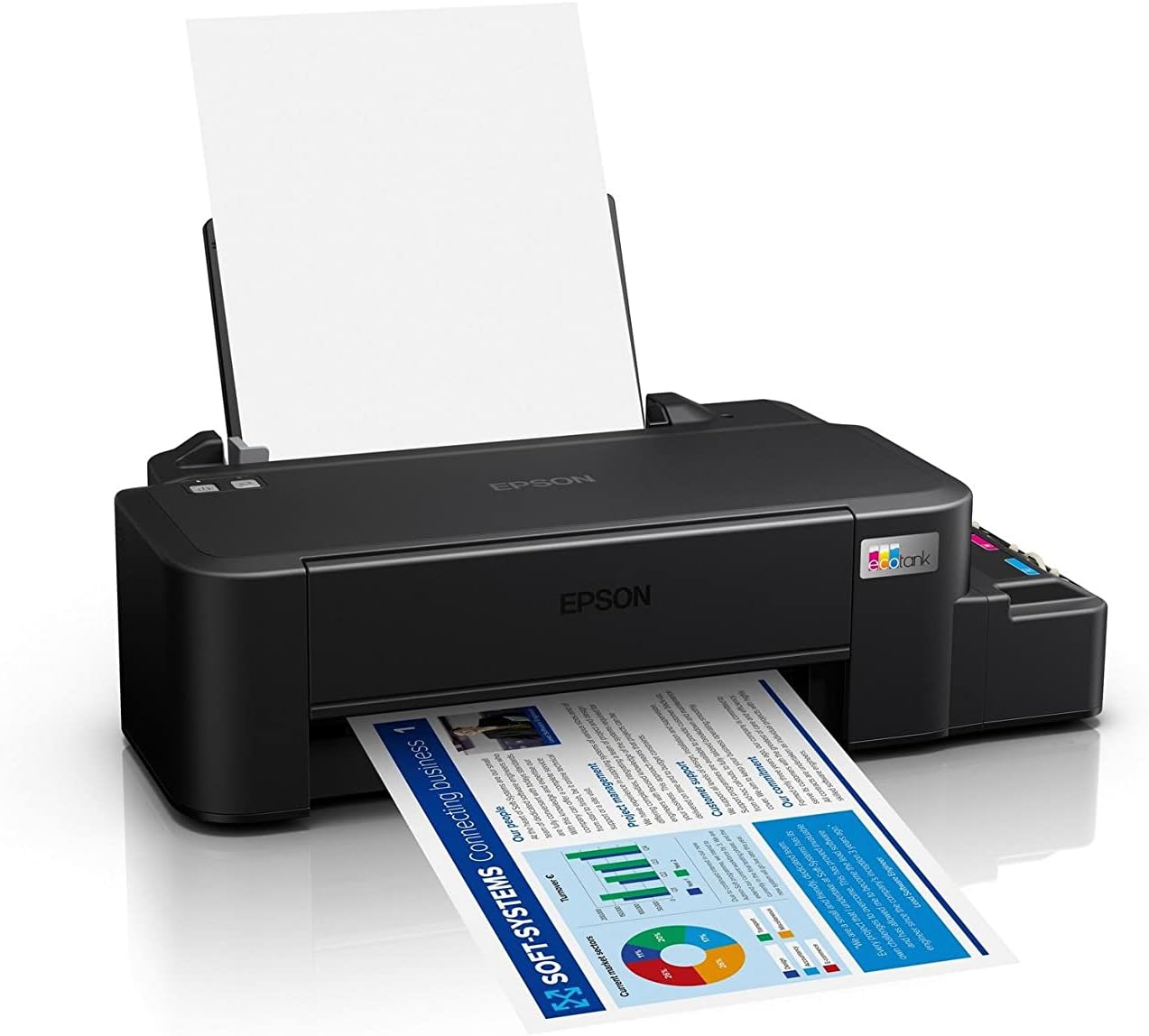
Image: The Epson EcoTank L121 printer actively printing a document. This illustrates paper being fed from the rear tray and exiting the front output tray.
2.2 Grundlegendes Drucken
To print a document or image from your computer:
- Öffnen Sie das Dokument oder Bild, das Sie drucken möchten.
- Wählen Drucken aus dem Menü der Anwendung (z. B. File > Drucken).
- Choose your Epson EcoTank L121 printer from the list of available printers.
- Passen Sie die Druckeinstellungen wie Papierformat, Druckqualität und Anzahl der Kopien nach Bedarf an.
- Klicken Drucken.
3. Wartung
3.1 Tintenstand prüfen
Visually inspect the ink tanks on the side of the printer. The transparent tanks allow you to monitor ink levels. Refill ink when levels approach the lower line to prevent air from entering the system, which can affect print quality.

Bild: Abgewinkelt view of the Epson EcoTank L121 printer, highlighting the external ink tanks. This view clearly shows the four color ink reservoirs.
3.2 Reinigung des Druckkopfs
If print quality declines (e.g., missing lines, incorrect colors), perform a print head cleaning. This can be done through the printer utility software on your computer:
- Open the Epson printer utility on your computer.
- Navigieren Sie zum Wartung or Dienstprogramm Tab.
- Wählen Kopfreinigung und folgen Sie den Anweisungen auf dem Bildschirm.
Alternatively, you can perform a head cleaning by holding down the Wartung button on the printer for 3 seconds until the power light starts flashing. Release the button and wait for the cleaning cycle to complete.
3.3 Düsenprüfung
After a head cleaning, or if you suspect print quality issues, perform a nozzle check to verify if all nozzles are firing correctly. This can also be done via the printer utility software or by holding the Wartung button for a shorter duration (e.g., 1 second) to print a nozzle check pattern.
4. Fehlerbehebung
This section addresses common issues you might encounter with your Epson EcoTank L121 printer.
- Drucker reagiert nicht:
- Ensure the printer is powered on and connected securely via USB.
- Prüfen Sie, ob die Druckertreiber korrekt auf Ihrem Computer installiert sind.
- Starten Sie sowohl den Drucker als auch Ihren Computer neu.
- Schlechte Druckqualität:
- Führen Sie eine Düsenprüfung durch, um verstopfte Düsen zu identifizieren.
- Run a print head cleaning cycle if nozzles are clogged.
- Prüfen Sie den Tintenstand und füllen Sie gegebenenfalls nach.
- Verwenden Sie unbedingt Original-Epson-Tinte.
- Papierstaus:
- Schalten Sie den Drucker aus und entfernen Sie vorsichtig jegliches eingeklemmtes Papier aus dem Zufuhrfach, dem Ausgabefach oder aus dem Inneren des Druckers.
- Stellen Sie sicher, dass das Papier korrekt eingelegt und nicht geknickt oder beschädigt ist.urlHrsg.
- Überladen Sie das Papierfach nicht.
- Ink Light Flashing:
- This usually indicates low ink. Check the ink tanks and refill any low colors.
- After refilling, press the Wartung button to reset the ink level indicator.
Für detailliertere Informationen zur Fehlerbehebung konsultieren Sie bitte den Epson-Support. webWebsite oder das vollständige elektronische Handbuch.
5. Spezifikationen
| Besonderheit | Detail |
|---|---|
| Marke | Epson |
| Modellname | EcoTank L121 |
| Drucktechnologie | Tintenstrahl |
| Konnektivitätstechnologie | USB 2.0 |
| Druckerausgabe | Farbe |
| Maximale Druckauflösung (Farbe) | 720 x 720 dpi |
| Maximale Druckgeschwindigkeit (Schwarz) | 9 ppm (ISO) |
| Maximale Druckgeschwindigkeit (Farbe) | 4.8 ppm (ISO) |
| Besondere Merkmale | Refillable Ink Tank |
| Artikelgewicht | 2.4 Kilogramm |
| Artikelabmessungen (T x B x H) | 21.5T x 46.1B x 13H Zentimeter |
| Maximale Mediengröße | A4 |
| Kompatible Tinte | Epson 664 series (6641/6642/6643/6644) |
| Duplexdruck | Handbuch |
6. Garantieinformationen
The Epson EcoTank L121 printer comes with a warranty of 2-years or 20,000 pages, whichever comes first. Please retain your proof of purchase for warranty claims. For full terms and conditions, refer to the official Epson warranty documentation included with your product or visit the Epson support webWebsite.
7. Unterstützung
For further assistance, driver downloads, FAQs, and additional support resources, please visit the official Epson support webWebsite:
Bitte halten Sie bei Kontaktaufnahme mit dem Support Ihre Druckermodellnummer (L121) und die Seriennummer bereit.