
1. Einleitung
Thank you for choosing the ASHATA 95 Keys Wired Mechanical Gaming Keyboard. This compact and versatile keyboard is designed for both gaming and office use, offering a comfortable typing experience with its durable mechanical switches and plug-and-play functionality. This manual provides essential information for setting up, operating, and maintaining your new keyboard.
2. Produktmerkmale
- 95-Tasten-Layout: Compact design with a full set of essential keys, available with English and Arabic keycaps.
- Kabelgebundene Konnektivität: Reliable USB-A connection for stable performance.
- Mechanische Schalter: Provides tactile feedback and durability for an enhanced typing and gaming experience.
- Plug-and-Play: No complex driver installation required; simply connect and use.
- Langlebiges Design: Features legible, fade-resistant key printing for long-lasting use.
- Komfortables Tippen: Ergonomically designed for extended use in office or home environments.
- Ultrakompaktes Design: Approximately 60% size of a standard keyboard, saving desk space.
- Hohe Haltbarkeit: Rated for over 10 million keystrokes life.
- Dünn und tragbar: With a thickness of approximately 1 cm, it is easy to transport.
- Leises Design: Equipped with quality silicone keys for a quiet typing environment.
- Independent Multimedia Buttons: Dedicated buttons for quick access to media controls.

Bild: Überview of the ASHATA Wired Keyboard highlighting its features.

Bild: Nahaufnahme view of the comfortable 95-key layout.

Bild: Seitenansichtfile illustrating the thin and portable design.

Image: Detail of a keycap, demonstrating the silent design feature.
3. Packungsinhalt
Stellen Sie sicher, dass alle Artikel im Paket vorhanden sind:
- 1 x Kabelgebundene Tastatur
4. Einrichtungsanweisungen
The ASHATA 95 Keys Wired Mechanical Gaming Keyboard is designed for simple plug-and-play operation.
- Auspacken der Tastatur: Nehmen Sie die Tastatur vorsichtig aus der Verpackung.
- Verbinden Sie sich mit Ihrem Gerät: Locate an available USB-A port on your computer (desktop, laptop, etc.). Insert the USB connector of the keyboard cable into the USB-A port.
- Automatische Erkennung: Ihr Betriebssystem (z. B. Windows) erkennt und installiert automatisch die benötigten Treiber. Dieser Vorgang dauert in der Regel nur wenige Sekunden.
- Beginnen Sie mit der Verwendung: Once recognized, the keyboard is ready for immediate use.

Image: The keyboard with its integrated USB cable, approximately 1.5m long.

Image: USB interface for plug and play functionality, with cable length of 1.5m.

Image: Keyboard connected and ready for use with a desktop computer.
5. Bedienungsanleitung
This keyboard functions like a standard QWERTY keyboard with additional multimedia controls.
5.1 Grundlegendes Tippen
Simply press the desired keys to input characters. The keyboard supports both English and Arabic characters, depending on the specific model and your operating system's language settings.
5.2 Multimedia-Tasten
The keyboard features dedicated multimedia buttons located above the function keys (F1-F12) for quick access to media controls. These buttons allow you to:
- Adjust Volume (Volume Up, Volume Down, Mute)
- Control Media Playback (Play/Pause, Previous Track, Next Track)
- Open Default Media Player
- Open Default Web Browser
- E-Mail-Client öffnen
- Suchfunktion

Image: Detail of the independent multimedia buttons for quick access to functions.
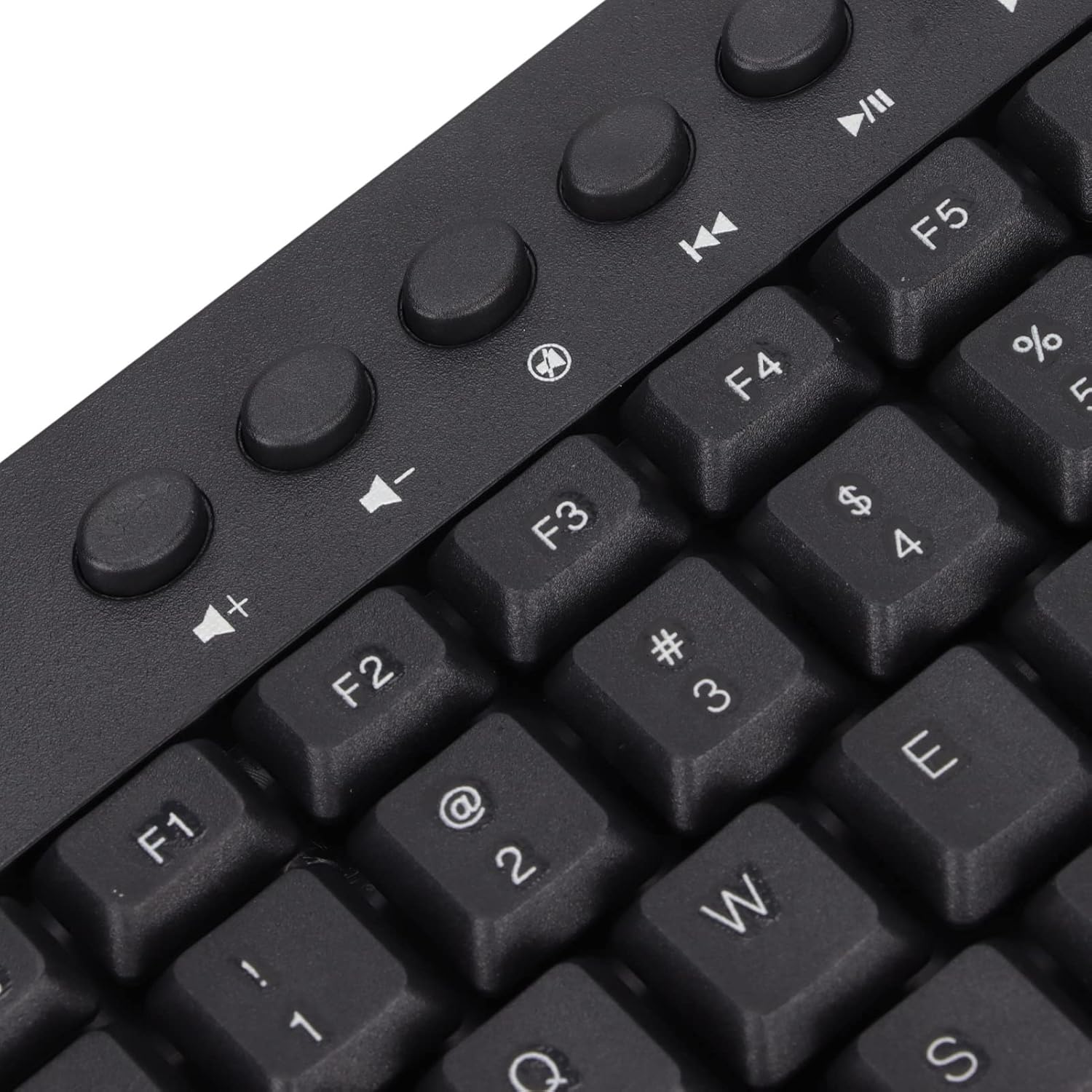
Bild: Nahaufnahme view of the dedicated multimedia control keys.

Image: Detail of the right-side keys, including navigation and control keys.
6. Wartung
Um die Langlebigkeit und optimale Leistung Ihrer ASHATA-Tastatur zu gewährleisten, befolgen Sie bitte diese Wartungsrichtlinien:
- Reinigung: Wischen Sie die Oberfläche der Tastatur mit einem weichen, trockenen Tuch ab. Für eine gründlichere Reinigung können Sie ein leicht fusselfreies Tuch verwenden.amp cloth with a mild cleaning solution, ensuring no liquid enters the key switches or internal components.
- Staubentfernung: Verwenden Sie Druckluft, um Staub und Schmutz zwischen den Tastenkappen zu entfernen.
- Vermeiden Sie Flüssigkeiten: Verschütten Sie keine Flüssigkeiten auf der Tastatur. Sollte dennoch etwas verschüttet werden, trennen Sie die Tastatur sofort vom Computer und lassen Sie sie vollständig trocknen, bevor Sie sie wieder anschließen.
- Lagerung: Bewahren Sie die Tastatur an einem kühlen, trockenen Ort fern von direkter Sonneneinstrahlung und extremen Temperaturen auf.
7. Fehlerbehebung
Sollten Sie Probleme mit Ihrer Tastatur haben, beachten Sie bitte die folgenden häufig auftretenden Probleme und Lösungen:
7.1 Tastatur reagiert nicht
- USB-Verbindung prüfen: Ensure the USB cable is securely plugged into a working USB-A port on your computer. Try a different USB port.
- Starte den Computer neu: Manchmal lassen sich Verbindungsprobleme durch einen einfachen Neustart des Computers beheben.
- Test auf einem anderen Gerät: Connect the keyboard to another computer to determine if the issue is with the keyboard or your original device.
7.2 Tasten funktionieren nicht richtig
- Saubere Tasten: Check for any debris or foreign objects lodged under the non-functioning keys. Use compressed air to clear them.
- Softwarekonflikt: Stellen Sie sicher, dass keine inkompatible Software oder Treiber installiert sind, die die Tastatureingabe beeinträchtigen könnten.
7.3 Multimedia-Tasten funktionieren nicht
- Betriebssystemeinstellungen: Verify that your operating system's media key settings are configured correctly.
- Anwendungskompatibilität: Some applications may not fully support universal multimedia keys.
Sollten diese Schritte das Problem nicht beheben, wenden Sie sich bitte an den Kundendienst, um weitere Unterstützung zu erhalten.
8. Spezifikationen
| Besonderheit | Detail |
|---|---|
| Marke | ASHATA |
| Modellnummer | ASHATA8x4ni917wp552-12 |
| Konnektivitätstechnologie | USB-A (kabelgebunden) |
| Anzahl der Schlüssel | 95 |
| Schaltertyp | Mechanisch |
| Material | Plastik |
| Farbe | Black (Arabic layout) |
| Kompatible Geräte | PC (Desktop, Laptop) |
| Kompatible Betriebssystemfamilie | Windows |
| Kabellänge | Approx. 1.5m / 1.6yd |
| Besonderheit | Unabhängige Multimedia-Tasten |

Abbildung: Unten view of the keyboard, displaying regulatory information and adjustable feet.
9. Garantie und Support
Informationen zur Garantie und zum Kundendienst finden Sie in der Ihrer Bestellung beiliegenden Dokumentation oder wenden Sie sich direkt an den Händler/Hersteller. Bewahren Sie Ihren Kaufbeleg für eventuelle Garantieansprüche auf.