
Einführung
Thank you for choosing the Flutesan Pocket Calculator. This manual provides detailed instructions for the proper setup, operation, and maintenance of your new calculator. Designed for students, kids, and general office or home use, these mini calculators offer basic four-function arithmetic with an easy-to-read display and responsive keys.

Image: A set of Flutesan pocket calculators in red, green, and blue, highlighting their compact design and clear displays.
Packungsinhalt
Ihr Paket sollte die folgenden Artikel enthalten:
- 10 x Green Pocket Calculators
- 10 x Red Pocket Calculators
- 10 x Blue Pocket Calculators
Note: AA batteries are required for operation and are not included in the package.
Aufstellen
Einlegen der Batterie
The Flutesan Pocket Calculator is powered by one (1) AA battery. Follow these steps to install the battery:
- Suchen Sie die Abdeckung des Batteriefachs auf der Rückseite des Taschenrechners.
- Gently slide or pry open the battery compartment cover. A small screwdriver may be needed to assist in opening the cover.
- Legen Sie eine (1) AA-Batterie ein und achten Sie darauf, dass die positiven (+) und negativen (-) Anschlüsse mit den Markierungen im Inneren des Batteriefachs übereinstimmen.
- Bringen Sie die Abdeckung des Batteriefachs wieder an und achten Sie darauf, dass sie hörbar einrastet.

Image: Illustration of how to open the battery compartment and insert an AA battery into the calculator.
Bedienungsanleitung
Grundfunktionen
The Flutesan Pocket Calculator is designed for basic arithmetic operations and includes several useful features:
- ON/CE (On/Clear Entry): Press to turn the calculator on or to clear the last entered number.
- AUS: Press to turn the calculator off.
- MRC (Speicherabruf/-löschung): Press once to recall the value stored in memory. Press twice to clear the memory.
- M- (Speicher Minus): Subtrahiert den angezeigten Wert vom Speicher.
- M+ (Speicher Plus): Fügt den angezeigten Wert dem Speicher hinzu.
- √ (Square Root): Berechnet die Quadratwurzel der angezeigten Zahl.
- % (Prozent): Wird für Prozent verwendettage Berechnungen.
- ÷ (Division): Performs division.
- × (Multiplication): Performs multiplication.
- - (Subtraction): Performs subtraction.
- + (Addition): Performs addition.
- = (gleich): Displays the result of the calculation.
Display und Tasten
The calculator features a large 8-digit LCD display for clear visibility. The keys are designed for high sensitivity and quick response, ensuring efficient operation. The numbers and symbols on the keys are durable and resistant to wear for long-term use.
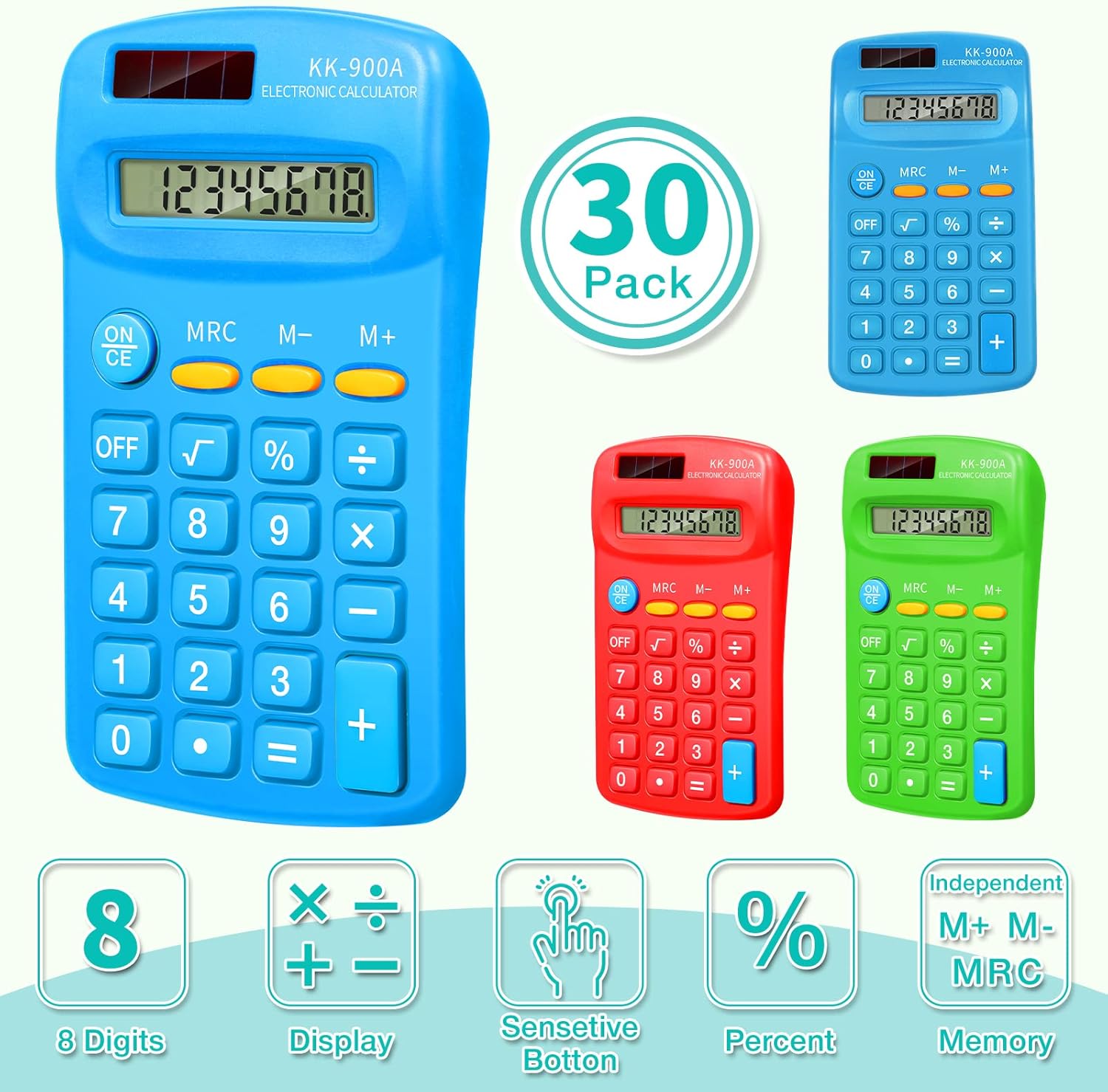
Image: Visual representation of the calculator's key features, such as its 8-digit display and responsive buttons.

Image: Demonstrates the calculator's portability and convenience for daily use in various settings.
Wartung
Reinigung
Um Ihren Taschenrechner zu reinigen, wischen Sie die Oberfläche vorsichtig mit einem weichen, trockenen Tuch ab. Bei hartnäckigem Schmutz kann ein leicht dämpfendes Tuch helfen.amp cloth can be used, but ensure no moisture enters the calculator's internal components. Do not use abrasive cleaners or solvents.
Lagerung
Store the calculator in a cool, dry place away from direct sunlight and extreme temperatures. Its compact size makes it easy to store in a drawer, school bag, or briefcase.
Fehlerbehebung
If you encounter issues with your Flutesan Pocket Calculator, please refer to the following common problems and solutions:
| Problem | Mögliche Ursache | Lösung |
|---|---|---|
| Calculator does not turn on or display is blank. | No battery, dead battery, or incorrectly installed battery. | Ensure an AA battery is installed. Check battery polarity (+/-). Replace with a new AA battery if necessary. |
| Keys are unresponsive or require excessive force. | Dust or debris under keys, or internal mechanism issue. | Gently clean around the keys. Ensure keys are not stuck. If the issue persists, the unit may be defective. |
| Incorrect numbers appear on display when pressing keys (e.g., pressing '3' shows '7'). | Defective keypad or internal circuit. | This indicates a manufacturing defect. The calculator may need to be replaced. |
| Battery cover opens easily or battery falls out. | Loose or damaged battery compartment cover. | Ensure the cover is properly aligned and snapped into place. If it remains loose, consider using tape to secure it, or the unit may be defective. |
| Some buttons are mislabeled (e.g., two '=' signs). | Manufacturing error. | This is a manufacturing defect. The calculator may need to be replaced. |
Technische Daten
| Besonderheit | Detail |
|---|---|
| Modellnummer | Flutesan-Solar Battery-11 |
| Technische Daten | Ca. 11.4 x 6.4 x 2 cm (4.49 x 2.52 x 0.79 Zoll) |
| Artikelgewicht | Approx. 2.45 pounds (for 30 pack) |
| Stromquelle | 1 AA-Batterie (nicht im Lieferumfang enthalten) |
| Anzeige | 8-Digit LCD Display |
| Rechnertyp | Basic Four-Function |
| Farbe | Grün, Rot, Blau |
| Hersteller | Flutesan |

Image: Detailed dimensions and ergonomic design of the Flutesan pocket calculator.
Garantie und Support
Specific warranty information for this product is not provided in the available data. For details regarding warranty coverage, returns, or technical support, please refer to the seller's return policy or contact the manufacturer, Flutesan, directly through their official channels or the platform where the product was purchased.