
Einführung
This manual provides detailed instructions for the installation, operation, and maintenance of your EZoneTronics Android 11 Car Stereo. Please read this manual thoroughly before using the product to ensure proper function and safety. This unit is designed for Peugeot 308 and 408 models manufactured between 2010 and 2016.
Packungsinhalt
Bitte überprüfen Sie, ob alle unten aufgeführten Artikel in Ihrem Paket enthalten sind:
- 1 x EZoneTronics Android Player
- 1 x GPS-Antenne
- 1 x Stromkabelbaum
- 1 x RCA-Ein-/Ausgangskabel
- 2 x USB-Adapter
- 1 x Kameraeingangskabel
- 1 x Benutzerhandbuch (dieses Dokument)
Setup und Installation
The EZoneTronics Android 11 Car Stereo is designed for plug-and-play installation in compatible Peugeot 308/408 models. Professional installation is recommended.
Prüfungen vor der Installation
- Vor Beginn der Installation sicherstellen, dass die Zündung des Fahrzeugs ausgeschaltet und die Batterie abgeklemmt ist.
- Confirm compatibility with your vehicle's make, model, and year (Peugeot 308/408, 2010-2016).
Installationsschritte
- Carefully remove the original car stereo unit from your vehicle's dashboard. Refer to your vehicle's service manual for specific instructions.
- Connect the provided Power Harness to the vehicle's wiring harness. Ensure all connections are secure.
- Connect the GPS Antenna. Position the antenna in a location with a clear view des Himmels für optimalen Signalempfang.
- Connect the RCA Input/Output Cable, USB Adapters, and Camera Input Cable as needed for external devices (e.g., rear camera, USB drives).
- Carefully slide the EZoneTronics Android Player into the dashboard opening. Ensure all cables are tucked away and not pinched.
- Secure the unit in place using the appropriate mounting brackets or screws.
- Schließen Sie die Fahrzeugbatterie wieder an und schalten Sie die Zündung ein, um das Gerät zu testen.
Notiz: Minor modifications to the vehicle's frame (e.g., removing plastic tabs) may be required for a perfect fit. Consult online resources or a professional if unsure.
Bedienungsanleitung
Your EZoneTronics Android 11 Car Stereo features a 9-inch TFT Capacitive Touch Screen and an Octa Core CPU for a responsive user experience.
Grundlegende Navigation
- Ein-/Ausschalten: Drücken und halten Sie den Ein-/Ausschalter am Gerät oder benutzen Sie die Zündung des Fahrzeugs.
- Touch-Screen: Navigieren Sie durch Menüs und Anwendungen, indem Sie auf dem Bildschirm tippen, wischen und zoomen.
- Startbildschirm: Access frequently used apps and widgets. Customize by long-pressing on empty areas.
- Einstellungen: Zugriff auf Systemeinstellungen, Netzwerkkonfigurationen, Anzeigeoptionen und mehr.

Image: The Android 11 interface with various application icons, highlighting the Octa Core processor for smooth operation.
Bluetooth 5.0-Konnektivität
The unit features built-in Bluetooth 5.0 for hands-free calling and audio streaming (A2DP).
- Öffne die Bluetooth-Einstellungen am Autoradio.
- Aktivieren Sie Bluetooth auf Ihrem Mobiltelefon und suchen Sie nach verfügbaren Geräten.
- Select the car stereo (e.g., "EZoneTronics Car Stereo") from your phone's list and pair.
- Once paired, you can make/receive calls and stream music directly from your phone.

Image: The Bluetooth 5.0 interface displaying options for call history, dialing, hanging up, and playing music from a connected phone.
CarPlay und Android Auto
Integrated CarPlay and Android Auto allow seamless smartphone integration via USB (wired) or wirelessly.
- Connect your iPhone (for CarPlay) or Android phone (for Android Auto) to one of the USB ports.
- Follow the on-screen prompts to initiate CarPlay or Android Auto.
- Once connected, you can access navigation, music, messages, and calls through the car stereo interface.
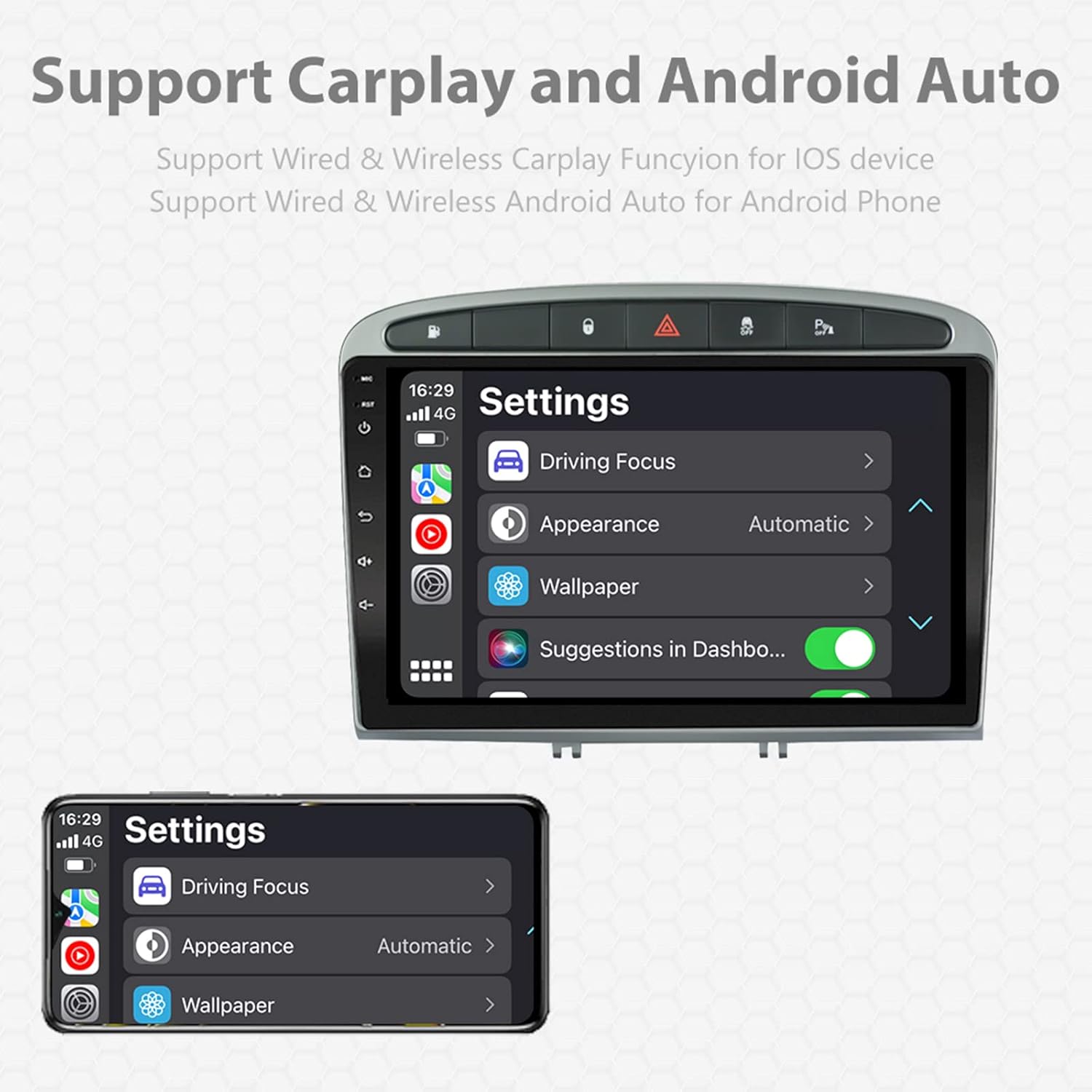
Image: A screen capture showing the settings menu for CarPlay and Android Auto, indicating support for both wired and wireless connections.
Split-Screen-Funktion
The Android 11 system supports multi-tasking, allowing two applications to run side-by-side.
- To activate, open an application, then swipe up from the bottom of the screen (or use the recent apps button) and drag another app to one side of the screen.
- This enables simultaneous use of navigation and music playback, or browsing while listening to the radio.
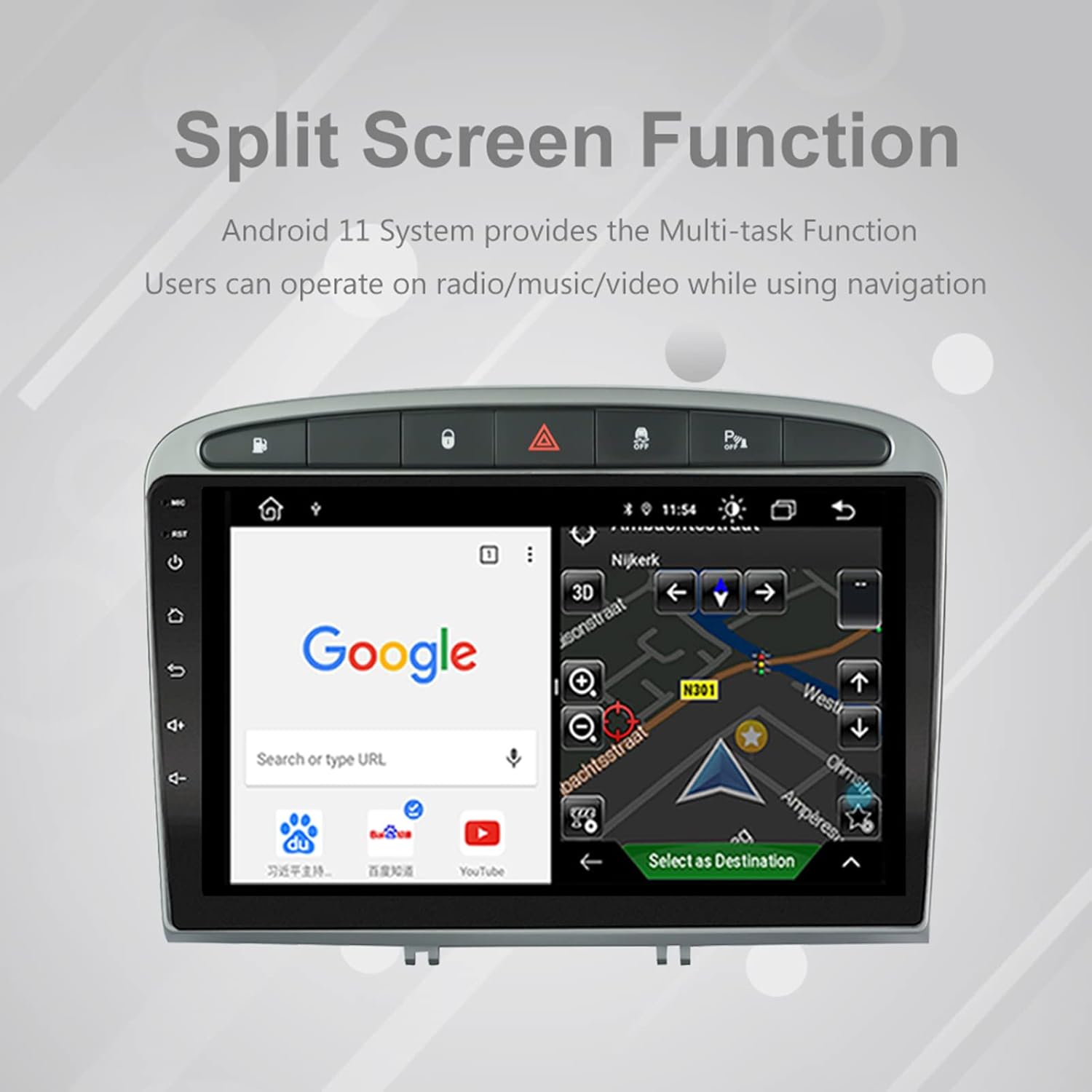
Image: The split-screen feature in action, displaying a Google search interface on one side and a navigation map on the other.
Radio (AM/FM/RDS)
The unit includes an automotive-grade chipset for optimal radio signal reception.
- Select the 'Radio' application from the home screen.
- Verwenden Sie die Bedienelemente auf dem Bildschirm, um nach Sendern zu suchen, manuell einzustellen oder voreingestellte Sender auszuwählen.
- RDS (Radio Data System) liefert, sofern verfügbar, zusätzliche Informationen wie Sendername und Programmtyp.
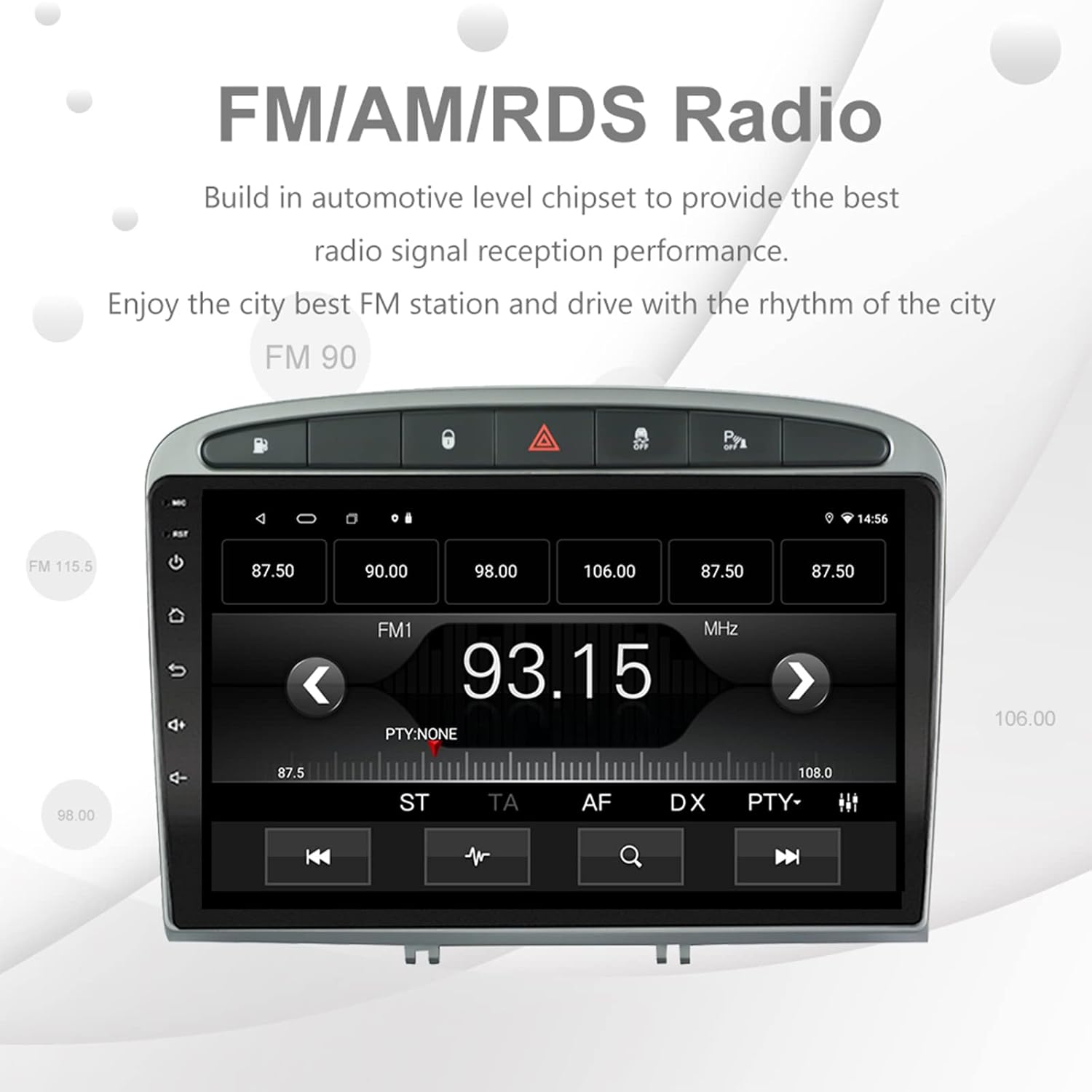
Image: The FM/AM/RDS radio interface, showing frequency display, tuning controls, and preset options.
Digitaler Soundprozessor (DSP)
The built-in 32-band DSP allows for precise audio customization to match your preferences and vehicle acoustics.
- Access the 'EQ' or 'DSP' application from the home screen.
- Adjust individual frequency bands, fader, balance, treble, and bass settings.
- Select from preset EQ modes or create and save your custom profiles.

Image: The DSP system interface, illustrating the multi-band equalizer with adjustable frequency sliders for sound customization.
Multimedia Playback (Music & Video)
The unit supports various multimedia formats for music and 1080P HD video playback.
- Connect USB drives to the rear USB inputs for media files.
- Use the 'Music' or 'Video' applications to browse and play your media.
- Stream music from your mobile phone via Bluetooth or compatible apps like Spotify (requires internet connection).

Image: The multimedia player displaying a high-definition scenic image, demonstrating its capability for 1080P video and music playback.
Kameraeingang umkehren
The unit supports a reverse camera input for enhanced parking safety. An AHD camera (optional) provides superior clarity compared to standard CVBS cameras.
- Connect a compatible reverse camera to the 'Camera Input' cable.
- Die Anzeige schaltet automatisch auf Kamera um. view wenn das Fahrzeug in den Rückwärtsgang geschaltet wird.
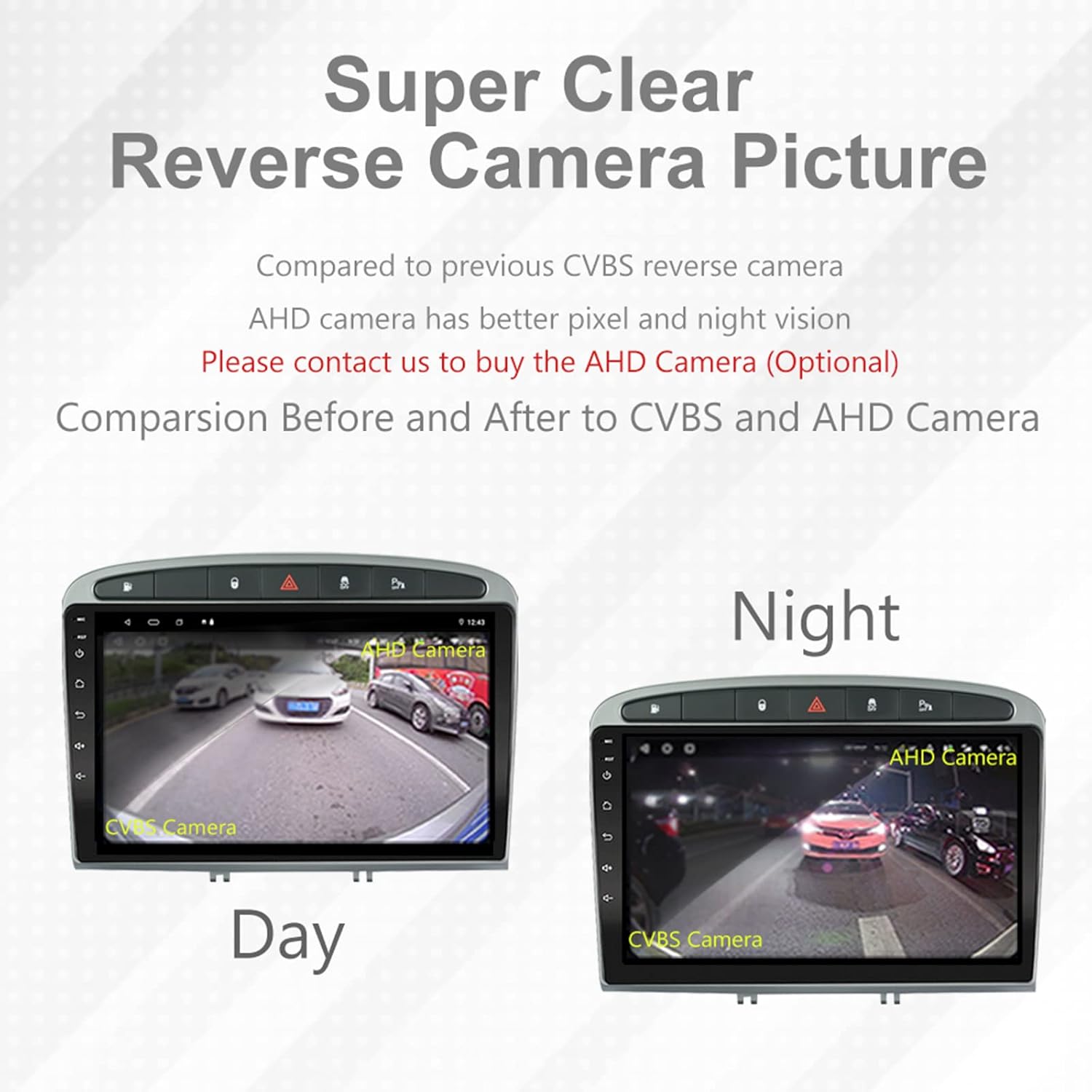
Image: A visual comparison demonstrating the clear reverse camera picture, highlighting the improved clarity of an AHD camera during both day and night conditions.
Wartung
Durch sachgemäße Wartung wird die Langlebigkeit und optimale Leistung Ihres Autoradios sichergestellt.
- Reinigen des Bildschirms: Verwenden Sie ein weiches, fusselfreies Tuch, um den Touchscreen vorsichtig abzuwischen. Vermeiden Sie scheuernde Reiniger oder Lösungsmittel.
- Software-Updates: Periodically check for system software updates to ensure optimal performance and access to new features. Updates can usually be found in the system settings or on the manufacturer's webWebsite.
- Temperatur: Vermeiden Sie es, das Gerät extremen Temperaturen auszusetzen.
Fehlerbehebung
Sollten Sie auf Probleme stoßen, konsultieren Sie bitte die folgenden häufigen Probleme und Lösungen:
| Problem | Mögliche Ursache | Lösung |
|---|---|---|
| Gerät lässt sich nicht einschalten | Lose Stromverbindung, durchgebrannte Sicherung, Problem mit der Fahrzeugbatterie. | Prüfen Sie die Anschlüsse des Kabelbaums. Kontrollieren Sie die Fahrzeugsicherungen. Stellen Sie sicher, dass die Fahrzeugbatterie geladen ist. |
| Kein Ton | Lautstärke zu niedrig, Stummschaltung aktiviert, Problem mit der Lautsprecherverkabelung, falsche Audioausgabeeinstellungen. | Increase volume. Check mute status. Verify speaker connections. Adjust audio settings in DSP/EQ. |
| GPS-Signal schwach oder ungenau | Falsch platzierte oder nicht angeschlossene GPS-Antenne, Umwelteinflüsse. | Stellen Sie sicher, dass die GPS-Antenne freie Sicht hat. view of the sky and is securely connected. Avoid placing near metal objects. |
| Probleme mit der Bluetooth-Kopplung | Bluetooth not enabled on unit or phone, incorrect pairing procedure, device interference. | Ensure Bluetooth is enabled on both devices. Restart both devices. Follow pairing instructions carefully. |
| CarPlay/Android Auto funktioniert nicht | Defektes USB-Kabel, Softwareproblem am Telefon, App nicht installiert/aktualisiert. | Try a different USB cable. Ensure your phone's OS and CarPlay/Android Auto apps are updated. Restart phone and stereo. |
| Das Gerät reagiert langsam oder gar nicht. | Too many apps running in background, low storage, software glitch. | Close unnecessary applications. Clear cache. Perform a system restart. If persistent, a factory reset might be needed (backup data first). |
Bei Problemen, die hier nicht behandelt werden, wenden Sie sich bitte an den Kundendienst.
Technische Daten
- Modellnummer: RMS8-PGT-408-08-2G32
- Betriebssystem: Android 11
- Bildschirmgröße: 9 Zoll
- Anzeigetyp: TFT-kapazitiver Touchscreen
- Auflösung: 1280 x 720 pixels (Note: Some documentation may state 1024x600, but 1280x720 is the primary specification)
- CPU: Octa Core with 1.6GHz Cortex A55
- RAM: 2 GB DDR3
- Interner Speicher: 32 GB Flash-Speicher
- Bluetooth: Version 5.0 (A2DP, Hands-Free, Phonebook)
- Konnektivität: Built-in WiFi, 4G SIM Card Compatible (requires external module/dongle for 4G), RCA, USB
- Geographisches Positionierungs System: Built-in receiver, compatible with Waze/Navfree/Yandex Map etc.
- Radio: AM/FM/RDS with Auto Memory Store/Preset Scan
- Audioausgang: 4 x 45W Power Output, 4.1 Channel RCA/Sub Output
- Tonverarbeitung: 32 Band DSP, Multi EQ Settings, Volume/Fader/Balance/Treble/Bass Control
- Video-Eingang: 1 Channel Video Input, Back Camera Input
- Audioeingang: 2-Kanal-Audioeingang
- Kompatible Geräte: Smartphone (for CarPlay/Android Auto, Bluetooth)
- Unterstützte Internetdienste: Spotify
- Sprachen: English, French, Italian, German, Spanish, Portuguese, Chinese, Japanese, and more.
- Paketabmessungen: 31.3 x 21.6 x 11.9 cm
- Paketgewicht: 1.51 kg
Garantie und Support
Your EZoneTronics car stereo comes with a 1 Jahr Garantie ab Kaufdatum.
For technical assistance, warranty claims, or any inquiries, please contact our customer support team:
- E-Mail: sales2@rhythmhk.com
Please provide your model number (RMS8-PGT-408-08-2G32) and a detailed description of the issue when contacting support.