1. Einleitung
This manual provides comprehensive instructions for the CEYOMUR CY60 Trail Camera. This device is designed for capturing high-resolution photos and videos of wildlife, offering features such as 4K video recording, 36MP photo resolution, infrared night vision, and IP66 waterproof rating. Please read this manual thoroughly before operating the camera to ensure proper usage and optimal performance.
2. Packungsinhalt
Bitte überprüfen Sie, ob alle unten aufgeführten Artikel in Ihrem Paket enthalten sind:
- 1 x CEYOMUR CY60 Wildkamera
- 1 x USB-Kabel
- 1 x Befestigungsgurt
- 1 x verstellbare Montagehalterung.
- 1 x Benutzerhandbuch

Image: Contents of the CEYOMUR CY60 Trail Camera package, showing the camera, USB cable, mounting strap, and user manual.
3. Kamera überview
Familiarize yourself with the main components of your CEYOMUR CY60 Trail Camera.

Bild: Vorderseite view of the CEYOMUR CY60 Trail Camera, highlighting the lens, PIR sensors, and infrared LEDs.

Image: The CEYOMUR CY60 Trail Camera with its front casing open, revealing the internal LCD screen, control buttons, and SD card slot.
4. Einrichtung
4.1 Einlegen der Batterie
The camera requires 8 AA batteries (not included). For optimal performance and extended battery life, especially in cold conditions, it is recommended to use high-quality alkaline or rechargeable AA batteries.
- Öffne die Kamera-Kamera.asing.
- Suchen Sie das Batteriefach an der Unterseite der Kamera.
- Legen Sie 8 AA-Batterien ein und achten Sie dabei auf die richtige Polarität (+/-), wie im Batteriefach angegeben.
- Verschließen Sie das Batteriefach fest.
4.2 Installation der SD-Karte
A Micro SD card (up to 32GB, not included) is required to store photos and videos. Ensure the card is formatted before first use.
- Mit der Kamera casing open, locate the SD card slot on the side.
- Schieben Sie die Micro-SD-Karte in den Steckplatz, bis sie einrastet.
- Zum Herausnehmen die Karte vorsichtig drücken, bis sie herausspringt.
Bild: Eine Nahaufnahme view of the CEYOMUR CY60 Trail Camera's side, indicating the SD card slot and the external power port for convenient access.
4.3 Montage der Kamera
Die Kamera kann mithilfe des mitgelieferten Gurtes oder der verstellbaren Halterung befestigt werden.
- Gurtbefestigung: Fädeln Sie den Befestigungsgurt durch die Schlitze auf der Rückseite der Kamera und befestigen Sie ihn an einem Baum oder Pfosten.
- Halterungsmontage: Attach the adjustable mounting bracket to a wall or flat surface using screws (not included). Then, secure the camera to the bracket.

Image: The CEYOMUR CY60 Trail Camera securely mounted to a tree trunk using the provided strap, demonstrating its outdoor placement.

Image: The CEYOMUR CY60 Trail Camera camouflaged against a tree, illustrating its discreet design for wildlife observation.
5. Bedienungsanleitung
5.1 Einschalten und Grundeinstellungen
- Öffnen Sie die Kamera casing.
- Slide the power switch from OFF to SETUP. The LCD screen will turn on.
- Use the navigation buttons (UP, DOWN, LEFT, RIGHT, OK) to access the menu.
- Navigate to "Date/Time" to set the current date and time. This is crucial for accurate timestamps auf Ihren Aufnahmen.
- Format the SD card through the menu option to ensure compatibility and clear any previous data.
5.2-Betriebsmodi
Die Kamera bietet drei primäre Betriebsmodi:
- Fotomodus: Nimmt bei Auslösung Standbilder auf.
- Videomodus: Zeichnet bei Auslösung Videoclips auf.
- Foto- und Videomodus: Nimmt beim Auslösen ein Standbild und anschließend einen Videoclip auf.
Select your desired mode from the camera's menu settings.
5.3 PIR Sensor and Trigger Settings
The Passive Infrared (PIR) sensor detects motion and triggers the camera. The CY60 features a 120° detection angle with a central 60° sensor and two side 30° sensors.
- PIR-Empfindlichkeit: Adjust sensitivity (Low, Medium, High) based on the environment to prevent false triggers or missed events.
- PIR-Intervall: Set the delay between consecutive triggers to avoid capturing too many redundant images/videos of the same event.
- Auslösegeschwindigkeit: Die Kamera zeichnet sich durch eine ultraschnelle Auslösegeschwindigkeit von 0.2 Sekunden aus, um sich schnell bewegende Motive festzuhalten.

Image: A visual representation of the CEYOMUR CY60 Trail Camera's 120-degree detection angle, showing the coverage area of its PIR sensors.

Image: A cheetah in mid-leap, overlaid with a target reticle, illustrating the camera's ultra-fast 0.2-second trigger speed for capturing dynamic wildlife moments.
5.4 Nachtsicht
The camera utilizes 36 low-glow 850nm infrared LEDs for night vision, providing clear black and white images and videos in low-light conditions without disturbing wildlife.

Image: A split image demonstrating the camera's capability, showing a red panda in full color during the day and the same scene in clear black and white using infrared night vision.
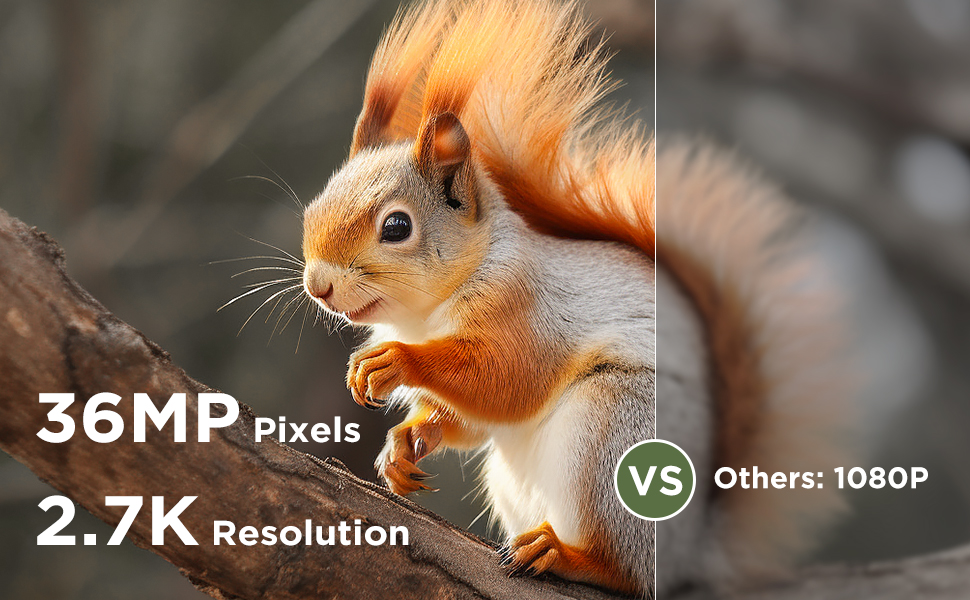
Image: A comparison illustrating the effectiveness of 940nm No Glow infrared LEDs for discreet night vision, showing two fawns undisturbed in their natural habitat.
5.5 ViewMedien
Du kannst view captured photos and videos directly on the camera's LCD screen or by connecting the camera to a computer using the provided USB cable. Alternatively, remove the SD card and insert it into a compatible card reader.
6. Wartung
6.1 Reinigung
To maintain optimal performance, regularly clean the camera lens and the PIR sensors with a soft, dry cloth. Avoid using abrasive cleaners or solvents.
If condensation appears on the lens, open the camera casing to allow it to air dry in a dry environment.
6.2 Wasserbeständigkeit
The CEYOMUR CY60 is rated IP66 waterproof, providing protection against dust and strong jets of water. Ensure the casing is securely closed and the rubber seal is free of debris to maintain its water resistance.
6.3 Akku- und SD-Kartenverwaltung
Replace batteries when the low battery indicator appears on the screen. Regularly check the SD card for available space and transfer important fileum Datenverlust auf einem Computer zu verhindern.
7. Fehlerbehebung
- Kamera lässt sich nicht einschalten:
Ensure batteries are inserted correctly with the right polarity and are fully charged. Check if the power switch is in the 'SETUP' or 'ON' position.
- Keine Fotos/Videos aufgenommen:
Verify that the SD card is properly inserted and has sufficient free space. Check PIR sensitivity settings; increase if necessary. Ensure the camera is in the correct operating mode (Photo, Video, or Photo+Video). Confirm that the PIR interval is not set too long.
- Schlechte Nachtsicht:
Ensure the camera lens and IR LEDs are clean and unobstructed. Check battery levels, as low power can affect IR performance.
- Kurze Akkulaufzeit:
Using high-quality alkaline or rechargeable batteries is recommended. Frequent video recording, especially at night, consumes more power. Reduce PIR sensitivity or interval if excessive triggers occur.
- Condensation on lens:
Öffnen Sie die Kamera casing and allow it to dry in a warm, dry environment. Ensure the rubber seal is clean and the casing is securely closed to prevent moisture ingress.
8. Spezifikationen
| Besonderheit | Spezifikation |
|---|---|
| Modellnummer | CY60 |
| Fotoauflösung | 36MP (Upgraded from 30MP) |
| Videoauflösung | 4K (2160p) 30fps |
| Erfassungswinkel | 120 degrees (60° central PIR + two 30° side PIRs) |
| Auslösegeschwindigkeit | 0.2 Sekunden |
| Nachtsicht | 36 x 850nm Low-Glow IR LEDs |
| Wasserbeständigkeit | IP66 |
| Stromquelle | 8 x AA Batteries (6V DC) |
| Lagerung | Micro SD Karte bis zu 32GB |
| Abmessungen (L x B x H) | 14.7 x 10.4 x 8 cm |
| Material | Gummi |
| Konnektivität | Wired IR, USB |
9. Garantie und Support
Die CEYOMUR CY60 Wildkamera wird mit einer 1 Jahr Herstellergarantie.
For technical support, troubleshooting assistance, or warranty claims, please contact CEYOMUR customer service. Refer to the contact information provided on the product packaging or the official CEYOMUR webWebsite.